Crystal Reports Formula Date Format Crystal Reports Sum Option And Number Formatting Missing Crystal Reports Formula Workshop Howcodex Print Maxicode In Crystal Reports Crystal Reports Formula Workshop Howcodex Print Aztec Code In Crystal Reports Web Date time literals always use U S English date formats rather than settings from the locale of the particular computer on which SAP Crystal Reports is running Thus the date time literal examples above would work on all computers On the other hand on a French system you could use constructions like
Web Jul 16 2010 nbsp 0183 32 If the datetime is in field not a formula then you can format it Right click on the field gt Format Editor Date and Time tab Select date time formatting you desire or click customize If the datetime is in a formula ToText MyDate quot dd MMM yyyy quot Displays 31 Jan 2010 or ToText MyDate quot dd MM yyyy quot Displays 31 01 2010 or Web Nov 13 2017 nbsp 0183 32 Date format in formula field in Crystal report 13590 Views Follow RSS Feed How can I achieve the date in quot DD MMM YYYY quot format in formula field of Crystal report I have one formula where I am concatenating the Country name with the Date It takes the system format when the report is generated How can I fix the format to quot DD
Print Aztec Code In Crystal Reports Crystal Reports Selection Formula Date Format Crystal Reports How To Convert Number To Text Without Formatting no Use HTML In Crystal Reports To Format Formula Field Crystal Reports Formula Workshop Howcodex Display String Crystal Reports Riset How To Change Date Format In Crystal Report CodeProject Dealing With Date Data In UTC Format Go The Hell Now DESCARGAR CRYSTAL REPORT 8
Crystal Reports Formula Date Format
 Crystal Reports Formula Date Format
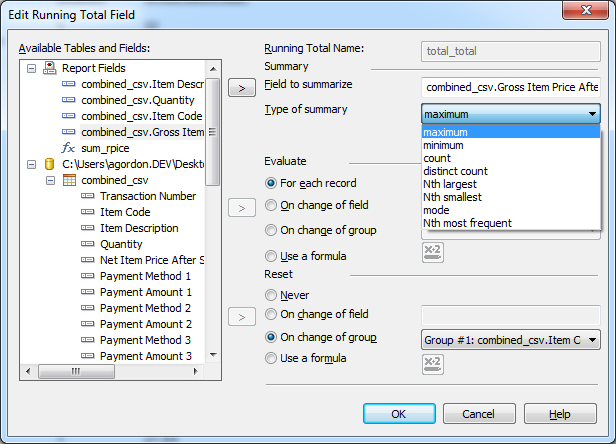
https://www.itsupportguides.com/wp-content/uploads/CrystalReports-MissingRunningTotalFields1.png
Web Aug 15 2016 nbsp 0183 32 Aug 16 2016 at 4 54 Add a comment 0 In your date formula use date table field To remove the comma see How to remove comma from crystal report string and from integer field Share Improve this answer
Templates are pre-designed files or files that can be utilized for different functions. They can conserve time and effort by offering a ready-made format and design for developing different type of content. Templates can be used for personal or professional jobs, such as resumes, invites, leaflets, newsletters, reports, discussions, and more.
Crystal Reports Formula Date Format

Panasonic Toughbook Serial Number Breakdown

Crystal Reports Selection Formula Date Format
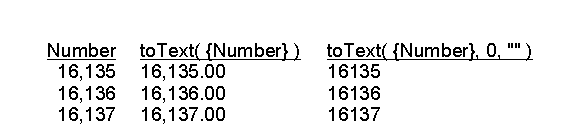
Crystal Reports How To Convert Number To Text Without Formatting no
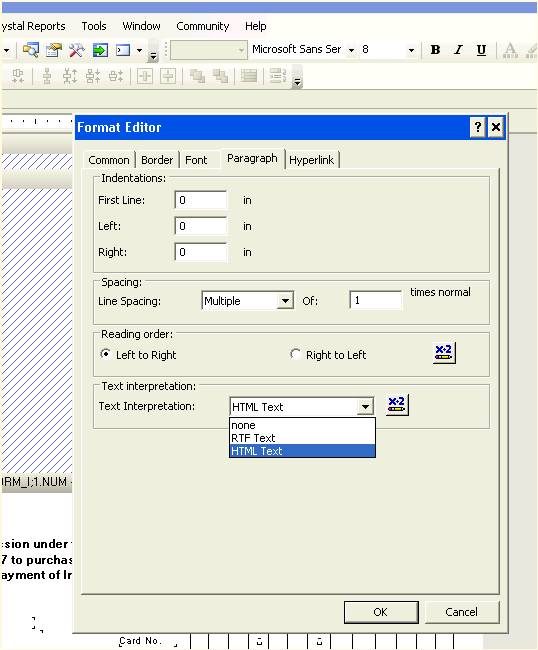
Use HTML In Crystal Reports To Format Formula Field
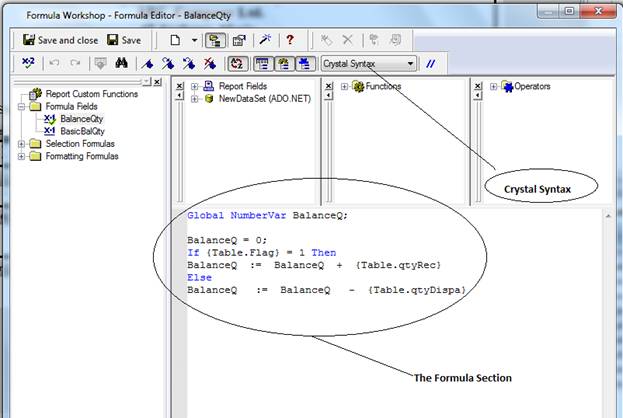
Display String Crystal Reports Riset
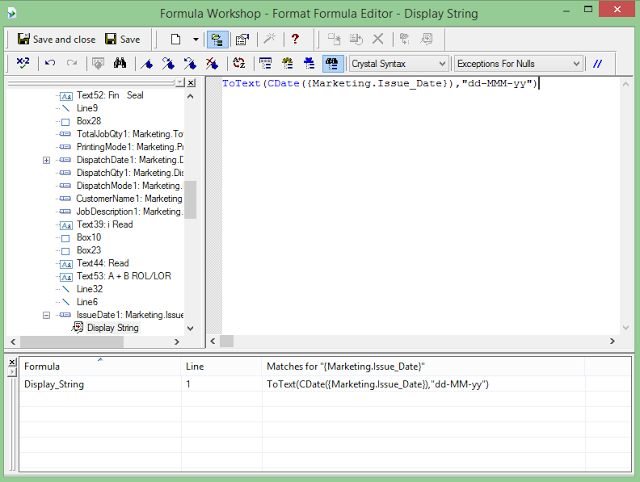
How To Change Date Format In Crystal Report CodeProject
Web Jul 28 2015 nbsp 0183 32 I use ToText Cdate dt vw Rept Attend StartDate quot dd MMM yyyy quot formula to formate datetime string in crystal report to display day month year but it doesn t work for me if i have datetime in my database as 7 28 2015 12 00 00 AM so according to function it should be 28 Jul 2015

Web Nov 9 2020 nbsp 0183 32 If for any reason I doubt there s a good one you can t change the datatype use the following formula ToText Date db colname quot yyyyMMdd quot This formula converts the string to a date and then formats the date with yyyyMMdd format Notice the uppercase M which is used for the month Lowercase m is used for minutes
Web Jun 19 2009 nbsp 0183 32 Right click on the field gt Format Editor Date and Time tab Select date time formatting you desire or click customize If the datetime is in a formula ToText MyDate quot dd MMM yyyy quot

Web Feb 1 2012 nbsp 0183 32 Date ToNumber Right myTable strDate 4 ToNumber Mid myTable strDate 5 2 ToNumber Left myTable strDate 2 The above answer does not work for a typical date that is currently in the string format yyyymmdd The quot left quot and quot right quot need to be swapped
Web Mar 23 2007 nbsp 0183 32 If you have a DateTime field in Crystal Reports you will see Date and Time tab option on the Format Editor when you right click on the field and select Format Field menu item From the Date and Time tab you may select the desired format and select OK Custom Date Format
[desc-11] [desc-12]
[desc-13]