Create Sudo User Redhat 8 How To Create A Sudo User On Ubuntu 22 04 Tuts Make How To Add Or Create Sudo User In Linux System Quickstart How To Add Or Create Sudo User In Linux System Quickstart How To Add Or Create Sudo User In Linux System Quickstart How To Create Sudo User On Ubuntu Debian Linux Web Mar 30 2020 nbsp 0183 32 Introduction The sudo command provides a mechanism for granting administrator privileges ordinarily only available to the root user to normal users This guide will show you how to create a new user with sudo access on CentOS 8 without having to modify your server s etc sudoers file
Web May 30 2020 nbsp 0183 32 To create a new user account invoke the useradd command followed by the name of the user For example to create a new user named username you would run sudo useradd username When executed without any option useradd creates a new user account using the default settings specified in the etc default useradd file Web Feb 11 2020 nbsp 0183 32 Linux command line basics sudo Enable Sysadmin Linux command line basics sudo Learn to elevate your work and your permissions by becoming a super user with sudo Posted February 11 2020 3 min read Tyler Carrigan Editorial Team Red Hat Image by Pixabay Advanced Linux commands cheat sheet
How To Create Sudo User On Ubuntu Debian Linux How To Add Or Create Sudo User In Linux System Quickstart RHEL 8 CentOS 8 Change Hostname Linux Tutorials Learn Linux Configuration Change To Sudo User In Terminal Anirasoza How To Delete User On RHEL 8 CentOS 8 Linux Linux Tutorials Learn Linux Configuration How To Create A Sudo User On Ubuntu Linuxize Install Gnome On RHEL 8 CentOS 8 Linux Tutorials Learn Linux Configuration How To Install Apache On RHEL 8 CentOS 8 Linux Linux Tutorials Learn Linux Configuration How To Install Npm On RHEL 8 CentOS 8 Linux Tutorials Learn Linux Configuration
Create Sudo User Redhat 8
 Create Sudo User Redhat 8
https://www.tutsmake.com/wp-content/uploads/2022/05/How-To-Create-a-Sudo-User-on-Ubuntu-22.04-1024x499.jpg
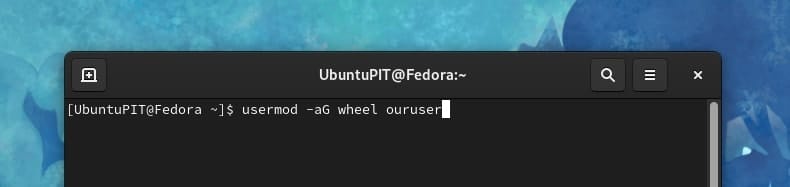
Web Sep 27 2019 nbsp 0183 32 In CentOS 8 there are two ways of adding a user to sudoers you can add it to the wheel group similar to the sudo group on Debian based distributions or you can add the user to the sudoers file Here are the details of the two methods used Prerequisites Adding an existing user to the wheel group
Templates are pre-designed documents or files that can be used for numerous functions. They can save time and effort by providing a ready-made format and layout for producing different kinds of content. Templates can be used for personal or professional tasks, such as resumes, invites, leaflets, newsletters, reports, discussions, and more.
Create Sudo User Redhat 8

Arch Linux Sudo
How To Add Or Create Sudo User In Linux System Quickstart
RHEL 8 CentOS 8 Change Hostname Linux Tutorials Learn Linux Configuration

Change To Sudo User In Terminal Anirasoza

How To Create A Sudo User On Ubuntu Linuxize

Install Gnome On RHEL 8 CentOS 8 Linux Tutorials Learn Linux Configuration

Web As root create a new sudoers d directory under etc mkdir p etc sudoers d Create a new file in the etc sudoers d directory visudo f etc sudoers d lt example user gt The file opens automatically Add the following line to the etc sudoers d lt example user gt file lt example user gt lt host example gt usr bin dnf
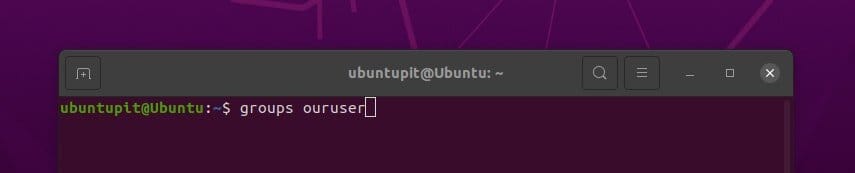
Web Create a Sudo User Step 1 Log in to your server In the first step you need to login into your system or server with root user using the SSH command Step 2 Create a new user account Step 3 Set password for Username Step 4 Add new user to sudo group
Web Procedure To add a new user use useradd options username Replace options with the command line options for the useradd command and replace username with the name of the user Example 20 1 Adding a new user To add the user sarah with user ID 5000 use useradd u 5000 sarah Verification steps

Web The useradd utility creates new users and adds them to the system Following the short procedure below you will create a default user account with its UID automatically create a home directory where default user settings will be stored home username and set the default shell to bin bash

Web Aug 20 2021 nbsp 0183 32 Step 1 Let s create a user amp set password for the user in RHEL8 Assuming you are logged in with root user you can create an user using the useradd command amp set password by passwd as
[desc-11] [desc-12]
[desc-13]