Create Pivot Table In Excel Shortcut Pivot Table Shortcut Keyboard Keys In Excel VBAF1 COM How To Create A Pivot Table How To Excel How To Remove Table Format In Excel Shortcut Keys Kopgifts How To Build A Pivot Table Closetimpact19 Pivot Table Formula In Excel Shortcut Keys Prepdas Web 14 Sept 2023 nbsp 0183 32 Choose whether you want to create the pivot table on a new worksheet or in an existing one Click OK to create the pivot table Alternatively you can use the
Web 21 Sept 2018 nbsp 0183 32 Bottom Line Learn how to create simple macro buttons that users can click to instantly add or remove fields to Excel pivot tables Skill Level Intermediate Web 9 Feb 2017 nbsp 0183 32 First and foremost add the Developer Tab to your Excel Ribbon and follow these steps Go to Insert at the Developer Tab and click on it You will find two
Pivot Table Formula In Excel Shortcut Keys Prepdas How To Create A Pivot Table In Excel 2007 Excel Shortcuts Cheat Sheets Pivot Table Excel 3 Easy Ways To Create Pivot Tables In Excel with Pictures Pivot Table Practice Spreadsheets Infoupdate Pivot Table Formula In Excel Shortcut Keys Prepdas Pivot Chart In Excel How To Create A Pivot Table How To Create Pivot Tables In Excel Vrogue Asoboost Blog Excelpivot Table Home Design Ideas
Create Pivot Table In Excel Shortcut
 Create Pivot Table In Excel Shortcut
https://vbaf1.com/wp-content/uploads/2022/06/Pivot-Table-Shortcut-1-711x400.png
Web 20 Sept 2023 nbsp 0183 32 1 Change Data Source to Edit a Pivot Table 2 Add a Column Row to Edit a Pivot Table 2 1 Add a Column 2 2 Add a Row 3 Select the Displaying Fields to Edit a Pivot Table 4 Rearrange Fields
Pre-crafted templates provide a time-saving service for developing a diverse range of files and files. These pre-designed formats and designs can be made use of for numerous personal and professional projects, including resumes, invitations, flyers, newsletters, reports, discussions, and more, streamlining the material creation process.
Create Pivot Table In Excel Shortcut
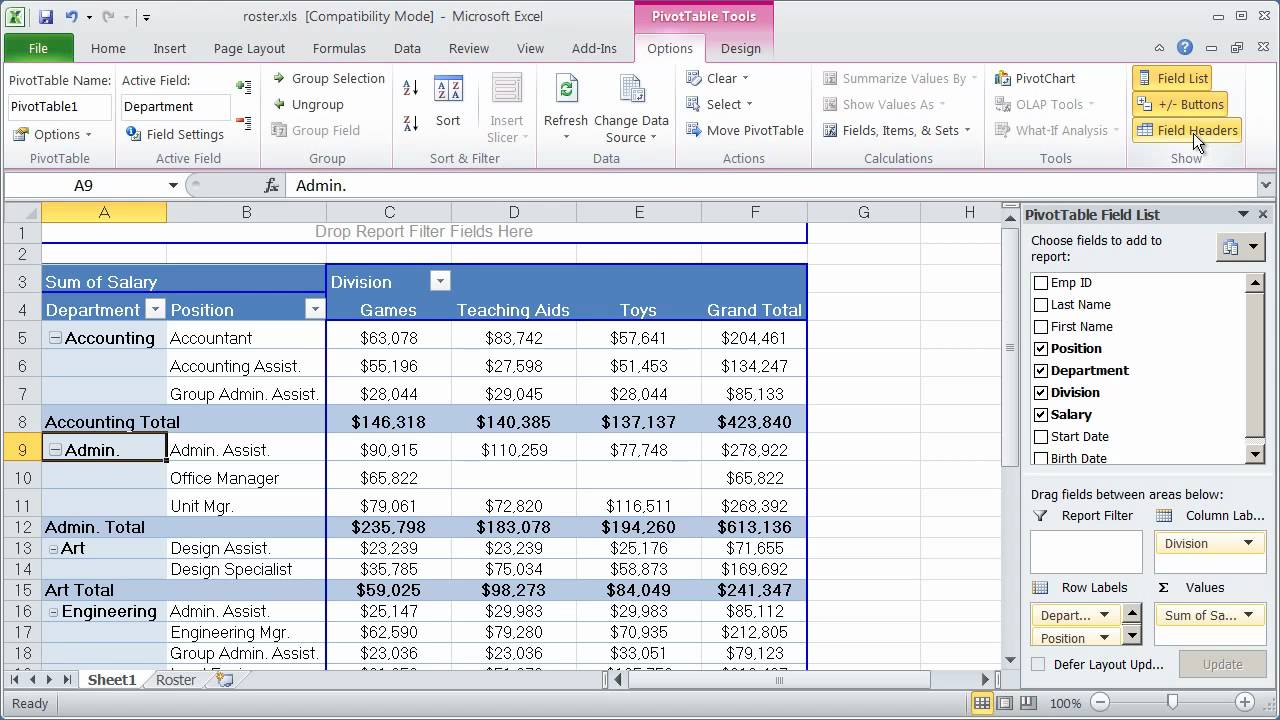
Excel Pivot Tables Webinar US Computer Connection

How To Create A Pivot Table In Excel 2007 Excel Shortcuts Cheat Sheets Pivot Table Excel

3 Easy Ways To Create Pivot Tables In Excel with Pictures
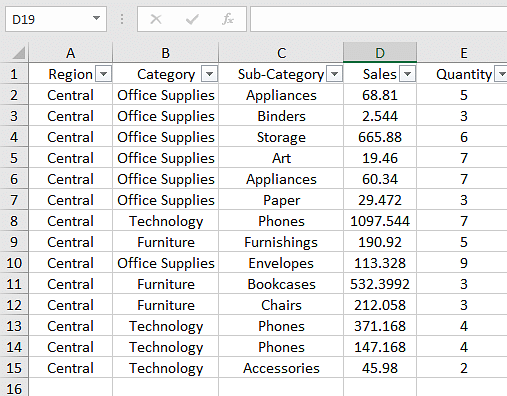
Pivot Table Practice Spreadsheets Infoupdate
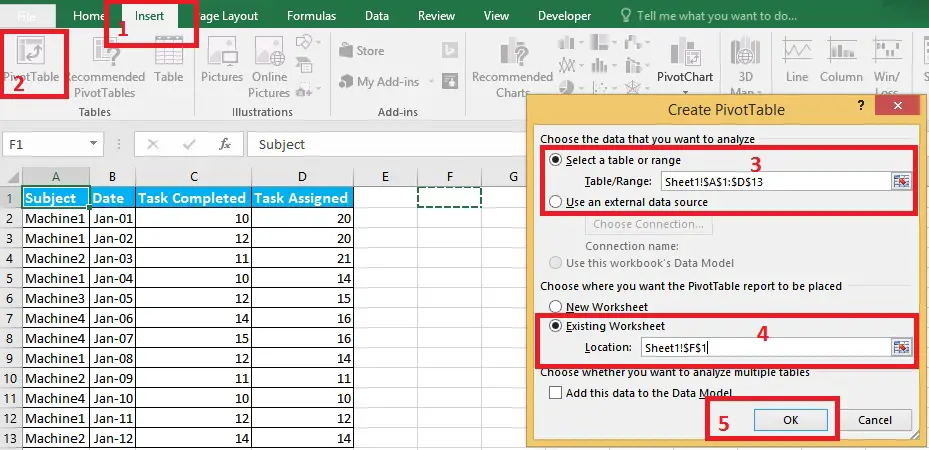
Pivot Chart In Excel How To Create A Pivot Table

How To Create Pivot Tables In Excel Vrogue

Web 23 M 228 rz 2021 nbsp 0183 32 1 Create a pivot table from the selected data Select the data set and press Alt gt N gt V this is a sequential shortcut so press Alt
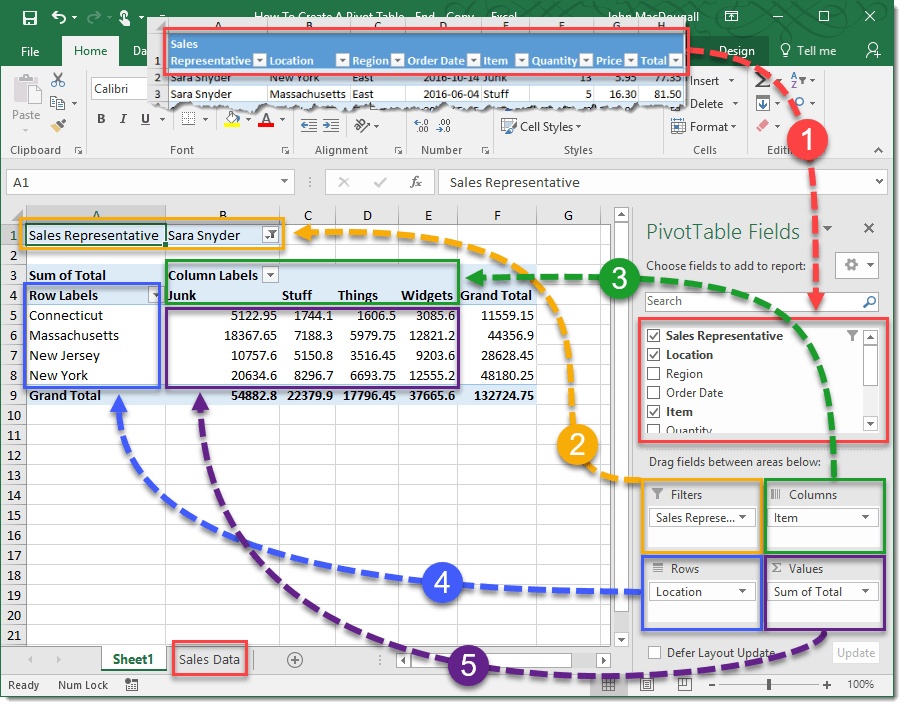
Web Power Pivot keyboard shortcuts Function keys Other useful shortcut keys Frequently used shortcuts This table lists the most frequently used shortcuts in Excel Top of Page Ribbon keyboard shortcuts The ribbon
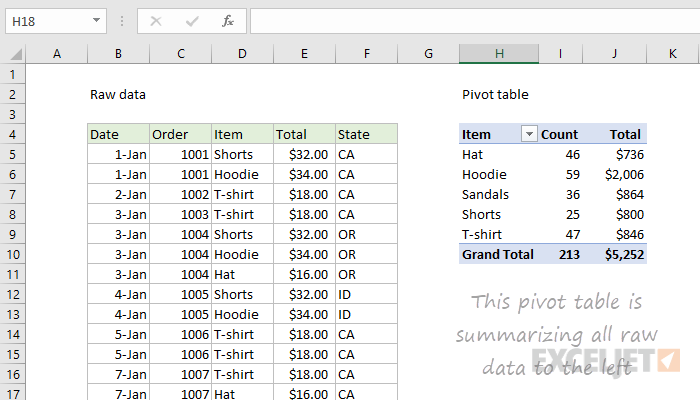
Web 20 Sept 2023 nbsp 0183 32 You can create a table in Excel using the keyboard shortcut key CTRL T a pivot table by ALT N V T and a power query table by ALT A P T
Web Hier erfahren Sie wie Sie eine PivotTable in Excel verwenden um Ihre Arbeitsblattdaten zu berechnen zusammenzufassen und zu analysieren um ausgeblendete Muster und

Web How to use a PivotTable in Excel to calculate summarize and analyze your worksheet data to see hidden patterns and trends
Web Step 1 Select data Select the data range from which you want to make the pivot table Figure 1 Select data Step 2 Click the PivotTable icon in the Insert tab Click the Web 1 Click any single cell inside the data set 2 On the Insert tab in the Tables group click PivotTable The following dialog box appears Excel automatically selects the data for
Web 24 Feb 2019 nbsp 0183 32 As Mike Girvin ExcelIsFun YouTube channel has reminded me repeatedly over the last few years ALT N V is the keyboard shortcut to create a pivot table Use