Create Git Repo On Local Machine Set Up Git Repository Locally Contributor Guide Microsoft Learn How To Push Local Git Repository To Github YouTube How To Push An Existing Project To GitHub Tutorial How To Create And Sync Git And GitHub Repositories How To Create A New Gitlab Repo From My Existing Local Git Repo Using Create an account on YouTube To sign in to YouTube you ll need to create a Google Account A Google Account lets you use many YouTube features including Like Subscribe Watch Later
Create a YouTube channel You can watch like videos and subscribe to channels with a Google Account To upload videos comment or make playlists you need a YouTube channel Without Create an account on YouTube To sign in to YouTube you ll need to create a Google Account A Google Account lets you use many YouTube features including like subscribe Watch Later
How To Create A New Gitlab Repo From My Existing Local Git Repo Using How To Push Local Git Repository To Github Youtube Www vrogue co Power Apps Co Authoring Commands And Operations In Git DZone Git Why Can t I See Commited Files In My Shared Repo Stack Overflow Create Azure Devops Cicd Pipeline Using Azure Devtest Azure Devtest How To Remove Git From Project Scaler Topics Using Git With VS Code Create A New Git Repository TestingDocs
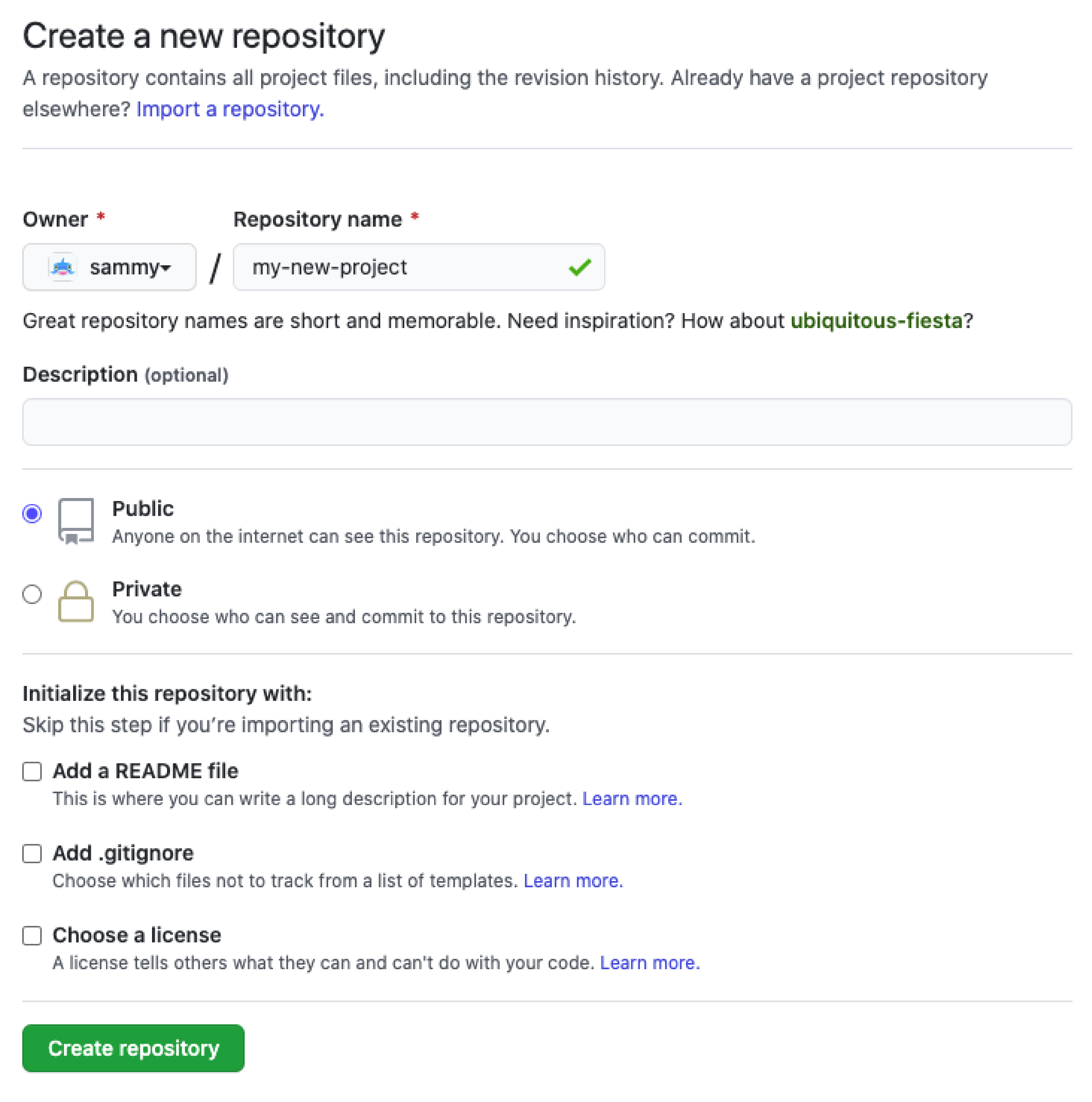
Create Git Repo On Local Machine
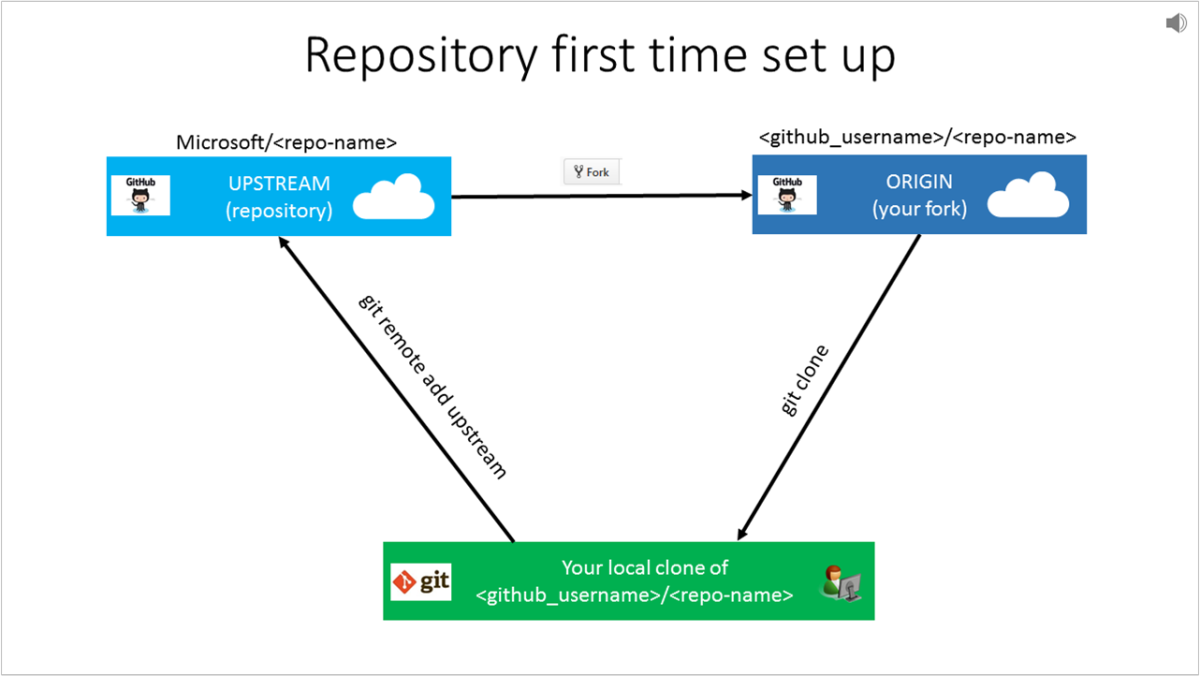 Create Git Repo On Local Machine
https://learn.microsoft.com/en-us/contribute/media/git-and-github-initial-setup.png
Docs mobile How to use Google Docs Visit the Learning Center Using Google products like Google Docs at work or school Try powerful tips tutorials and templates Learn to work on
Templates are pre-designed files or files that can be used for numerous purposes. They can conserve time and effort by providing a ready-made format and design for creating various type of material. Templates can be used for personal or expert tasks, such as resumes, invites, flyers, newsletters, reports, presentations, and more.
Create Git Repo On Local Machine
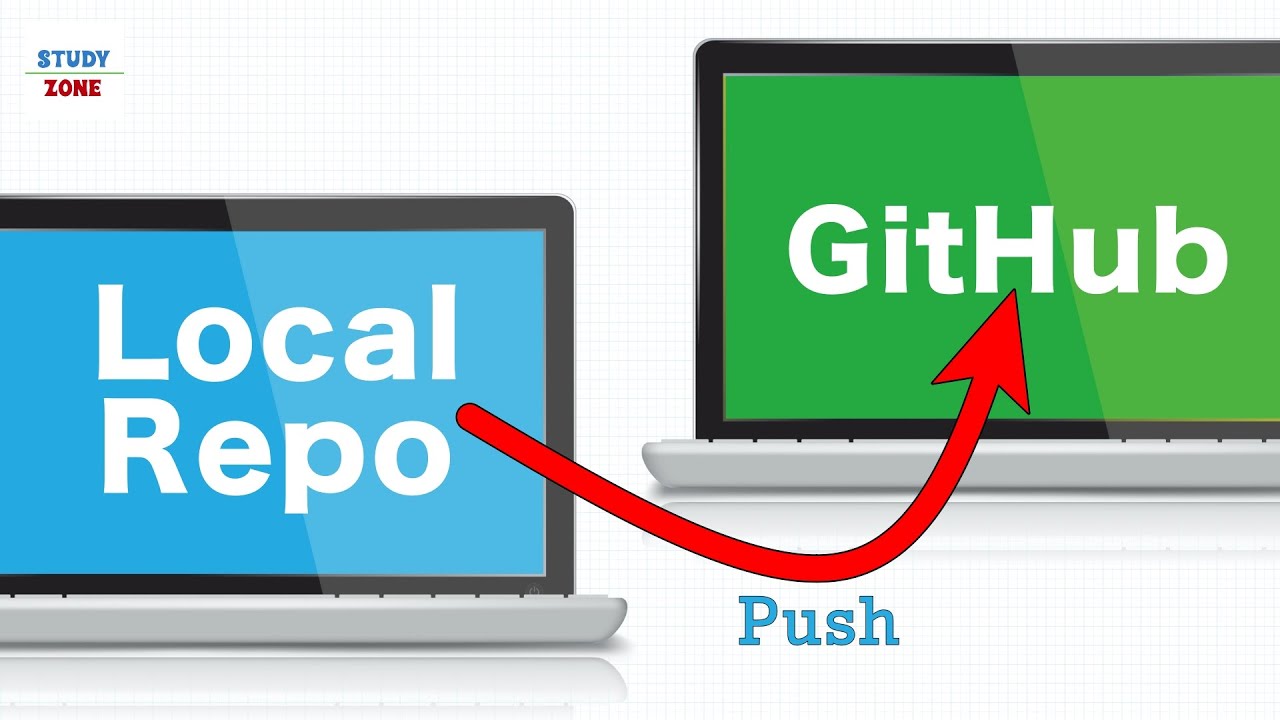
GitHub Create Local Repository And Push To Github Push An Existing
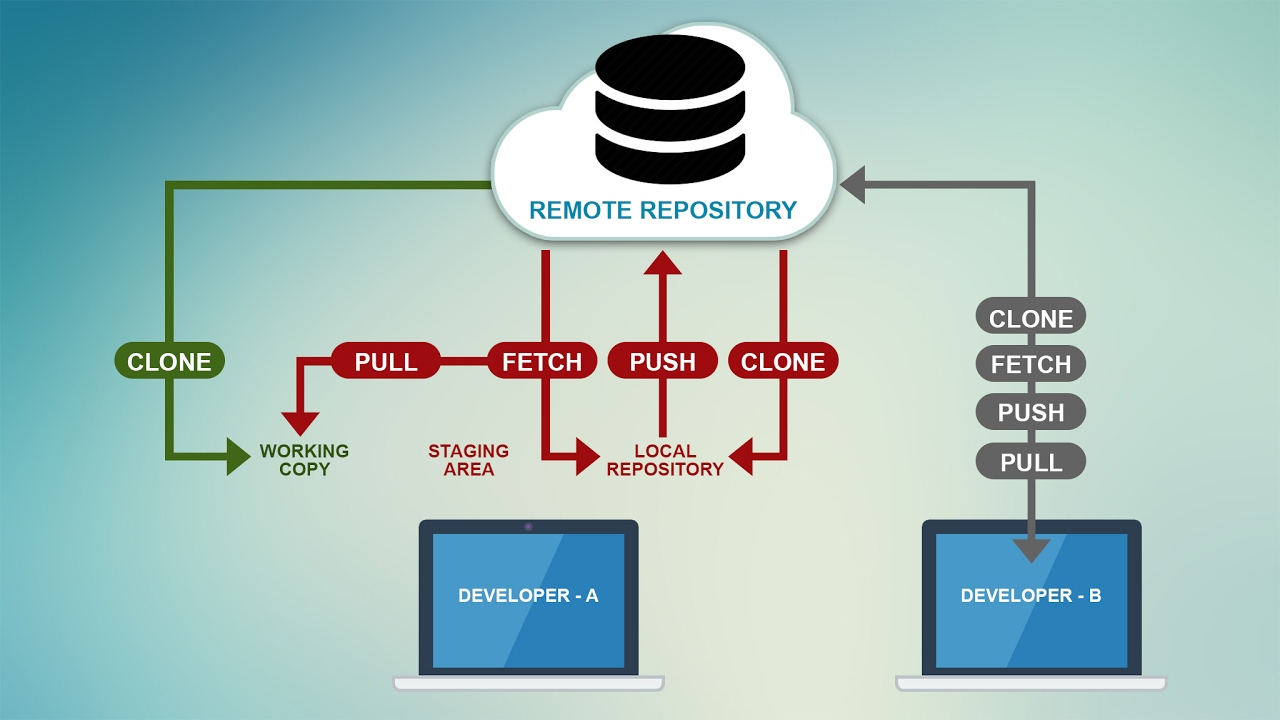
How To Push Local Git Repository To Github Youtube Www vrogue co
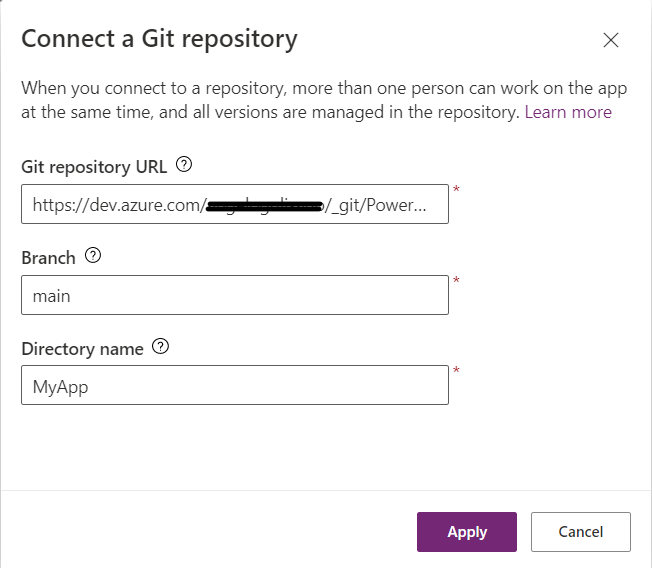
Power Apps Co Authoring
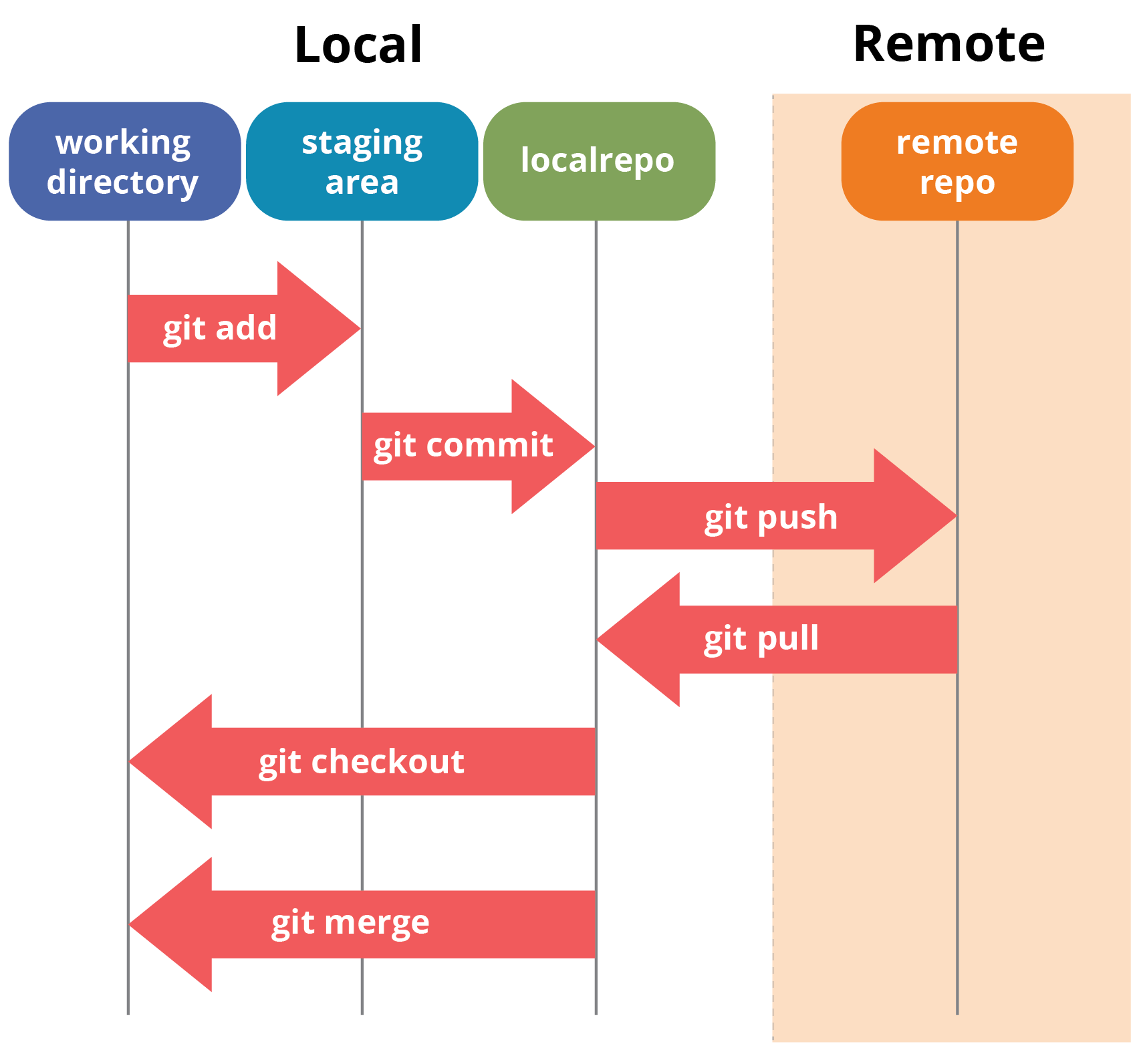
Commands And Operations In Git DZone
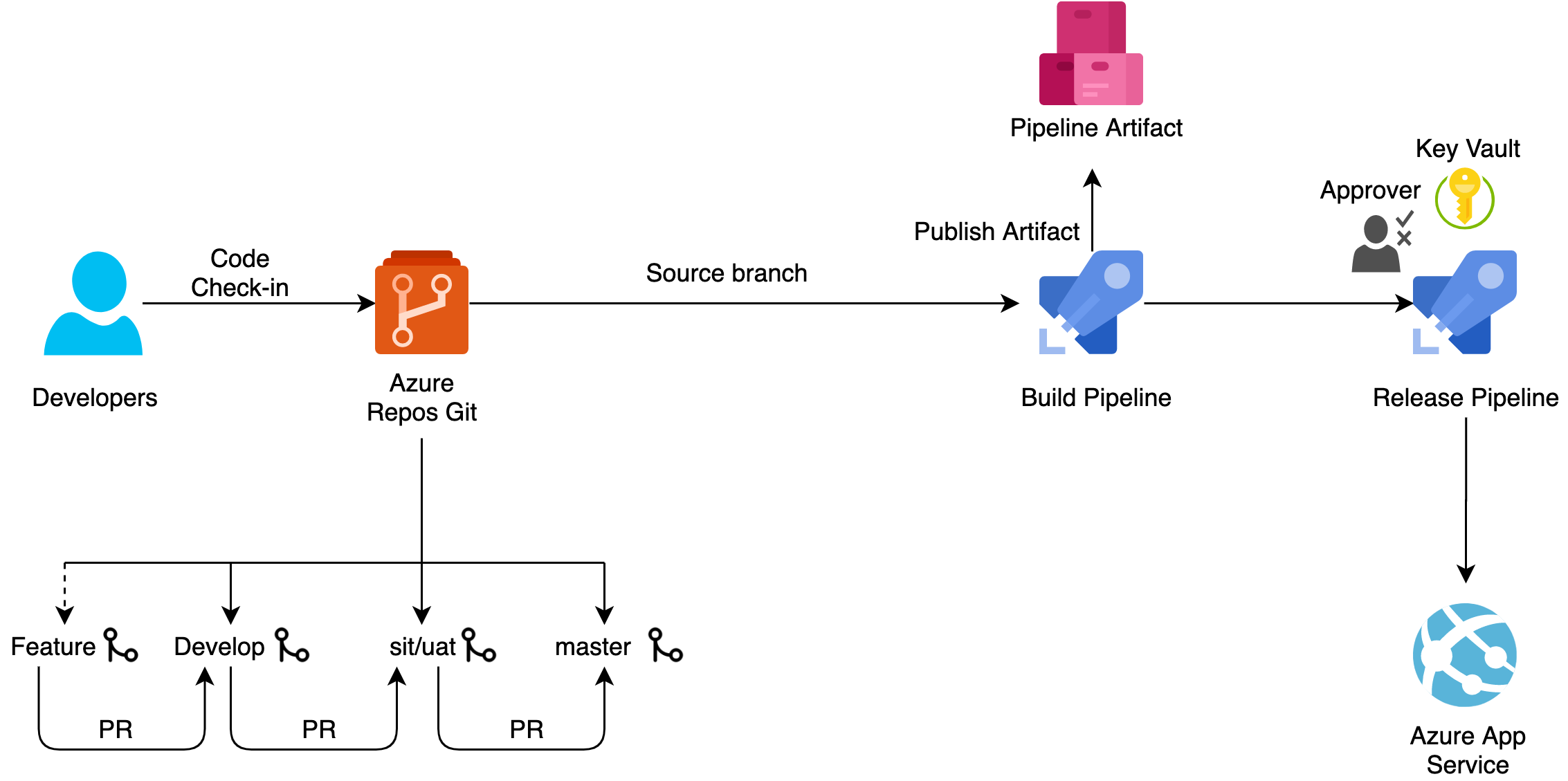
Create Azure Devops Cicd Pipeline Using Azure Devtest Azure Devtest
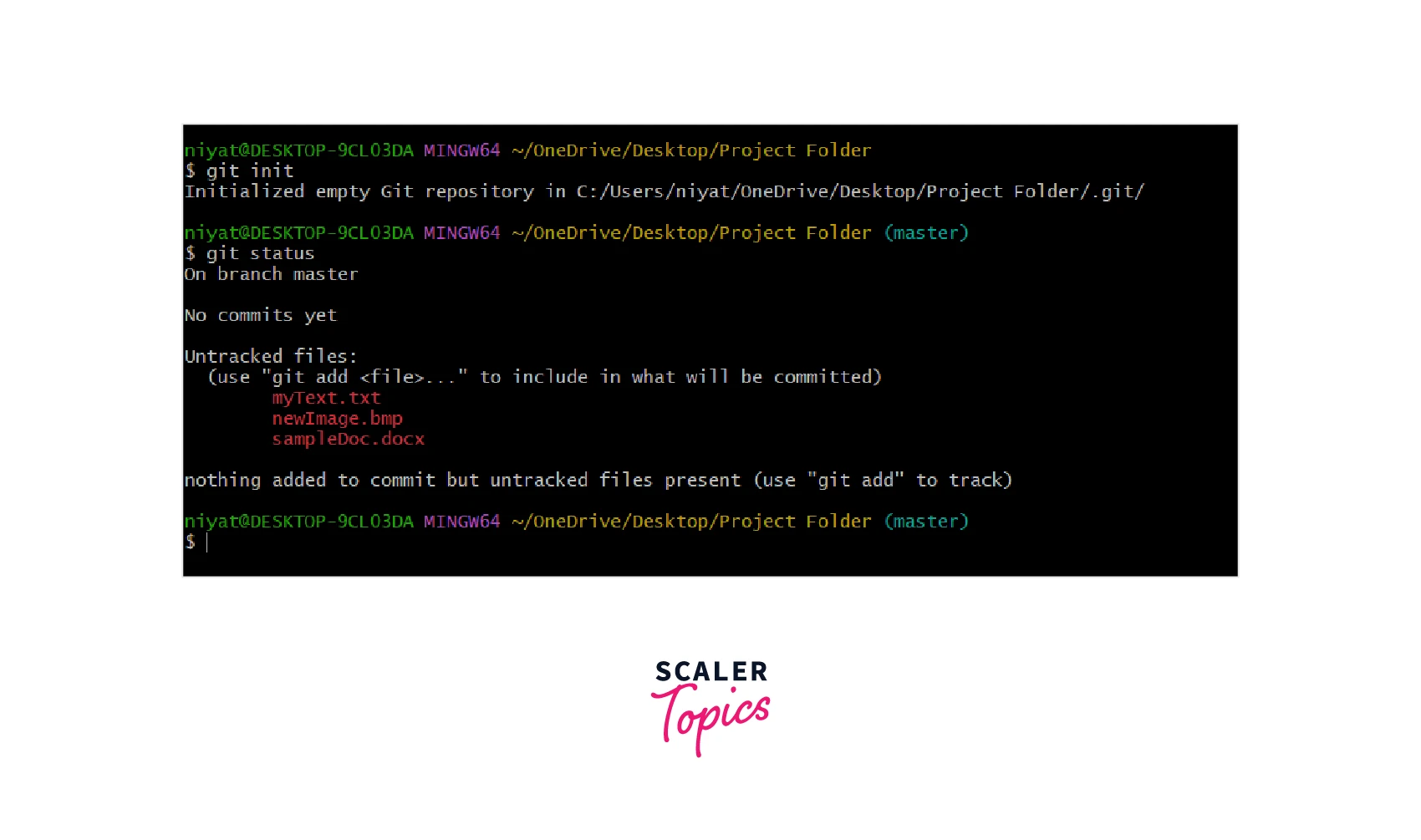
How To Remove Git From Project Scaler Topics
Create an account Tip To use Gmail for your business a Google Workspace account might be better for you than a personal Google Account With Google Workspace you get increased
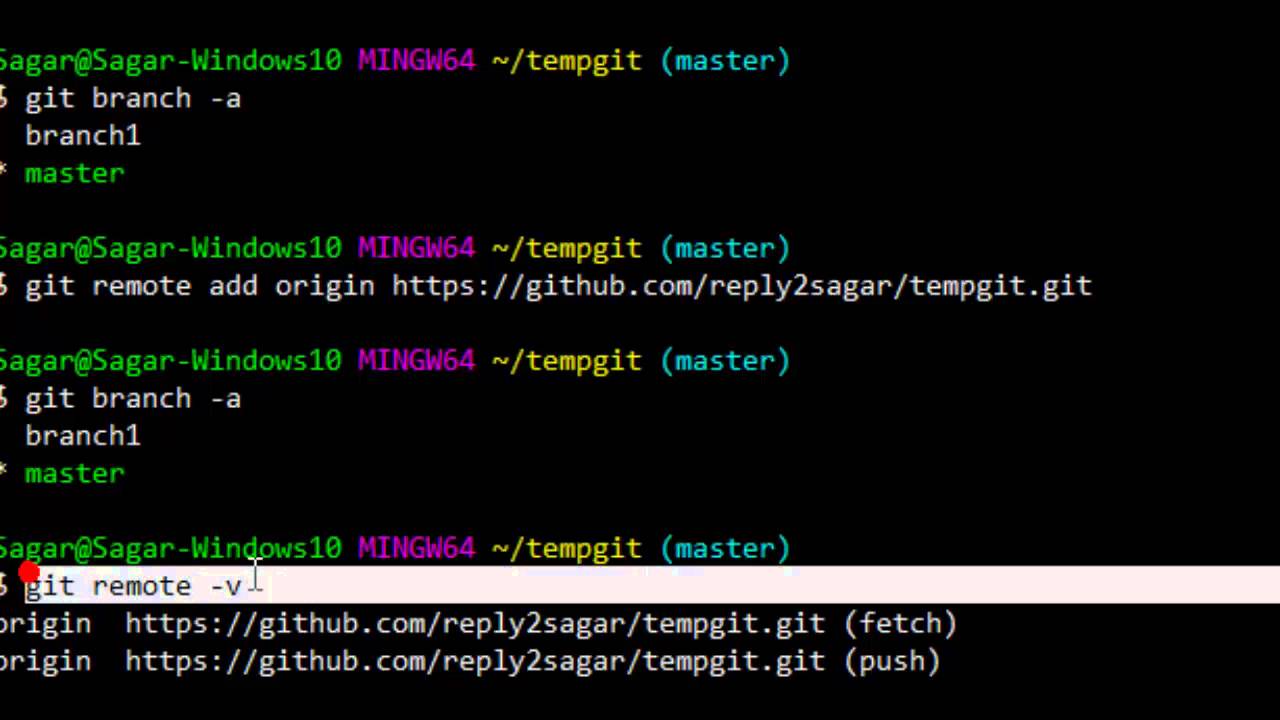
Important When you create a Google Account for your business you can turn business personalization on A business account also makes it easier to set up Google Business Profile
On this page Create a form Add questions Customize your design Control and monitor access Review your form Report abusive content in a form Create a form Go to forms google

Use document tabs in Google Docs You can create and manage tabs in Google Docs to better organize your documents With tabs from the left panel you can Visualize the document

Create a map On your computer sign in to My Maps Click Create a new map Go to the top left and click quot Untitled map quot Give your map a name and description Open a map On your
[desc-11] [desc-12]
[desc-13]