Create Category Page In Wordpress Wordpress Woocommerce Themes 2014 Passafeeds Create Pages WordPress Documentation 7 BEST Ways To Create A Landing Page In WordPress 2023 How To Guide 7 Best Gallery Plugins For WordPress in 2023 Dartjets Add And Edit Categories In WordPress WordPress Support Web Jul 1 2022 nbsp 0183 32 Adding a Category in WordPress You can easily add a new category in WordPress when writing a post First if the sidebar isn t showing when you re editing a post you ll need to click on the gear icon on the top right Then in the Post panel on the right hand side open up the Categories tab
Web Jan 27 2022 nbsp 0183 32 Methods to create custom category archive pages 301 Redirect to custom page Auto replace archive with page hack Replace archive with matching page if it exists php snippet Page Builders Theme Builders Inject custom content with Archive Control free plugin Inject custom content with theme hooks Web Oct 26 2023 nbsp 0183 32 Displaying posts images and other content from specific categories in an attractive way requires customized templates and queries Solution Create custom templates for category pages e g category php and use custom queries to fetch and display category specific content
Add And Edit Categories In WordPress WordPress Support Beginner s Guide On How To Create Full Width Page In WordPress Mu enia Kor ule Bedro Wordpress Add Section To Section Zni enie Hrad Chu Wordpress Magazine Style Best Wordpress Themes Plugins And Hosting TabThemes A Basic Tutorial On Creating Drop Down Menu In WordPress WP Daily Themes Php Can t Create Pages Or Posts As Admin In New Wordpress Stack Overflow Creating A WordPress Home Page YouTube Sex Education Urdu How To Create A Child Page In WordPress WordPress Maintenance Service RoxWP
Create Category Page In Wordpress
 Create Category Page In Wordpress
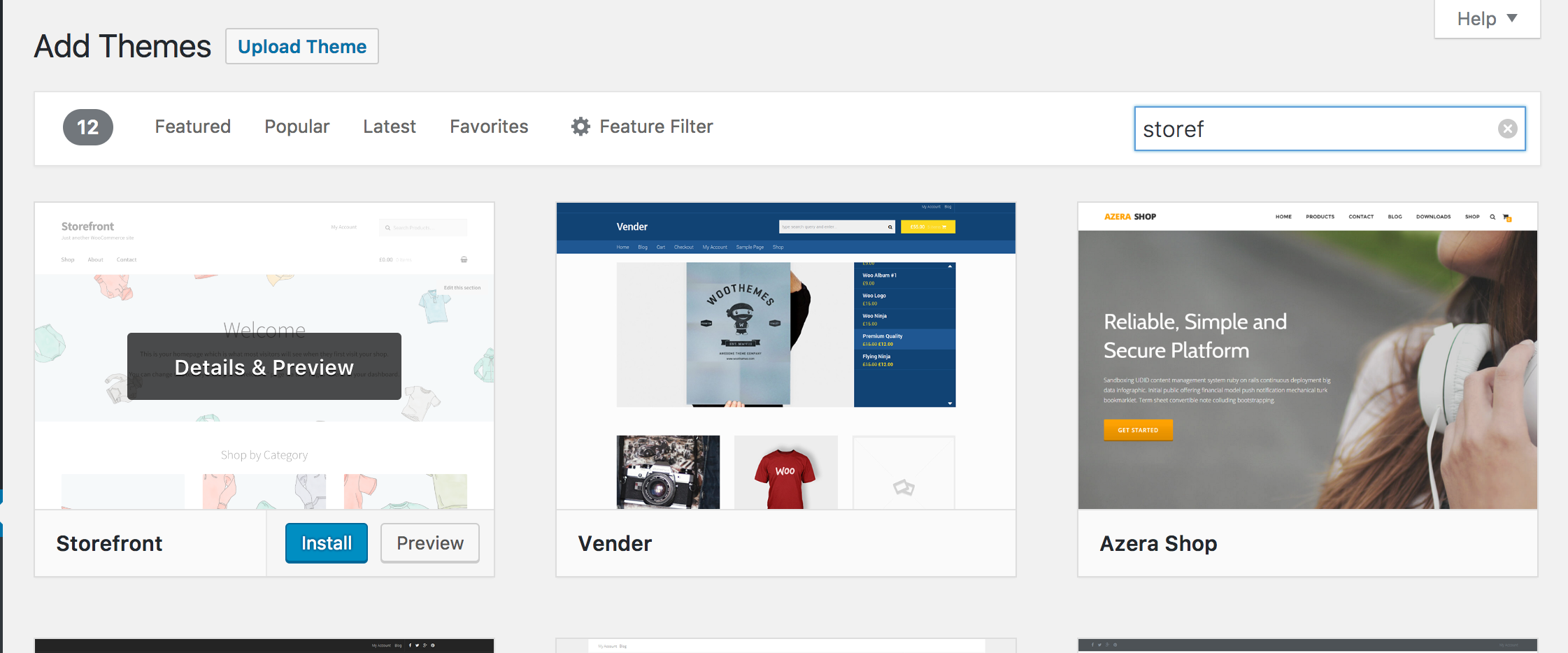
https://woocommerce.com/wp-content/uploads/2014/11/storefront-find-install.png
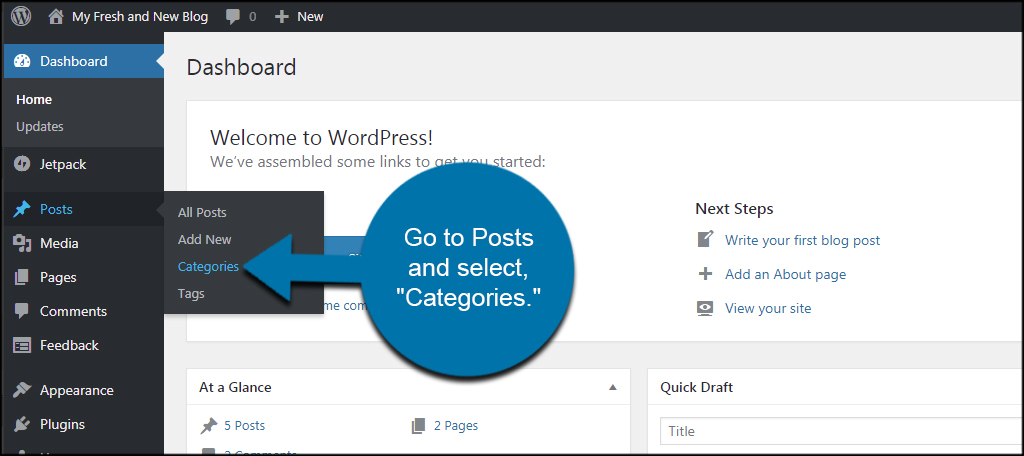
Web To create new categories in WordPress go to Posts gt Categories page On the left side of the page you will see a tab that allows you to create categories Fill in the category name its slug which will be used in the category URLs the category description and then press Add New Category
Templates are pre-designed files or files that can be utilized for different functions. They can save time and effort by providing a ready-made format and design for developing various type of material. Templates can be utilized for individual or expert jobs, such as resumes, invites, flyers, newsletters, reports, presentations, and more.
Create Category Page In Wordpress

How To Display Subcategories On Category Pages In WordPress WPXPO
Beginner s Guide On How To Create Full Width Page In WordPress
Mu enia Kor ule Bedro Wordpress Add Section To Section Zni enie Hrad Chu

Wordpress Magazine Style Best Wordpress Themes Plugins And Hosting TabThemes

Php Can t Create Pages Or Posts As Admin In New Wordpress Stack Overflow
Creating A WordPress Home Page YouTube

Web Dec 4 2023 nbsp 0183 32 In this post we ll show you two different ways to create a custom WordPress category page Using the native WordPress editor which is 100 free However this only works with block enabled themes Using Beaver Builder and Beaver Themer which is a

Web Aug 22 2013 nbsp 0183 32 Creating a Category Template for Your Theme in WordPress Using Conditional Tags for a Category Create a Category Template Using Beaver Themer WordPress Template Hierarchy for Category Pages WordPress has a powerful templating system that lets you create different templates for different sections of your

Web Go to your dashboard Navigate to Posts Categories Click Add New Category Give the new category a name and optionally a description Click Add to save the new category By default the category will be added as a Top level Category This means that it is not a

Web Mar 16 2018 nbsp 0183 32 Creating Your Custom WordPress Category Pages Enhanced Category Pages works by letting you edit your category pages with all of the same WordPress Editor options you have when writing posts or pages It s super easy to use assuming you ve got the plugin activated you can access the editor by going to Posts Categories

Web Sep 2 2023 nbsp 0183 32 Go to the Posts or Pages section of your WordPress dashboard Click on Categories in the left hand menu Enter a name for your new category and click Add New Category You can also add a description and choose a parent category if applicable for your new category
Web Apr 5 2023 nbsp 0183 32 Learn how to create page categories tags and custom taxonomies for WordPress pages Web Jan 23 2022 nbsp 0183 32 Tutorials PostX 2 Ways to Create WordPress Category Page Template By Omith Hasan Updated December 3 2023 WordPress category pages display posts that are assigned in that particular category The design of the categories comes from a premade design known as the WordPress Category page template
Web Dec 15 2022 nbsp 0183 32 All you need to do is create a new page and then assign the category to that page Here s a step by step guide to doing this 1 Log in to your WordPress site and go to the Dashboard 2 In the Dashboard go to the Pages section and click on the Add New link 3 Enter a title for your page in the Title field 4