Create Animated Charts In Excel How To Create Animated Charts In Excel with Easy Steps How To Create Animated Charts In Excel with Easy Steps How To Create Animated Charts In Excel Auto VBA Create Animated Charts In Excel Serbian Site How To Create Animated Charts In Excel Automate Excel Web Feb 22 2023 nbsp 0183 32 First turn the cell range you want to use for building a chart into a table Select the entire data range A2 G6 Head over to the Insert tab Click the Table button If your data doesn t have any headers uncheck the My table has headers box Once there the data range will be converted into a table
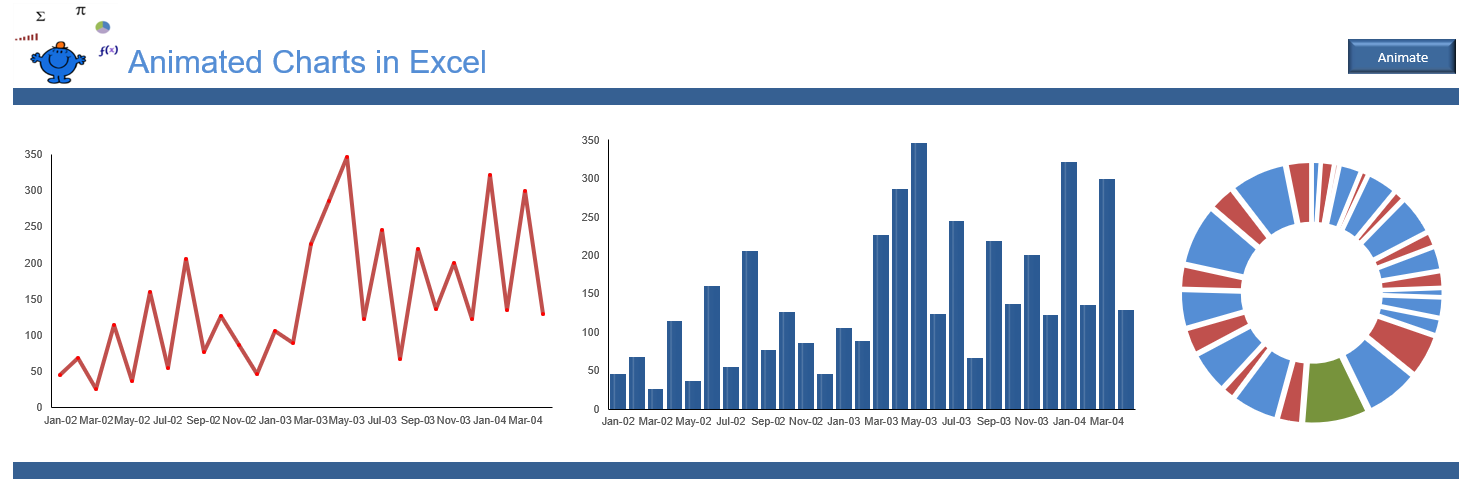
Web Oct 4 2009 nbsp 0183 32 While you can create a simple animation effect with a for next loop in VBA interaction with the chart is much easier using a Google spreadsheet with a motion chart This is just an image Click here to play with the chart Dynamic Charts in Excel Web Feb 13 2023 nbsp 0183 32 How to animate an Excel chart Author Oscar Cronquist Article last updated on February 13 2023 This article demonstrates how to create a chart that animates the columns when filtering chart data The columns change incrementally between values which gives it a smoother appearance The drop down list lets the Excel user select an item
How To Create Animated Charts In Excel Automate Excel Excel Animated Chart VBA Excel Dashboards VBA How To Create Animated Charts In Excel with Easy Steps How To Create Animated Charts In Excel Automate Excel Create Animated Charts In Excel Serbian Site How To Create Animated Charts In Excel Automate Excel Excel Animated Chart Dashboard Create Animated Charts In Excel Serbian Site Download Learn Excel Chart Animation For Effective Data Visualization
Create Animated Charts In Excel
 Create Animated Charts In Excel
https://www.exceldemy.com/wp-content/uploads/2022/12/animated-charts-in-excel-4.png
Web Jun 13 2023 nbsp 0183 32 Follow the below steps to create the animated chart First create a small table layout for race details with the racer name and percentage of Races completed as shown in the below picture You can download this Animation Chart Excel Template here Animation Chart Excel Template
Pre-crafted templates provide a time-saving solution for creating a varied range of files and files. These pre-designed formats and layouts can be utilized for different individual and professional tasks, consisting of resumes, invitations, leaflets, newsletters, reports, discussions, and more, streamlining the content creation process.
Create Animated Charts In Excel

How To Create Randomly Animating Chart In Excel Using Macro YouTube
Excel Animated Chart VBA Excel Dashboards VBA
How To Create Animated Charts In Excel with Easy Steps
How To Create Animated Charts In Excel Automate Excel
How To Create Animated Charts In Excel Automate Excel

Excel Animated Chart Dashboard

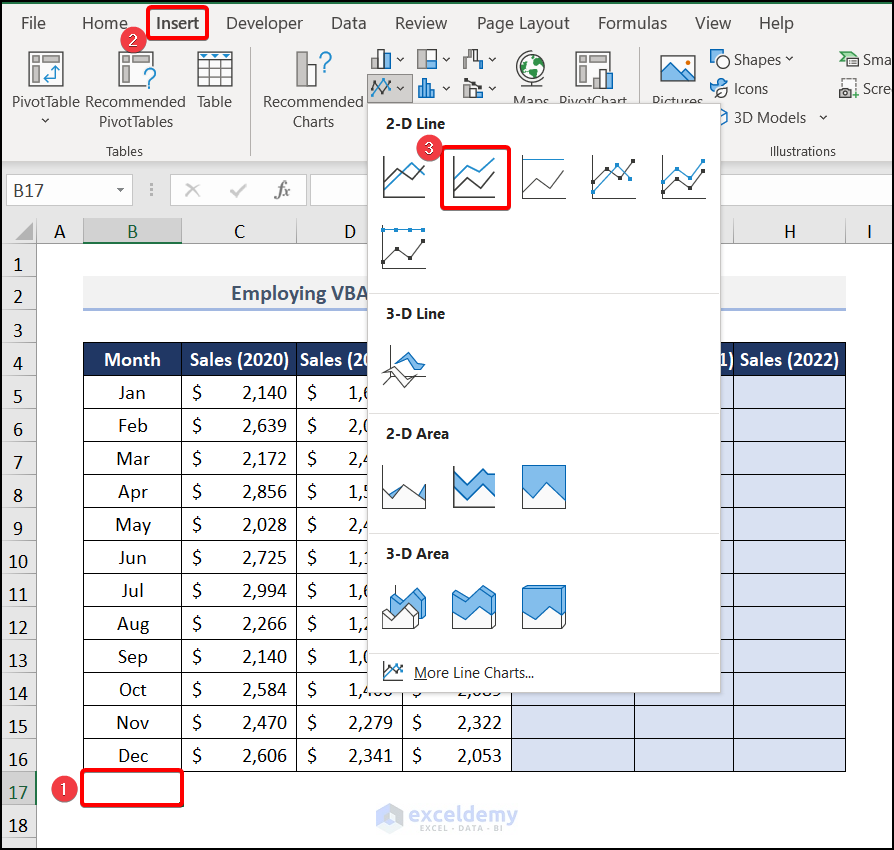
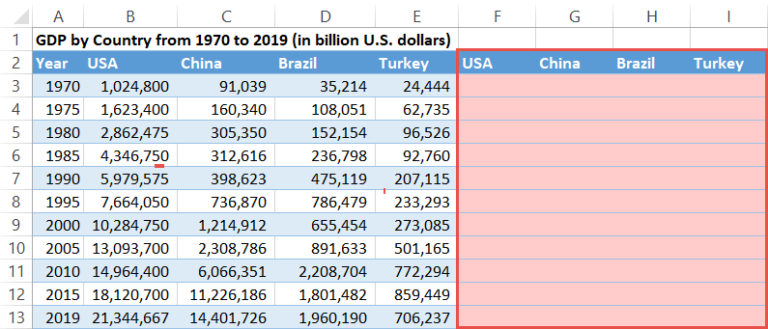
Web Nov 7 2023 nbsp 0183 32 4 Steps to Create Animated Charts in Excel Mainly an animated chart can be created through VBA code But before going to the coding section you need to create a dataset Here we have taken a dataset of Month wise Sales for 3 consecutive years 2020 2021 and 2022

Web Let us build the animation chart with Excel without the help of VBA coding You can download this Animation Chart Excel Template here Animation Chart Excel Template For this animation we have created the below data We will build an animated chart in Excel to show each quarter with this data

Web May 1 2022 nbsp 0183 32 How to develop a Scrolling Animating Chart in MS Excel and VBA In this tutorial we are going to learn how to create an animating or scrolling chart in Excel We will create

Web PowerPoint 2013 training Animate pictures clip art text and other objects Animate charts and SmartArt Next Create a flow chart Overview Transcript For charts the trick is to find an animation that makes sense with your chart style SmartArt animation works the same

Web Creating and Formatting the Chart There are quite a few steps involved in this Let s go through each one 1 Select the data to chart 2 Choose the Clustered Bar Chart From the Ribbon Insert gt Recommended Charts gt All Charst Tab and choose the Clustered Bar We get the default chart which looks like this 3 Reverse Category Order
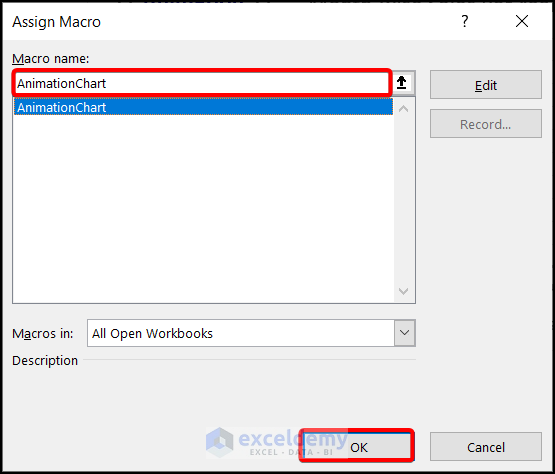
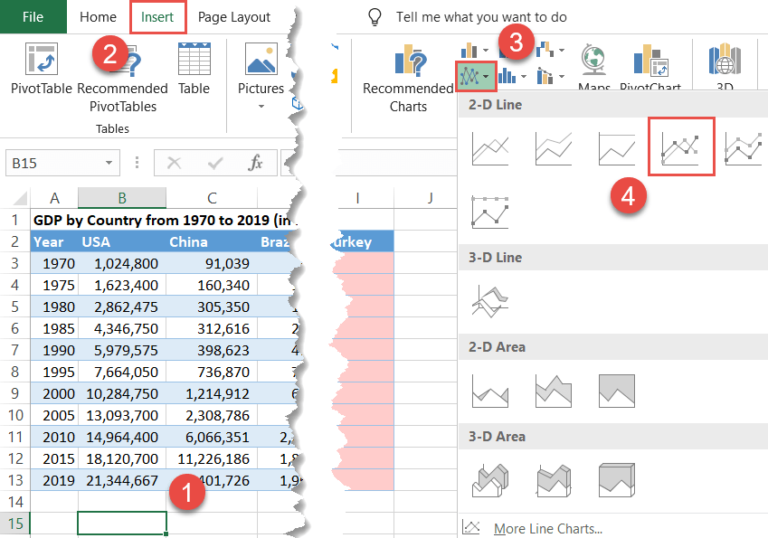
Web Jan 30 2018 nbsp 0183 32 The first step in animating Excel charts is to create your chart with the data that you ve compiled If you re not sure what kind of chart is right for your data take a look at this guide on picking the right Excel chart for you Web Nov 7 2023 nbsp 0183 32 Step 1 Set up Data Model Step 2 Generate the Chart Data Step 3 Build a Macro for Animated Bar Chart Race Step 4 Generate a Button to Assign the Macro Conclusion Related Articles What Is Animated Bar Chart Race Displaying time series data in an animated bar chart is a breeze with Bar Chart Race
Web How to animate Excel charts Have the bars grow in Excel chart How to make animate Excel bar chart How to make animate Excel pie chart