Count Distinct In Excel Count Distinct Values In Excel Pivot Table Easy Step by Step Guide 2023 Make A Distinct Count Of Unique Values In Excel How To Make A Distinct Count Of Unique Values In Excel How To Make A Distinct Count Of Unique Values In Excel How To Pivot Table Count Unique Values Excel 2007 Elcho Table The UNIQUE function is specifically designed to get the list of distinct or unique values from a list This can be combined with the COUNTA function to count the number of unique values COUNTA UNIQUE B5 B14 FALSE TRUE
To count unique values in a set of data you can use the UNIQUE function together with the COUNTA function In the example shown the formula in F5 is COUNTA UNIQUE B5 B16 which returns 7 since there are seven unique colors in B5 B16 Generic formula COUNTA UNIQUE data Explanation The simplest and easiest way to count distinct values in excel is to use SumProduct and CountIF formula Following is the generic formula that you can use SUMPRODUCT 1 COUNTIF data data data data represents the range that contains the values Let s See How This Formula Works This formula consists of two functions
Pivot Table Count Unique Values Excel 2007 Elcho Table Excel PivotTable Distinct Count My Online Training Hub Excel PivotTable Distinct Count My Online Training Hub How To Use Count Distinct In An Excel Pivot Table Tutorial YouTube How To Count Unique Values Based On Another Column In Excel Distinct Count With A PivotTable In Excel By Chris Menard YouTube Counting Distinct Values In A Pivot Table With VBA Unlock Your Excel Distinct Count In Excel A4 Accounting Distinct Count In Excel Power BI Excel Are Better Together
Count Distinct In Excel
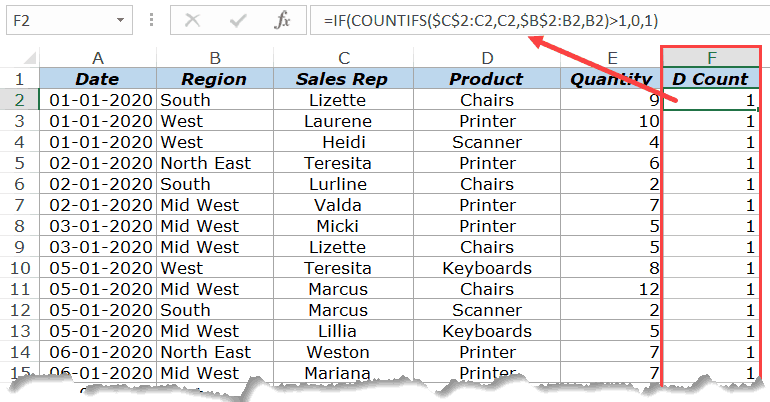 Count Distinct In Excel
https://trumpexcel.com/wp-content/uploads/2019/05/Distinct-Count-Formula-Helper-Column-in-Pivot-Table-Data.png
How To Count Distinct Values in Excel 1 Using COUNTIF to Count Distinct Values in Excel 2 How to Count Distinct Number Values Only in Excel 3 How To Count Distinct Text Values Only in Excel 4 How To Count Distinct Values While Ignoring Empty or Blank Cells in Excel Final Thoughts What Are Distinct and Unique
Pre-crafted templates offer a time-saving service for producing a varied range of documents and files. These pre-designed formats and designs can be utilized for various individual and professional projects, including resumes, invites, leaflets, newsletters, reports, discussions, and more, improving the content development process.
Count Distinct In Excel

Rafflesia Arnoldi Classique Trimestre Pivot Table Count Distinct Values
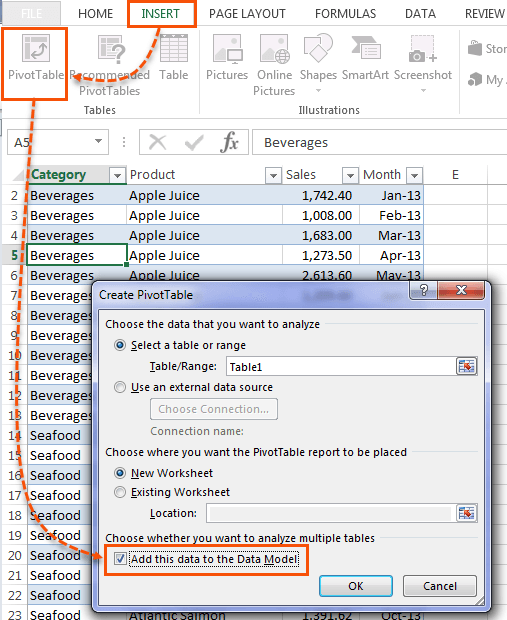
Excel PivotTable Distinct Count My Online Training Hub
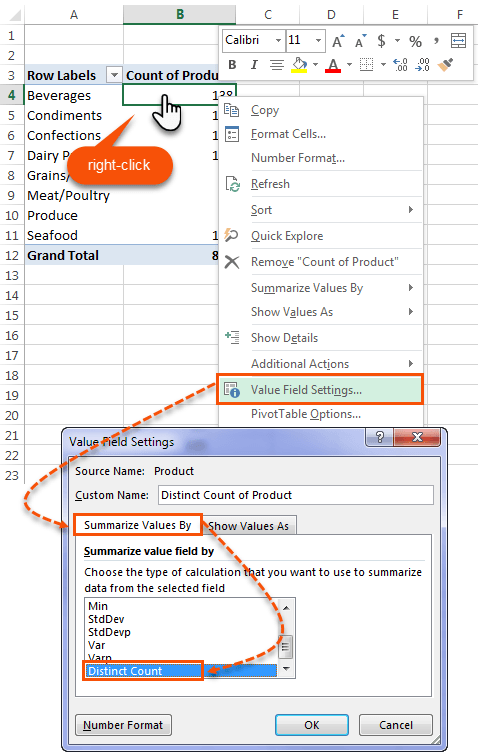
Excel PivotTable Distinct Count My Online Training Hub
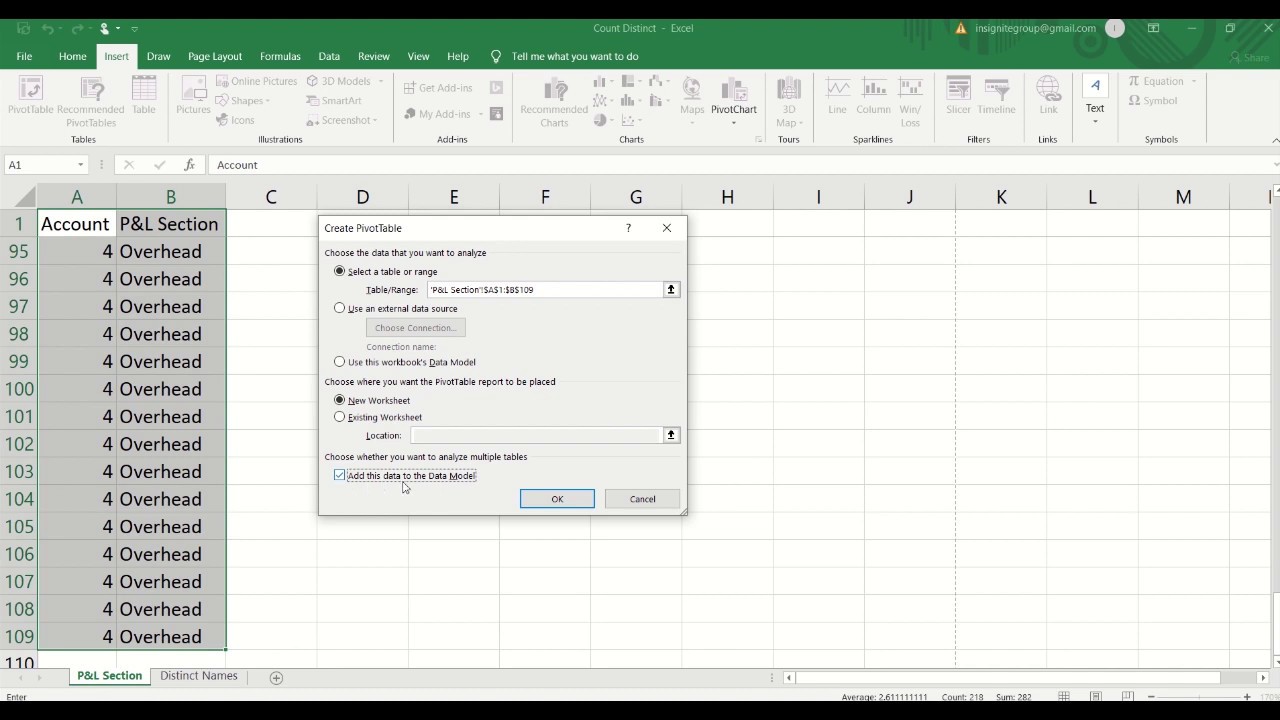
How To Use Count Distinct In An Excel Pivot Table Tutorial YouTube
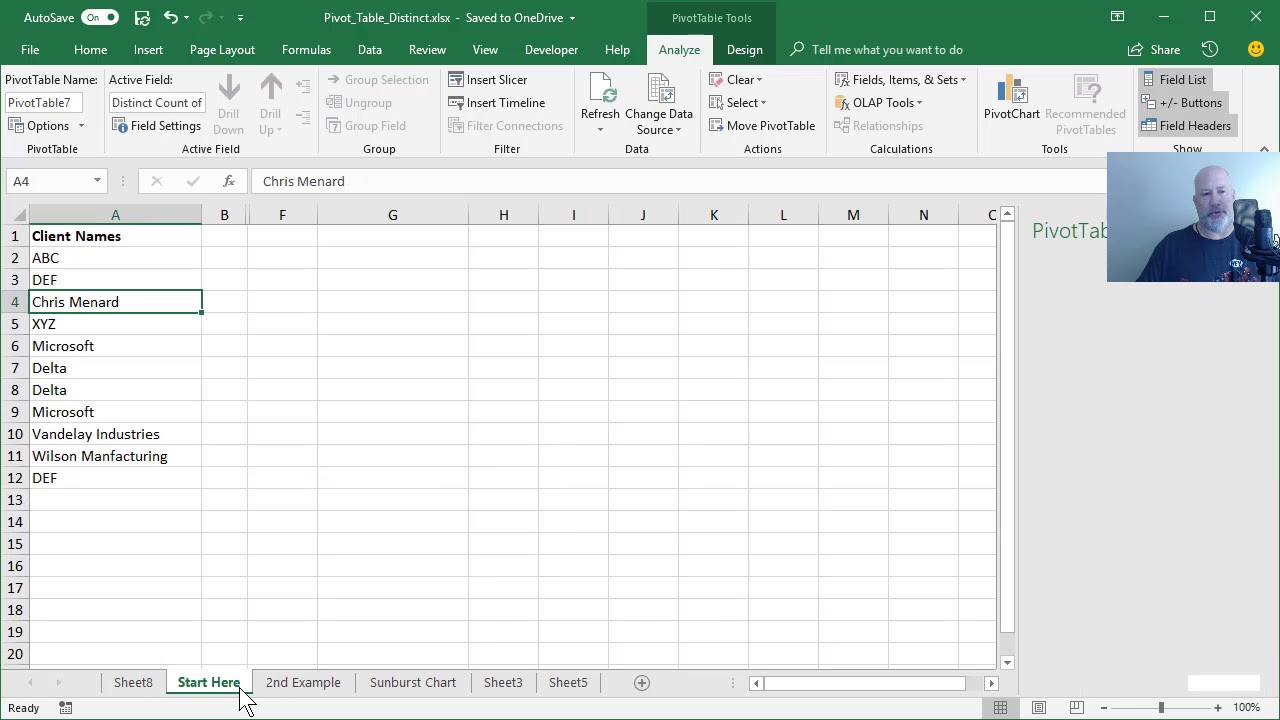
Distinct Count With A PivotTable In Excel By Chris Menard YouTube

Counting Distinct Values In A Pivot Table With VBA Unlock Your Excel

There are several ways to count unique values among duplicates Count the number of unique values by using a filter You can use the Advanced Filter dialog box to extract the unique values from a column of data and paste them to a new location

Because you don t want to list those unique values but count them instead you ll add the COUNTA function The COUNTA function counts nonblank cells To list the unique values in the cell range A2 through A5 you would use this formula UNIQUE A2 A5 You can see here we have three distinct values listed

Count distinct values in Excel unique and 1 st duplicate occurrences To get a count of distinct values in a list use the following formula SUM 1 COUNTIF range range Remember it s an array formula and therefore you should press the Ctrl Shift Enter shortcut instead of the usual Enter keystroke

Count DISTINCT values in Excel There are two ways you can count distinct values in Excel Both are tricky but once you understand them counting distinct values will be a breeze You can count distinct values by using a formula and by using a pivot table Let s see both methods below Count distinct with a formula
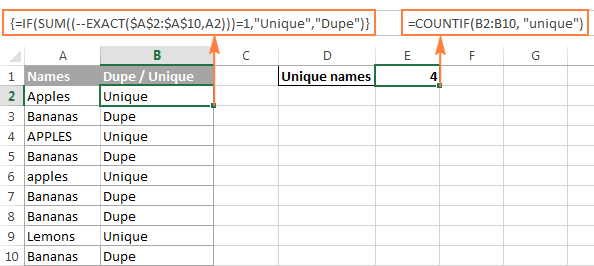
To count the number of unique values in a range of cells you can use a formula based on the COUNTIF and SUMPRODUCT functions In the example shown the formula in F6 is SUMPRODUCT 1 COUNTIF B5 B14 B5 B14 In Dynamic Excel you can use a simpler and faster formula based on UNIQUE Generic formula SUMPRODUCT 1 COUNTIF
[desc-11] [desc-12]
[desc-13]