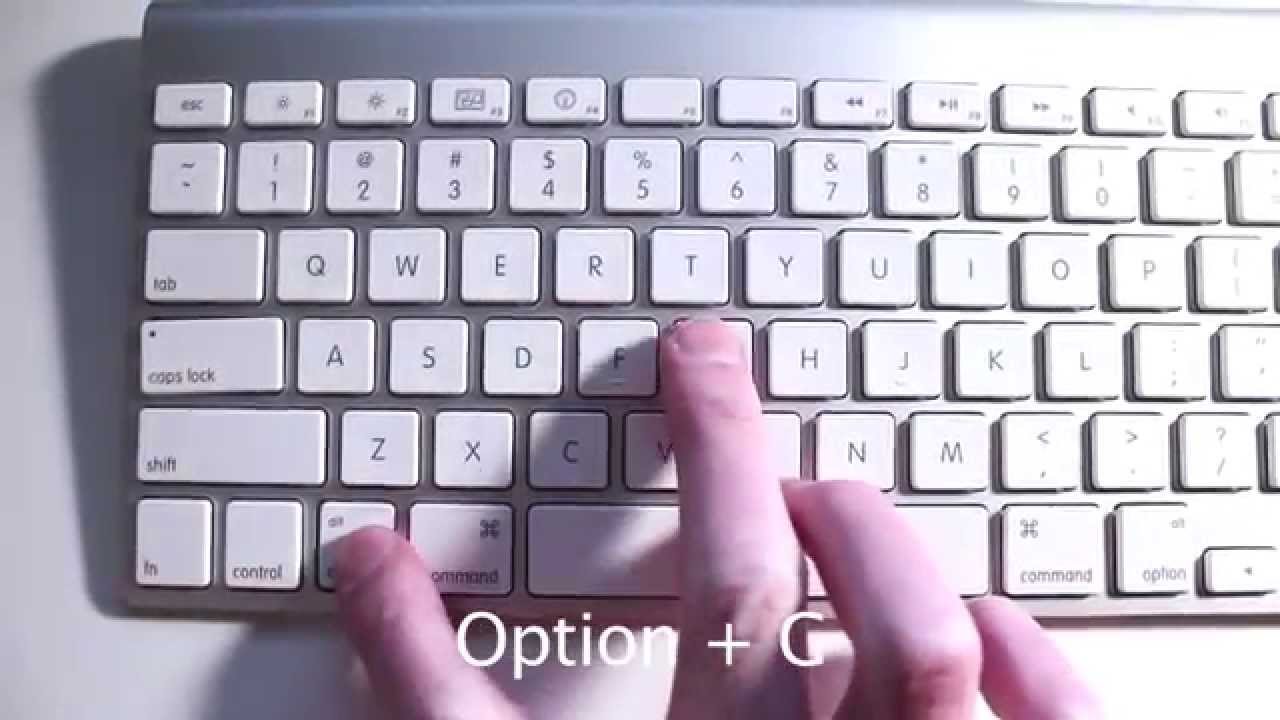
Copyright Symbol On Mac Mac Keyboard Shortcut Copyright Symbol And Also Get Cashcrate Referrals How To Get The Copyright Symbol On Keyboard Addictlopte Copyright Symbol Icon Vector Illustration 582676 Vector Art At Vecteezy Copyright Icon Download On Iconfinder On Iconfinder How To Type Copyright Symbol On Windows And Mac To type the copyright symbol simply hold down the option key and press the g key Option g will type the copyright symbol in any program This works in Mail Pages Microsoft Word Keynote etc You can use the option key to create all kind of special characters For example Option 2 the trademark symbol Option 8 a simple bullet
Whether you re rocking a Windows PC Mac Android or iPhone this tutorial delivers simple techniques to easily slip the copyright symbol into your documents emails or social media We ll delve into a variety of tools at your disposal from quick keyboard shortcuts to character maps and special menus Copyright Symbol on Mac A copyright symbol is used to show that something is copyrighted meaning that the rights to make copies of it are owned by a person or company It s often seen on the title page of books the masthead of newspapers and magazines and on the packaging for items such as recorded music DVDs and computer software
How To Type Copyright Symbol On Windows And Mac Copyright Symbol On Keyboard Windows 8 Everydaylopte Copyright Symbol How To Type With Keyboard On Mac Windows And Linux How To Type Copyright Symbol On Mac And Windows PC How2PC Ever Wondered How To Make The Copyright Symbol On Your Keyboard Life Explained How To Type Copyright Symbol On Mac Copyright PNG Copyright Logo Chrome Copyright Symbol Free Stock Photo Public How Do I Type A Copyright Symbol And How Do I Stop It Appearing When I
Copyright Symbol On Mac
 Copyright Symbol On Mac
https://i.ytimg.com/vi/-dcZPFzDf-Q/maxresdefault.jpg
Follow these steps to type the copyright symbol on your Mac 1 Press and hold the Option key on your keyboard 2 While holding the Option key press the letter g This will insert the copyright symbol into your document Alternatively you can use the keyboard shortcut by pressing Option R How to Type Trademark Symbol on Mac The
Templates are pre-designed documents or files that can be utilized for numerous functions. They can conserve time and effort by offering a ready-made format and design for developing various kinds of content. Templates can be utilized for individual or professional tasks, such as resumes, invites, leaflets, newsletters, reports, presentations, and more.
Copyright Symbol On Mac
How To Type Copyright Symbol On Windows And Mac MiniTool

Copyright Symbol On Keyboard Windows 8 Everydaylopte

Copyright Symbol How To Type With Keyboard On Mac Windows And Linux

How To Type Copyright Symbol On Mac And Windows PC How2PC

Explained How To Type Copyright Symbol On Mac

Copyright PNG

What to Know On a Windows numerical keypad hold Alt while typing 0169 On a Mac hold Option and then press the g key Without a numerical keypad press Fn NumLk Hold Alt and type 0169 Don t see numbers Try MJO9 Other Windows method Search Start for Character Map double click copyright symbol select Copy

The copyright symbol hints to others that something is protected by copyright law While neither Windows nor Mac keyboards have a dedicated key to quickly insert the copyright symbol there s a keyboard shortcut for both operating systems How to Make a Copyright Symbol on a Windows PC

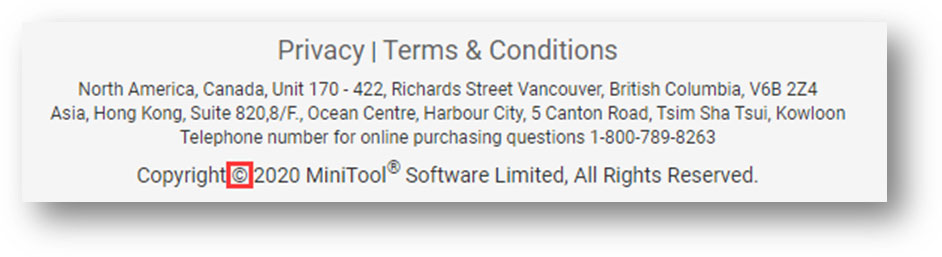
Copyright Symbol refers to that the right to create copies of something whether abstract or real Typically these are actually owned by an individual or company It is usually used in order to show that a thing was copyrighted

1 Press and hold the Alt key 2 Press the numbers 0169 on the numeric keypad 3 When you release the Alt key the copyright symbol will appear If your computer doesn t have a numeric

How to type special characters on Mac Press Option G to type the copyright symbol Press Option R to type the registered symbol Press Option 2 to type the trademark symbol Follow these steps to reveal more keyboard shortcuts to type other special characters 1 Open System Preferences and click Keyboard 2 Click Input Sources
How to Type Copyright Symbol With a Mac NME VENTURES 487 subscribers Subscribe Subscribed 300 187K views 9 years ago How to Type Copyright Symbol With a Mac Learn how to type the How To Type Copyright Symbol MAC MrQuick 5 6K subscribers Subscribe Share 1 9K views 10 months ago microsoftoffice word Watch in this video How To Type Copyright Symbol MAC MacBook
To create the trademark symbol On a Mac computer press Option 2 On a Windows PC enable Num Lock press and hold Alt then use the numeric keypad on the keyboard to type 0153 Or type Character Map in the Windows search box then select a copyright or trademark symbol in any font