Convert Hyperlink To Link In Excel How To Create A Hyperlink To Another Worksheet In Excel XL N CAD Excel HYPERLINK Function Exceljet How To Create Hyperlink For Text In Flutter MightyTechno Excel Link Data Between Worksheets In A Workbook In Excel Youtube 3 Ways To Insert A Hyperlink How To Create A Hyperlink To A Specific Folder In Excel 12 rowsIn the Excel desktop application to select a cell that contains a hyperlink without jumping to the hyperlink destination click the cell and hold the mouse button until the
You can use Excel s built in link feature the HYPERLINK function or simply enter a URL that converts to a link automatically Let s look at each of these methods so you can use the one that works best 1 Activate Automatic Hyperlinks Option to Convert Text to Hyperlink in Excel 2 Convert Text of a Cell into Clickable Hyperlink Using Excel Ribbon 3 Apply the HYPERLINK Function to Convert Text to
How To Create A Hyperlink To A Specific Folder In Excel How To Create Command Buttons In Excel Riset Riset Sopravvivenza Esposizione R Insert Link To Sheet In Excel Posta Aerea Disinfettare Giocare Cara Convert Hyperlink To URL Dan URL To Hyperlink Di Microsoft Excel Secara Massal Denai How To Turn Links Into Hyperlinks In Excel 2016 Mopladr Cara Convert Hyperlink To URL Dan URL To Hyperlink Di Microsoft Excel Secara Massal Denai Excel VBA Link Hyperlink To Excel Macro Excel Dashboards VBA Panduan Excel 2022 Hyperlink Excel How To Add And Manage Links In Excel 4 Simple Ways
Convert Hyperlink To Link In Excel
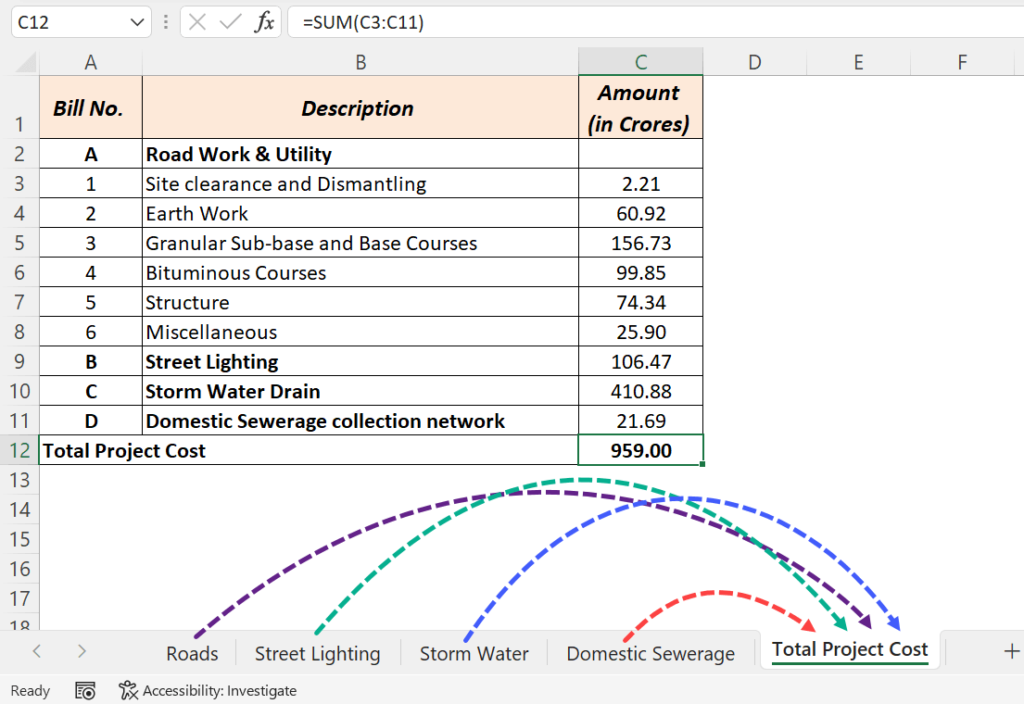 Convert Hyperlink To Link In Excel
https://xlncad.com/wp-content/uploads/2022/04/Hyperlinks-in-Excel_1-1-1024x704.png
Create a temporary new column of hyperlinks using formula HYPERLINK Copy that column into Microsoft Word copy to clipboard only after Word is
Pre-crafted templates offer a time-saving option for developing a diverse series of documents and files. These pre-designed formats and layouts can be utilized for numerous individual and professional jobs, consisting of resumes, invites, flyers, newsletters, reports, presentations, and more, enhancing the material creation procedure.
Convert Hyperlink To Link In Excel
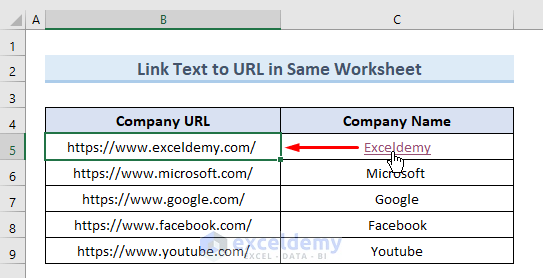
How To Convert Text To Hyperlink In Excel 5 Methods ExcelDemy
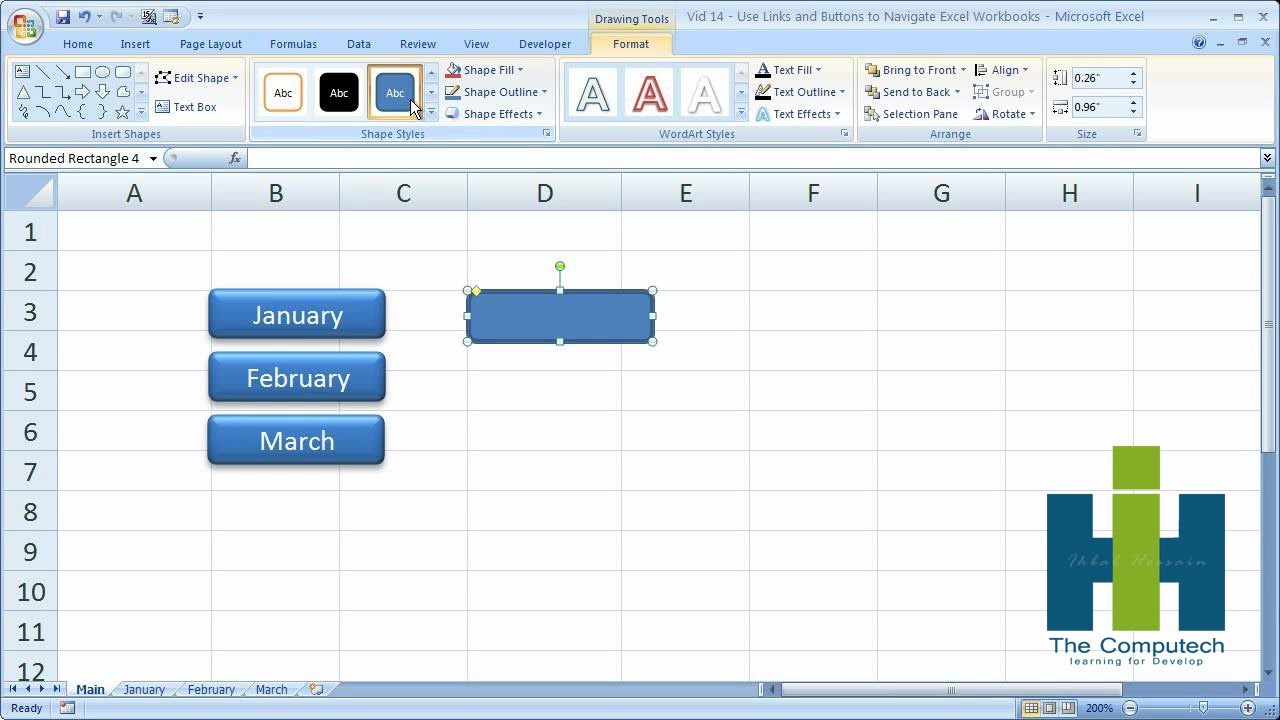
How To Create Command Buttons In Excel Riset Riset
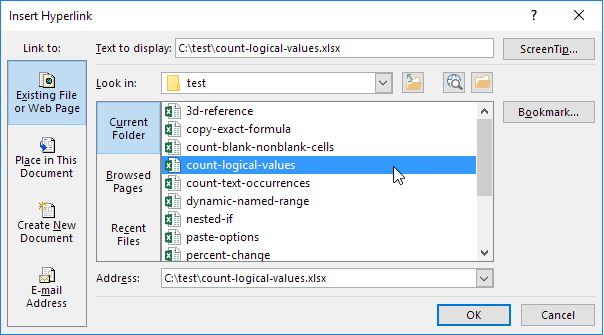
Sopravvivenza Esposizione R Insert Link To Sheet In Excel Posta Aerea Disinfettare Giocare

Cara Convert Hyperlink To URL Dan URL To Hyperlink Di Microsoft Excel Secara Massal Denai

Cara Convert Hyperlink To URL Dan URL To Hyperlink Di Microsoft Excel Secara Massal Denai
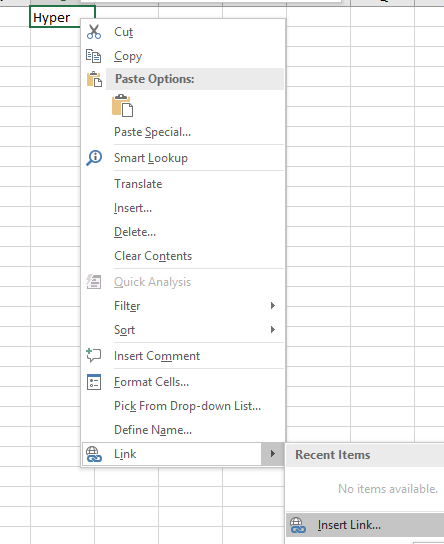
Excel VBA Link Hyperlink To Excel Macro Excel Dashboards VBA
1 Copy and paste just the cells containing the hyperlinks to a new spreadsheet 2 Export the spreadsheet click Change File Type select Save As Another File Type and save it

Let s say you have a hyperlink in a cell in Excel The hyperlink may have friendly text such as Click Here but when you click the link it takes you to a URL such

First once your column is selected in your Excel workbook go to Tools Macro Visual Basic Editor Next once you are in the Visual Basic Editor go to Insert Module Then

Right click a hyperlink From the Context menu choose Edit Hyperlink Excel displays the Edit Hyperlink dialog box Select and copy Ctrl C the entire URL
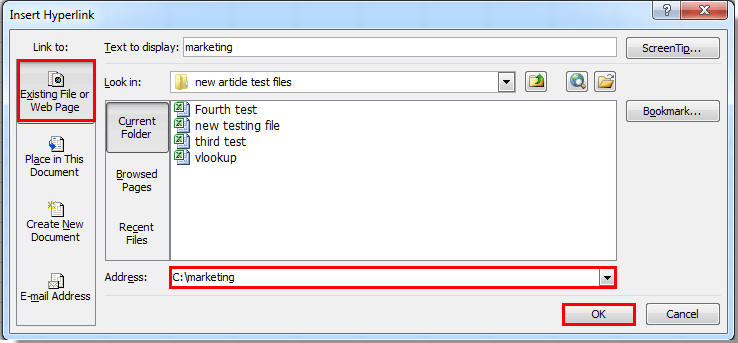
Insert a hyperlink in a worksheet cell or specific chart element to link to a related file or Web page in Excel You can also modify or remove hyperlinks
You can type a URL directly in a cell use the Hyperlink button in the Links group in Excel or use the Hyperlink function When you create a hyperlink in an Excel workbook the To link to a certain web page you can simply type its URL in a cell hit Enter and Microsoft Excel will automatically convert the entry into a clickable hyperlink To
1 Select a range that you want to extract the url links from hyperlinks and then apply the utility Click Kutools Link Convert Hyperlinks 2 In the Convert Hyperlinks dialog