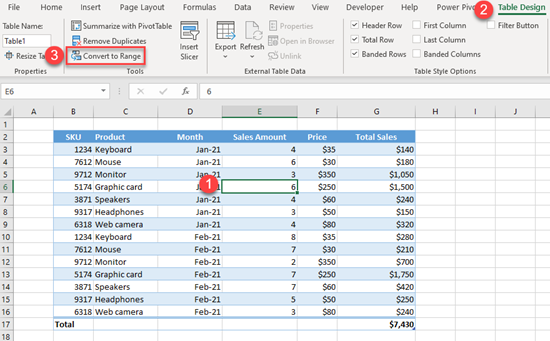
Convert Excel Table To Plain Text Excel To Notepad Aligning Columns Big Stitchy Embroidery On Demand How To Convert Picture To Excel Table In A Blink Of An Eye TechWiser Diachok s IT Blog Excel BB Code Convert Excel Table Antecedent Mort n Lume Do Convert Image To Excel Table Grajd Aranja Lumin How To Convert Table To Normal Range In Excel And Vice Versa You need to select any cell in the table so the Table Tools Design tab is shown Then select Convert to Range from the Table Tools Design tab 0 Likes Reply
How to use it Using the Table menu set the desired size of the table Enter the table data into the table select and copy Ctrl C a table from the spreadsheet e g Google Docs LibreOffice Calc webpage and paste it into our editor click a cell and press Ctrl V Syntax VALUETOTEXT value format The VALUETOTEXT function syntax has the following arguments Note If format is anything other than 0 or 1 VALUETOTEXT returns the VALUE error value Examples Copy the example data in the following table and paste it in cell A1 of a new Excel worksheet
How To Convert Table To Normal Range In Excel And Vice Versa How To Automatically Convert Plain Text To HTML Documentation YouTube Antecedent Mort n Lume Do Convert Image To Excel Table Grajd Aranja Lumin Chamada Eventos Estudantis 2023 Resultado Preliminar Pr Reitoria 2015 Golden Chain Winner John Gainor Of Dairy Queen International Antecedent Mort n Lume Do Convert Image To Excel Table Grajd Aranja Lumin Yaml Stringifier Yaml Stringify To Convert Text To Yaml String Riset Learn New Things How To Convert Text To Table In MS Word Easy Steps How To Convert Excel Table To Normal Range YouTube
Convert Excel Table To Plain Text
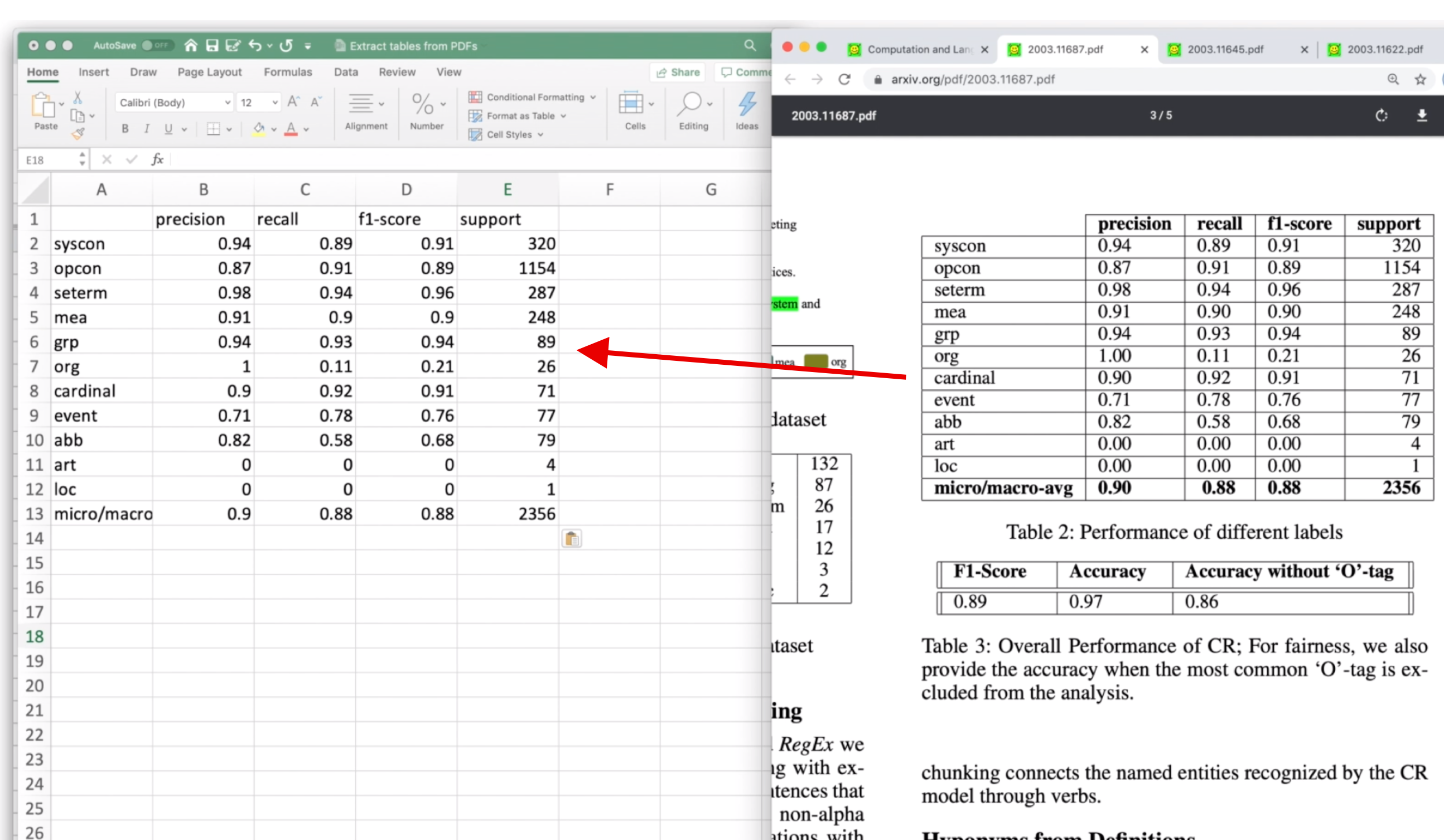 Convert Excel Table To Plain Text
http://mathpix.com/images/blog/tsv_preview.png
To convert text to a table or a table to text start by clicking the Show Hide paragraph mark on the Home tab This lets you see how text is separated in your document Convert text to a table Insert separator characters such as commas or tabs to indicate where to divide the text into table columns
Templates are pre-designed documents or files that can be used for numerous functions. They can save effort and time by offering a ready-made format and design for producing different kinds of content. Templates can be used for individual or professional tasks, such as resumes, invites, flyers, newsletters, reports, discussions, and more.
Convert Excel Table To Plain Text
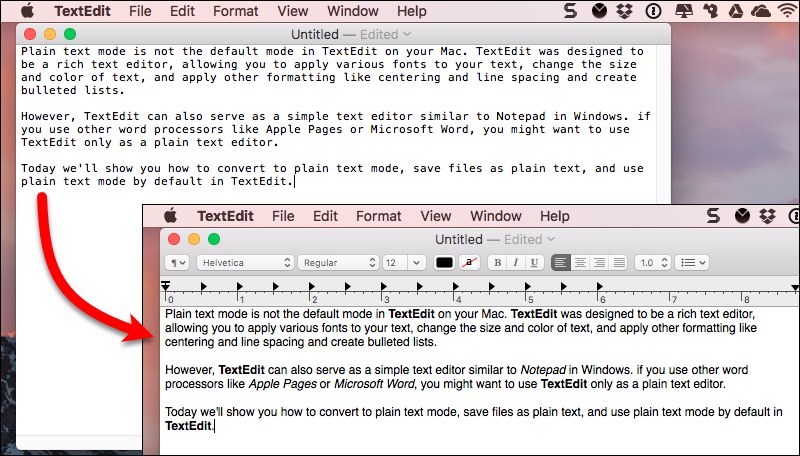
How To Use Plain Text Mode In TextEdit On Your Mac

How To Automatically Convert Plain Text To HTML Documentation YouTube
Antecedent Mort n Lume Do Convert Image To Excel Table Grajd Aranja Lumin

Chamada Eventos Estudantis 2023 Resultado Preliminar Pr Reitoria
Antecedent Mort n Lume Do Convert Image To Excel Table Grajd Aranja Lumin

Yaml Stringifier Yaml Stringify To Convert Text To Yaml String Riset
Follow these steps to convert a table to text Open the Excel file containing the table to be converted First open the Excel file that contains the table you want to convert to text Locate the specific table within the worksheet Select the entire table or specific rows and columns to convert Next select the entire table or the specific

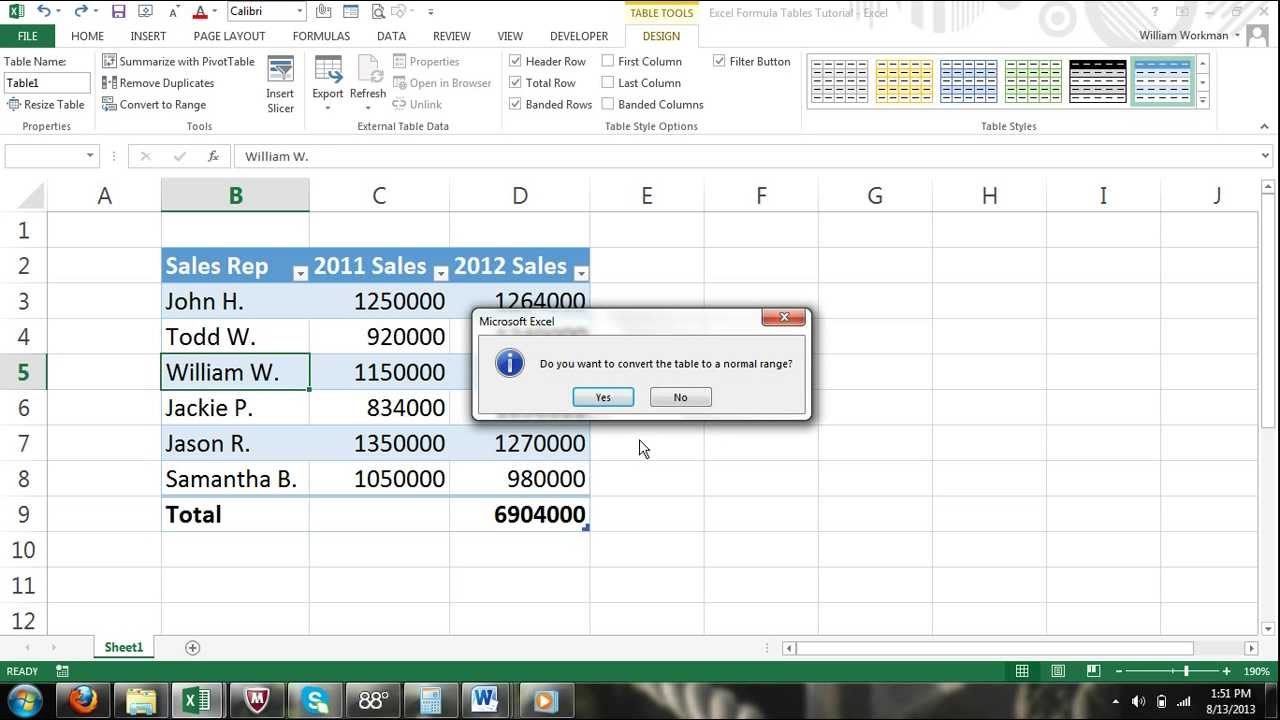
Right click the table then in the shortcut menu click Table Convert to Range Note Table features are no longer available after you convert the table back to a range
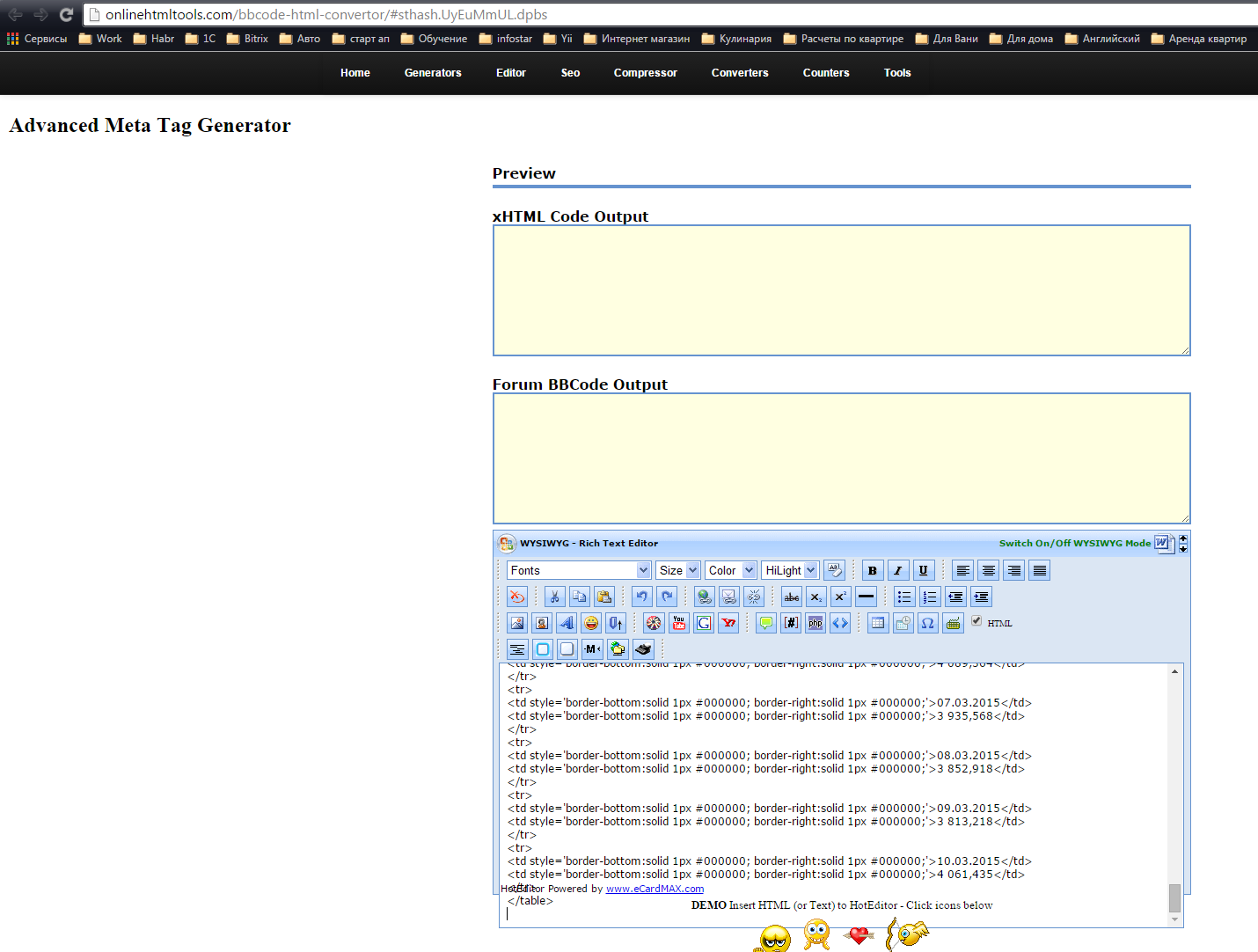
1 how do I convert my table to text 2 where s the table tools ribbon gone Try right click the table then in the shortcut menu click Table Convert to Range Does that work Report abuse 3 people found this reply helpful Was this reply helpful Answer Waqas Muhammad MSFT Microsoft Agent Moderator Replied on January 10 2020
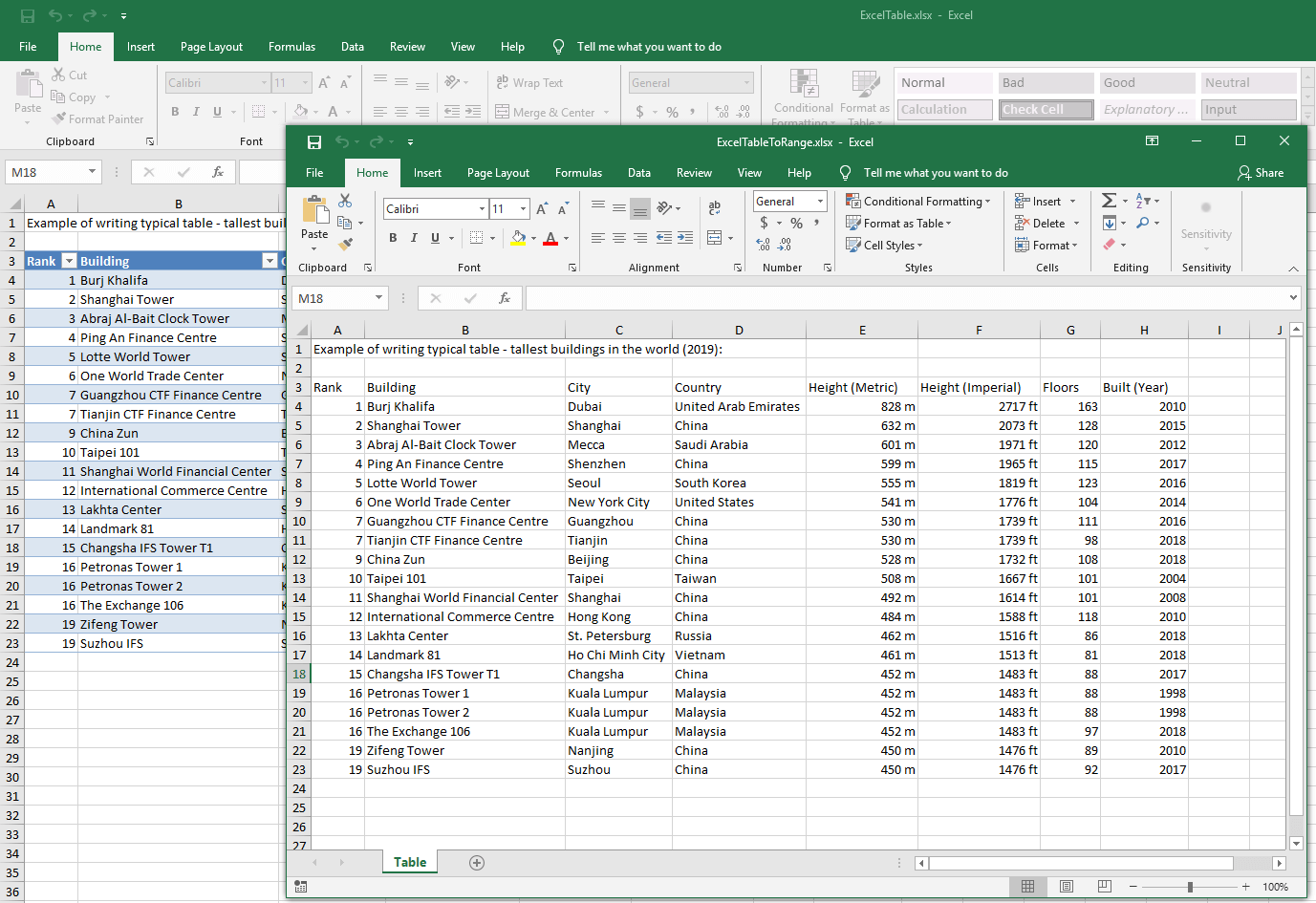
Convert a table to text Select the rows or table you want to convert to text On the Layout tab in the Data section click Convert to Text In the Convert to Text box under Separate text with click the separator character you want to use in place of the column boundaries Rows will be separated by paragraph marks Click OK Need more help
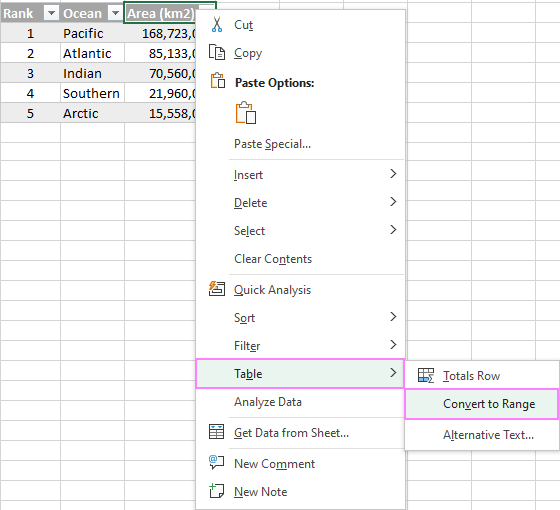
Convert an Excel Table to a Normal Range The steps to convert a Table object to text are almost the same for Word and Excel 1 Position the cursor anywhere in the table This is usually done by clicking a cell 2 From the Layout tab choose Convert to Range Tools group 3 Choose Yes to confirm Convert a Word Table to Text
This converter is used to convert Excel or other spreadsheets into Markdown Table Also API supported 1 Data Source Prepare the Excel code to convert into Markdown Table We will not store any of your data 2 Table Editor An Excel like editor or builder allows edit the Excel data of previous easily 3 Table Generator I needed as ascii text table The results of cut and paste from excell into a text processor are less than stellar as data is separated with a single tab character Anything that lines up is coincidence My route was to take this notion one step further and make an ascii formated column that would work for either MMD or for text base ads
5 Answers Sorted by 4 On a different sheet you can enter in cell A1 OriginalSheet A1 Copy Paste that for the full width and length of your original sheet Then you can Paste Special Values bock over the originals That should make everything have your little green patch The only caveat is dates