Computer User Name Terminal Midu Cip T v r Ut irat Les Raccourcis Clavier Windows 7 Kolostor Fogyaszt File Gilbert Stuart Williamstown Portrait Of George Washington jpg File ModernEgypt Muhammad Ali By Auguste Couder BAP 17996 jpg Jeong Yu mi actress Born 1984 Wikipedia You can use the hostname command or hostnamectl command to see or set the system s host name The host name or computer name is usually at system startup in etc hostname file Open
Open Terminal with Ctrl Alt T and type sudo chfn username where username is what shows in front of the in the prompt Your existing display name shown at the login Use the hostname command to make a temporary change to your computer s hostname In the terminal type the following replacing new hostname with
Jeong Yu mi actress Born 1984 Wikipedia Fichier Staten Island Ferry Terminal jpg Wikip dia File Pyrzowice Terminal A Poczekalnia jpg Wikipedia Open Terminal Questatila File Tatung einstein computer png Wikimedia Commons Kuinka Voit Kaksinkertaistaa Elinik si Une Petite Life Lily Titanium Vault Archives Universe Today File Gerhard Von K gelgen Portrait Of Friedrich jpg Wikimedia Commons File Typing Computer Screen Reflection jpg
Computer User Name Terminal
 Computer User Name Terminal
https://blogger.googleusercontent.com/img/b/R29vZ2xl/AVvXsEifiyx3VG7AYgzRUmwYD3QlLg1BuXAjJiJWpvKiVk_kXVFuUXmD4O-3l2oUNTmyOzeqlsNd0Ww9cbv8x4x-r_K7BM7_df7gnOIa1Tw8gp5hyphenhyphenqUeQP7QyPejLWGjaIntV6rXvQyIoILtlDlhFbEly2yrAPjE9yA-IyevPtSCYnIMU9sHTwIhWKFmi5iva6RX/s1600/5E7F041B-BDFB-4B56-B7CB-C40DD5CACA48.jpeg
1 It works fine on my XP system Your observation will happen only if username is either not set or set to the literal string username To find out which
Pre-crafted templates provide a time-saving service for creating a diverse variety of documents and files. These pre-designed formats and layouts can be made use of for various individual and professional tasks, including resumes, invitations, flyers, newsletters, reports, discussions, and more, simplifying the material production procedure.
Computer User Name Terminal

Xxxtentacion Wallpaper XXXTENTACION Angel Wallpapers Wallpaper Cave

Fichier Staten Island Ferry Terminal jpg Wikip dia

File Pyrzowice Terminal A Poczekalnia jpg Wikipedia
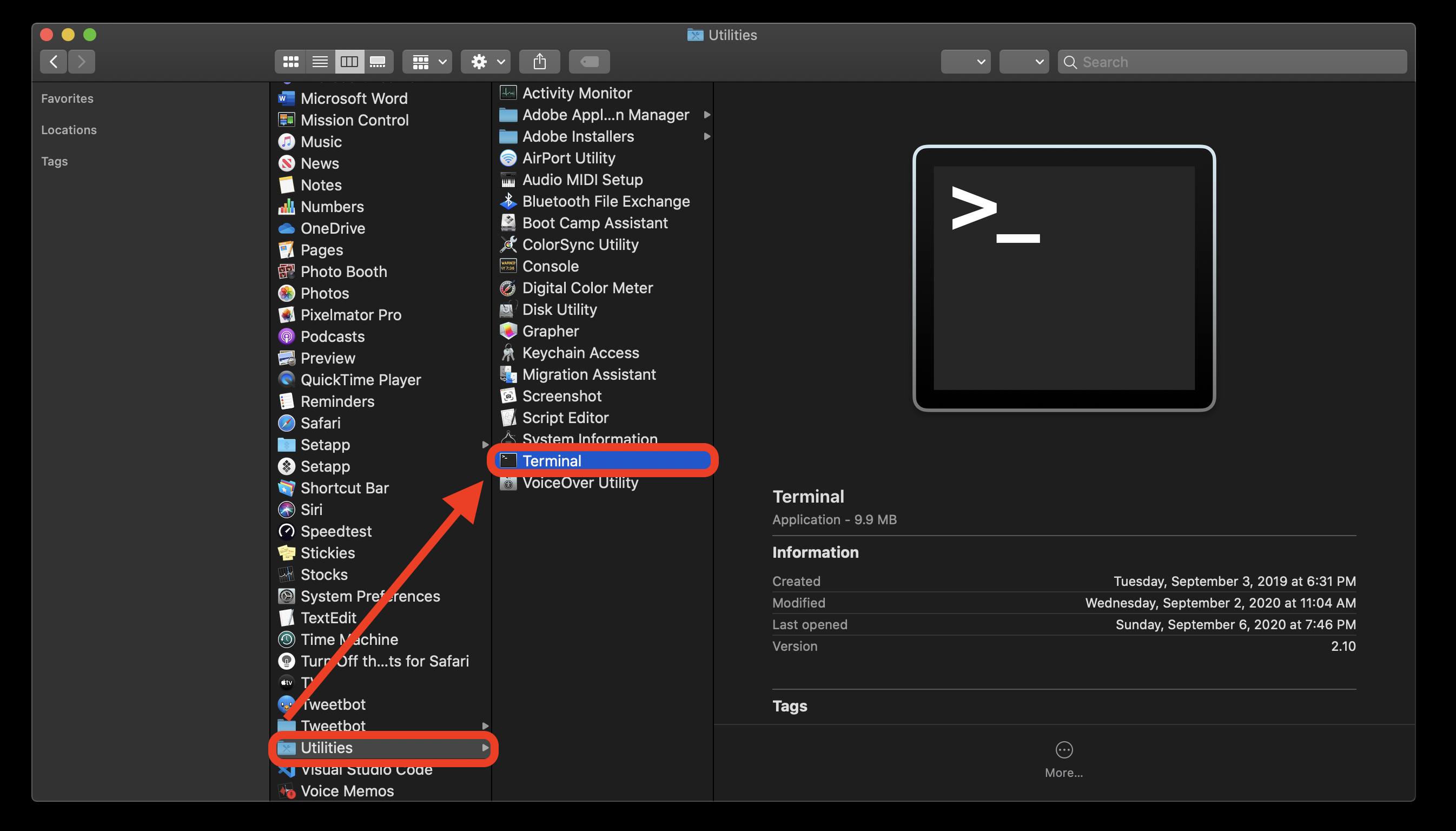
Open Terminal Questatila

Kuinka Voit Kaksinkertaistaa Elinik si Une Petite Life Lily

Titanium Vault Archives Universe Today

1 Ask this question at superuser You have more change for an answer there AgeDeO Aug 6 2015 at 7 08 33 Go to

When you install a Linux or OSX on a machine you usually choose a name for that computer which is the default network name I assume For example my laptop

When you open a new terminal the default directory is your current user s home directory A synonym for home YOURUSERNAME is SYMBOL is usually

Set DEFAULT USER in zshrc file to your regular username You can get your exact username value by executing whoami in the terminal Something like this export DEFAULT USER username

April 5 2022 Command Line Command Line for Beginners How to Use the Terminal Like a Pro Full Handbook Germ n Cocca Hi everyone In this article we ll take a good
For Linux or Mac users who use the Terminal you will find that the default prompt will come with the format username hostname For example on my Dell Press the little down arrow on the right corner of the screen near battery stage On the menu that appears click on your name gansaikhan and than on
To modify the account name through the User Accounts settings use these steps Open Control Panel Under the User Accounts section click the Change