Computer Literacy For Elementary Students Technology In The Classroom What Is Digital Literacy TeachHUB Best Free Educational Websites For Elementary Students Asehunter ILMU All Courses Literacy Action Plan Development Reading Language Bank2home Reading Motivation Activities For Elementary Students At the top click Documents Choose the languages to translate to and from To automatically set the original language of a document click Detect language Click Browse your computer Select the file you want to translate Click Translate and wait for the document to finish translating Click Download translation to download your translated
On your computer go to gmail Enter your Google Account email address or phone number and password If information is already filled in and you need to sign in to a different account click Use another account If you see a page describing Gmail instead of the sign in page click Sign in in the top right corner of the page On your computer go to your Search history in My Activity Choose the Search history you want to delete You can choose All your Search history Above your history click Delete Delete all time A specific time period Above your history click Delete Delete custom range A specific day Next to the day click Delete all activity from day
Reading Motivation Activities For Elementary Students Computer Literacy Skill Mastery Guidelines For K 12 Students 30 Examples Of Digital Literacy In 2023 Learning Teaching Digital Literacy In The Classroom SchoolsCompassBlog How To Organize Your Structured Literacy Block In The Classroom Artofit Computer Literacy Test Literacy Block Scheduling That Aligns With The Science Of Reading Teaching Digital Literacy In The Classroom SchoolsCompassBlog Custom Essay Amazonia fiocruz br
Computer Literacy For Elementary Students
 Computer Literacy For Elementary Students
https://www.teachhub.com/wp-content/uploads/2019/10/Feb-24-Technology-in-the-Classroom-What-is-Digital-Literacy__web.jpg
Open Incognito mode Important When you use an Incognito window you can browse more privately You can switch between Incognito tabs and regular Chrome tabs On your computer open Chrome At the top right select More New Incognito window A new window opens On the right of the address bar you ll find the Incognito icon To open an Incognito window you can
Pre-crafted templates use a time-saving solution for developing a varied range of files and files. These pre-designed formats and designs can be used for different personal and expert projects, consisting of resumes, invites, leaflets, newsletters, reports, presentations, and more, improving the content creation process.
Computer Literacy For Elementary Students

Importance Of Digital Literacy Skills For Students Learning

Computer Literacy Skill Mastery Guidelines For K 12 Students

30 Examples Of Digital Literacy In 2023 Learning
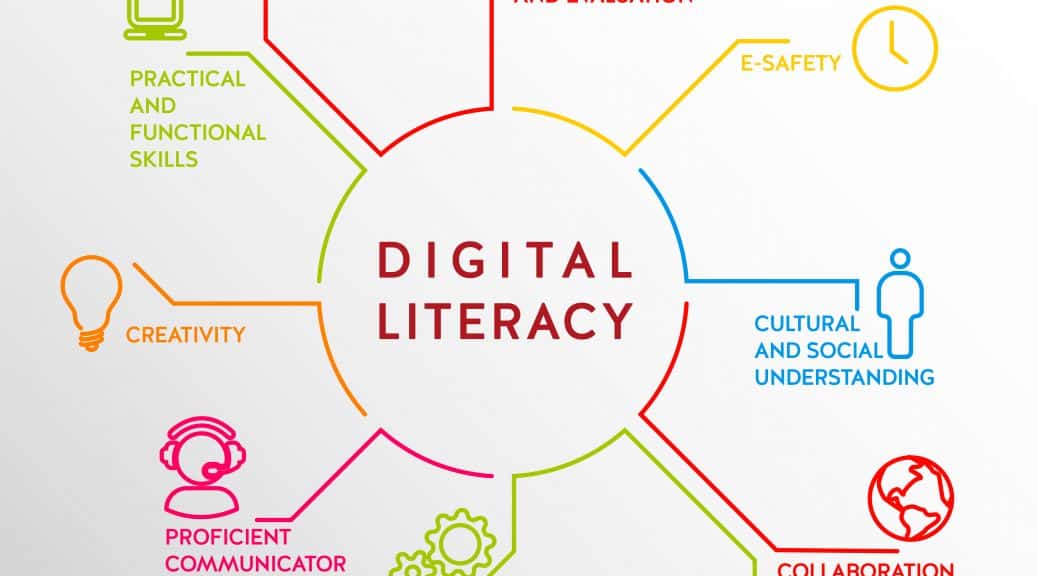
Teaching Digital Literacy In The Classroom SchoolsCompassBlog

Computer Literacy Test

Literacy Block Scheduling That Aligns With The Science Of Reading

How to install Chrome Important Before you download you can check if Chrome supports your operating system and other system requirements

To open Gmail you can sign in from a computer or add your account to the Gmail app on your phone or tablet Once you re signed in open your inbox to check your mail

On your computer open Google Translate At the top of the screen select the languages to translate From Choose a language or select Detect language To Select the language that you want the translation in In the text box on the left enter the text you want to translate Choose what you want to do Look up details To check available details for each result such as
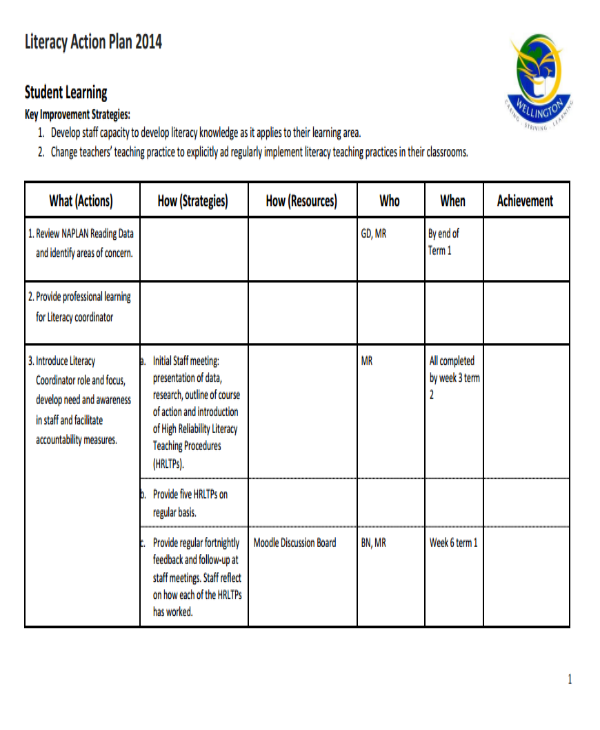
Official Google Maps Help Center where you can find tips and tutorials on using Google Maps and other answers to frequently asked questions

Important Before you set up a new Gmail account make sure to sign out of your current Gmail account Learn how to sign out of Gmail From your device go to the Google Account sign in page Click Create account In the drop down select if the account is for your Personal use Child Work or business To set up your account follow the steps on the screen
[desc-11] [desc-12]
[desc-13]