Compare Two Lists In Excel Ultimate Guide Compare Two Lists Or Datasets In Excel The Excel Club Ultimate Guide Compare Two Lists Or Datasets In Excel The Excel Club How To Use VLOOKUP Function To Compare Two Lists In Excel Compare Two Lists In Excel Easy Excel Tutorial VLOOKUP To Compare Two Lists In Excel 2 Or More Ways ExcelDemy Web Oct 30 2023 nbsp 0183 32 Here we will show how to compare 2 such lists and return the differences in Excel After reading this post you will learn how to compare 2 lists and return differences using IF and COUNTIF functions in all Excel versions An INDEX MATCH formula IF ISNA and MATCH functions
Web Sep 30 2022 nbsp 0183 32 An easy way to compare two lists in Excel is with conditional formatting With this method you adjust the appearance of a cell depending on certain conditions For example you can highlight only the unique values across the two lists To use this method follow these steps Select all the cells in both lists Web May 20 2023 nbsp 0183 32 One way to compare two lists in Excel is by using the VLOOKUP formula Start by creating a new column next to the first list where you want to compare the second list In the first cell of this new column enter the formula VLOOKUP A1 B B 1 FALSE where A1 is the first cell of the first list and B B is the column of the second list
VLOOKUP To Compare Two Lists In Excel 2 Or More Ways ExcelDemy How To Compare Two Lists In Excel YouTube Ultimate Guide Compare Two Lists Or Datasets In Excel The Excel Club Cross Reference Two Tables In Excel Review Home Decor Compare Two Lists In Excel Using Power Query YouTube How To Compare Two Lists In Excel Using VLOOKUP Statology Excel Compare Two Lists And Return Differences 7 Ways ExcelDemy How To Compare Two Lists In Excel Compare Two Lists In Excel Highlight Matched Items Computergaga
Compare Two Lists In Excel
 Compare Two Lists In Excel
https://i1.wp.com/theexcelclub.com/wp-content/uploads/2020/08/9__compare-two-lists-or-datasets-in-Excel.png?resize=479%2C502&ssl=1
Web If you re looking to compare two lists for equality you can use simple comparison operators By turning column C into a helper column we can compare the lists in A and B by simply typing A2 B2 and auto filling that formula down the column As you can see this works for text numbers and dates the same way
Pre-crafted templates offer a time-saving option for creating a varied range of documents and files. These pre-designed formats and designs can be used for different personal and expert jobs, including resumes, invitations, leaflets, newsletters, reports, presentations, and more, streamlining the content creation process.
Compare Two Lists In Excel
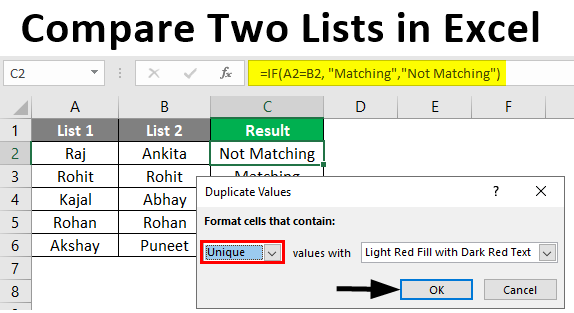
How To Compare Lists In Microsoft Excel SoftwareKeep
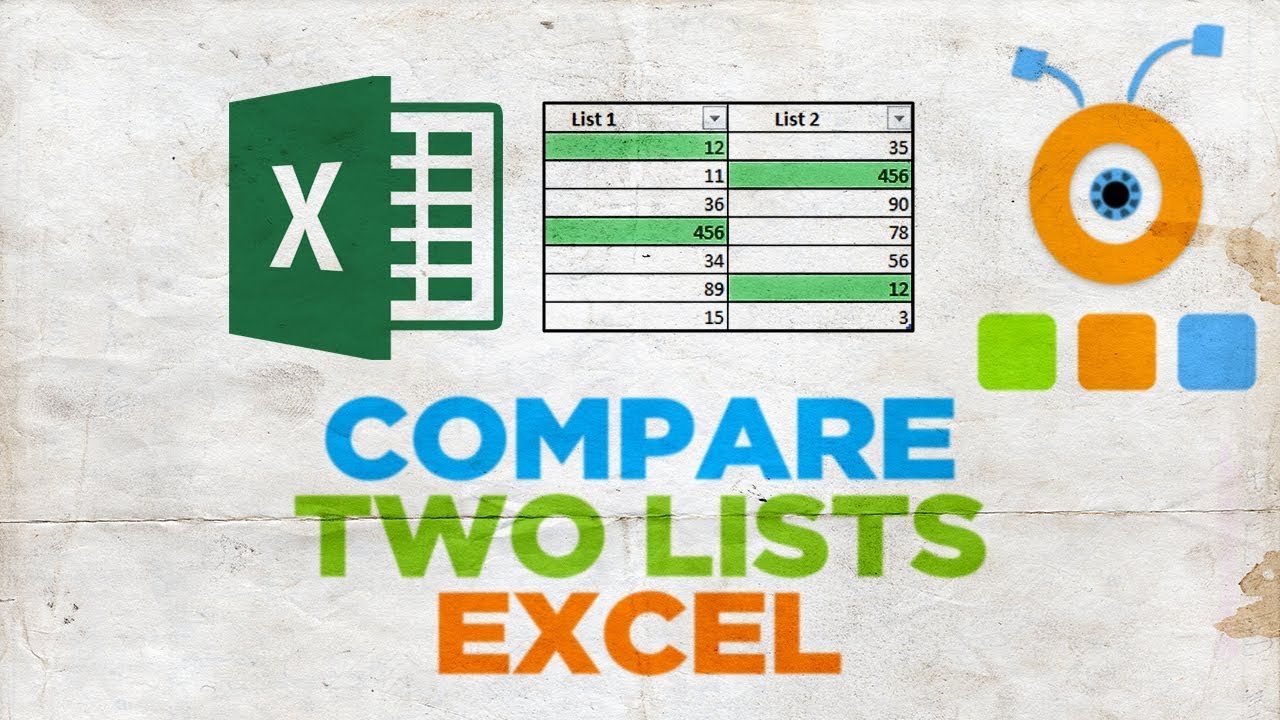
How To Compare Two Lists In Excel YouTube

Ultimate Guide Compare Two Lists Or Datasets In Excel The Excel Club
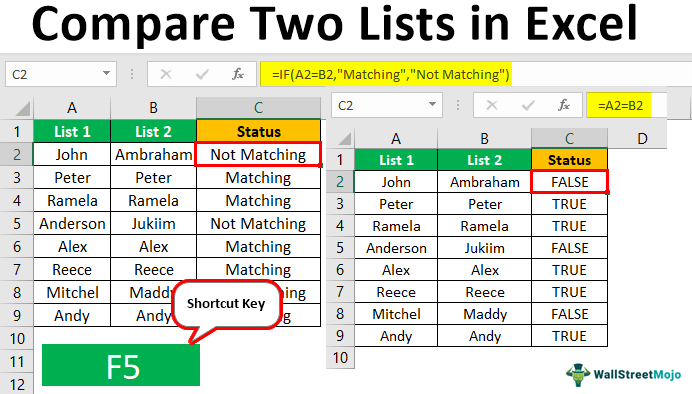
Cross Reference Two Tables In Excel Review Home Decor

How To Compare Two Lists In Excel Using VLOOKUP Statology

Excel Compare Two Lists And Return Differences 7 Ways ExcelDemy

Web How to Compare Two Lists in Excel Top 6 Methods Method 1 Compare Two Lists Using Equal Sign Operator Method 2 Match Data by Using the Row Difference Technique Method 3 Match Row Difference by Using the IF Condition Method 4 Match Data Even If There is a Row Difference Method 5 Highlight All

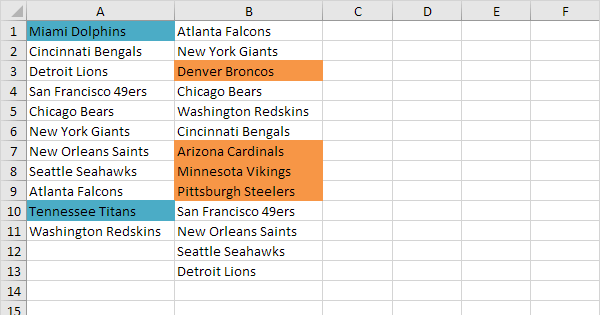
Web This example describes how to compare two lists in Excel using conditional formatting For example you may have two lists of NFL teams

Web Oct 26 2023 nbsp 0183 32 In this article we have discussed how to compare two lists in Excel for matches We have used equal operator conditional formatting VLOOKUP and MATCH functions to compare two lists We have also covered how to
Web Aug 3 2020 nbsp 0183 32 Type countif List2 A1 1 into the formula bar This formula will scan your two lists and mark all the cells on your first list that also appear on the second list Replace A1 in the formula with the number of the first cell of your first list

Web Compare 2 lists in Excel 365 with MATCH or XMATCH as a Dynamic Array function MATCH and Dynamic arrays to compare 2 lists XMATCH Excel 365 to compare two lists Tables Comparing lists in Excel where the ranges sizes might change Highlight differences in Lists using Custom Conditional Formatting
Web The Compare Two Lists feature in Excel is a powerful tool enabling users to compare two data lists and identify their differences This tool is particularly useful when working with large datasets as it saves time and reduces errors that Web Apr 27 2023 nbsp 0183 32 Formula free way to compare two columns or lists in Excel How to compare 2 columns in Excel row by row When you do data analysis in Excel one of the most frequent tasks is comparing data in each individual row This task can be done by using the IF function as demonstrated in the following examples Example 1
Web Jun 21 2023 nbsp 0183 32 The first step in comparing two lists in Excel is identifying the similarities and differences between them One way to do this is by using conditional formatting to highlight matching entries in both lists To do this select both lists and click on the Conditional Formatting button in the Home tab of the Excel ribbon