Commit Unstaged Changes To New Branch Web IDE How To Git For Dummies NTU SCSE Style Quickly Switch To New Branch With Unstaged Changes In Git Amit Web IDE How To Git For Dummies NTU SCSE Style Quickly Switch To New Branch With Unstaged Changes In Git Amit SourceTree How To Git For Dummies NTU SCSE Style WEB May 30 2024 nbsp 0183 32 To move any existing uncommitted work to a new branch we ll first need to create the new branch To create a new branch and switch to the branch run the
WEB Nov 13 2023 nbsp 0183 32 The easiest and safest way to switch branches with uncommitted changes is to temporarily stash your changes out of the way The Git stash allows you to shelve WEB Jul 2 2024 nbsp 0183 32 When working in Git you might find yourself needing to move uncommitted changes from one branch to another This guide explains how to do so using
SourceTree How To Git For Dummies NTU SCSE Style Vscode git Commit Unstaged Git Fu Basics White Belt Noah Bieler VS Code IDE Autonomous Robots And Vehicles Software Engineering Using Git With Visual Studio Code Osesong Solved How To Stash Only Unstaged Changes In Git 9to5Answer GitLab How To Git For Dummies NTU SCSE Style Browse Repos Compare Branches Commits Visual Studio Windows Solved Git Create A Branch From Unstaged uncommitted 9to5Answer
Commit Unstaged Changes To New Branch
 Commit Unstaged Changes To New Branch
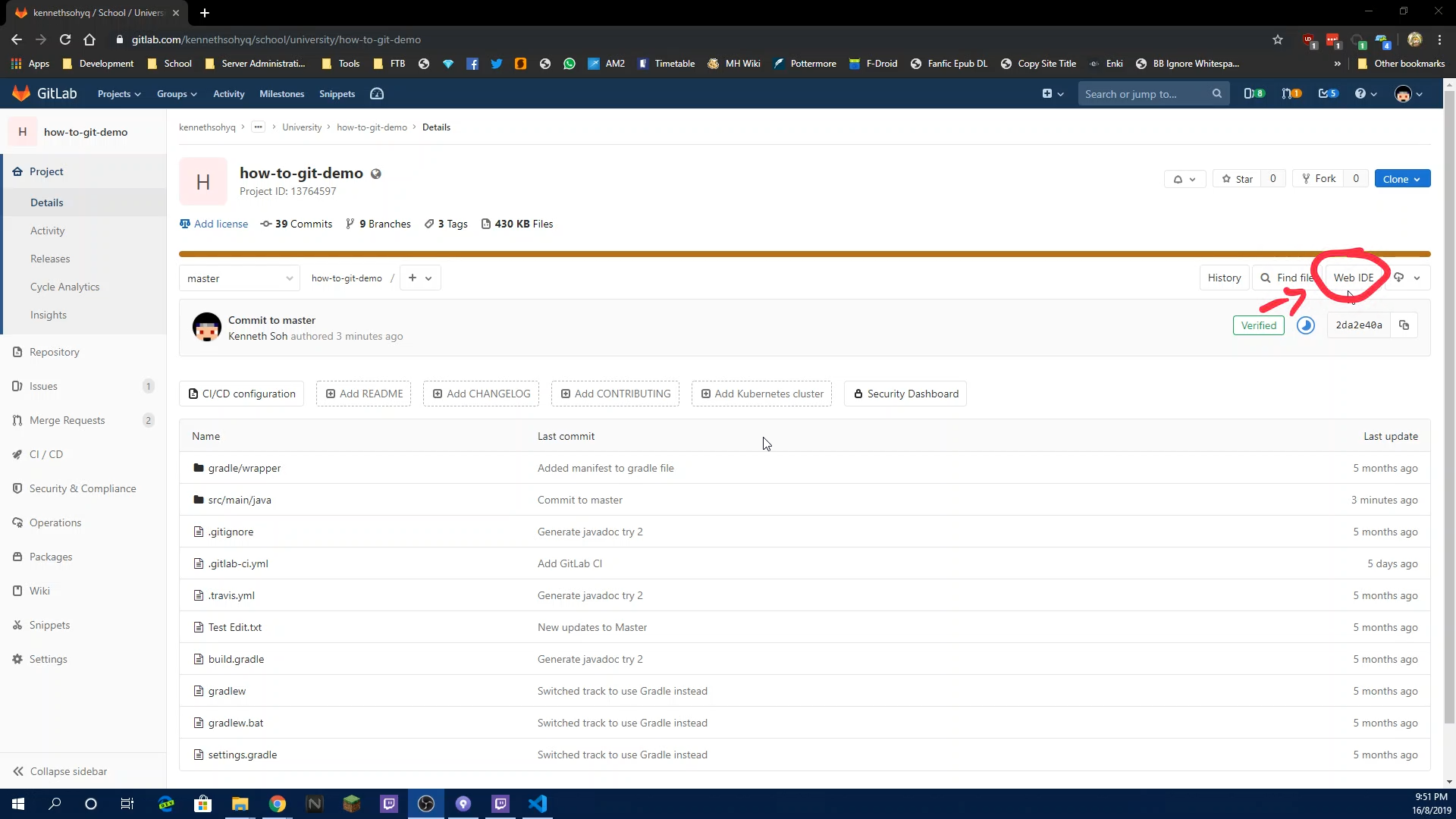
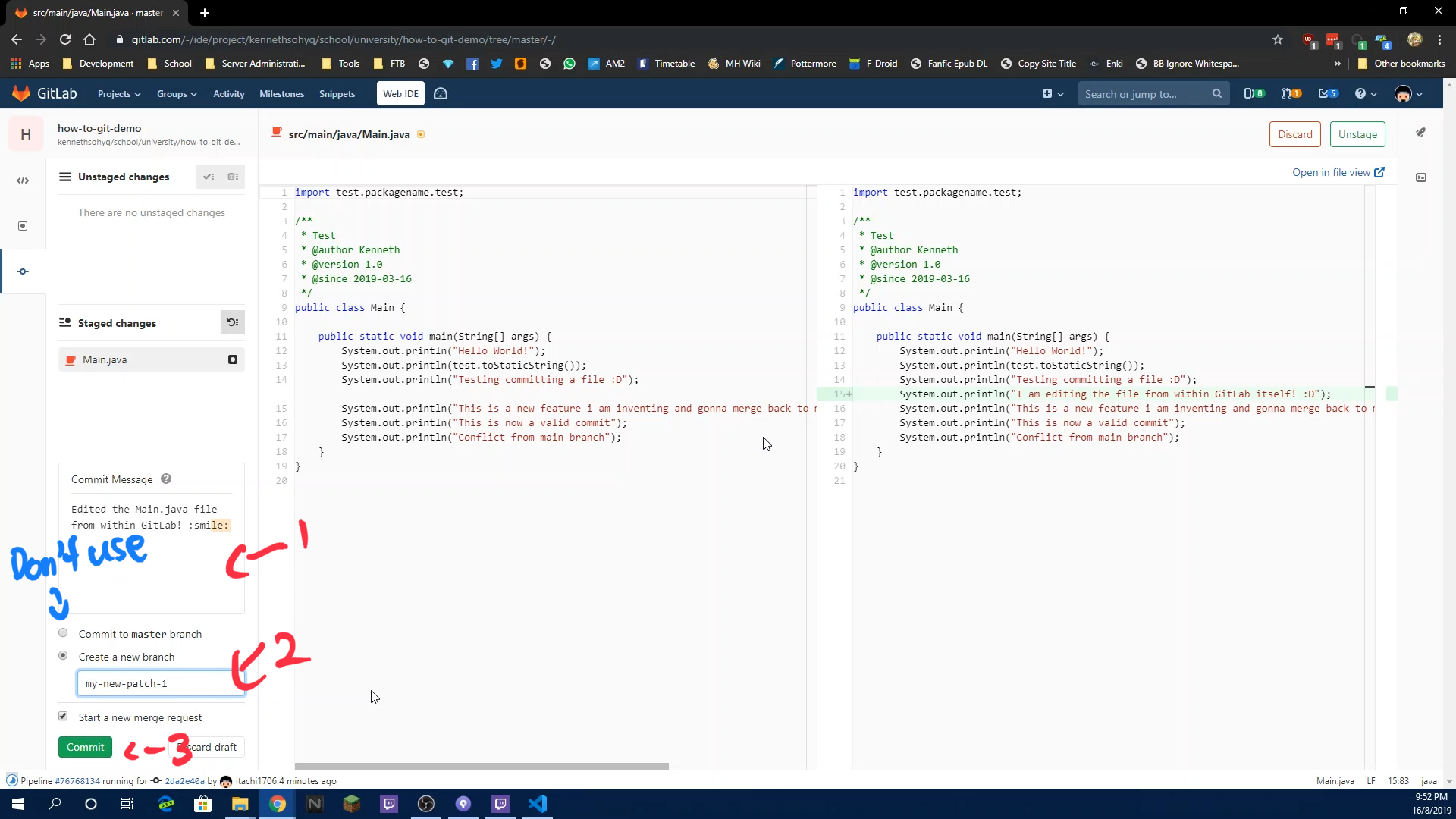
https://ntugit.itachi1706.com/media/gitlab/guide/webide-1.png
WEB The steps to commit to a new branch in Git This workflow is crucial for managing separate development threads within the same project efficiently Here s a quick recap of the
Pre-crafted templates offer a time-saving service for producing a diverse series of documents and files. These pre-designed formats and designs can be utilized for numerous individual and professional projects, including resumes, invitations, leaflets, newsletters, reports, presentations, and more, streamlining the material production procedure.
Commit Unstaged Changes To New Branch
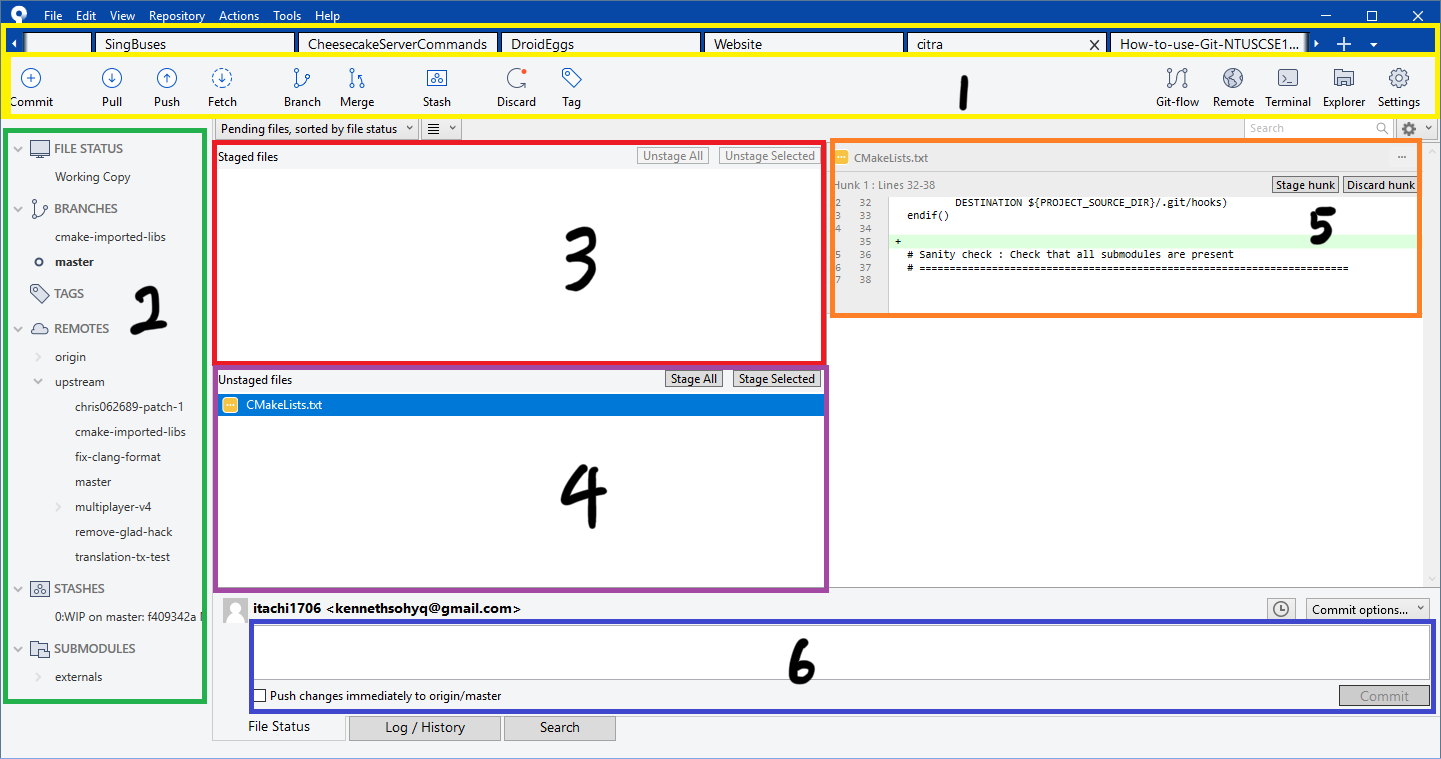
SourceTree How To Git For Dummies NTU SCSE Style

Vscode git Commit Unstaged
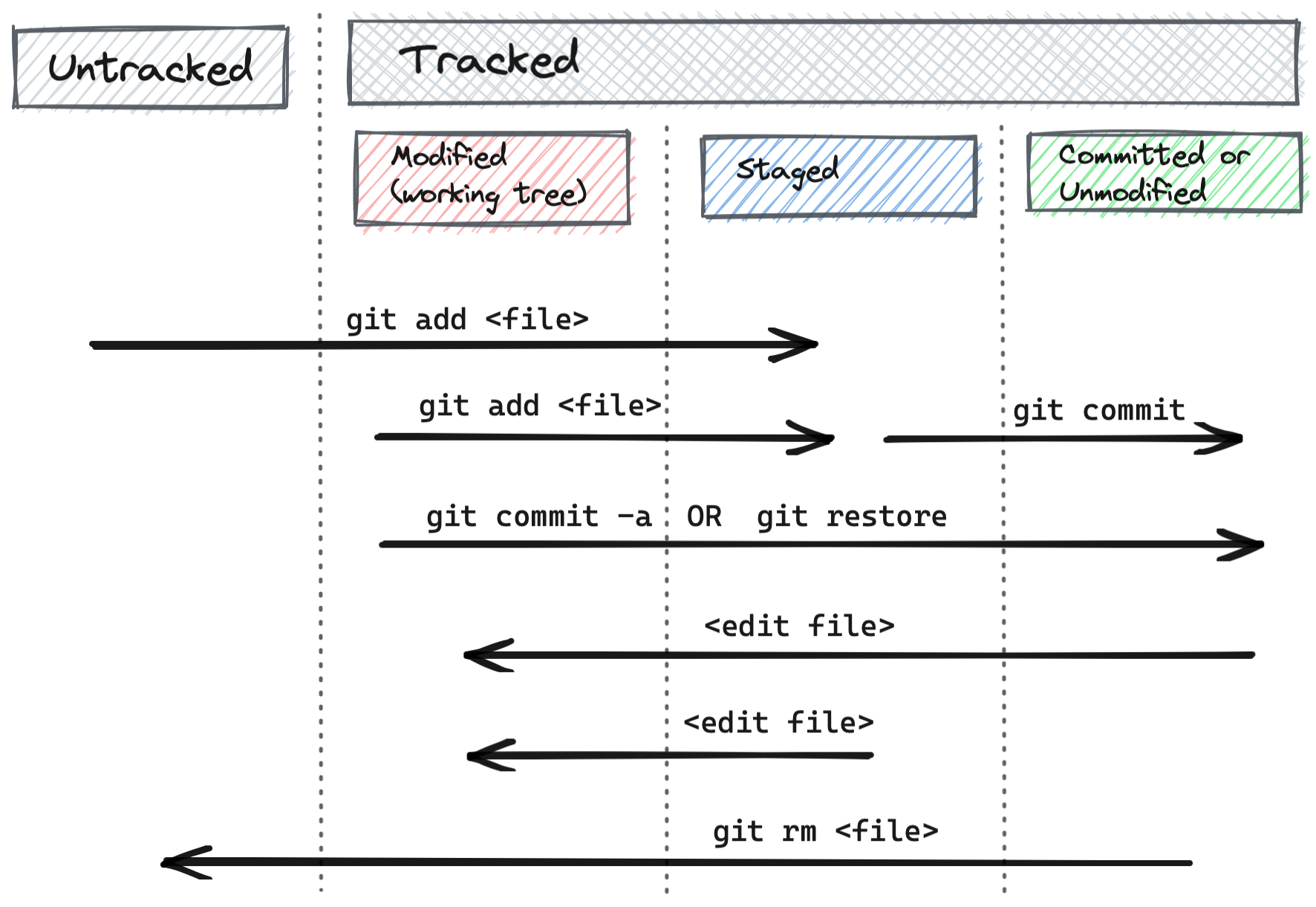
Git Fu Basics White Belt Noah Bieler
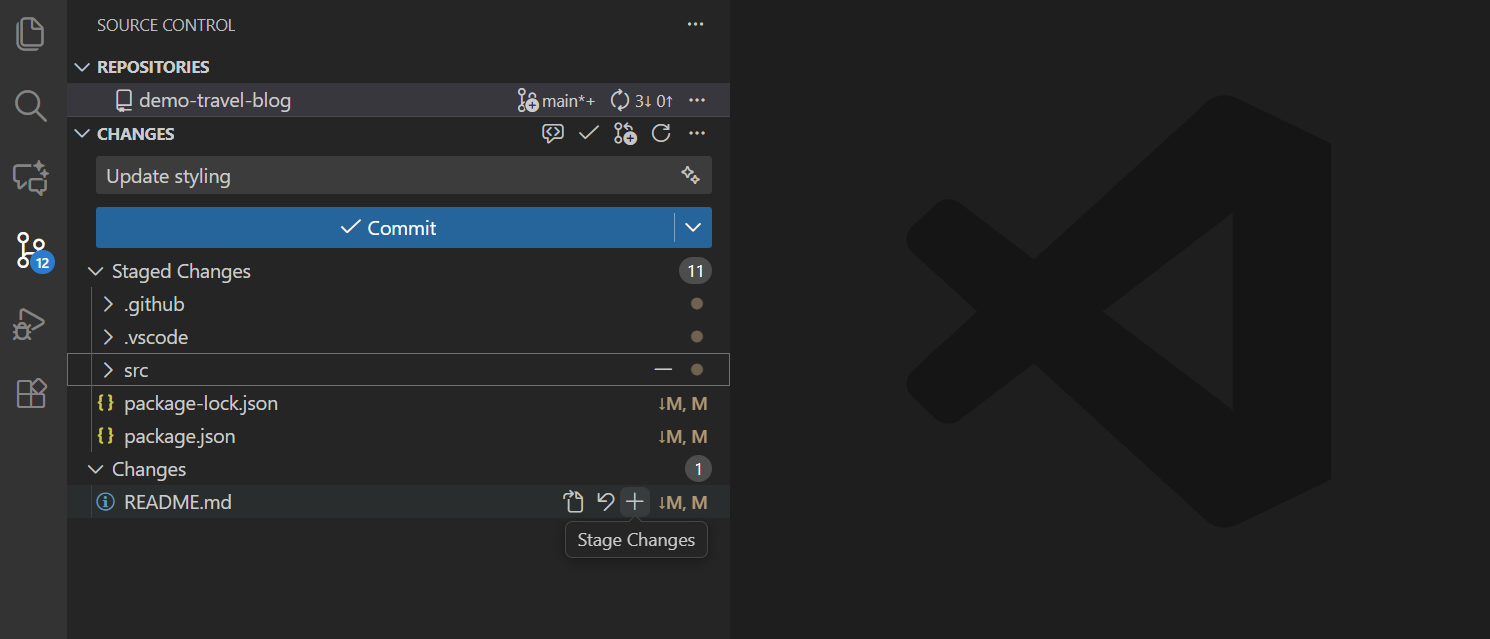
VS Code IDE Autonomous Robots And Vehicles Software Engineering
Solved How To Stash Only Unstaged Changes In Git 9to5Answer

GitLab How To Git For Dummies NTU SCSE Style
WEB Sep 8 2009 nbsp 0183 32 All you need to do is switch to the new branch in GitHub Desktop and it will prompt you to leave your changes on the current branch which will be stashed or to
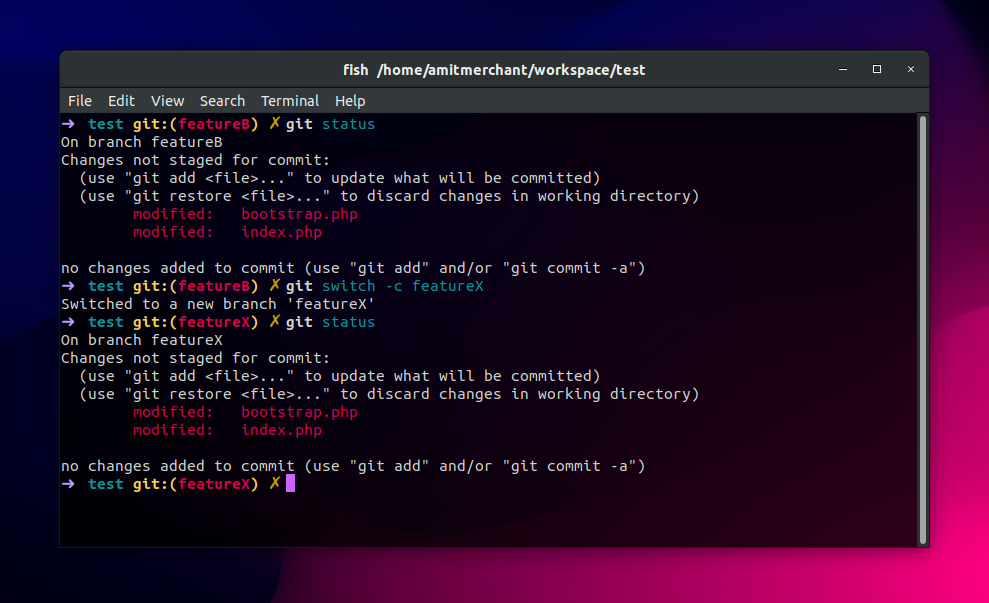
WEB Jan 27 2022 nbsp 0183 32 Just like git checkout b new branch Both allow having uncommited changes The other part of git checkout functionality should now be done with git restore
WEB Feb 6 2024 nbsp 0183 32 In this article we ve addressed a couple of quick ways to move uncommitted changes to a new Git branch Both commands are pretty straightforward to use git

WEB Jun 13 2024 nbsp 0183 32 This guide will show you how to create a new branch and move your unstaged or uncommitted changes to it without losing any work Understanding
WEB Nov 16 2021 nbsp 0183 32 You can move branches and bring those changes along with you The simplest option is to simply switch branches but this will only work if the two branches
WEB Oct 16 2023 nbsp 0183 32 You can do this with the following command git checkout b lt new branch gt Replace lt new branch gt with the name of the branch you want to create Step 4 Apply WEB Jan 9 2022 nbsp 0183 32 This command with the option c which means create will create a new branch called featureX switch to it and apply all of the unstaged changes of the
WEB May 22 2015 nbsp 0183 32 If you haven t push the commits to server then this is how to do it Assuming the code are on master and you want to move to a new branch develop for