Commit To Github Command Line How To Add And Commit Files In Single Command In Git YouTube 4 Control De Versiones Computaci n Cient fica Con Python Git graph Command line Utility In Rust Lib rs How To Push An Existing Project To GitHub Tutorial Commit Changes To A Git Repository TestingDocs The Command Line There are a lot of different ways to use Git There are the original command line tools and there are many graphical user interfaces of varying capabilities For this book we will be using Git on the command line For one the command line is the only place you can run all Git commands most of the GUIs implement only a
GitHub CLI documentation GitHub CLI is an open source tool for using GitHub from your computer s command line When you re working from the command line you can use the GitHub CLI to save time and avoid switching context Overview Quickstart Reference If your current branch is the default branch you should choose to create a new branch for your commit and then create a pull request For more information see Creating a pull request Click Propose changes Adding a file to a repository using the command line You can upload an existing file to a repository on GitHub using the command line
Commit Changes To A Git Repository TestingDocs How Do You Correct A Commit Message In Git O Reilly To Write Git Vrogue How To Create A Github Repository From The Command Line Www vrogue co GIT Branch And GIT Merge Github Command Line Tutorial Examples And Forms Riset Steveproxna Github Cheat Sheet Vrogue Git Commands Cloud Studio How To Add Commit And Push To Git Using One Command On Windows Git Commit a Stage Commit Files In A Single Step lph rithms
Commit To Github Command Line
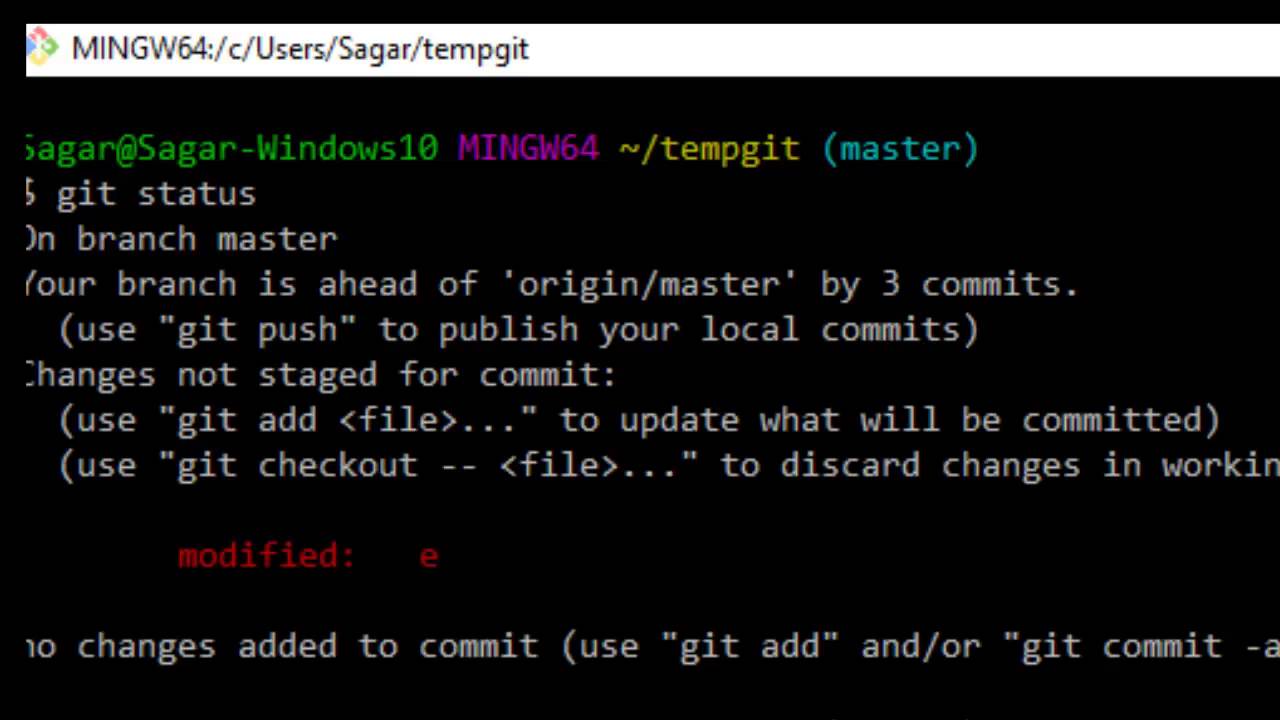 Commit To Github Command Line
https://i.ytimg.com/vi/jmLvNWrAFnk/maxresdefault.jpg
Commits are the core building block units of a Git project timeline Commits can be thought of as snapshots or milestones along the timeline of a Git project Commits are created with the git commit command to capture the state of a project at that point in time Git Snapshots are always committed to the local repository
Pre-crafted templates offer a time-saving service for creating a varied series of files and files. These pre-designed formats and layouts can be used for different individual and expert jobs, including resumes, invites, flyers, newsletters, reports, presentations, and more, simplifying the material creation procedure.
Commit To Github Command Line
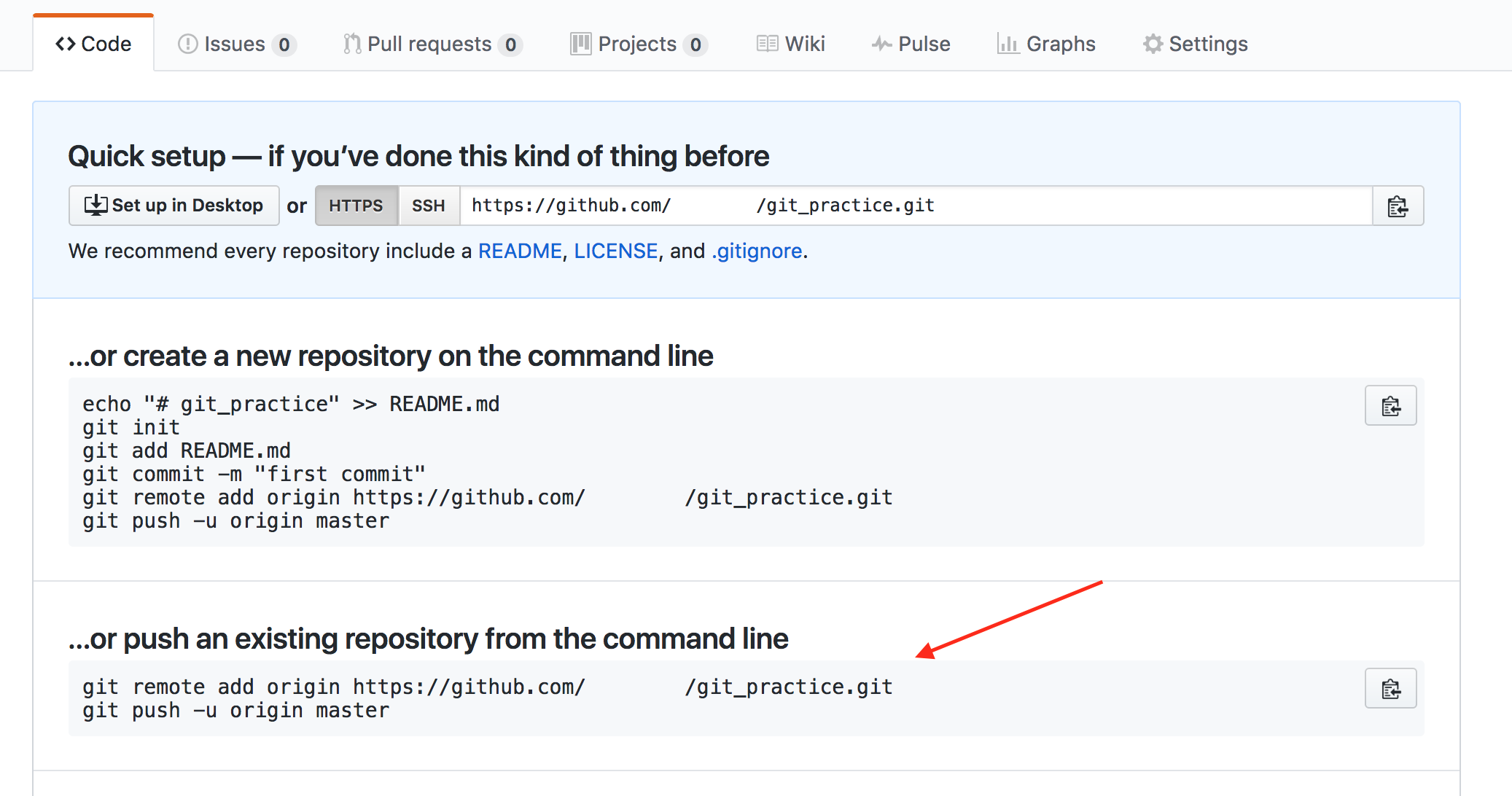
Cultural Analytics Open Science Guide 6 Create A GitHub Account
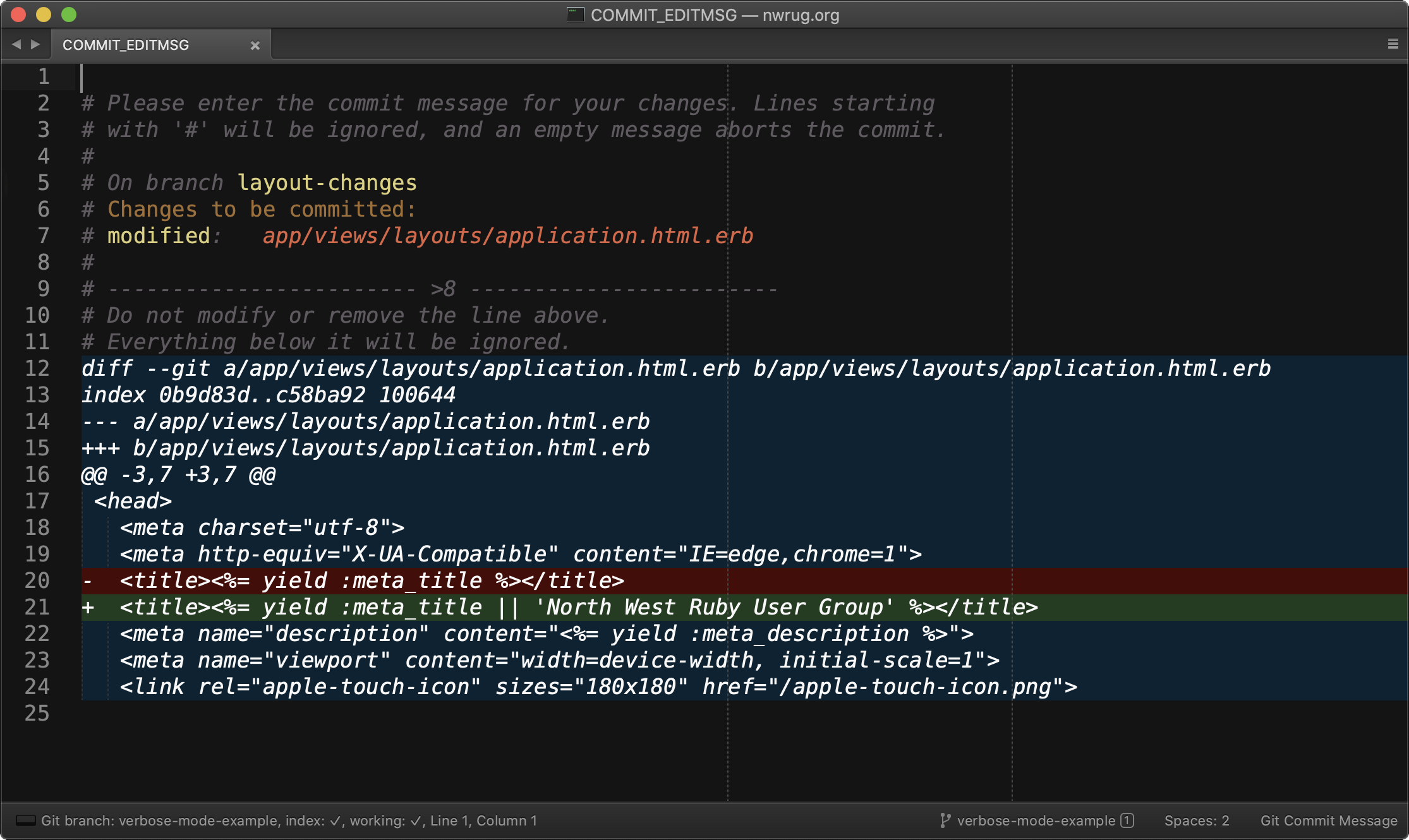
How Do You Correct A Commit Message In Git O Reilly To Write Git Vrogue
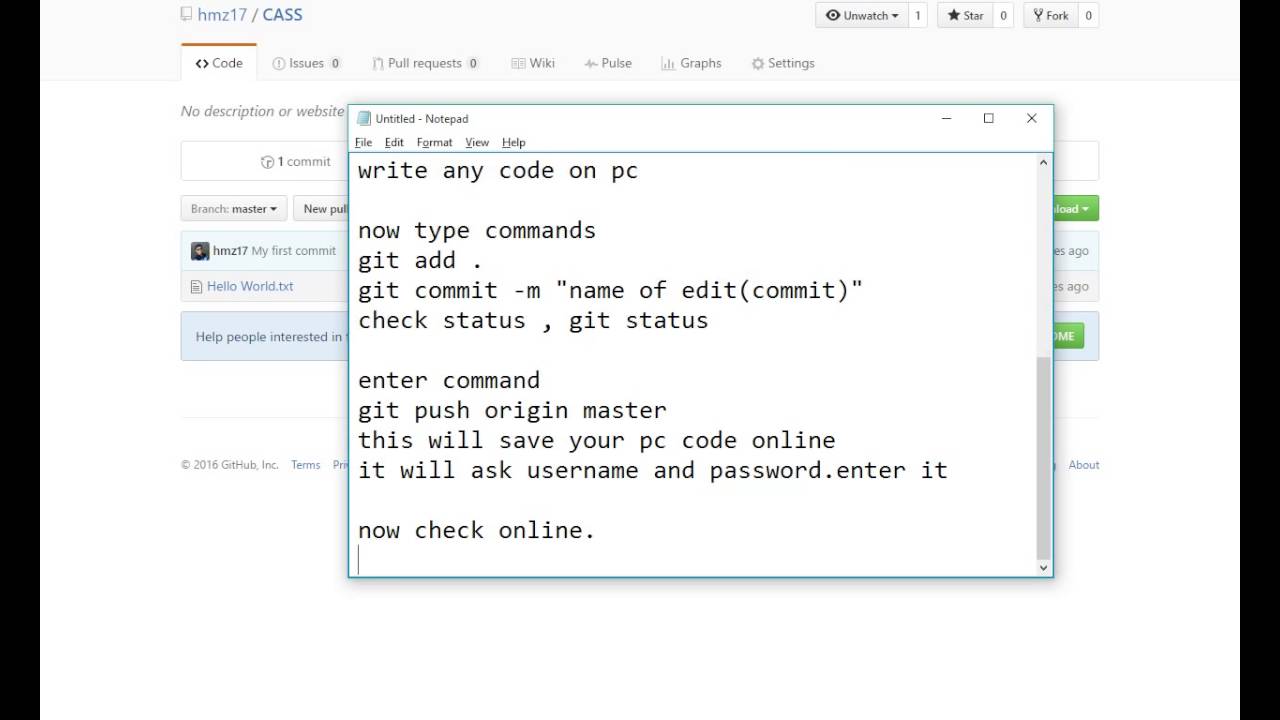
How To Create A Github Repository From The Command Line Www vrogue co
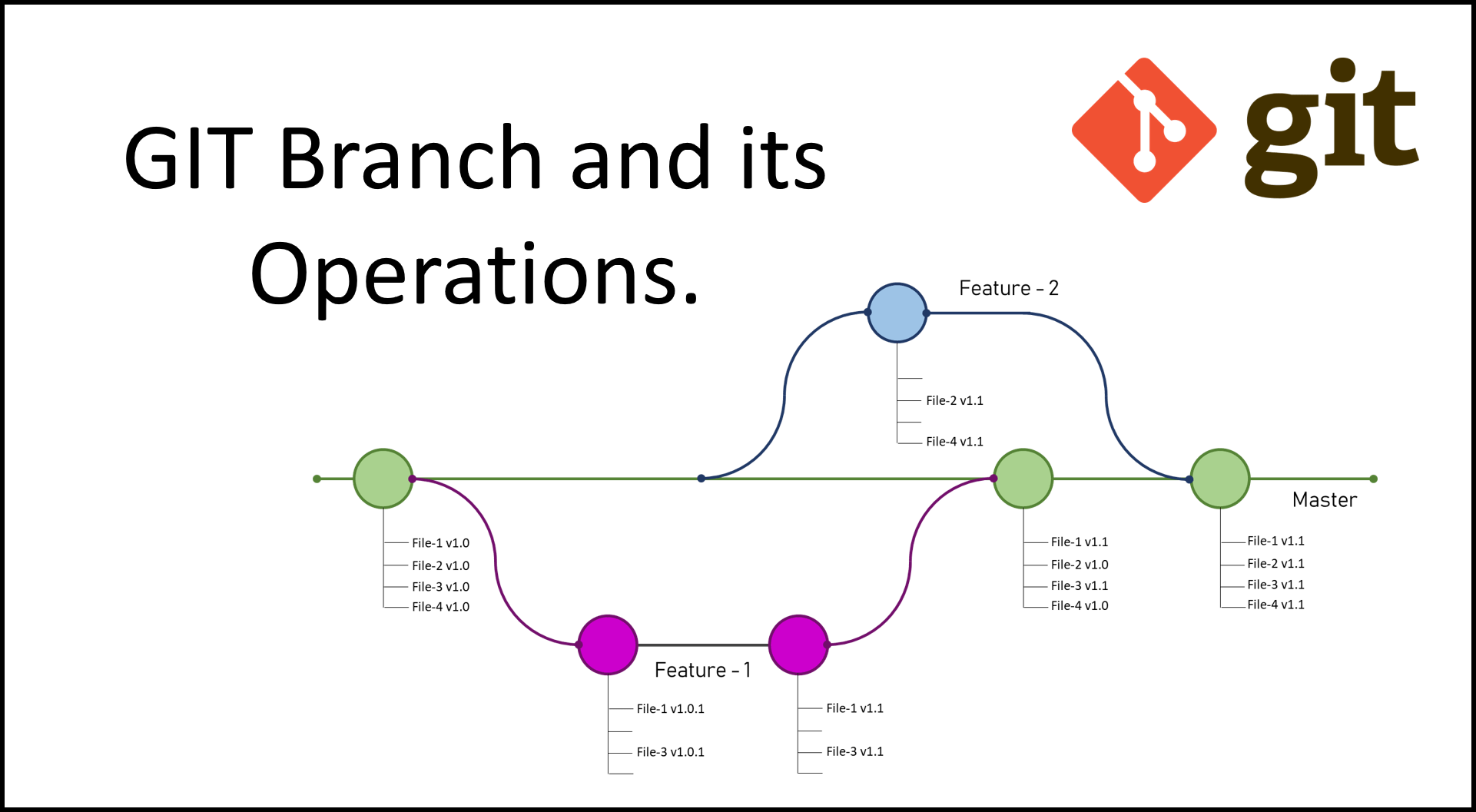
GIT Branch And GIT Merge

Steveproxna Github Cheat Sheet Vrogue
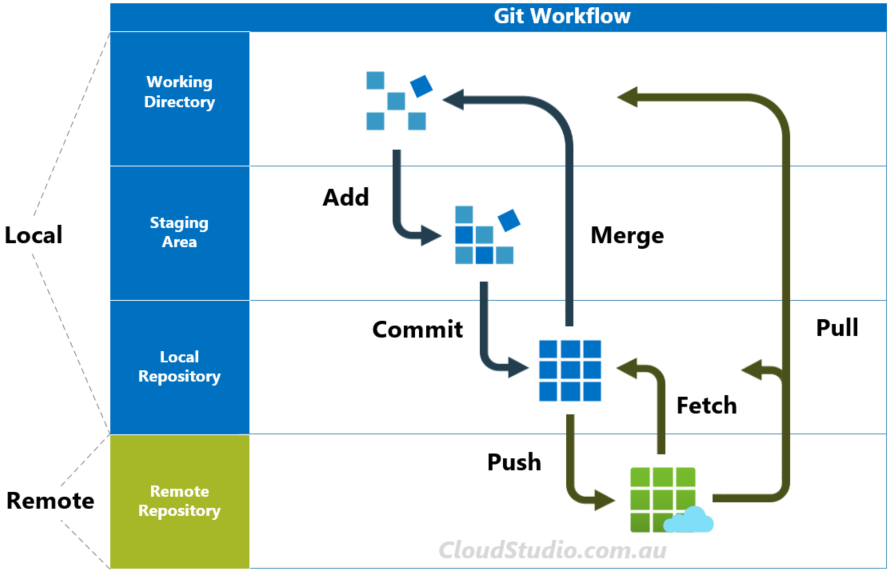
Git Commands Cloud Studio
1 Committing files only adds them to your local repo In order to send the changes to the remote repo in this case github but if could be some other host e g gitlab you need to push them Tom Lord
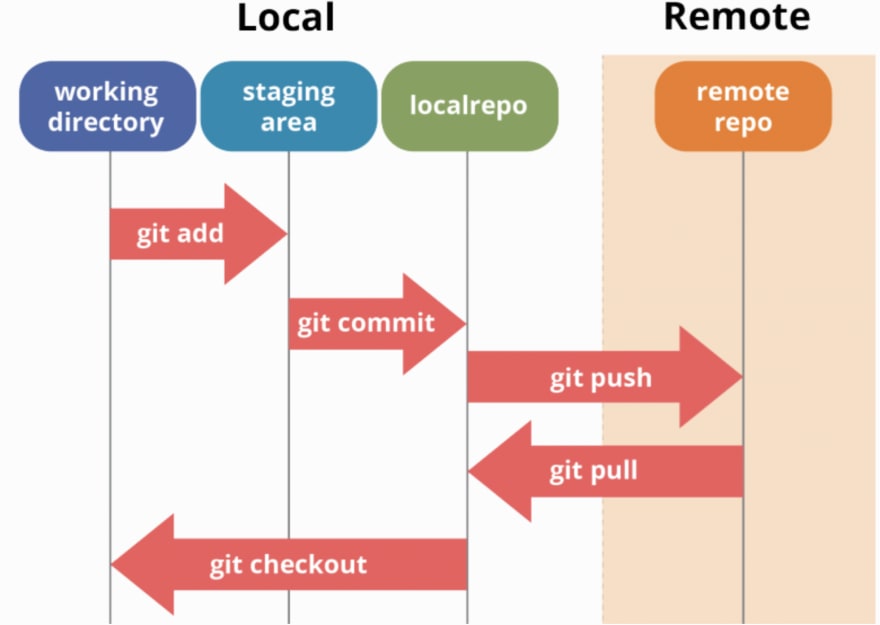
GitHub CLI is an open source tool for using GitHub from your computer s command line GitHub CLI can simplify the process of adding an existing project to GitHub using the command line To learn more about GitHub CLI see About GitHub CLI
The git push command takes two arguments A remote name for example origin A branch name for example main For example git push REMOTE NAME BRANCH NAME As an example you usually run git push origin main to push your local changes to your online repository Renaming branches
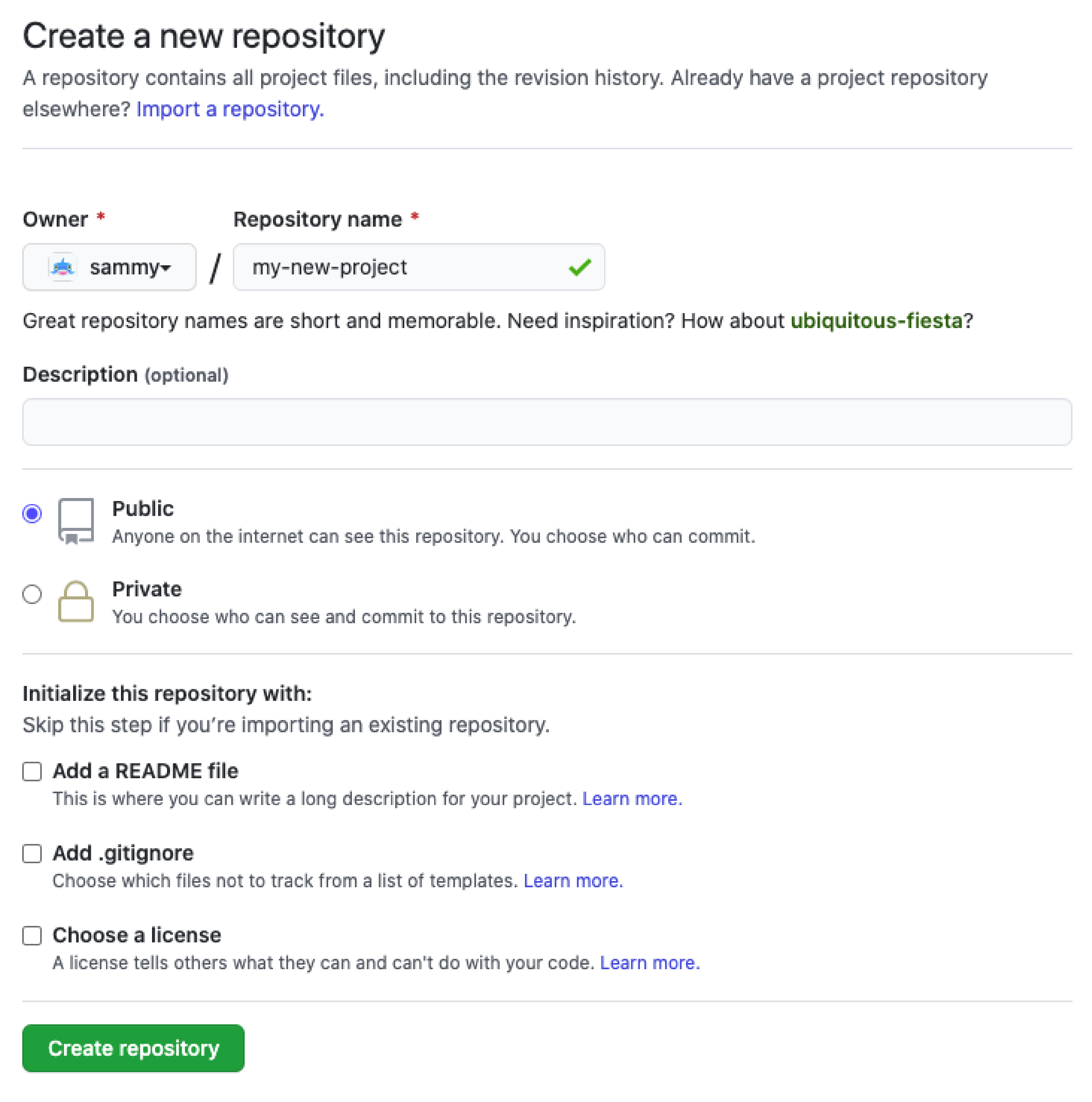
GitHub CLI is an open source tool for using GitHub from your computer s command line When you re working from the command line you can use the GitHub CLI to save time and avoid switching context Prerequisites Install GitHub CLI on macOS Windows or Linux For more information see Installation in the GitHub CLI repository
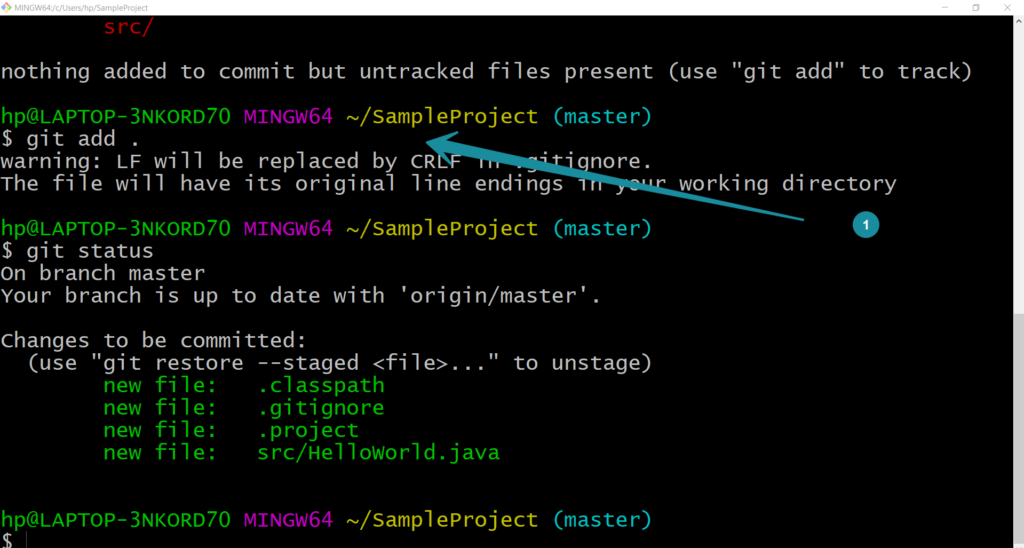
Tell the command to automatically stage files that have been modified and deleted but new files you have not told Git about are not affected p patch Use the interactive patch selection interface to choose which changes to commit See git add 1 for details C commit reuse message commit
The commit command is used to save your changes to the local repository Note that you have to explicitly tell Git which changes you want to include in a commit before running the git commit command This means that a file won t be automatically included in the next commit just because it was changed 3 Commit the changes git commit m initial commit You ll pass the similar first commit message most of the time 4 Create a git remote for your remote repository git remote add
The commit command performs a commit and the m message adds a message The Staging Environment has been committed to our repo with the message First release of Hello World Git Commit without Stage Sometimes when you make small changes using the staging environment seems like a waste of time