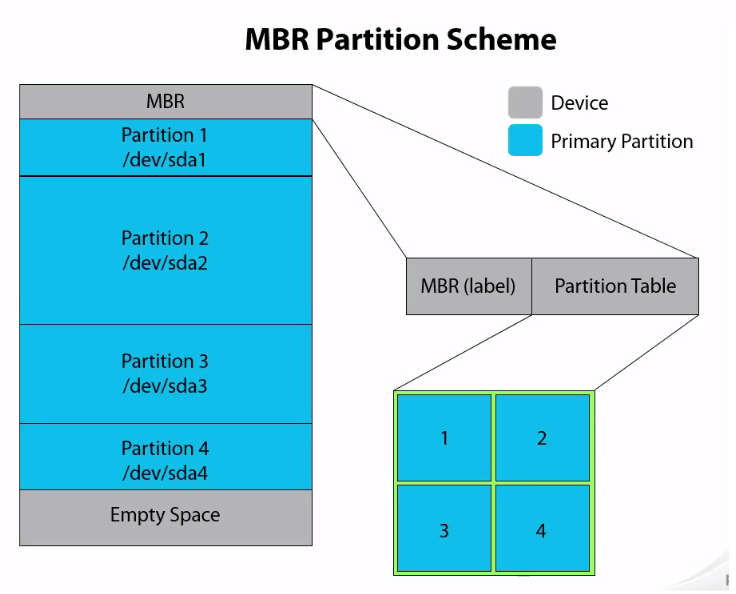
Command To Partition Disk In Linux How To Partition Disk In Kali Linux Systran Box SOLVED Easy Command Line To Wipe And Reformat A Disk Up Running Disk Partitioning In Linux Adding Disks Partitions File Systems How To Partition Your Disk For Kali Linux Systran Box Understanding Partition Scheme MBR Vs GPT GoLinuxHub Mar 21 2025 nbsp 0183 32 COMMAND COM CMD or cmd exe in later versions of Windows is the command line interpreter for MS DOS and is required for Microsoft operating systems to function
Mar 8 2024 nbsp 0183 32 Command Prompt offers 280 commands for navigation troubleshooting and performing different tasks Explore this guide to unleash the full potential of Command Prompt Aug 12 2023 nbsp 0183 32 There are multiple ways to open the Command Prompt such as using the Windows X Power Users menu or searching for it in the Start menu Users can also open the Command Prompt from Task Manager File Explorer the Run box or
Understanding Partition Scheme MBR Vs GPT GoLinuxHub Chapter 3 Disk Partitions Red Hat Enterprise Linux 8 Red Hat Create And Format A Hard Disk Partition In Windows 10 How To Label Disk In Linux With Blkid Linux Tutorials Learn Linux How Do I Forcefully Unmount A Linux Disk Partition NixCraft How To View The Specific Disk Partition Using Linux Command ServerCake How To Delete A Partition In Linux Can I Partition Format Hard Drives Under Windows 11 So Erstellen Sie Eine Partition In Windows 11 2 Einfache M glichkeiten
Command To Partition Disk In Linux
 Command To Partition Disk In Linux
https://syscdn.systranbox.com/1661329754018.png
Windows has two command line shells the Command shell and PowerShell Each shell is a software program that provides direct communication between you and the operating system or application providing an environment to automate IT operations
Templates are pre-designed documents or files that can be used for numerous purposes. They can save time and effort by offering a ready-made format and layout for developing various sort of material. Templates can be utilized for personal or expert projects, such as resumes, invites, leaflets, newsletters, reports, discussions, and more.
Command To Partition Disk In Linux
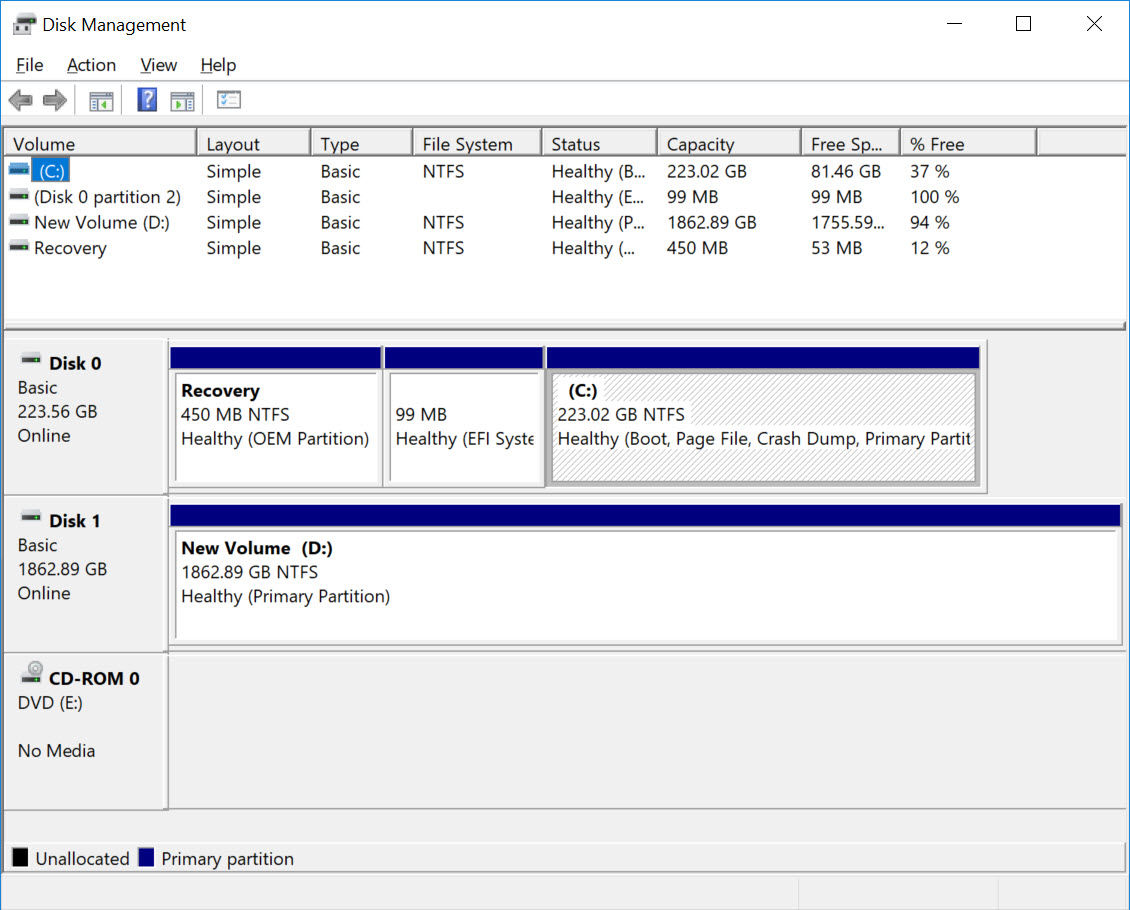
Ziyafet S rd rmek B y k ehir Create Hard Disk Partition Windows 10
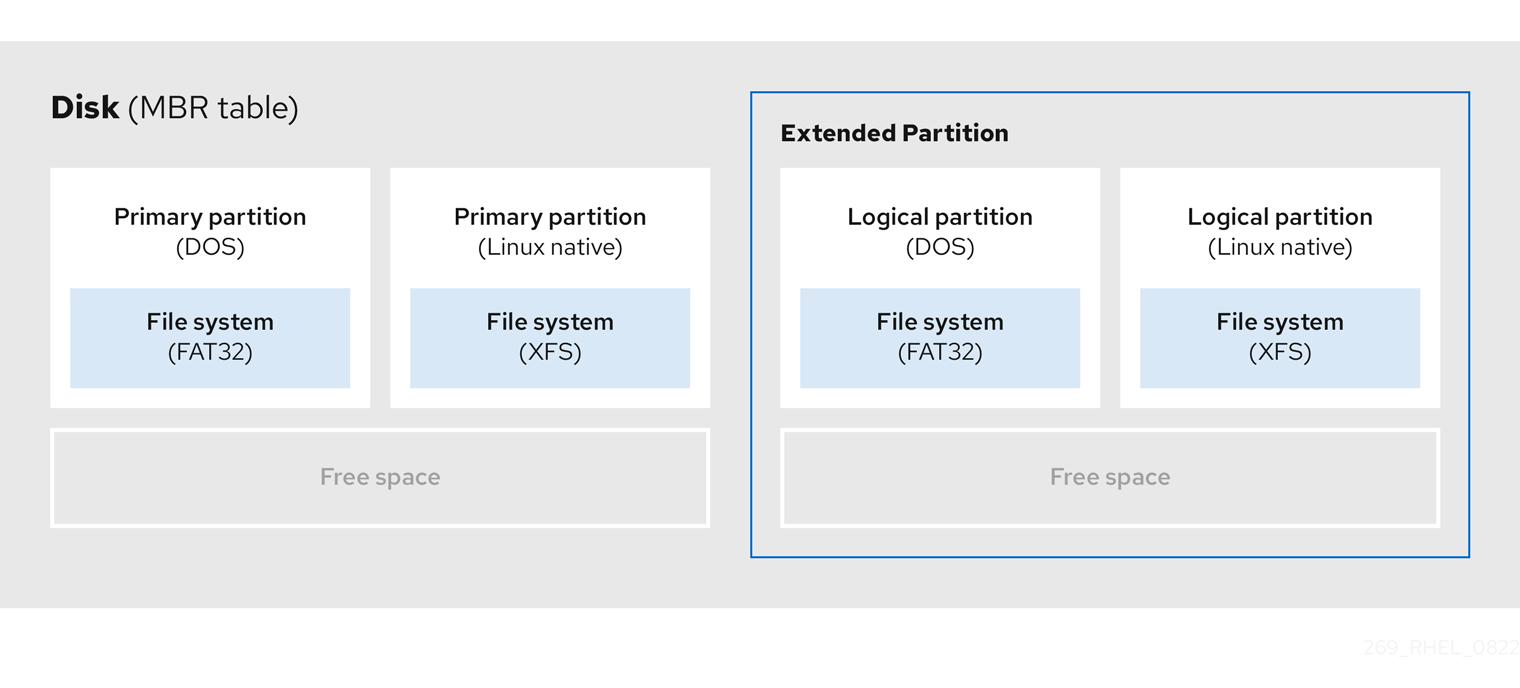
Chapter 3 Disk Partitions Red Hat Enterprise Linux 8 Red Hat

Create And Format A Hard Disk Partition In Windows 10

How To Label Disk In Linux With Blkid Linux Tutorials Learn Linux
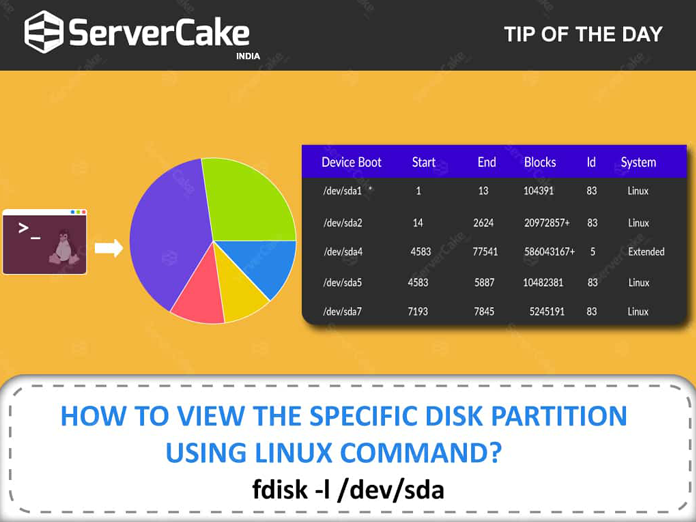
How To View The Specific Disk Partition Using Linux Command ServerCake
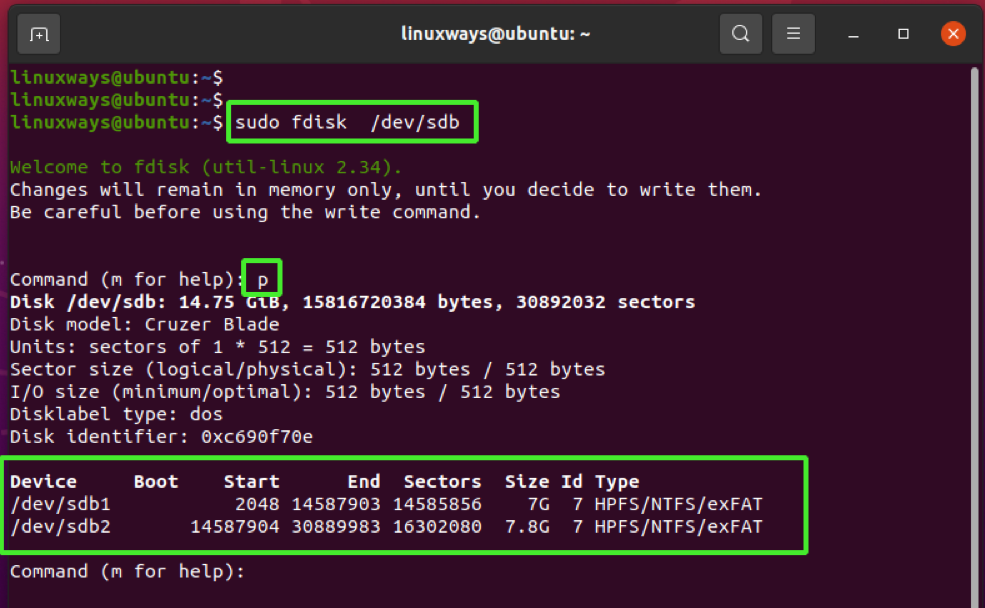
How To Delete A Partition In Linux

Jan 21 2015 nbsp 0183 32 Command Prompt Windows

Jan 6 2022 nbsp 0183 32 Command Prompt Windows 20

Mar 4 2025 nbsp 0183 32 The command prompt can be used to execute specific commands and perform advanced functions If you need to troubleshoot your Windows laptop or computer you may need to run the command prompt Luckily you can launch the Command Prompt also called CMD Command Line Command Line Interface or CLI using a variety of easy methods

Jan 21 2023 nbsp 0183 32 Command Prompt Windows
Feb 10 2025 nbsp 0183 32 Learn how to open Command Prompt cmd in Windows 11 10 8 and 7 using different methods Access cmd from Start Menu Run File Explorer Task Manager and more plus tips on running cmd as administrator
[desc-11] [desc-12]
[desc-13]