Command To Check Partition In Linux How To Use Df Command To Check The Disk Space In Linux Beginners Why Cant I Delete Partition For Windows Mac Ondemandsos How To Create Boot Partition In Linux Tagstashok Solved Linux Command To Check New Files In File System 9to5Answer How To List And Check Hard Disk Partition In Linux Ubuntu Web Jan 16 2021 nbsp 0183 32 1 List disk partitions in Linux using lsblk command 2 Display disk partitions using fdisk command in Linux 3 Check Hard disk partitions using sfdisk in Linux 4 Check Linux disk partitions using cfdisk 5 Find disk partitions in Linux using blkid 6 Get disk partition details using hwinfo tool 7 List Linux partition details with inxi 8
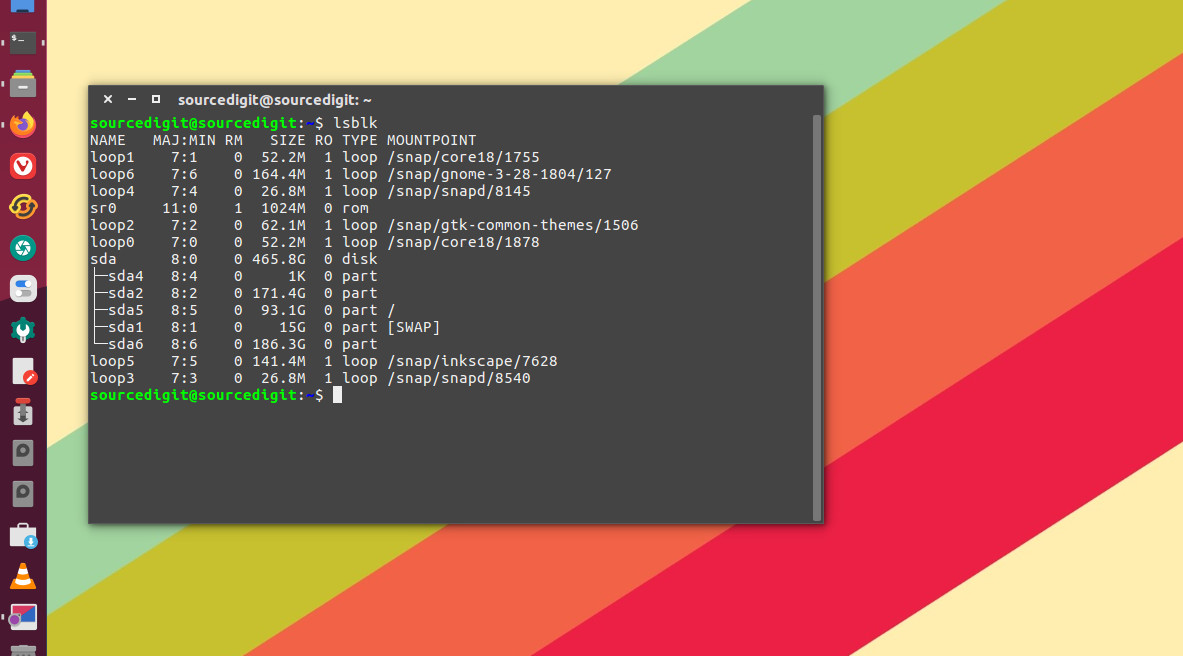
Web Apr 11 2022 nbsp 0183 32 View partition table using lsblk command The lsblk command lists all the block devices of your system along with their logical partitions Enter the following command in your Terminal to list the partition table lsblk In the above output you can see all the logical partitions from sda1 till sda5 for my sda device Web Dec 22 2022 nbsp 0183 32 Fdisk provides a number of commands that can be used to manage partitions To get all the available commands specify the hard disk name and proceed as shown sudo fdisk dev sda Sample Output Now the above command can be used to manage the partition as required To get all partition tables use p as shown
How To List And Check Hard Disk Partition In Linux Ubuntu How To Check Hidden Files Size In Linux Systran Box Commonly Used Linux Commands How To Delete Partition In Linux Using Command Line fdisk YouTube How To Use Fdisk To Manage Partitions On Linux Linux Command To Check Space Df Command In Linux Linux Filing Basics Linux Commands Linux Commands Cheat Sheet With PDF GPResult Command Learn How To Use It To Check Group Policy
Command To Check Partition In Linux
 Command To Check Partition In Linux
https://i.ytimg.com/vi/Fr0jU5vxHqk/maxres2.jpg?sqp=-oaymwEoCIAKENAF8quKqQMcGADwAQH4Ac4FgAL4BooCDAgAEAEYWiBaKFowDw==&rs=AOn4CLAQOQQL0q_Dqatnf2LG5a52blQ7Kw
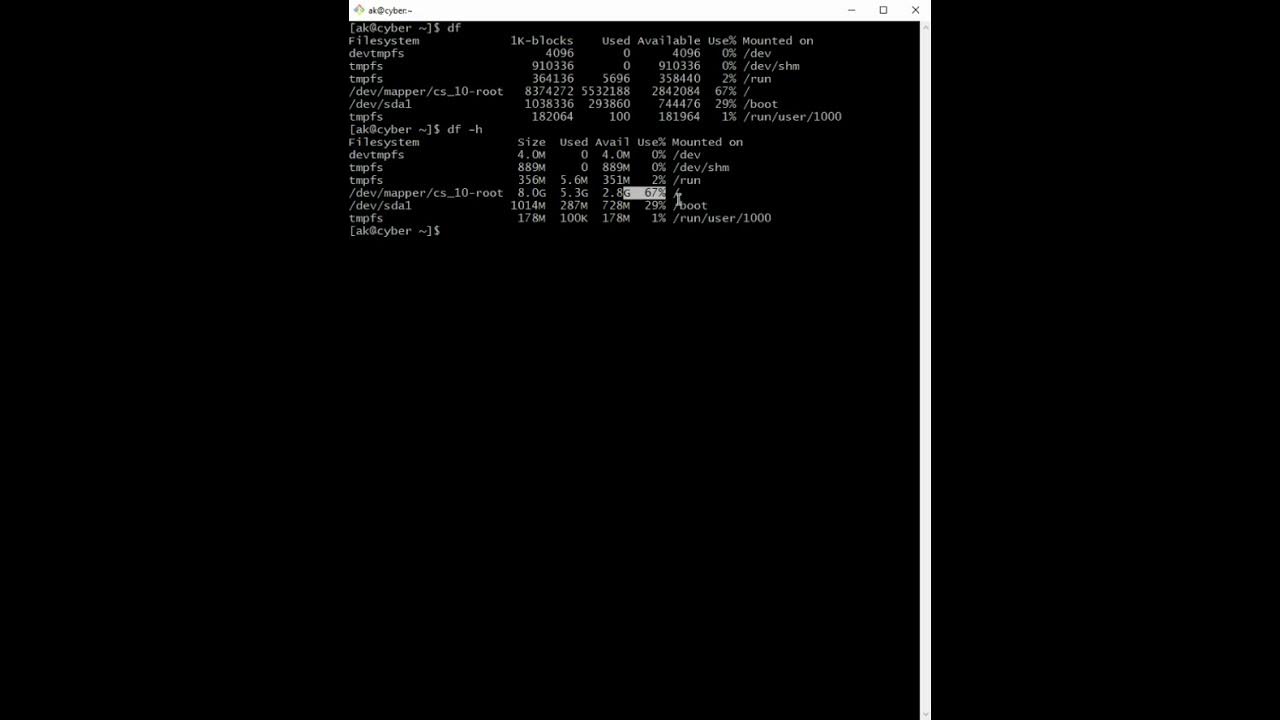
Web Feb 11 2012 nbsp 0183 32 1 Answer Sorted by 2 The commands mount and df will display all partitions currently in use and their mount points If you are only using a single partition under linux look for the one mounted on Share Improve this answer Follow answered Feb 11 2012 at 3 28 jhenninger 1 681 12 11 Add a comment You must log in to answer this
Templates are pre-designed documents or files that can be utilized for numerous functions. They can save effort and time by providing a ready-made format and design for creating different sort of material. Templates can be utilized for individual or expert projects, such as resumes, invitations, flyers, newsletters, reports, presentations, and more.
Command To Check Partition In Linux

3 Ways To Check Partition Style In Windows 10 MBR Or GPT

How To Check Hidden Files Size In Linux Systran Box
Commonly Used Linux Commands

How To Delete Partition In Linux Using Command Line fdisk YouTube

Linux Command To Check Space Df Command In Linux Linux Filing

Basics Linux Commands

Web Jan 4 2023 nbsp 0183 32 The commands would check what partitions there are on each disk and other details like the total size used up space and file system etc Commands like fdisk sfdisk and cfdisk are general partitioning tools that can not only display the partition information but also modify them

Web May 15 2020 at 14 53 You ll like this you can do sudo lsblk scsi and this shows the disk types including name sda sdb scsi addr type vendor model rev it s easy to find which is which when you want to physically locate

Web Jul 13 2023 nbsp 0183 32 View Linux Disk Partitions Using lsblk Command lsblk is a utility for listing block devices You can use it to view disks and partitions on your Linux computer as follows It runs well without the sudo command lsblk View Linux Disk Partitions To view extra information about disks use the f command line option as shown lsblk f

Web Oct 8 2022 nbsp 0183 32 The lsblk command will show all storage devices connected to your system their configured partitions and the sizes lsblk The screenshot below shows us that we have one hard drive identified as sda with a size of 50 GB You can see its partitions and their sizes listed under the disk
Web Dec 16 2015 nbsp 0183 32 The following basic command list all existing disk partition on your system The l argument stand for listing all partitions is used with fdisk command to view all available partitions on Linux The partitions are displayed by their device s names For example dev sda dev sdb or dev sdc
Web Sep 23 2020 nbsp 0183 32 Run the following command with sudo to list storage devices and partitions sudo parted l The terminal prints out available storage devices with information about Model Model of the storage device Disk Name and size of the disk Sector size Logical and physical size of the memory Web Jul 4 2022 nbsp 0183 32 If you want to change the partition label later on you can use the e2label command sudo e2label dev sda1 newlabel You can see all of the different ways to identify your partition with lsblk You should find the name label and UUID of the partition Some versions of lsblk will print all of this information with the fs argument sudo
Web Jul 6 2021 nbsp 0183 32 Open a terminal and use the following command with sudo sudo parted l The above command is actually a CLI based partitioning manager in Linux With the option l it lists the disks on your system along with the details about those disks It includes partitioning scheme information In the output look for the line starting with Partition