Command Prompt Speed Test How To Check Upload And Download Speed Using CMD YouTube How To Increase Your Internet Speed Using Command Prompt Cmd YouTube 3 Command Prompt Tricks To Boost Your Internet Speed Connection Check Your Internet Speed Using Command Prompt Basic Commands For Command Prompt user375058 The speedtest cli uses the same servers etc as SpeedTest You should consider the speedtest cli and www speedtest to be equivalent just with a different front end I would be surprised if you get significantly different results consistently if they both use the same server If they aren t using the same server then you have no basis for comparison
June 22 2019 at 3 42 AM Santhosh Kumar D santhosh Via this method you can test your internet speed using the Command Prompt Go to https nodejs and download the current release for your operating system Install node js on your system with default settings Now open the Command Prompt and type in the following command and hit Enter Testing your internet speed from the command line on Windows Linux or Mac Tobias Zimmergren 25 Aug 2022 TIP Check out the guidance for building sustainable Azure workloads I ve recently come across the need to test the internet speed of devices without a Graphical User Interface GUI connected to the internet
Basic Commands For Command Prompt Check RAM Speed Using Command Prompt In Windows YouTube Ping Test Windows 10 8 7 Vista Xp How To Check Internet How To Speed Up Internet Using Command Prompt Part 1 YouTube Command Prompt Tutorial YouTube How To View Command Prompt Or PowerShell Results One Page At A Time Speed Up Internet Using CMD Command Prompt Preparing The Command Prompts For The Test The DIY Life Command Prompt List Hi trick
Command Prompt Speed Test
 Command Prompt Speed Test
https://i.ytimg.com/vi/roatsAr0L_w/maxresdefault.jpg
It can be really useful to check the efficiency of an internet connection when working in a command line environment or when scripting In this tutorial we will see how to use it and what are the most interesting options we can use to modify its behavior Installing speedtest cli
Templates are pre-designed files or files that can be used for various functions. They can conserve effort and time by offering a ready-made format and layout for developing various kinds of material. Templates can be used for personal or professional tasks, such as resumes, invitations, leaflets, newsletters, reports, discussions, and more.
Command Prompt Speed Test

Speed Up Internet Using CMD Command Prompt Speed Up Internet Speed

Check RAM Speed Using Command Prompt In Windows YouTube

Ping Test Windows 10 8 7 Vista Xp How To Check Internet

How To Speed Up Internet Using Command Prompt Part 1 YouTube

How To View Command Prompt Or PowerShell Results One Page At A Time
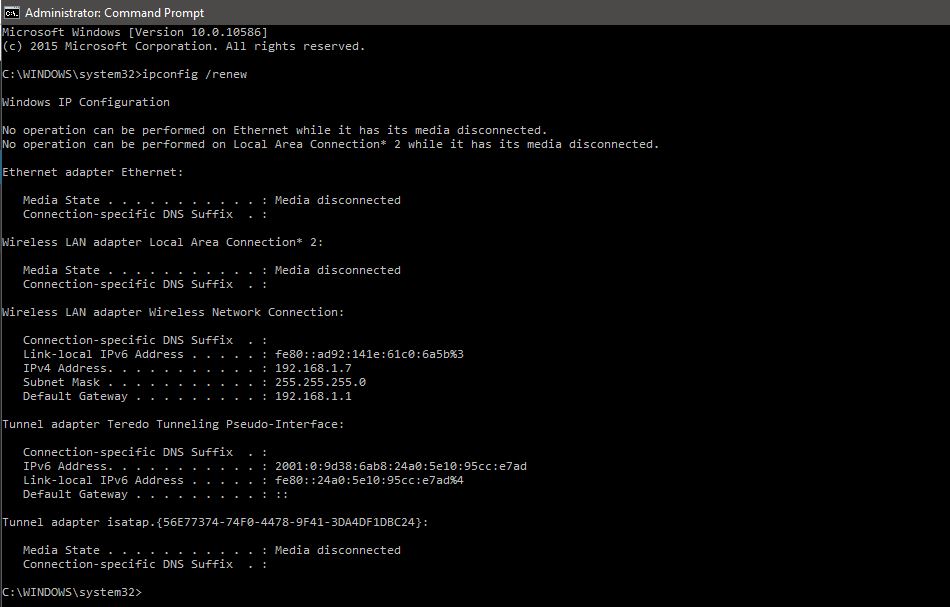
Speed Up Internet Using CMD Command Prompt

Speedtest CLI brings the trusted technology and global server network behind Speedtest to the command line Built for software developers system administrators and computer enthusiasts alike Speedtest CLI is the first official Linux native Speedtest application backed by Ookla With Speedtest CLI you can easily

1 How to check the internet connection in CMD To check whether your internet connection works you can use Command Prompt to test the connection to a particular website or internet location To do that you can use the ping network command followed by a web address or IP address

Three open source tools that enable you to check your internet and network speeds at the command line are Speedtest Fast and iPerf Speedtest Speedtest is an old favorite It s implemented in Python packaged in Apt and also available with pip You can use it as a command line tool or within a Python script Install it with

1 Open command prompt If you are new to command prompt then first check out my post on different ways to open a command prompt To open the terminal on mac type in the terminal in the spotlight while Linux user can use the shortcut ctrl alt T 2 Once you see the cmd or terminal window try the following command a ping localhost

Speedtest CLI is the next step in providing developers and engineers low level access to programmatically measure internet performance You can now run a Speedtest from your command line We are proud to introduce our latest and most visually minimal application Speedtest CLI
Access to a terminal command prompt window Test Network Speed on Linux Via Command Line The tools in this guide help you check the Internet and LAN speed on a Linux machine The article uses Ubuntu 20 04 for instructions but the utilities work for any Linux distribution How Does Ping Work Ping comes from a term used in sonar technology that sends out pulses of sound and then listens for the echo to return On a computer network a ping tool is built into most operating systems that works in much the same way You issue the ping command along with a specific URL or IP address
Testing your internet speed using the command line is the same on all platforms All you need to do is to type speedtest and hit the Enter key I hope you found this post helpful In this quick post I will be sharing a simple trick to test your internet speed through the command Tagged with linux windows mac productivity