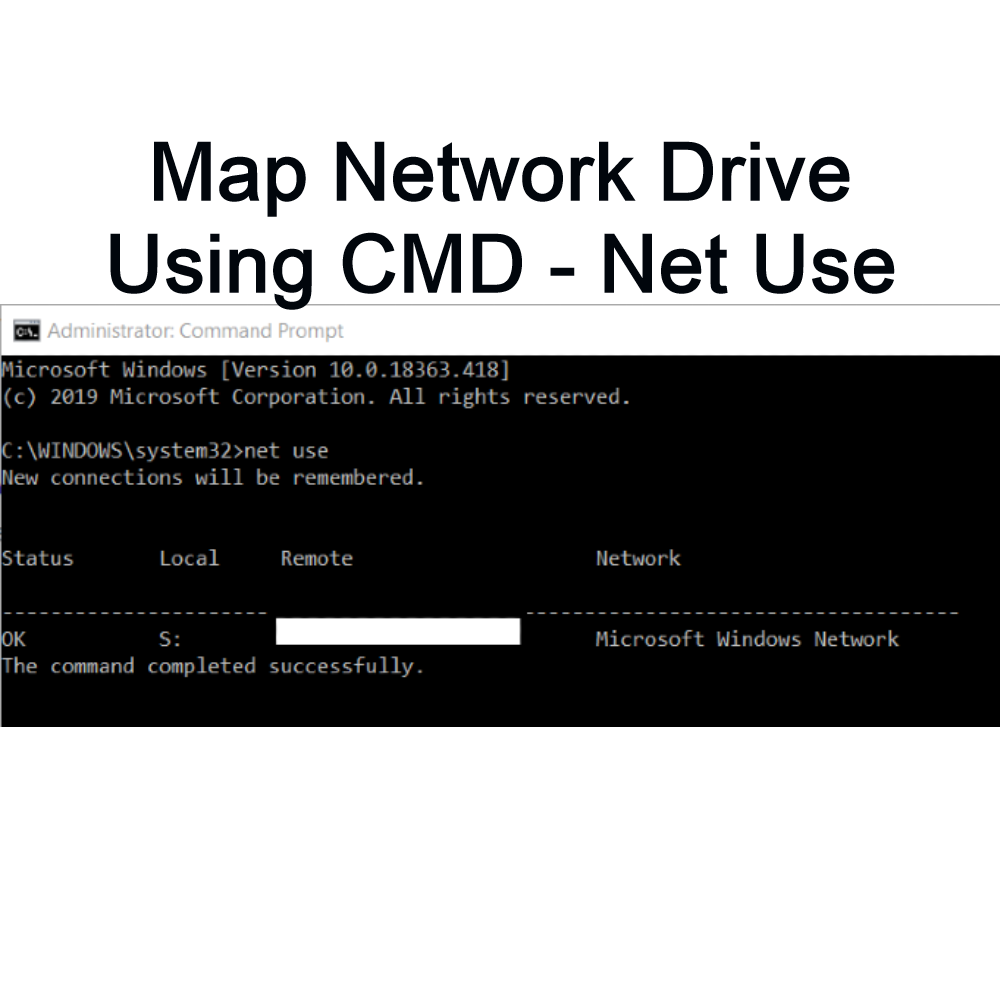
Cmd See All Mapped Drives How To Map Network Drive Remotely On Windows Systems Mapnetworkdrive Top Answer Update Ar taphoamini Windows 10 Map Network Drive Map Of Aegean Sea Vrogue Mapping Network Drives On APU Issued Computers Support apu edu Network Mapped Drives Not Available On WIndows 10 TP Microsoft Community WEB Jul 21 2011 nbsp 0183 32 Open a command prompt and type net use and press enter That will list all active drive mappings Share Improve this answer edited Jul 21 2011 at 13 28 John
WEB Aug 11 2017 nbsp 0183 32 To map a network drive type the following command and then hit Enter net use DRIVE PATH DRIVE is the drive letter you want to use and PATH is the full UNC path to the share So for example if we WEB Oct 31 2014 nbsp 0183 32 I borrowed ideas from this page and from Report on remote users mapped drives Microsoft Learn Thank you I left two hard coded paths near the bottom that
Network Mapped Drives Not Available On WIndows 10 TP Microsoft Community How To Map Network Drives From The Command Prompt In Windows YouTube How To Create Mapped Drives Imaginative Computing My Mapping Tutorial V1 1 Windows 10 Mapped Drives Fail To Connect YouTube LISA User Guide Simple Writer Windows Qustmiracle PRO ID2 1 100 Raptor Supplies Solved Why Isn t A Mapped Drive Available Under An 9to5Answer
Cmd See All Mapped Drives
 Cmd See All Mapped Drives
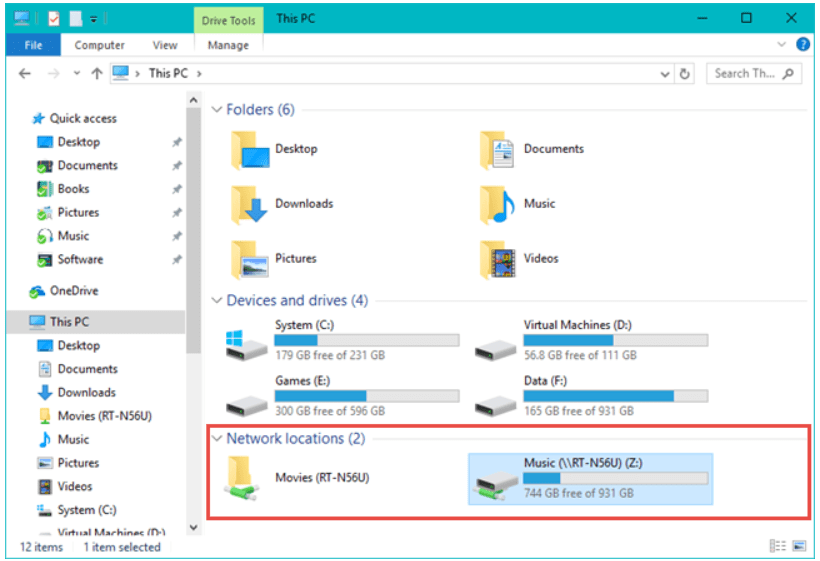
https://www.action1.com/wp-content/uploads/2021/05/All-mapped-drives-will-be-displayed-in-Windows-10-Explorer.png
WEB Dec 7 2023 nbsp 0183 32 Mauro Huculak Pureinfotech December 7 2023 Command Prompt mapping network drive command To map a network drive on Windows 10 open
Templates are pre-designed files or files that can be used for various functions. They can save effort and time by supplying a ready-made format and layout for creating various type of content. Templates can be used for individual or expert tasks, such as resumes, invites, flyers, newsletters, reports, discussions, and more.
Cmd See All Mapped Drives
Net Use Remove Mapped Drive Hostpikol

How To Map Network Drives From The Command Prompt In Windows YouTube

How To Create Mapped Drives Imaginative Computing
My Mapping Tutorial V1 1
LISA User Guide

Simple Writer Windows Qustmiracle
WEB 6 Save the following as a vbs file and run it It ll create a MappedDrives txt in the folder the vbs file is run from You can replace the strComptuer with another computer s name and get the list off of a remote computer as
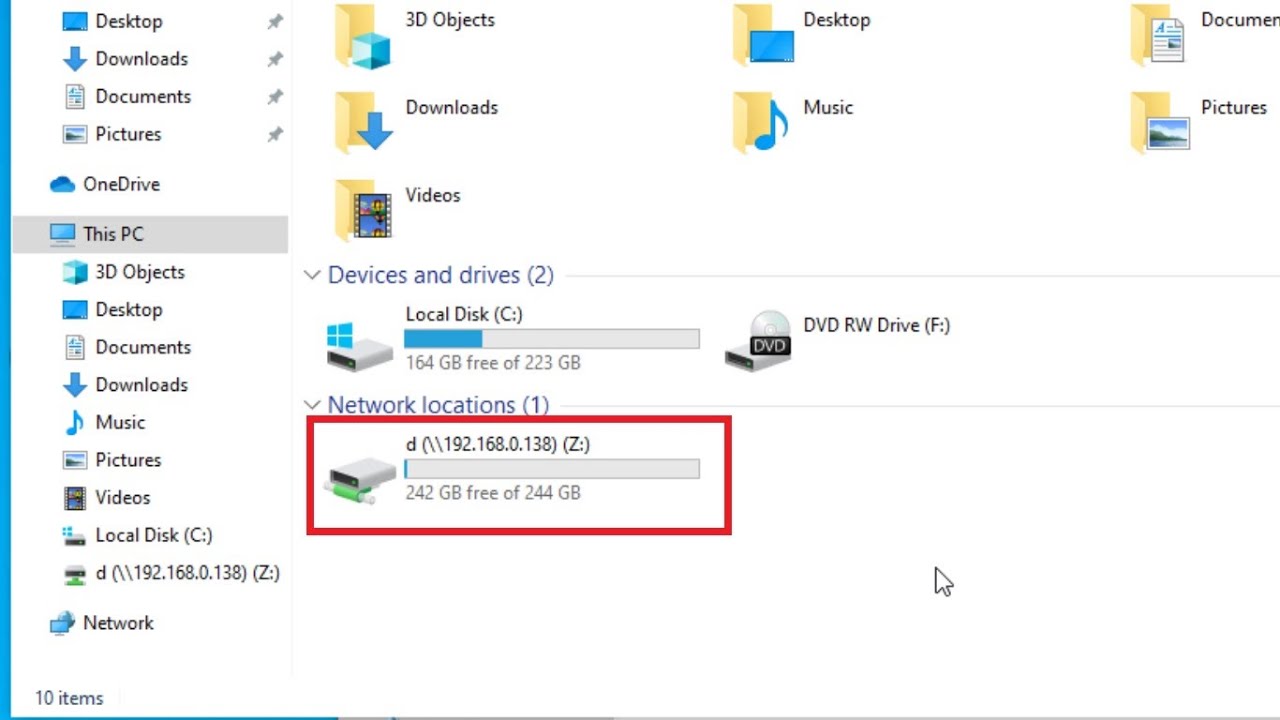
WEB Normally they disappear upon logout when the session itself is destroyed and are re created by Winlogon when you log in again With Local System it gets confusing though

WEB Dec 18 2014 nbsp 0183 32 360 In Windows if you have mapped network drives and you don t know the UNC path for them you can start a command prompt Start Run cmd exe and

WEB to get a list of computers If you have a computer s name try net view computer to get a list of shares source Once you know what share you re after you want to go with net

WEB Apr 5 2018 nbsp 0183 32 Hello all I was tasked with the following I need to create a report that includes the drive letters and location to local network shares for every user in the
WEB May 9 2024 nbsp 0183 32 Open CMD and type diskpart Next use the following command list volume You will see that the console displays the Volume number and letter label formatting WEB Nov 5 2009 nbsp 0183 32 In WMI VBScript the bit you need to list out the current user s mapped drives is Set objNetwork WScript CreateObject quot WScript Network quot Set colDrives
WEB With the quot tokens 2 quot or 3 depending on NET USE output the i variable stores the path to the drive letter you searched for After that the second SET command adds the folders