Close Batch File After Execution From America s Busiest Death Chamber A Catalog Of Last Rants Pleas Star Wars The Bad Batch Unveils New Armor For Season 2 In New Posters Proficy Batch Execution Novotek Sverige AB Windows How To Close Cmd After LabVIEW Code Executes Stack Overflow Batch Execution Proficy Batch Execution Novotek Reaching the end After the batch file has executed its last line of code it will stop running unless the last line contained a GOTO command forcing it to re execute some of its previous code When the batch file stops running it will return control to the command processor
2 Answers Sorted by 1 If you really want to close even an interactive session then just use exit Generally though e g from Explorer batch files are started with cmd c which will close the console after the batch file completes Share Improve this answer Follow answered Dec 12 2015 at 8 18 1 I have a bat file which its content is like this echo off nc x x x x 23 commands txt exit in which nc is a exe file in the same directory nc exe known as NetCat The commands txt file has some telnet commands which are sent to x x x x ip address which is like this Username Password systemlog show a command exit
Batch Execution Proficy Batch Execution Novotek Batch File Tricks How To Make A Matrix bat YouTube Indonesia 6 Nigerians 3 Asians Among 14 Drug Convicts Facing Imminent Solved Question 3 Single cycle Datapath 22 Points The Chegg SchemaSpy Table Dba800a public batch job execution Execution After A People s Tribunal By Everett Batch job execution Interventions ci Database How To Create A Batch File 7 Steps with Pictures WikiHow 6 04 Batch Execution YouTube
Close Batch File After Execution
 Close Batch File After Execution
https://static01.nyt.com/images/2013/06/30/us/EXECUTE-1/EXECUTE-1-master1050.jpg
Putting a pause line after batch programs to prompt the user to press a key before exiting Running these batch files or other command line manipulating tools even service starting restarting etc with net start xy or anything similar within cmd exe Start Run cmd exe Running these programs with cmd k like this cmd k myprogram bat
Pre-crafted templates provide a time-saving solution for developing a varied range of documents and files. These pre-designed formats and layouts can be made use of for different personal and expert jobs, including resumes, invitations, leaflets, newsletters, reports, discussions, and more, streamlining the material development process.
Close Batch File After Execution
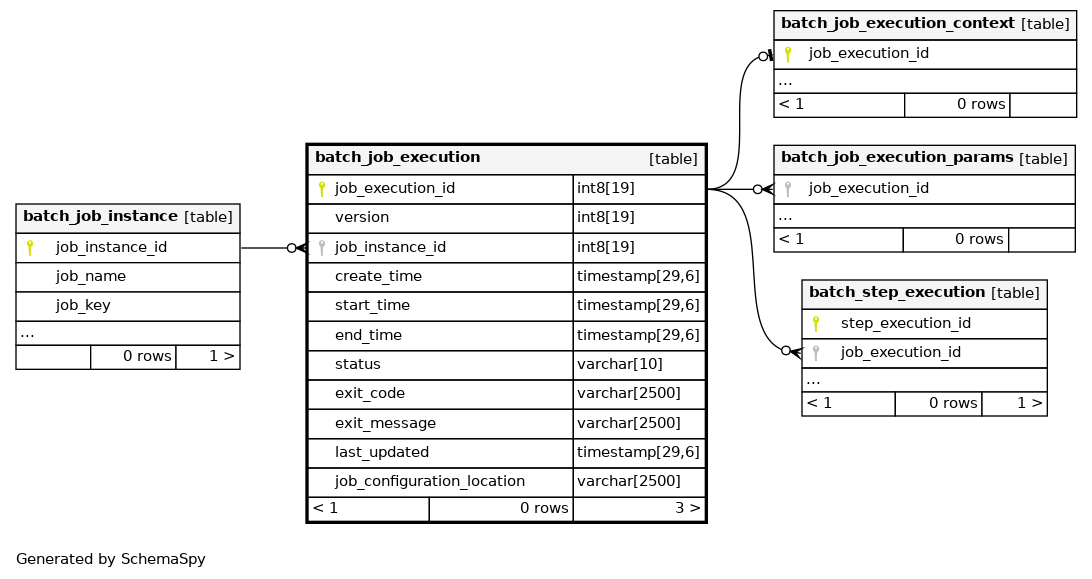
Batch job execution Interventions ci Database

Batch File Tricks How To Make A Matrix bat YouTube

Indonesia 6 Nigerians 3 Asians Among 14 Drug Convicts Facing Imminent
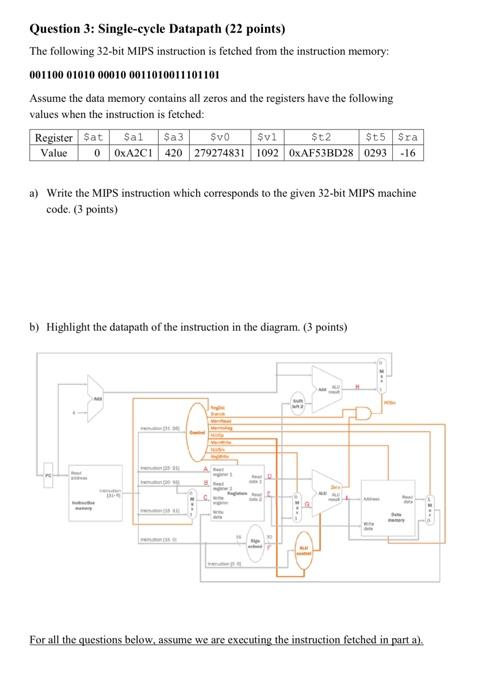
Solved Question 3 Single cycle Datapath 22 Points The Chegg
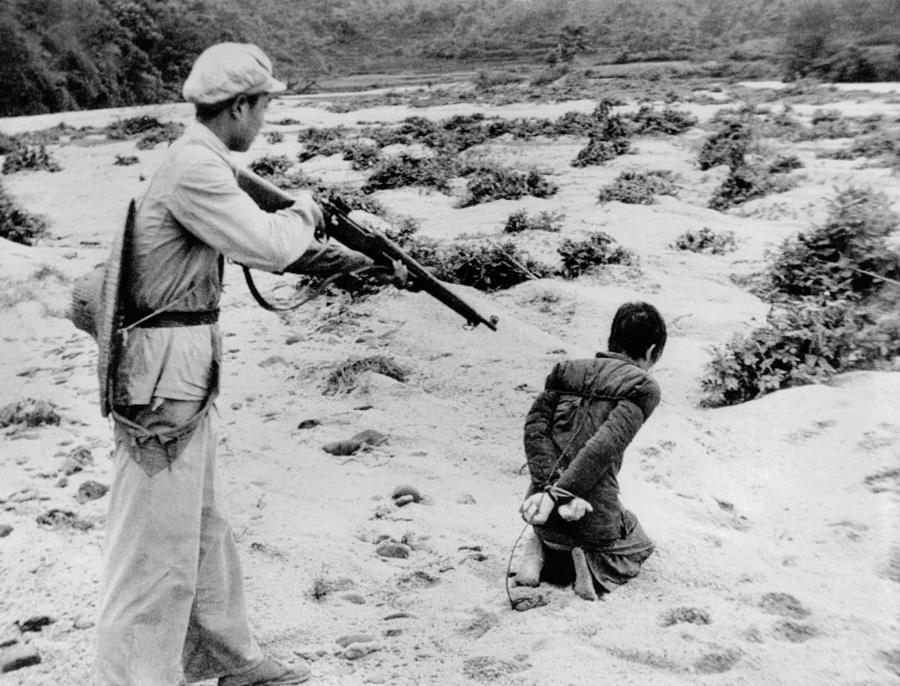
Execution After A People s Tribunal By Everett
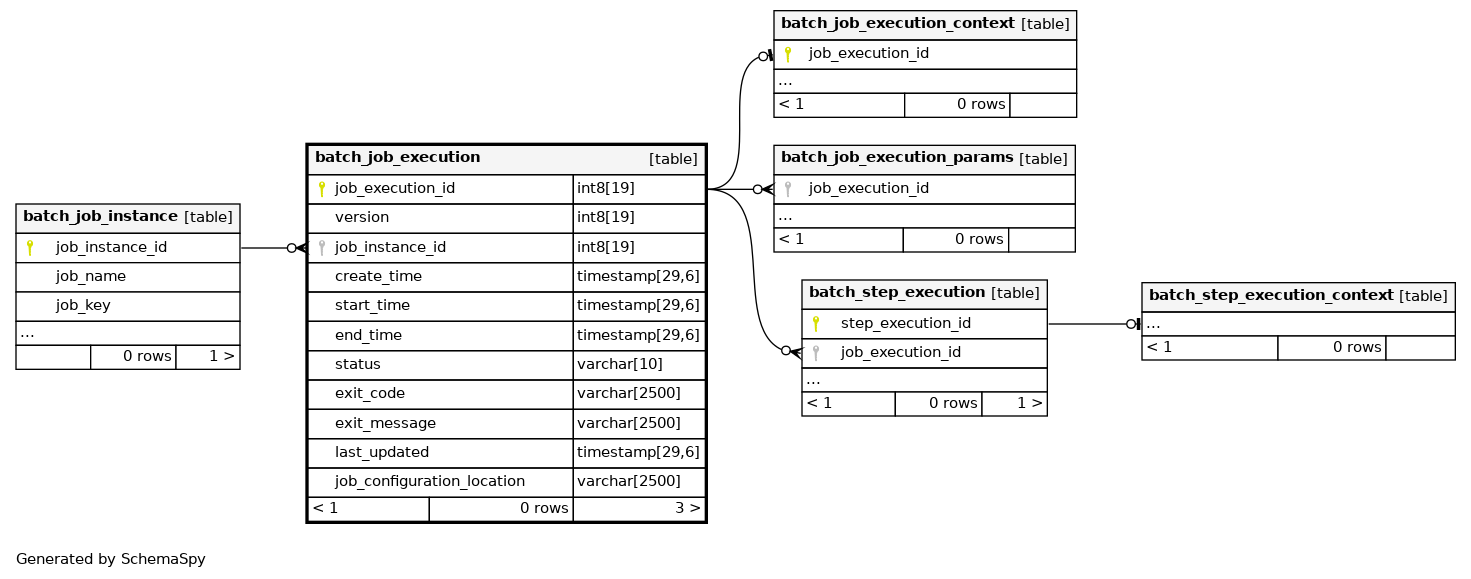
Batch job execution Interventions ci Database

1 Answer Sorted by 6 Run your application with start This command returns immediately start CouchPotato exe See also How do I create a Windows Batch file that does not show the Command Prompt when executed Or alternatively how about not having a command prompt show at all See How to run a batch file without launching a command window

How to close batch bat file after execution Ask Question Asked 6 years 2 months ago Modified 6 years 2 months ago Viewed 1k times 0 I have written copy code as echo xcopy F source pdf H target s c d e h i r y echo off I just want to close the CMD after the copy is done Exit after copy is not working batch file Share

12 Answers Sorted by 38 If the Java app does not terminate e g you are using the batch file to launch the Java app then use the start command to launch it start C Program Files x86 Java jre6 bin javaw exe Xmx1024M Xms1024M jar Jilko jar

You can try start c python27 python exe C Python27 EconomyNext DetailEconomyNews py and then next line start c python27 python exe C Python27 EconomyNext DetailFinanceNews py this should launch python in its own shell and the cmd window should close also then have a look at which python shell does not exit correctly Gerhard

21 Answers Sorted by 813 In Windows DOS batch files pause This prints a nice Press any key to continue message Or if you don t want the Press any key to continue message do this instead pause nul
1 Answer Sorted by 1 Launch Outlook exe with the START command if pid start b full path to Outlook else etc This will start Outlook in a separate process from the batch file so the batch file itself will simply continue and proceed to the exit statement Share Improve this answer Follow edited May 14 2022 at 22 07 Io oI Pimiento May 31st 2017 at 7 57 AM If the batch file was launched from a shortcut exit b should work fine If you opened a command prompt and then ran the batch file it will not close the parent window when it finishes I hope that helps
How are you launching the batch file From a command line or from an explorer window If the later the window should close If the former the batch procedure needs to execute an EXIT statement Anyway try this echo off start C Program Files Skype Phone Skype exe secondary minimized exit