Clear All Formatting Shortcut Howto Clear All Formatting Cardiosupernal Clear All Formatting Excel 2010 Tideah How To Clear Formatting From A Cell In Excel Where Is The Clear Formatting In Microsoft Word 2007 2010 2013 2016 Clear All How To Delete Complete Excel Cell Including Formatting Web Mar 21 2023 nbsp 0183 32 To clear out formatting from all cells on a worksheet select the entire sheet by pressing Ctrl A or by clicking the Select All button at the top left corner of the worksheet and then click Clear Formats To remove formatting from a whole column or row click the column or row heading to select it
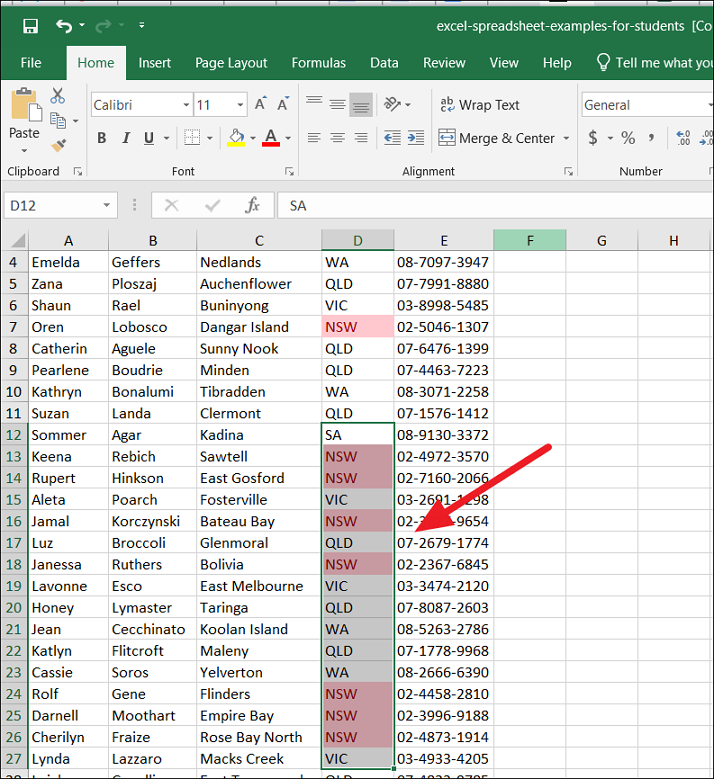
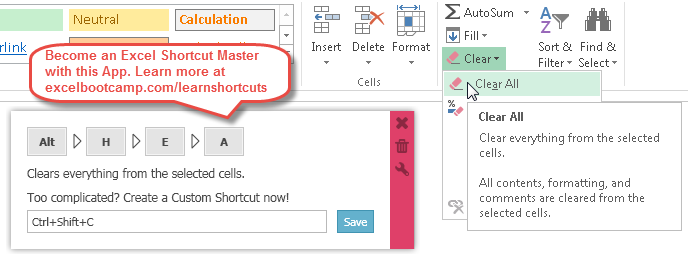
Web To clear all contents formats and comments that are contained in the selected cells click Clear All To clear only the formats that are applied to the selected cells click Clear Formats To clear only the contents in the selected cells leaving any formats and comments in place click Clear Contents Web Dec 13 2021 nbsp 0183 32 On the spreadsheet screen press Ctrl A Windows or Command A Mac to select your entire worksheet While your worksheet is selected in Excel s ribbon at the top click the quot Home quot tab In the quot Home quot tab from the quot Editing quot section select the quot Clear quot option In the quot Clear quot menu click quot Clear Formats quot
Clear All How To Delete Complete Excel Cell Including Formatting Word Shortcut Clear Text Formatting Formatting Fundamentals How Do I Turn Off Automatic Formatting In Word 360 Jddax How To Clear Formatting In A Microsoft Word Document Askit Solutii How To Clear Formatting In Microsoft Word Bank2home How To Clear All Text Formatting In Word Easy Guide UPDF Clear All Formatting Excel Shortcut Dilokasin What Is The Shortcut Key For Clear All Formatting The Selected Text 12 Keyboard Shortcuts For Quick Formatting How To Excel
Clear All Formatting Shortcut
 Clear All Formatting Shortcut
https://cardiosupernal.weebly.com/uploads/1/2/4/2/124234044/116254932.png
Web Aug 21 2021 nbsp 0183 32 Even if you press Ctrl A on Windows or Command A on Mac to select all the content in your document content in text boxes headers and footers has to be cleared of formatting separately If you cannot clear the formatting from any of the content in your document the document may be protected from formatting changes
Templates are pre-designed files or files that can be utilized for different functions. They can conserve effort and time by providing a ready-made format and layout for developing various type of content. Templates can be utilized for individual or professional tasks, such as resumes, invitations, leaflets, newsletters, reports, presentations, and more.
Clear All Formatting Shortcut
How To Clear Formatting In Excel

Word Shortcut Clear Text Formatting Formatting Fundamentals
How Do I Turn Off Automatic Formatting In Word 360 Jddax

How To Clear Formatting In A Microsoft Word Document Askit Solutii
How To Clear All Text Formatting In Word Easy Guide UPDF
Clear All Formatting Excel Shortcut Dilokasin

Web Clear all text formatting You can easily clear all formatting such as bold underline italics color superscript subscript and more from your text and return your text to its default formatting styles Note This article explains how

Web Oct 19 2023 nbsp 0183 32 Clear Cell Formatting To clear only cell formatting use the shortcut PC Shortcut ALT gt H gt E gt F This will clear the formatting and leave the text as shown below

Web Mar 22 2022 nbsp 0183 32 Keyboard shortcut to Clear Formatting Clearing formatting using a keyboard shortcut is very fast All you need to do is Select the cells from which you want to remove the formatting Press ATL H E F Quick Tip You need to press the keys in successive order not all at once Remove all Cell Formatting from the entire worksheet
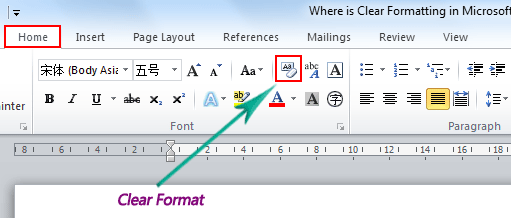
Web If you change the formatting of text or images and then decide you don t like it you can undo it Undo formatting Select Undo to undo the last formatting change Clear All Formatting Select the text with the formatting you want to clear
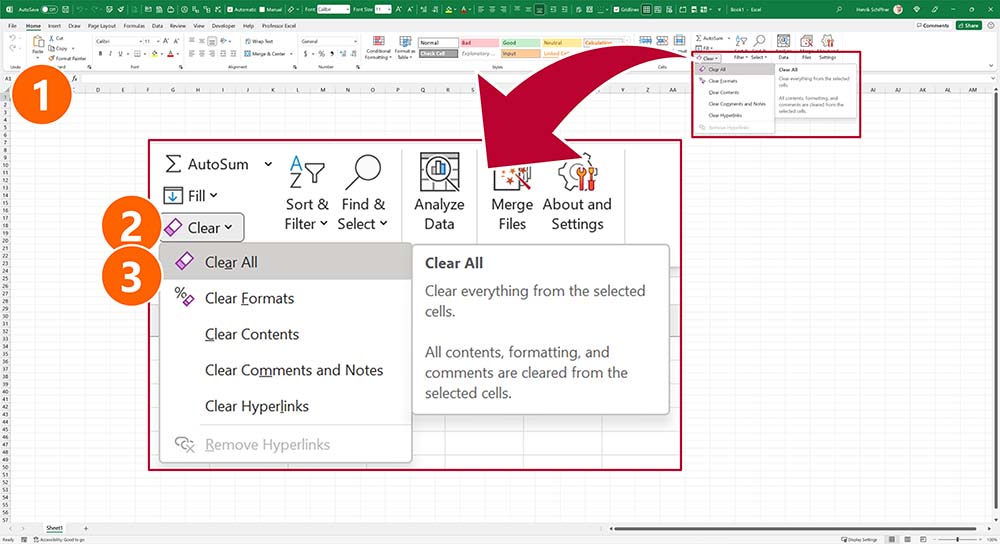
Web For Windows users the shortcut is Alt H E F This command tells Excel to go to the Home tab H select the Editing group E and then choose the Clear Formats option F For Mac users the shortcut is Command Shift Z This command is a bit simpler than the Windows version as it doesn t require navigating through the Excel ribbon
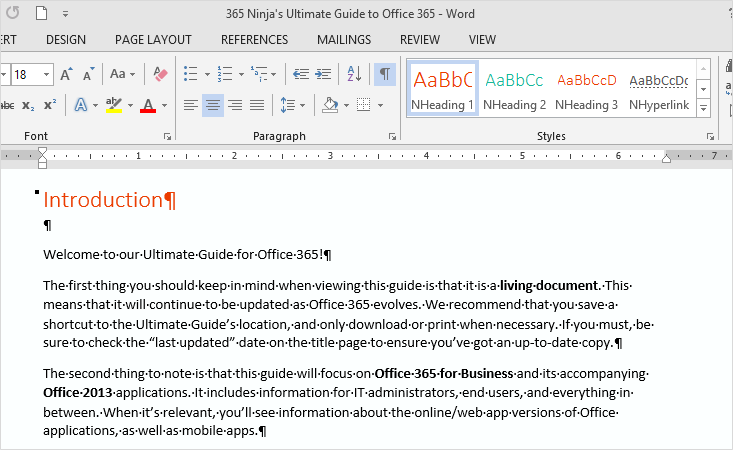
Web With Word s Clear All Formatting command you can remove text formatting like font size and color to return text to its default style It s an easy way to start with a clean slate and apply the formatting of your choice Watch the video below to learn more about using the Clear All Formatting command Web Oct 14 2021 nbsp 0183 32 The difference is what happens to the special or one off character formatting applied vs the Style used for the paragraph Here s the three options followed by an example of how each shortcut works Ctrl Space Clear character formatting Ctrl Space clears character formatting only The current set style will remain unchanged
Web Dec 4 2023 nbsp 0183 32 There are three main ways to clear formatting in Excel Clear All Clear Formats and Clear Contents Source Excel Easy Clear All removes all formatting and data from the selected cells Source Excel Campus Clear Formats removes only the formatting options leaving the data intact Source Business Insider