Cherry Pick Multiple Commits Vscode O Que git Cherry pick Git Cherry Pick Tutorial YouTube Git Cherry Pick The Definitive Crystal Clear Guide ACompiler Git Cherry Pick Commit Examples Explained PROPERLY GoLinuxCloud How To Cherry Pick Git Commits Studytonight GitLens Git supercharged Visual Studio Marketplacehttps marketplace visualstudio items itemName eamodio gitlensGit git cherry pick Documentationh
NAME git cherry pick Apply the changes introduced by some existing commits SYNOPSIS git cherry pick edit n m parent number s x ff S keyid commit git cherry pick continue skip abort quit DESCRIPTION Great You have successfully cherry picked your commit Cherry pick from another branch In order to pick commits from another branch you need to list commits that were performed on this other branch using the git log command git log oneline branch Let s say for example that I want to cherry pick a commit from the feature branch
How To Cherry Pick Git Commits Studytonight Cherry Picking Cherry Pick Multiple Commits Issue 480 Sublimehq sublime merge GIT Cherry pick When And How To Use GIT Cherry pick With Example Cherry Pick Your Teammate s Changes Without Push n Pull ing To Your vscode git cherry vincent CSDN vscode GIT Cherry Pick How To Cherry Pick Git Commits When How To Use A Git Cherry Pick Git Cherry Picking With VS Code Part 2 Geek Webcast
Cherry Pick Multiple Commits Vscode
 Cherry Pick Multiple Commits Vscode
https://media.geeksforgeeks.org/wp-content/uploads/20220302150549/AfterCherryPick.jpg
The extension will run the git command git cherry pick n commit and then open the Visual Studio Code Source Code Management View All of the cherry picked changes are listed in the Staged Changes The user can then un stage revert any parts of the commit they don t want to cherry pick using the Visual Studio Code interface
Templates are pre-designed files or files that can be used for various functions. They can conserve effort and time by supplying a ready-made format and layout for developing different type of content. Templates can be used for individual or expert tasks, such as resumes, invites, leaflets, newsletters, reports, presentations, and more.
Cherry Pick Multiple Commits Vscode
Copying Commits Using Cherry Pick Mastering Visual Studio 2017 Book

Cherry Picking
Cherry Pick Multiple Commits Issue 480 Sublimehq sublime merge

GIT Cherry pick When And How To Use GIT Cherry pick With Example

vscode git cherry vincent CSDN vscode
GIT Cherry Pick
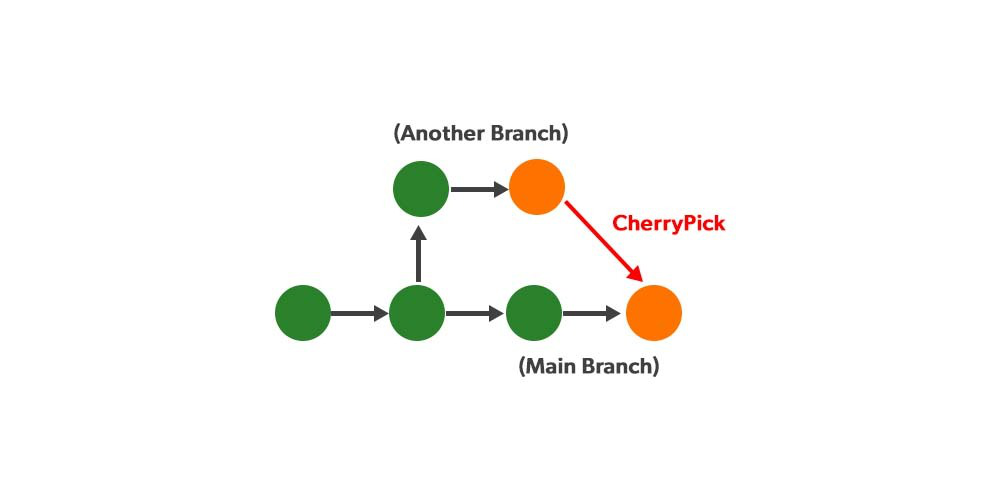
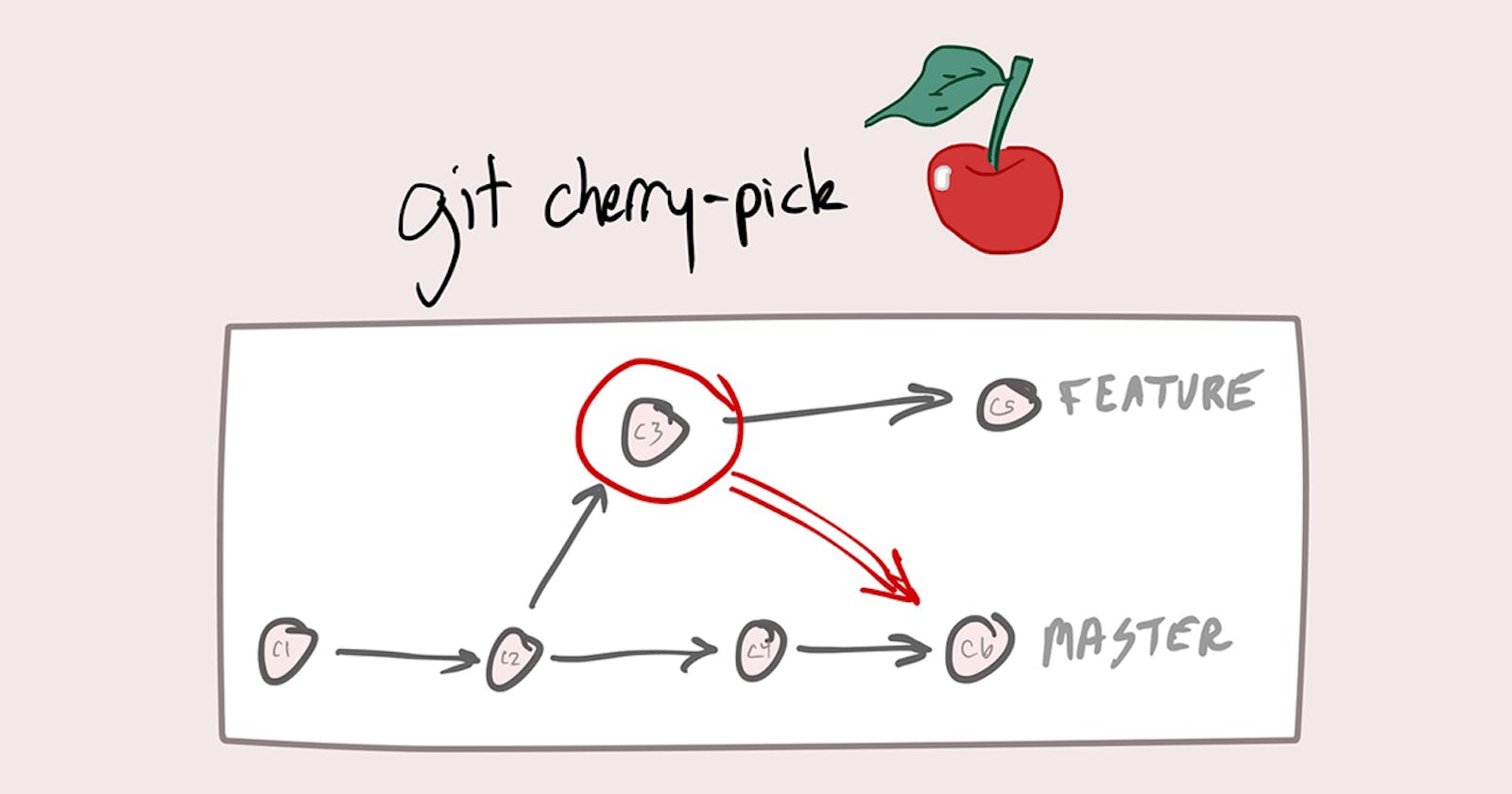
Git cherry picking means select to pick a commit or multiple commits if you want to from one branch and apply that commit to another branch and this process is called git cherry picking For example let s consider the following real time situation your project has two branches one is a Release branch and another one is a development branch

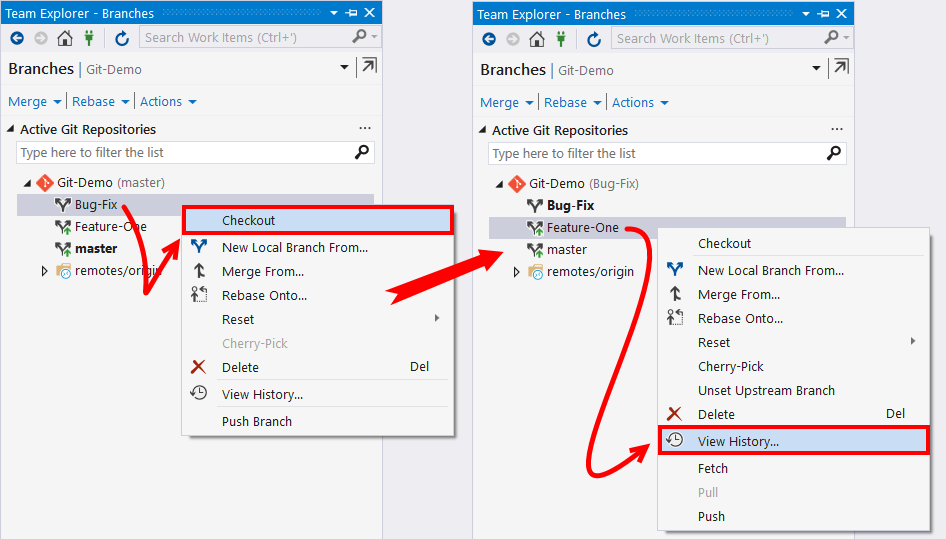
Visual Studio 2019 Visual Studio 2022 Git cherry pick copies the changes from one or more source branch commits to a target branch Unlike merge or rebase cherry pick lets you select specific source branch commits For each source branch commit that you cherry pick Git creates a corresponding commit on the target branch

This tool offers an easy way to use the git cherry pick operation to apply changes to multiple branches For each branch selected a new topic branch will be created with the applied changes If the Pull request option is selected a pull request will be opened to the target branch Quick steps to get started using the tool

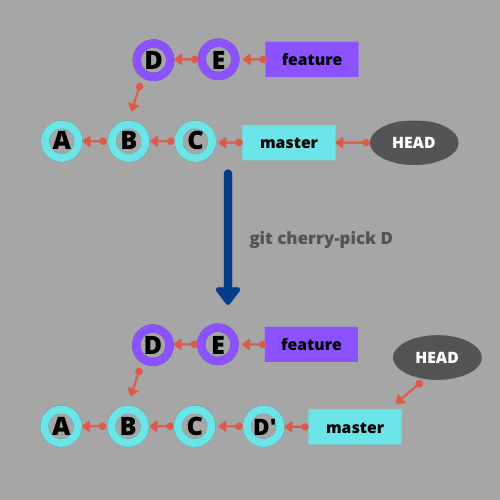
The folder and git branching structure look like Step 2 I am going to cherry pick commit E from feature branch to master branch so check out your master branch Select commit that you want to do cherry pick Then right click and select cherry Pick option Step 3 you will get a cherry pick confirmation popup window
GitCherry is an open source extension for Visual Studio Code created by Anton Kuznetsov and Jaan Toming to automate routine processes of cherry picking and pull requests creating Main features One click cherry pick to multiple branches One click multiple pull requests with custom configuration creating some more merge conflicts solving
Git cherry pick is one of the useful commands in Git that helps you to copy paste commit s from one branch to another Simple Note that cherry pick will copy the commits so that the original commit will still be present in the source branch Most devs will consider cherry picking is a bad practice that can cause problems like having Introduction In this short article we will learn how to cherry pick commits using VS Code and the GitLens extension We will use this repo to drive an example scenario Scenario Let s imagine you had just released version 1 1 of your project when a bug was discovered
After that cherry picking can be done on the multiple commits using the dot notation between both A and B branches as shown below in the following command git cherry pick A B After applying this command commit A will not be assimilated into the cherry pick For assimilating commit A also we can use the following syntax git cherry