Check Word Size How To Create Cheque Format In Word Printable Templates Free Blank Check Main Image Editable Fillable Blank Check With Editable Check Word PDF Blank Check Clipart With Regard To Fun Blank Cheque Template Best Reference Check Templates 10 Free Printable Excel Word PDF Quickly check word count and writing mistakes by pasting your text into our free online word counter Great for essays papers Google meta tags and more
Instantly check your word and character count check grammar and summarize text Just type or paste your text into our free online word count tool Word s default paper size is Letter which is 8 5 x 11 inches If you use a different size more frequently than the default you can change the default size of all new documents This way you won t have to change the paper size of each new document you create To do this go to Layout Size More Paper Sizes
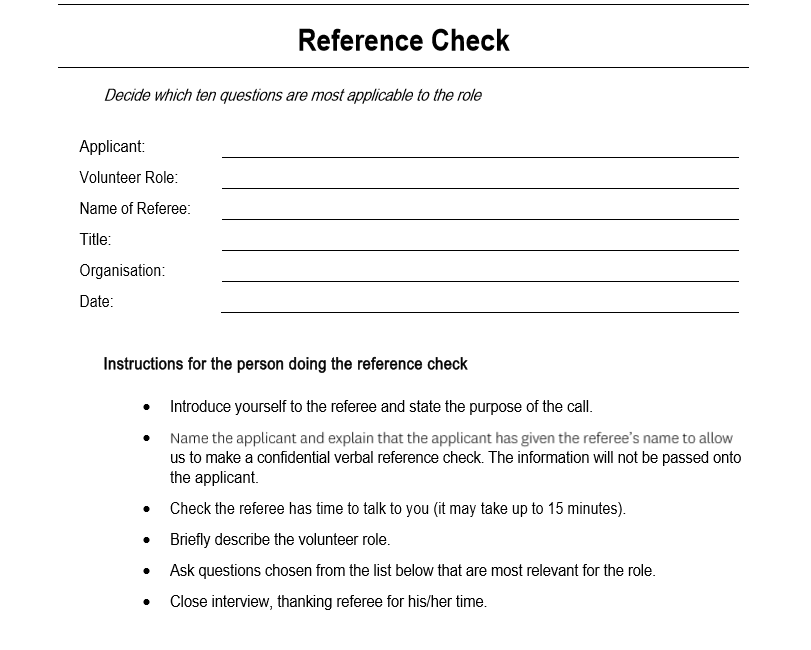
Reference Check Templates 10 Free Printable Excel Word PDF Microsoft Word Check Mark Free Stock Photo Public Domain Pictures How To Insert A Curve In Word Templates Printable Free How To Activate And Stop Automatic Numbering In Word WPS Office Academy Check Your Label Check Angle View Image Full Size Check Point Advertainment
Check Word Size
 Check Word Size
https://www.thebalancemoney.com/thmb/yenOGJhYMvDqfwJv3wtbzQH6_UE=/2000x2000/smart/filters:no_upscale()/how-to-write-a-check-4019395_FINAL-eec64c4ad9804b12b8098331b5e25809.jpg
A word is a fixed sized datum handled as a unit by the instruction set or the hardware of the processor The number of bits or digits a in a word the word size word width or word length is an important characteristic of any specific processor design or computer architecture The size of a word is reflected in many aspects of a computer s
Templates are pre-designed files or files that can be utilized for different purposes. They can conserve time and effort by offering a ready-made format and design for producing various type of content. Templates can be used for personal or expert tasks, such as resumes, invitations, flyers, newsletters, reports, discussions, and more.
Check Word Size
Check Word On Isolated Button 6375752 Stock Photo At Vecteezy

Microsoft Word
Check Mark Free Stock Photo Public Domain Pictures

How To Insert A Curve In Word Templates Printable Free
Check Your Label

Check Angle

Measure your students vocabulary size VocabularySize brings you a simple tool to measure your students vocabulary size Teachers can create custom test sessions using Paul Nation s Vocabulary Size Test and simply download the results after students complete the test

To check word count simply place your cursor into the text box above and start typing You ll see the number of characters and words increase or decrease as you type delete and edit them You can also copy and paste text from another program over into the online editor above

Free Online Word and Character Count Tool QuillBot s Word Counter is a free easy to use tool for tracking word and character counts in your writing Our online word count tool displays data for both words and characters at the same time and allows you to easily toggle on off whether you d like spaces to be counted as characters

If you want to check the size of your Microsoft Word document you can do so in Word or Windows File Explorer To quickly check the file size in Word click File Info This menu includes various pieces of information about your document including authors the current word count and file history
To view word count in document statistics or Properties Open the Word file Click the File tab in the Ribbon Select Info In the area on the right under Properties several statistics appear including word count To view more information click Properties
That only affects how the document prints not how it looks on screen Open any document in Microsoft Word or the program of your choice Show View the on screen Ruler if it is not already visible Maximize your document window making it as wide as you can to make the most use of your screen Take a real life ruler and hold it up to the Change checked boxes from an X to a checkmark in a document you can change the check box symbol from an X to a checkmark or other symbol or make other changes such as the color or size of the checkbox Customize a check box by changing the character size color or border
What sort of check box The one you insert from the Legacy Forms toolbar can be sized by changing the font size Microsoft MVP Word since 1999 Fairhope Alabama USA