Check User Permissions Command Line 2 ways to check file permissions in Linux - howtouselinux How do you set Windows file permissions/security options non-recursively? - Super User MySQL: Allow user access to database - Linux Tutorials - Learn Linux Configuration Access Control Lists(ACL) in Linux - GeeksforGeeks Owners and groups in the Finder and command line – The Eclectic Light Company View expected user permissions by running the isi auth access command The following command displays permissions in ifs for the user that you specify in
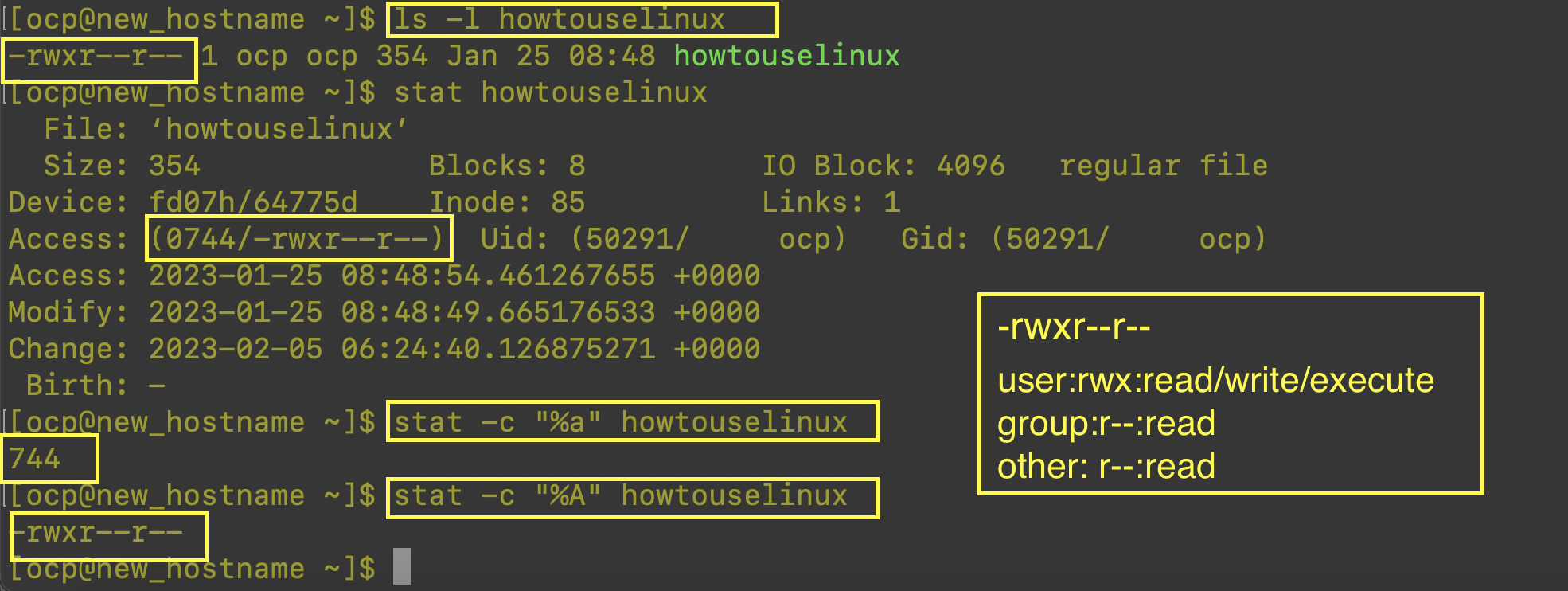
Check Permissions in Command Line with Ls Command If you prefer using the command line you can easily find a file s permission settings with Using the ls command The ls command is generally used to list files in a specific directory but you can also use it to get additional info
Owners and groups in the Finder and command line – The Eclectic Light Company python - Does the permission check the group or individual permissions? - Stack Overflow How to Add Users from CMD: 8 Steps (with Pictures) - wikiHow How to check folder permissions using powershell Users, roles and permissions - User and authorization configuration Linux Command Line (21) File and Directory Permissions - YouTube Top 11 NTFS Permissions Tools for Smarter Administration Backup permissions on Linux - Linux Tutorials - Learn Linux Configuration How to Manage User Permissions From the GUI on Linux - Linux.com
Check User Permissions Command Line
 Check User Permissions Command Line
https://www.howtouselinux.com/wp-content/uploads/2022/05/Linux-command-check-file-permissions.png
Open the Command Prompt or PowerShell and type in net localgroup administrators Any Administrator accounts are displayed Any users not listed are Standard
Templates are pre-designed documents or files that can be used for different purposes. They can conserve effort and time by supplying a ready-made format and layout for creating different kinds of content. Templates can be utilized for individual or expert jobs, such as resumes, invites, leaflets, newsletters, reports, presentations, and more.
Check User Permissions Command Line
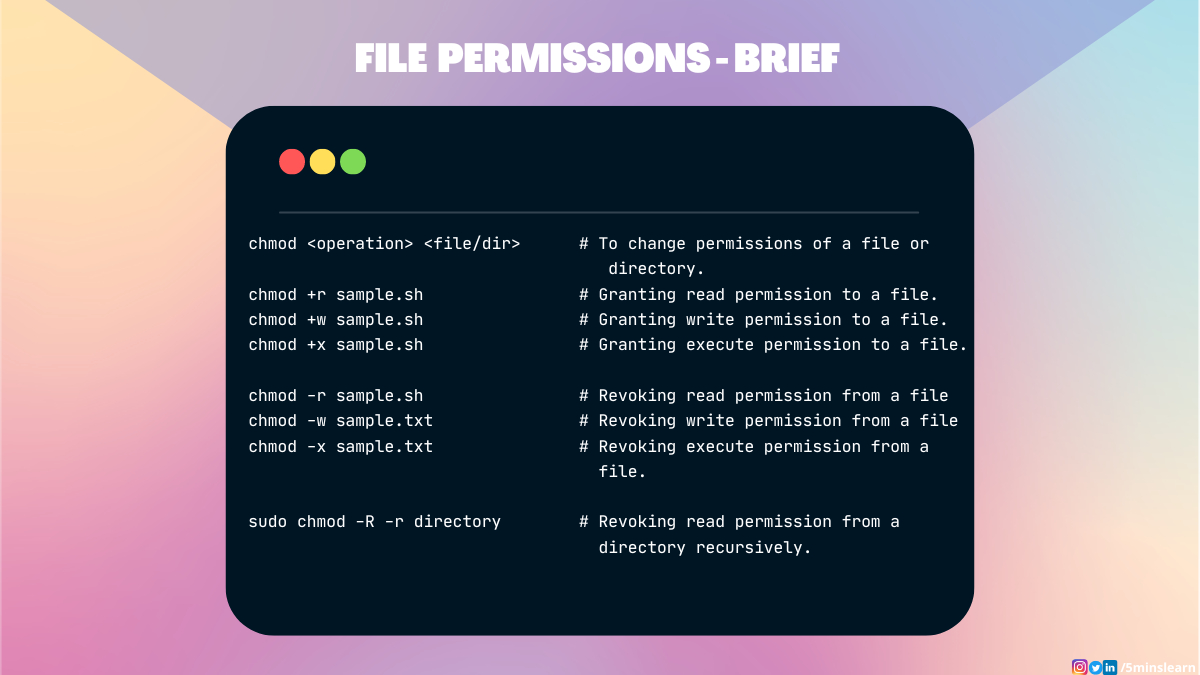
File Permissions in Linux – How to Use the chmod Command

python - Does the permission check the group or individual permissions? - Stack Overflow

How to Add Users from CMD: 8 Steps (with Pictures) - wikiHow
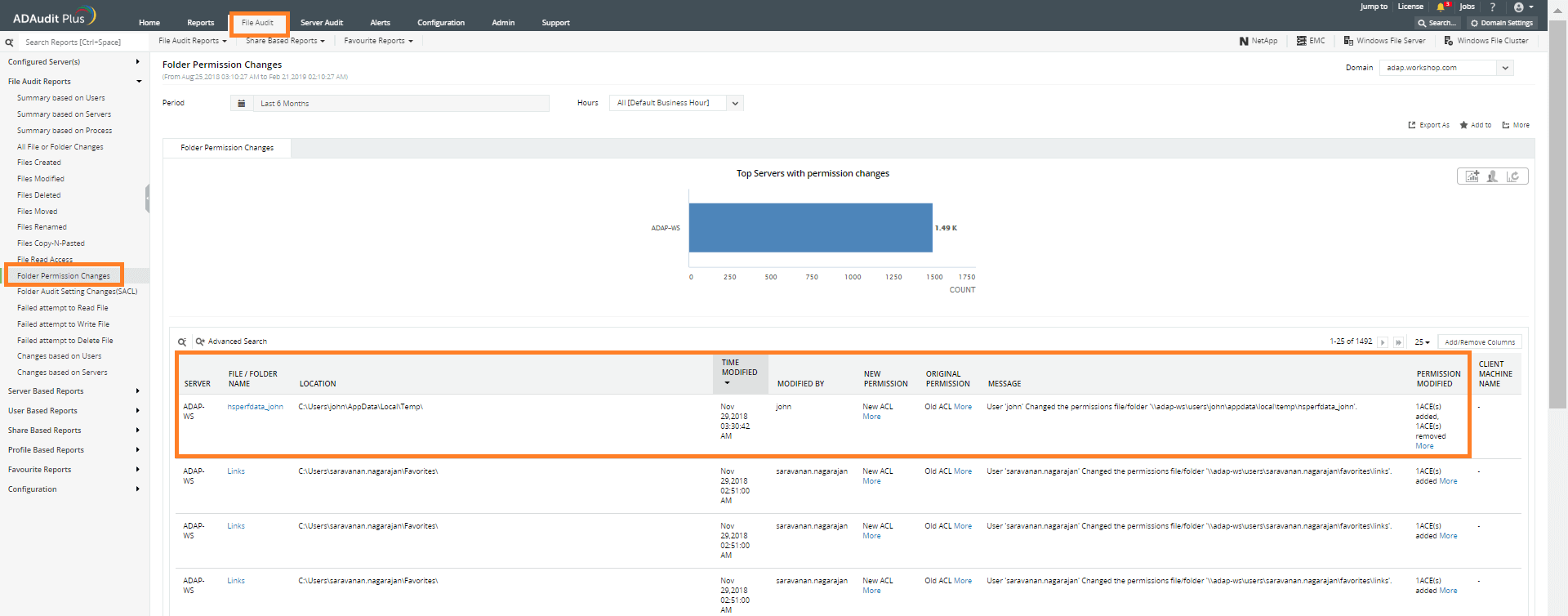
How to check folder permissions using powershell
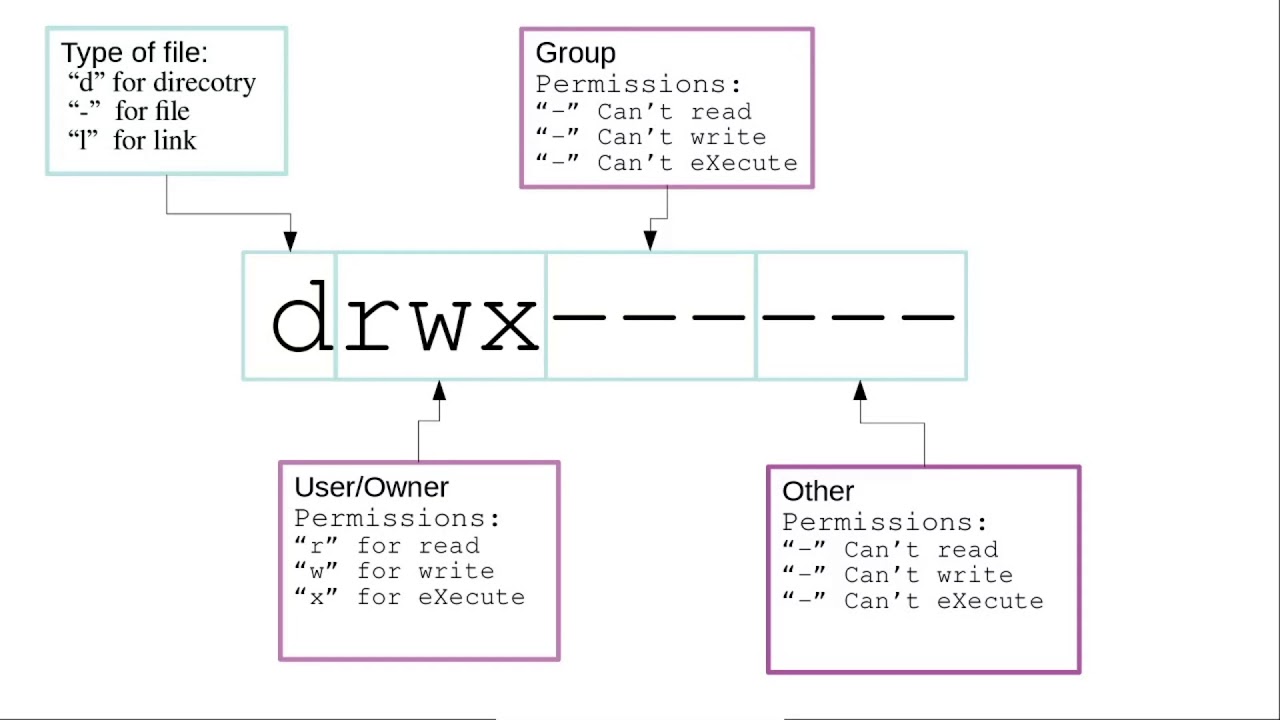
Linux Command Line (21) File and Directory Permissions - YouTube
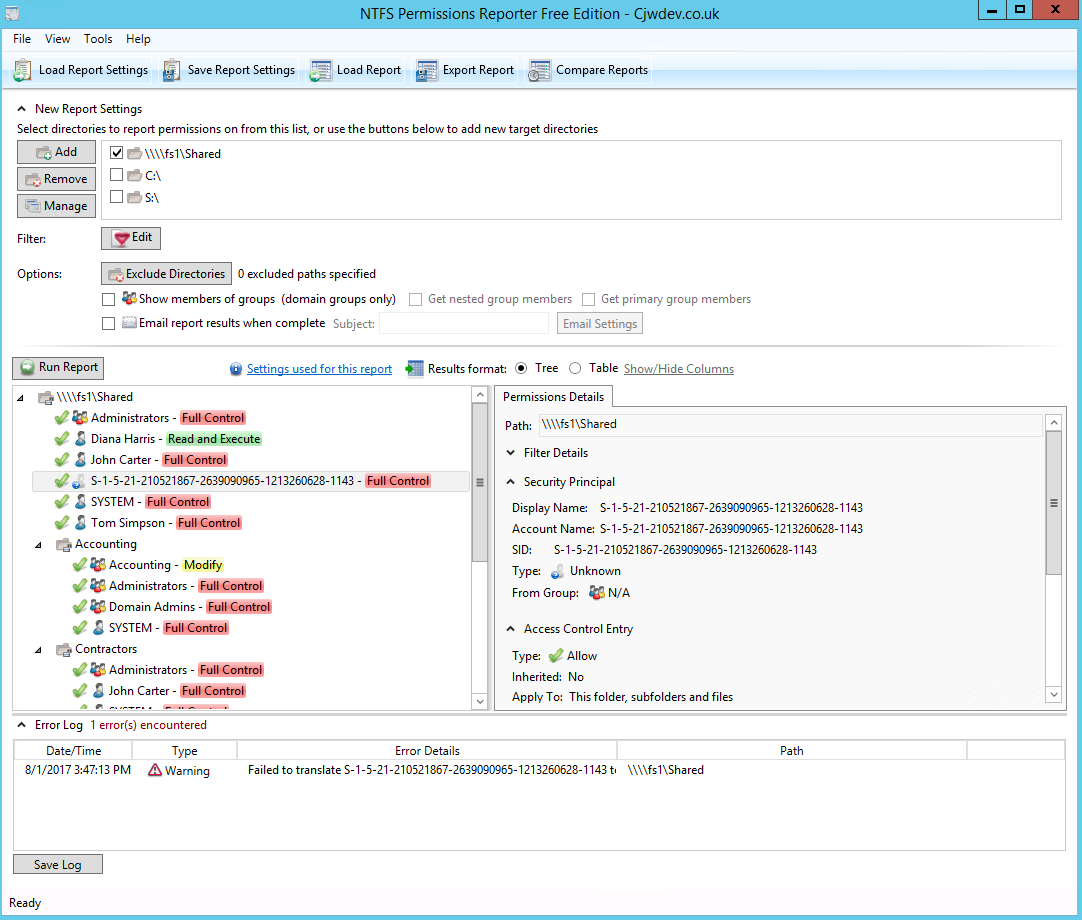
Top 11 NTFS Permissions Tools for Smarter Administration

The easiest way we can check for user group privileges on a Linux system is to use command line tools such as groups

You can use sudo l command to check all the commands currently logged In user can run If you see output like below i e ALL ALL ALL then it

Permissions can be assigned to individual users or to groups If a user has no rights to the files in a folder then the security tab in the GUI will not appear
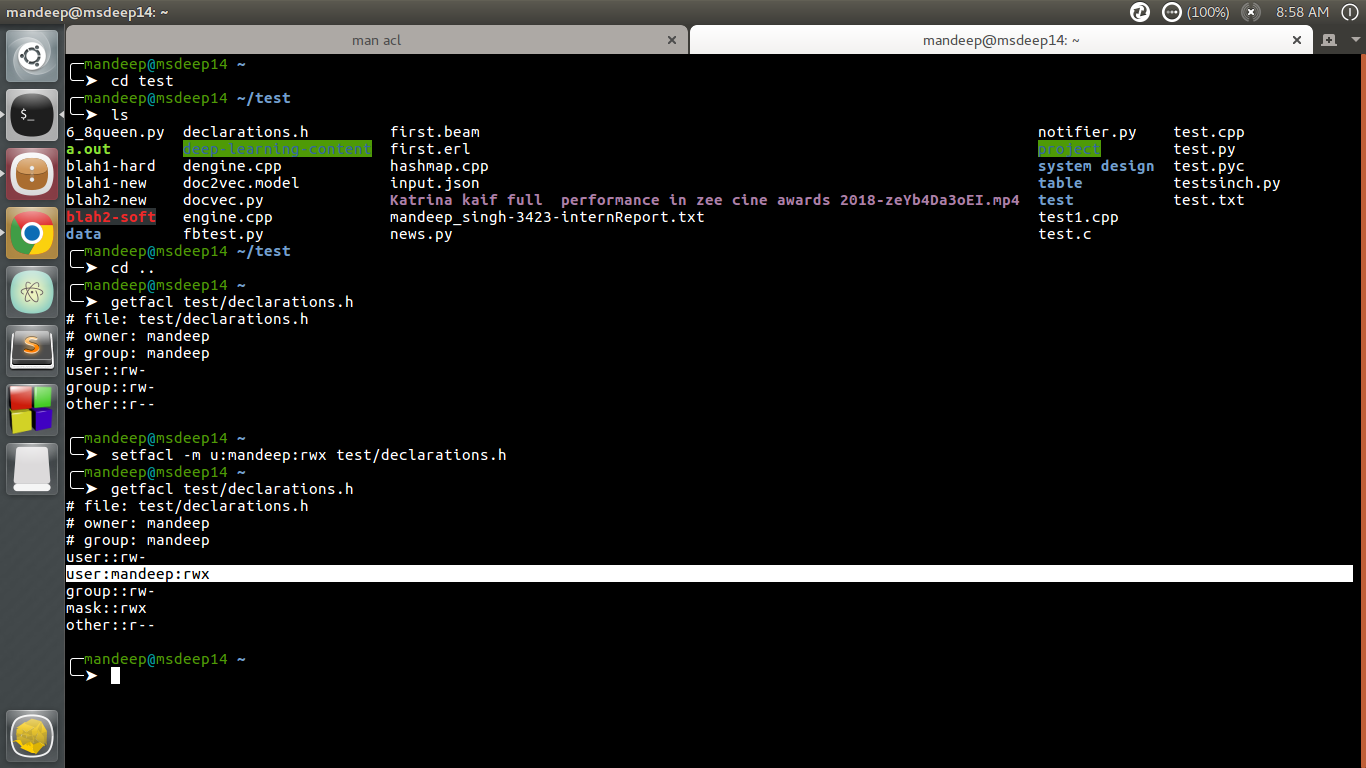
To view the permissions for all files in a directory use the ls command with the la options Add other options as desired for help see List

1 Open the terminal CTRL ALT T and log into the MySQL server as root mysql u root p 2 If you know the exact username and host for which
Can also use the u option but only in conjunction with the d or n option to view the permissions of another user of this admin s depot or repo Super users With the runas command from the command line you can effectively login as the user you want
You can then use the command sudo l as someuser to see what commands they re allowed to run sudo l User someuser may run the following