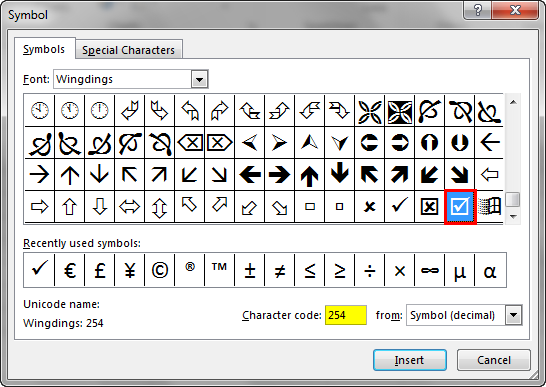
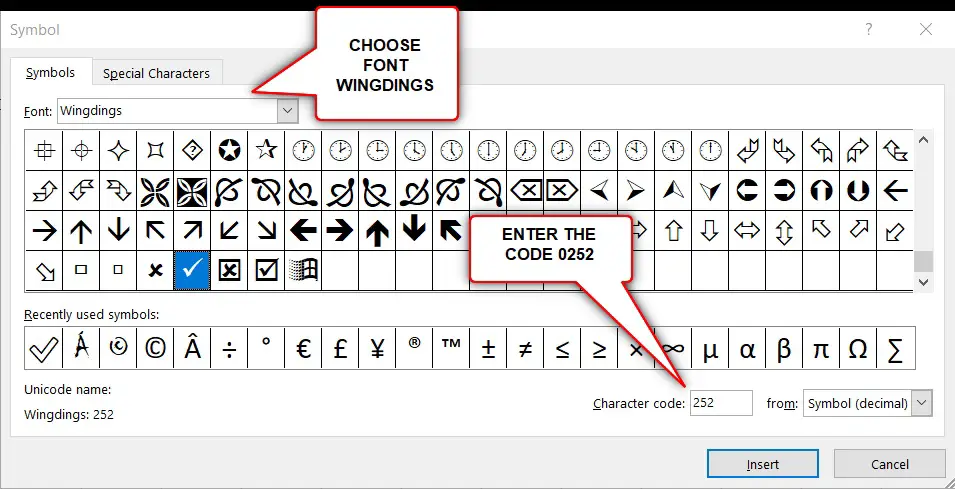
Check Symbol In Excel Character Code Keyboard Shortcut For Check Mark In Excel Video Bokep Ngentot Fortune Salaire Mensuel De Lambda Symbol In Excel Character Code How To Insert Check Mark Symbol In Excel YouTube Insert Tick Sign In Excel Click On The Symbol Icon How To Insert A Check Mark Symbol In Excel Excel Examples Web You can find the code of the symbol by the steps below 1 Click Insert gt Symbol and in the Symbol dialog select the font you use from the Font drop down list then choose the symbol in the list and go down to see
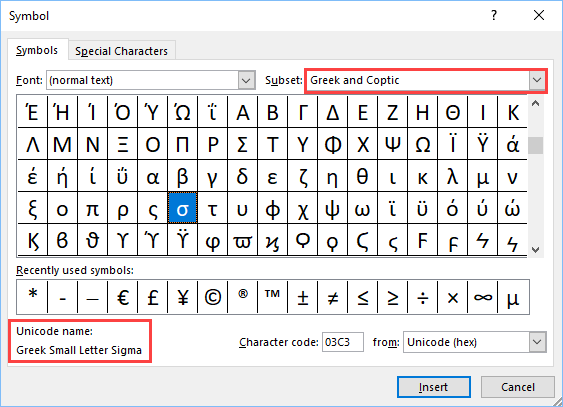
Web 1 By Using Tick Symbol Option in Excel 2 Using the Character Code 3 Use a Keyboard Shortcut excel key to Insert Tick Mark 4 Using Char Functions 5 Using the Option in Conditional Formatting 6 Web For example to type a dollar symbol type 0024 press ALT and then press X For more Unicode character codes see Unicode character code charts by script Important Some of the Microsoft Office programs such
How To Insert A Check Mark Symbol In Excel Excel Examples Standard Deviation Symbol In Excel Excel Tutorial Insert A Check Mark In Excel In Easy Steps Cool Ways To Insert A Check Mark Or Tick Mark Symbol In Excel SOLVED How Do I Insert A Checkmark In Microsoft Excel Udgereport695 web fc2 Insert Check Mark In Excel Easy Spreadsheet Tips Udemy Blog Insert Check Mark In Excel Easy Spreadsheet Tips Udemy Blog Check Mark Symbol In Excel Using Unicode Character Symbols In Excel
Check Symbol In Excel Character Code
 Check Symbol In Excel Character Code
https://www.wallstreetmojo.com/wp-content/uploads/2019/04/Symbol-option-3.png
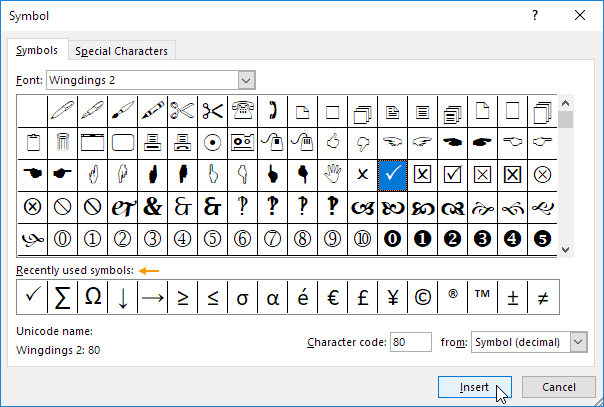
Web Go to Insert gt Symbol Pick a symbol or choose More Symbols Scroll up or down to find the symbol you want to insert Different font sets often have different symbols in them
Pre-crafted templates use a time-saving service for producing a varied range of documents and files. These pre-designed formats and designs can be utilized for numerous individual and expert projects, consisting of resumes, invitations, leaflets, newsletters, reports, presentations, and more, improving the content production procedure.
Check Symbol In Excel Character Code
How To Insert A Check Mark Symbol In Excel Excel Examples
Standard Deviation Symbol In Excel Excel Tutorial
Insert A Check Mark In Excel In Easy Steps
Cool Ways To Insert A Check Mark Or Tick Mark Symbol In Excel SOLVED

Insert Check Mark In Excel Easy Spreadsheet Tips Udemy Blog

Insert Check Mark In Excel Easy Spreadsheet Tips Udemy Blog

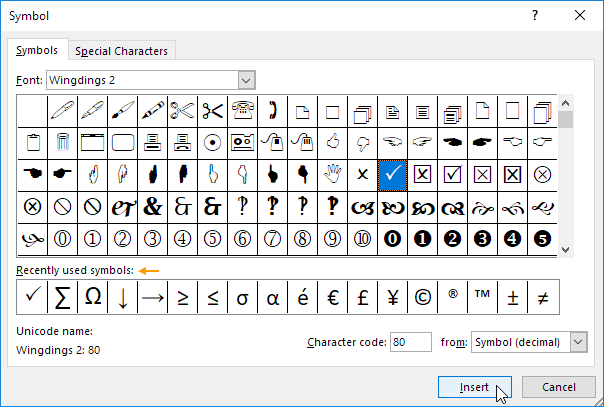
Web Oct 5 2016 nbsp 0183 32 The most common way to insert a tick symbol in Excel is this Select a cell where you want to insert a checkmark Go to the Insert tab gt

Web 220 rows nbsp 0183 32 Apr 16 2021 nbsp 0183 32 The full list can be accessed easily from within
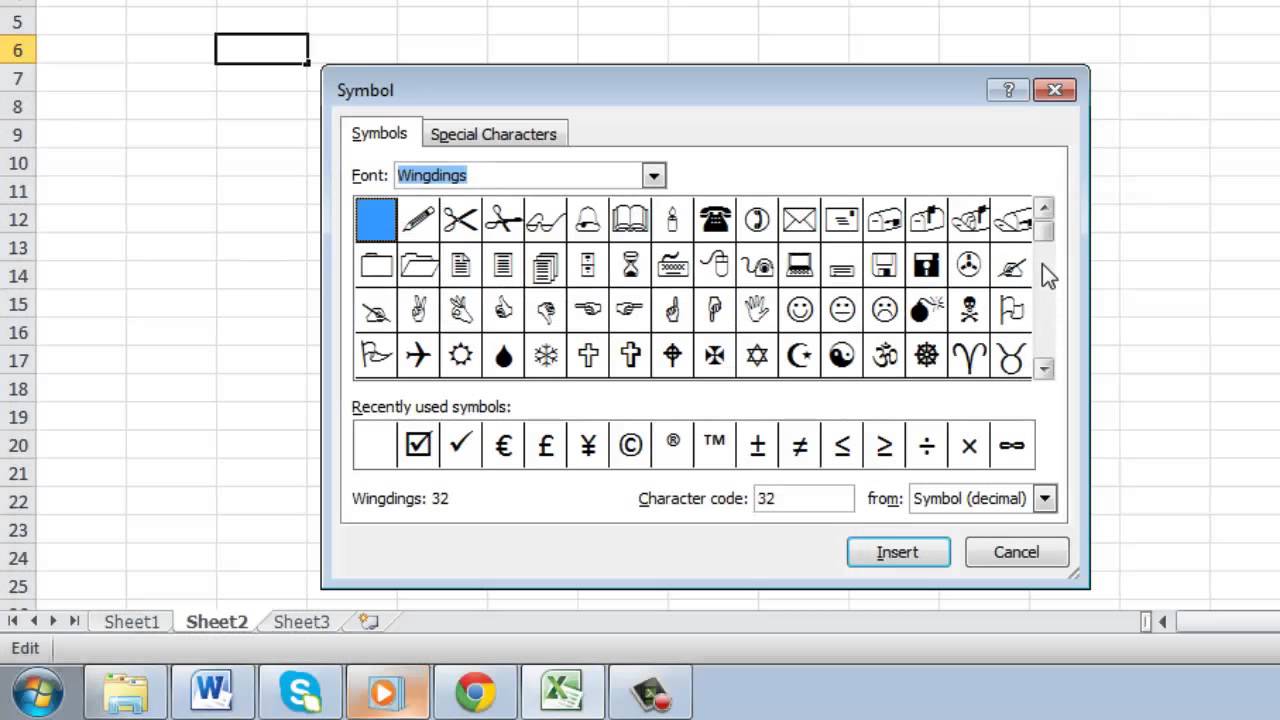
Web 224 rows nbsp 0183 32 Dec 15 2019 nbsp 0183 32 To activate the special character you need to use an Alt
Web Jan 13 2022 nbsp 0183 32 Select the cell where you want to place the check mark Go to the Insert tab click the Symbols drop down arrow on the right side of the ribbon and pick quot Symbol quot
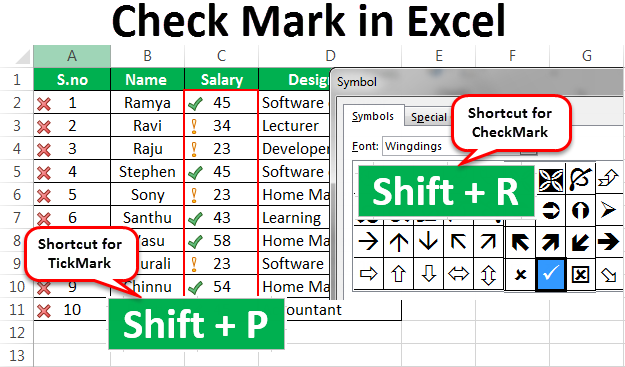
Web May 17 2023 nbsp 0183 32 First of all you have to know the character codes for check marks in Excel Basically the character codes are dependent on the Font In these methods I will talk about Wingdings font In this font the
Web May 15 2022 nbsp 0183 32 Wingdings and Alt Code You can also insert a check mark in Excel by changing the font to Wingdings in the Excel screen and then typing the 252 character Web How to type a check mark symbol in Word or in Excel For example to type an White Heavy Check Mark in Word First type 2 7 0 5 to where you want to make the Heavy
Web This method involves using the Symbol dialog box to insert the check mark symbol into a cell in your spreadsheet Navigate to the Insert tab on the ribbon Click the Symbol