Check If Apache Is Installed Mac Quick Guide How To Check If Apache Is Running How To Removing Page Title In WordPress How To Check If Apache Is Installed YouTube How To Revert Changes In WordPress Check If Apache Is Installed In Amazon Linux AMI 2 Solutions YouTube Web Jan 20 2024 nbsp 0183 32 1 Install MacPorts by downloading and running the installer from the MacPorts website 2 With MacPorts installed open terminal and execute the command sudo port install apache2 3 For upgrading Apache
Web Apr 7 2024 nbsp 0183 32 macOS which comes with Apache pre installed allows you to check its installation through these steps Using Terminal Similar to Linux run httpd v in the terminal to reveal the Apache version Checking for the Service Use the apachectl configtest command to test the configuration and ensure Apache is operational Web Apr 4 2021 nbsp 0183 32 You can test if Apache is running by issuing this command which is checking Port 80 sudo lsof i 80 Output you may get back would be COMMAND PID USER FD TYPE DEVICE SIZE OFF NODE NAME httpd 107 root 4u IPv6 0xe356c4f54c26d40f 0t0 TCP http LISTEN httpd 395 www 4u IPv6 0xe356c4f54c26d40f 0t0 TCP http LISTEN
Check If Apache Is Installed In Amazon Linux AMI 2 Solutions YouTube Operating System Rex Adrivan Quick Guide How To Check If Apache Is Running Problems Encountered When Installing Apache Errors Reported Here Must Be Corrected Before The How To Check If Apache Is Installed How To Uninstall Apache2 In Ubuntu Wired Slash Blogger Blog How To Install LAMP Linux Apache MySQL PHP On Fedora Problems Encountered When Installing Apache Errors Reported Here Must Be Corrected Before The Apache Configuration CentOS7 Programmer Sought
Check If Apache Is Installed Mac
 Check If Apache Is Installed Mac
https://bitlaunch.io/blog/content/images/2022/11/DALL-E-2022-11-28-11.15.37.png
Web gt Casks apache couchdb apache directory studio The most advisable thing in this case is to dispense with the default version if this is the case and install everything again from brew sudo apachectl stop sudo launchctl unload w System Library LaunchDaemons org apache httpd plist 2 gt dev null Install Apache
Templates are pre-designed documents or files that can be utilized for various purposes. They can conserve effort and time by offering a ready-made format and design for creating different type of material. Templates can be utilized for personal or professional projects, such as resumes, invitations, flyers, newsletters, reports, presentations, and more.
Check If Apache Is Installed Mac

Understanding The Basics Of Cryptocurrencies

Operating System Rex Adrivan
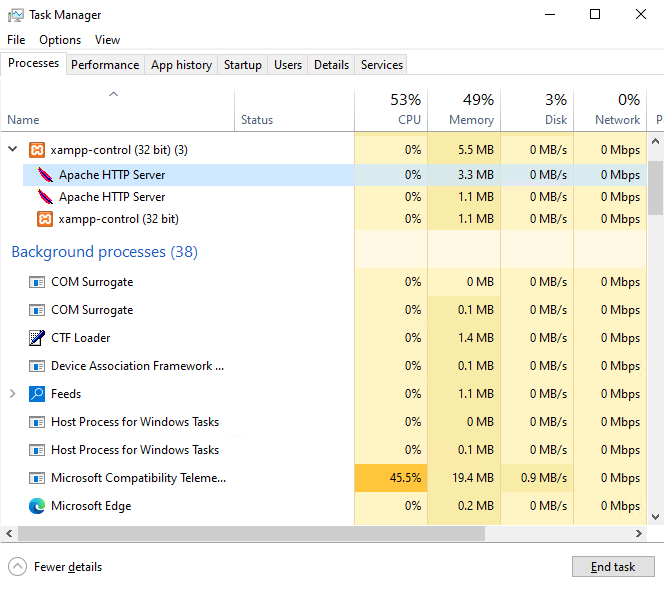
Quick Guide How To Check If Apache Is Running

Problems Encountered When Installing Apache Errors Reported Here Must Be Corrected Before The

How To Uninstall Apache2 In Ubuntu

Wired Slash Blogger Blog How To Install LAMP Linux Apache MySQL PHP On Fedora

Web Dec 5 2019 nbsp 0183 32 2 Answers Sorted by 9 Find used Apache which a httpd usr local bin httpd usr sbin httpd whereis httpd usr sbin httpd which shows you both of your apache whereis shows you the currently used apache

Web Feb 9 2012 nbsp 0183 32 7 Answers Sorted by 58 I would recommend dpkg get selections grep apache It lists all installed packages that contain quot apache quot in their name For example apache2 install apache2 doc install

Web Apr 7 2024 nbsp 0183 32 To determine which Apache server is currently being used on macOS via the terminal you can use several methods Check running Apache processes Use the command ps aux grep httpd to list all processes related to Apache This command displays only processes with the command line httpd which is the name of the Apache HTTP server

Web Oct 3 2008 nbsp 0183 32 httpd v will give you the version of Apache running on your server if you have SSH shell access The output should be something like this Server version Apache 2 2 3 Server built Oct 20 2011 17 00 12

Web Jul 5 2021 nbsp 0183 32 You can check the version of Apache in 3 ways Using web host manager cPanel and from shell Get the version of apache via above easy steps
Web First check which is the startup script for Apache For macOS it should be Library LaunchDaemons That might include a working directory or similar information You could also debug the running process itself with dtruss You can connect to the running process using dtruss p lt pid gt Then if you HUP it you can probably pore over the Web Nov 3 2019 nbsp 0183 32 1 sudo su Enable Apache on macOS 1 apachectl start Verify It works by accessing http localhost Enable PHP for Apache First make a backup of the default Apache configuration This is good practice and serves as a comparison against future versions of macOS 1 cd etc apache2 2 cp httpd conf httpd conf Catalina
Web Apr 8 2024 nbsp 0183 32 If Apache is installed the command prompt will show the version number Otherwise you ll see an error message macOS On macOS Apache is usually pre installed You can check its status with the following command in the Terminal httpd v This command should return the version of Apache if it is installed