Check Cluster Service Status Powershell Run Commands On Every Node In A Cluster With PowerShell ITPro Today PowerShell Convert An Array Of Hashtables To A CSV File Kubectl Command To Check Cluster Status Kubernetes YouTube Microsoft Learn Secure Access To AWS EKS Clusters For Admins Okta Developer This Windows PowerShell script uses various FailoverCluster cmdlets to write information about a Windows Failover Cluster to a HTML file and copy this to a web server directory root The script also tracks changes to the state of the cluster and sends an email notification with the details
Check Windows SQL Server Cluster Status with PowerShell Checking that the SQL services are online with a windows cluster is a little different than checking SQL services on a stand alone instance due to the fact that the services are stopped on the inactive node s Click the appropriate command To start the service click Start Cluster Service To stop the service click Stop Cluster Service Additional considerations You can also perform the task described in this procedure by using Windows PowerShell
Secure Access To AWS EKS Clusters For Admins Okta Developer Cluster Service North Cornwall Cluster Of Churches VM Host Service Status PowerShell Powershell Script To Validate SQL Servers SQLGeeksPro Use PowerShell To Get Your OneDrive Sync Status CloudAppie Hyper V Resource Allocation Check Tech Thoughts Powershell Script To Validate SQL Servers SQLGeeksPro Tradeplace Launches Ground breaking Product Data Management Service Get Service Checking Windows Services Status With PowerShell TheITBros
Check Cluster Service Status Powershell
 Check Cluster Service Status Powershell
https://www.itprotoday.com/sites/itprotoday.com/files/styles/article_featured_retina/public/uploads/2016/09/powershell-script1_1.png?itok=W-o7_WXV
To quickly check the status of all resources in a Windows Failover cluster you can use Get ClusterResource PowerShell cmdlet For each cluster resource Failover Cluster implements State property which provides the resource status A healthy resource will always be shown as Online
Pre-crafted templates use a time-saving solution for developing a varied range of documents and files. These pre-designed formats and layouts can be utilized for numerous individual and professional jobs, including resumes, invites, leaflets, newsletters, reports, presentations, and more, simplifying the material creation process.
Check Cluster Service Status Powershell
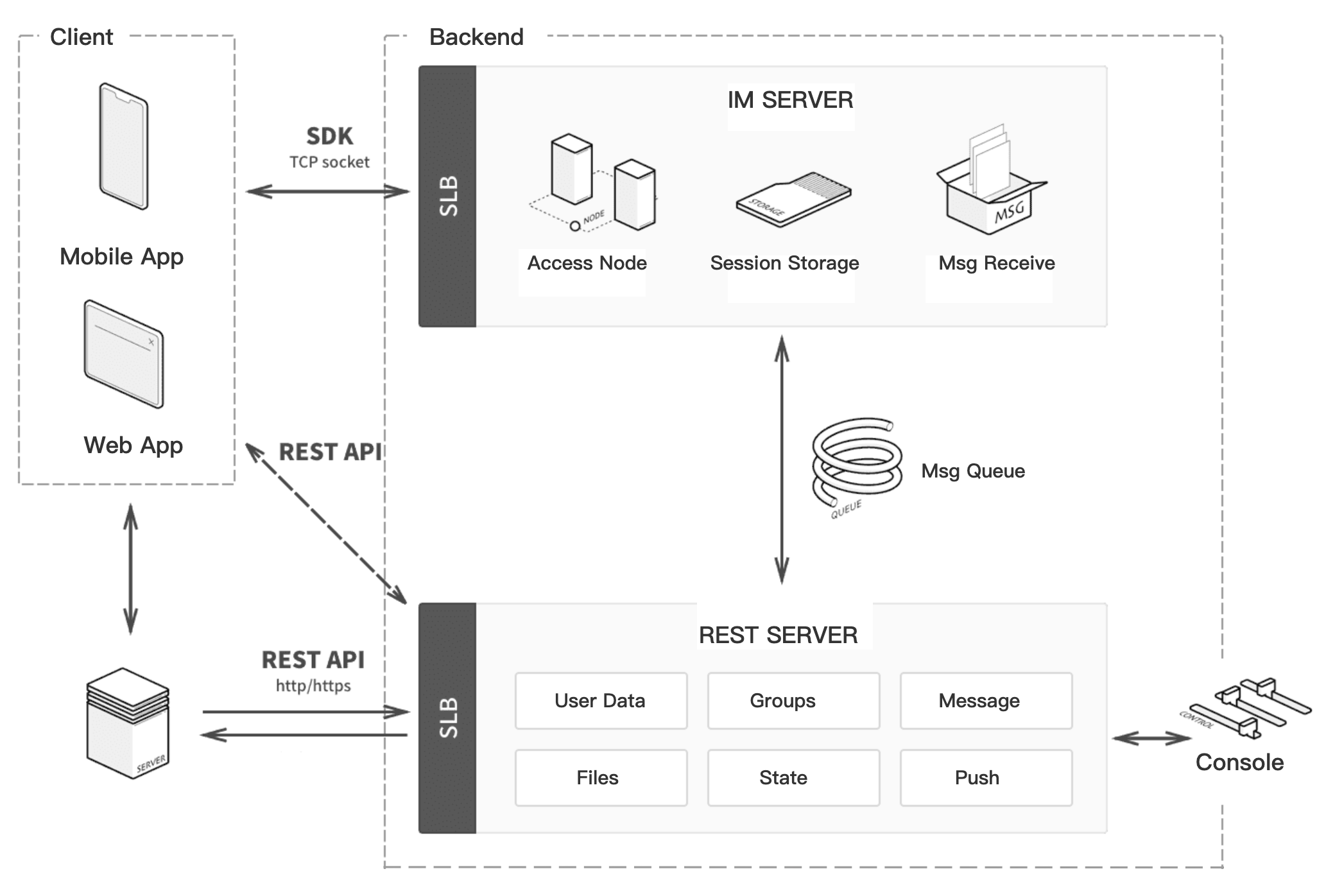
Product Overview AgoraChat Documentation Beta

Cluster Service North Cornwall Cluster Of Churches

VM Host Service Status PowerShell
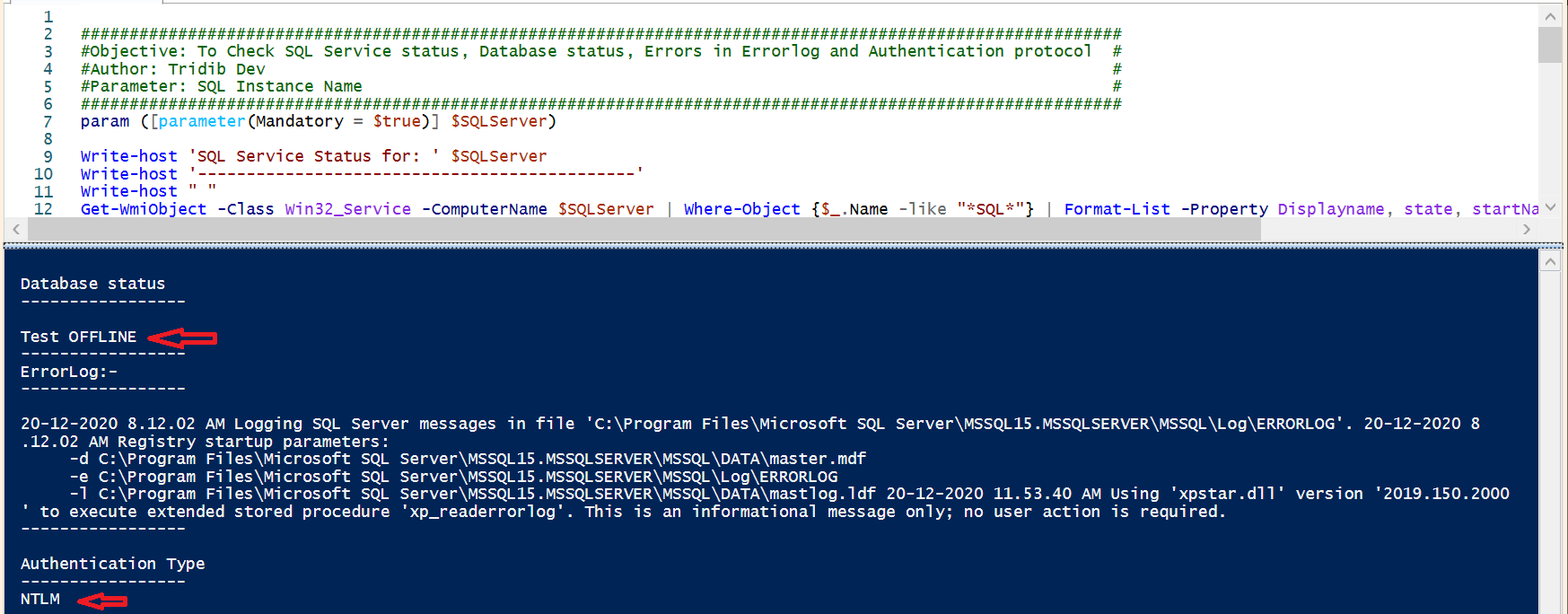
Powershell Script To Validate SQL Servers SQLGeeksPro

Hyper V Resource Allocation Check Tech Thoughts
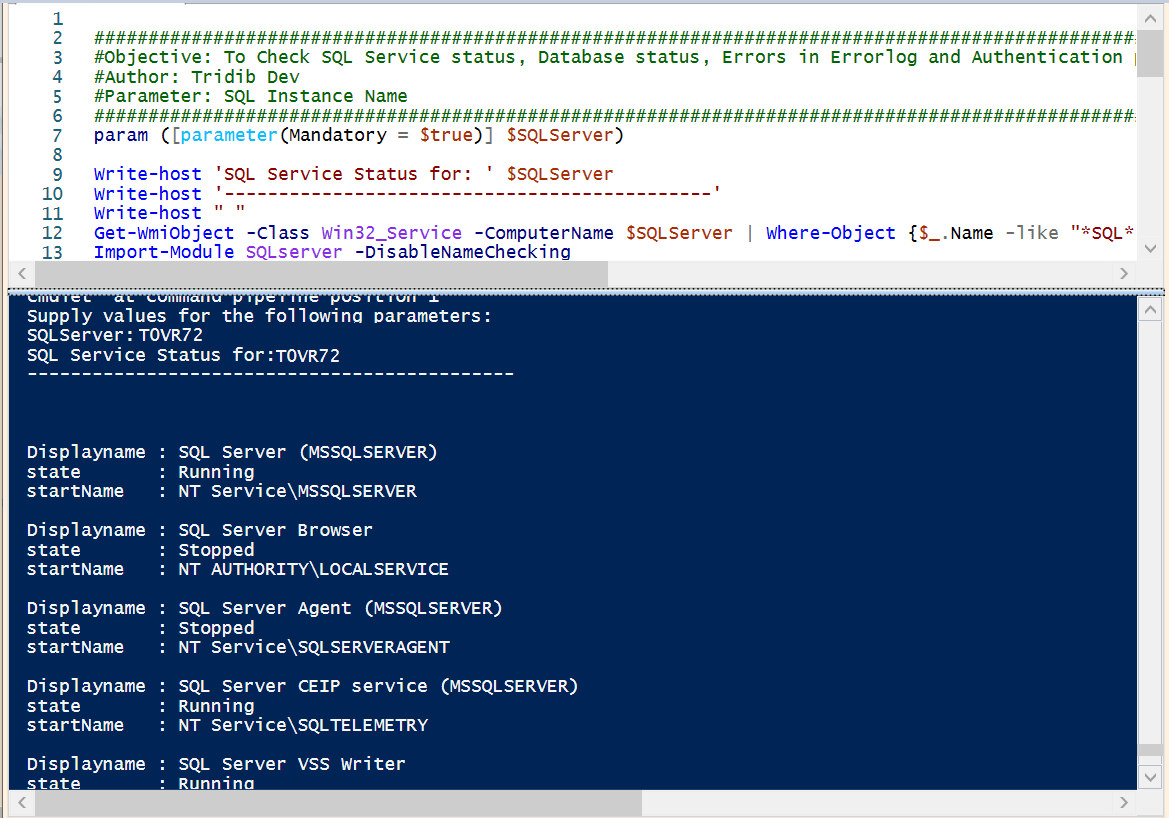
Powershell Script To Validate SQL Servers SQLGeeksPro

Get Service Checking Windows Services Status with PowerShell written by Cyril Kardashevsky September 28 2023 Windows Services are what make the operating system work Services perform specific functions on each Windows computer They update the system time fetch and update the computer s IP address let users sign in to their profile etc
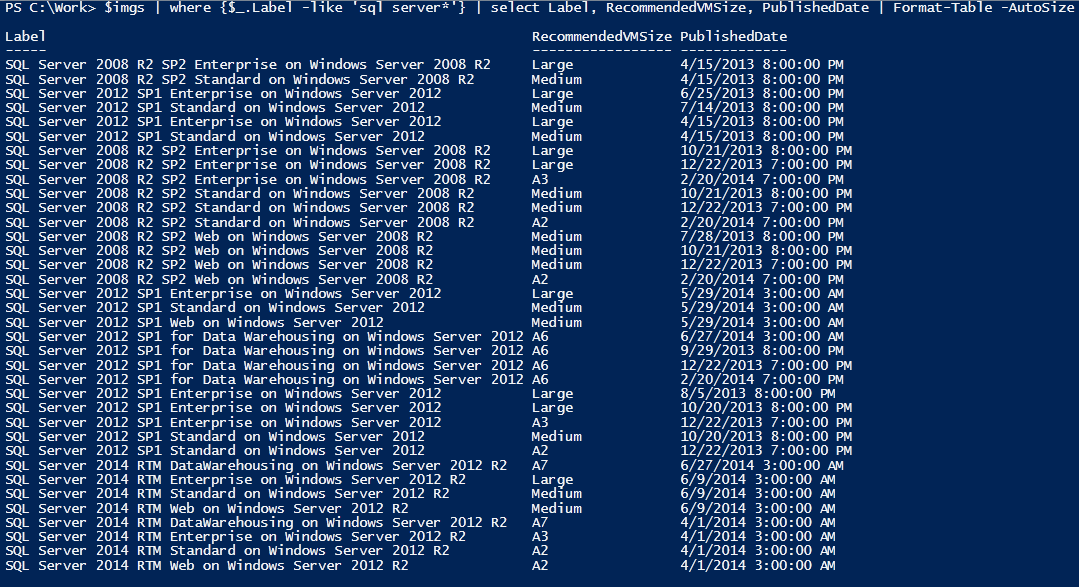
The Get Cluster command will list the virtual names for all of the clusters known in the domain Get Cluster Domain MyDomain Once we have the Virtual Cluster name on the network we can remove the Domain and add the Name to the command and look at the properties for each one Get Cluster Name MyClusterVirtualName format List Property

Get ClusterLog is the Windows PowerShell cmdlet that will generate the cluster log on each server that is a member of the cluster and is currently running The output looks like this on a 3 node cluster The Cluster log files can be found in the systemroot cluster reports directory usually c windows cluster Reports on each node

n DESCRIPTION n The Get ClusterNode cmdlet gets information about one or more nodes or servers in a failover cluster n Use this cmdlet to obtain information about the node status nTo see the resources currently owned by a particular node specify that node in this cmdlet and then pipe the results through the Get ClusterResource cmdlet n
Get cluster On the beginning script will check if module for failover clustering is installed Import Module FailoverClusters Then we need to ensure that server provided as a parameter exist and cluster service is running To do this I used simple method which is checking servers IP address
Using powershell we can query the status of a given windows cluster and instances inside it With Windows 2008 MS is offering this ability You need to import the failoverclusters module to use the cmdlets available to manage windows cluster Import cluster module Import module failoverclusters Using this module y If it were me I d want to see the cluster validation report According to technet To view the results of the tests after you close the wizard choose one of the following Open the folder systemroot Cluster Reports on a clustered server In the console tree right click the cluster and then click View Validation Report
Is there a way to get the clusters and check the type load balancer failover I looked at some powershell modules Failover Cluester and Network Load Balancing However both of them are specific to the cluster type I was wondering if there is a general one There s the failover cluster module you can work with Sorry for the late response