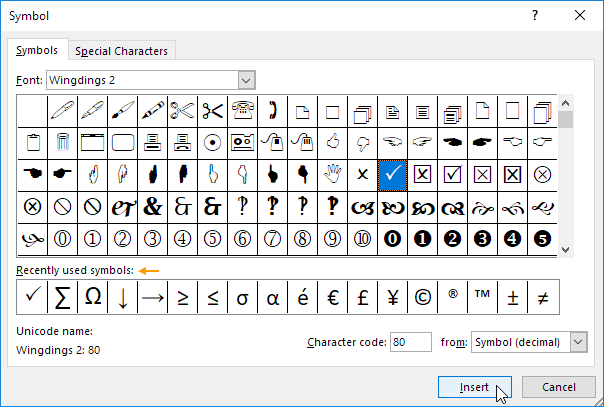
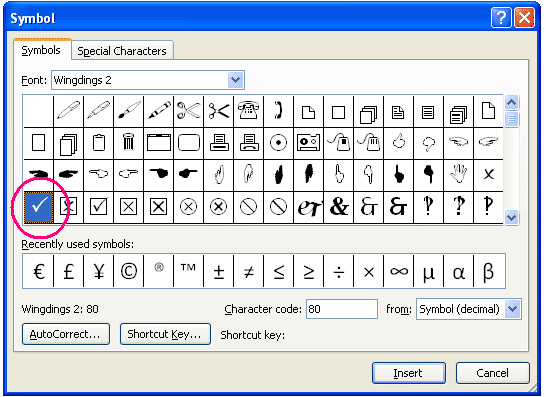
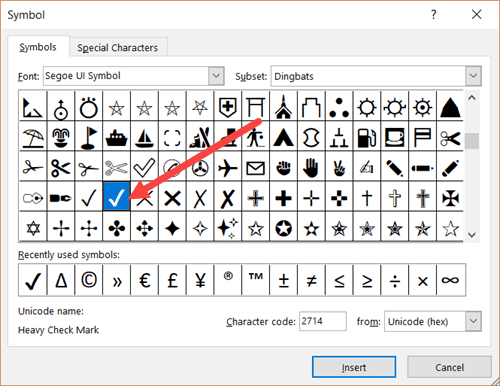
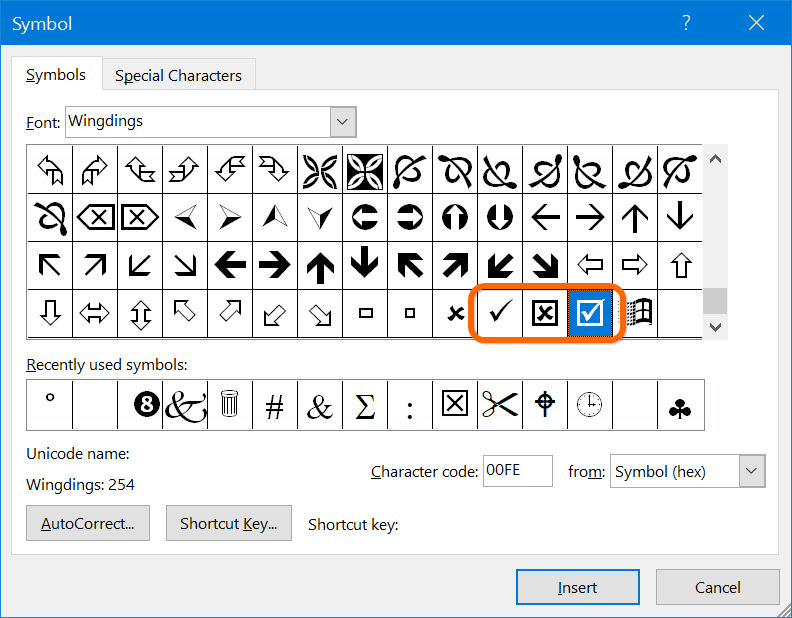
Character Code For Tick In Word Tot Timpul Maximiza i Insuficien Auditiv Excel Insert Symbol Check How To Insert Tick Mark In Excel Portpag Check Mark In Excel Word Check Word 2007 Symbols Making A Check Mark In Word 4 Web Go to Insert gt Symbol Select a checkmark symbol to insert or do the following Select More Symbols Scroll up or down to find the checkmark you want to insert Different font sets often have different symbols Use the Font selector above the symbol list to pick the font you want
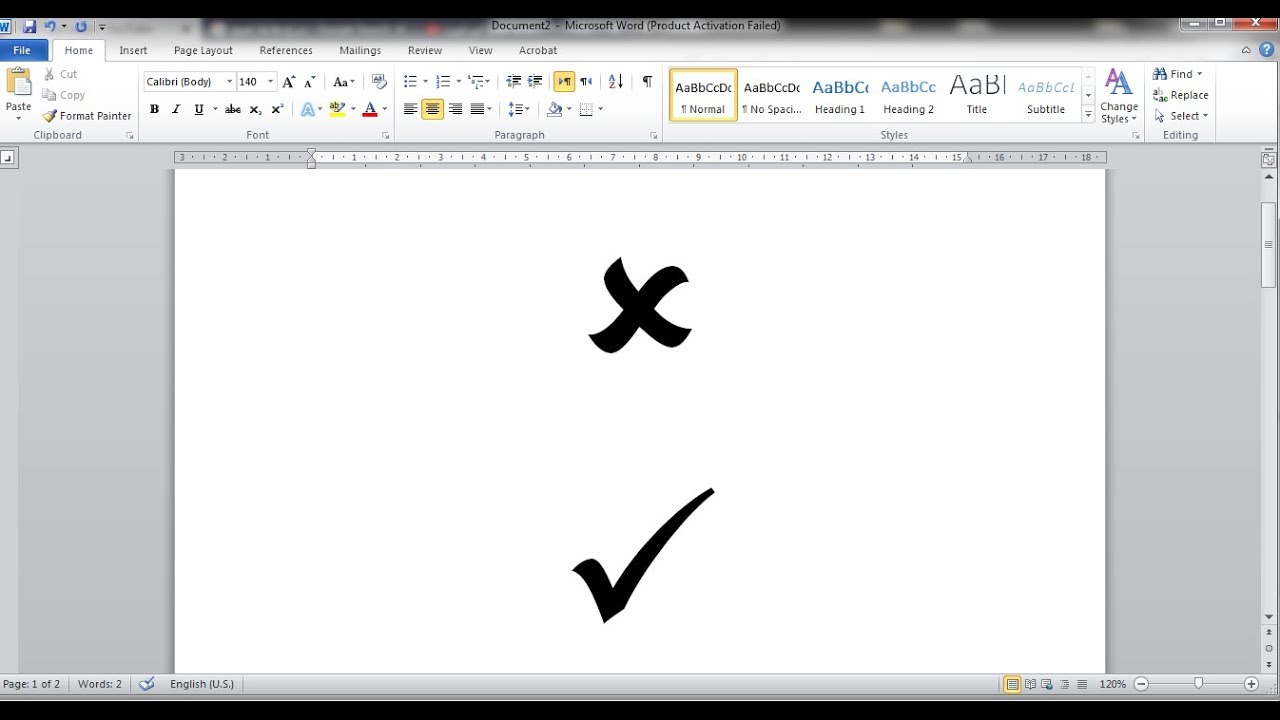
Web The alt code to type the checkbox symbol in Word is 10003 Use 10004 for a heavy checkmark To use this alt code type the check mark symbol in Word obey the following instructions Place the cursor where you want to type the checkmark Press and hold the Alt key on your keyboard Web Jan 23 2024 nbsp 0183 32 As a slight shortcut you can insert a tick or a cross by first changing the font to Wingdings then entering the character codes directly This only works if your computer s keyboard has a separate numpad The two codes we will be using are Tick 0252 Tick with a box 0254 Cross 0251 Cross with a box 0253
4 Insert Check Mark In Word Shortcut Vastsuperior How To Insert A Check Mark Tick Symbol In Excel Quick Guide Check Mark Symbol ClipArt Best How To Type Check Mark Checkbox Symbols In Word Alt Code Check Mark Symbol ClipArt Best Insert A Check Mark In Word Mobile Legends How To Make A Powerpoint Check Mark Live2Tech Alt Codes Symbols Check Mark BEST GAMES WALKTHROUGH
Character Code For Tick In Word
 Character Code For Tick In Word
https://www.excel-easy.com/examples/images/check-mark/insert-check-mark.png
Web Sep 5 2022 nbsp 0183 32 The character codes for cross and tick symbols are as follows Alt 0252 Alt 0251 Alt 0254 Alt 0253 Alternatively you can change the font to Wingdings 2 and use the following keyboard shortcuts Shit P Shift O Shift Q Shift R Create a
Pre-crafted templates offer a time-saving solution for creating a varied variety of documents and files. These pre-designed formats and designs can be used for different personal and professional jobs, including resumes, invites, flyers, newsletters, reports, presentations, and more, simplifying the material development process.
Character Code For Tick In Word
Word Add Tick Symbol
Insert Check Mark In Word Shortcut Vastsuperior
How To Insert A Check Mark Tick Symbol In Excel Quick Guide

Check Mark Symbol ClipArt Best

Check Mark Symbol ClipArt Best
Insert A Check Mark In Word Mobile Legends
Web In the Character code box at the bottom enter 252 In the grid of symbols the check mark is selected Another check mark option is available two squares away from it character code 254 Select the check mark you want Click
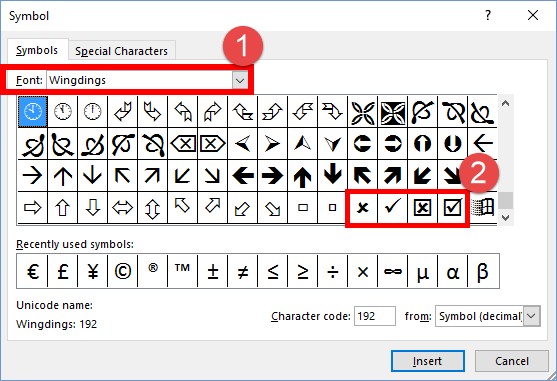
Web Feb 3 2022 nbsp 0183 32 Ticks ALT 0252 ALT 0254 Crosses ALT 0251 ALT 0253 Remember you will have to change the font to Wingdings before the character code is entered

Web If you want instead of using Alt codes you can also just quickly tap or click any check mark tick mark cross mark or ballot box symbol in the list below to copy and paste it into your document Note Some symbols might not display correctly due to device or platform limitations in character text representation
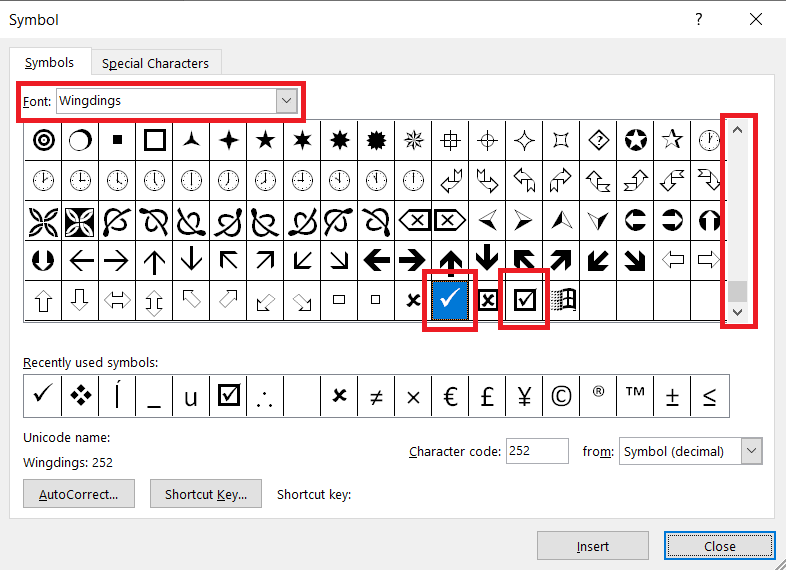
Web Mar 7 2023 nbsp 0183 32 To add the regular check mark icon in your document first press Alt 0252 on your keyboard Then highlight the character that appears like a 252 character select quot Wingdings quot from the quot Font quot drop down menu and press Enter To add a check mark that s inside a box first press Alt 0254

Web Apr 30 2023 nbsp 0183 32 Insert or Type a Check Mark or Tick Mark Symbol in Microsoft Word with Shortcuts by Avantix Learning Team Updated April 30 2023 Applies to Microsoft 174 Word 174 2013 2016 2019 2021 or 365 Windows You can insert or type a check mark or tick mark symbol in a Word document in several ways
[desc-11] [desc-12]
[desc-13]