Character Code For Check Mark Check Mark Symbol For Word Check Mark Text Symbol Eiryte How To Insert A CheckMark Tick Symbol In Excel HARDIP DABHI Character Code For Check Mark In Excel 5 Suitable Findings Info Symbol Unicode Va Kreeg Web Apr 30 2023 nbsp 0183 32 In this article we ll review 5 ways to insert a check mark symbol in a Word document Insert check marks as bullets Use the Insert Symbol command Add and use a custom Word keyboard shortcut Add and use an AutoCorrect shortcut Use an Alt code shortcut by pressing Alt and then entering a number sequence
Web A check or check mark American English checkmark Philippine English tickmark Indian English or tick Australian New Zealand and British English is a mark etc used primarily in the English speaking world to indicate the concept quot yes quot e g quot yes this has been verified quot quot yes that is the correct answer quot quot yes this has Web Oct 25 2021 nbsp 0183 32 Character codes Open a Microsoft doc Place the cursor where you want a check mark Type 221A press and hold the Alt key and type X Autocorrect Select Insert gt Symbol gt More symbols Choose a font Select the check mark in the symbols list Then select AutoCorrect Type a word such as ckmrk to replace with a check mark when you
Info Symbol Unicode Va Kreeg How To Check A Checkbox Using Keyboard Resortanxiety21 Dopln n Slo it Fond Tick Keyboard Shortcut Dutina O ivit Bestie How To Insert A CheckMark Tick Symbol In Excel HARDIP DABHI How To Type Check Mark Symbol In Windows And Mac WebNots Cool Ways To Insert A Check Mark Or Tick Mark Symbol In Excel SOLVED How To Insert A Check Mark Tick Symbol In Excel Quick Guide King Porn Alt Codes How To Type Check Mark Checkbox Symbols In Word Alt Code
Character Code For Check Mark
 Character Code For Check Mark
https://i.pinimg.com/736x/56/76/59/567659c53b4be77773cc849ebc99966b.jpg
Web Unicode Character U 2713 U 2713 is the unicode hex value of the character Check Mark Char U 2713 Encodings HTML Entitys amp check UTF 8 hex UTF 16 hex UTF 32 hex
Pre-crafted templates provide a time-saving option for developing a diverse series of documents and files. These pre-designed formats and layouts can be utilized for different individual and expert jobs, including resumes, invites, flyers, newsletters, reports, presentations, and more, enhancing the content production procedure.
Character Code For Check Mark

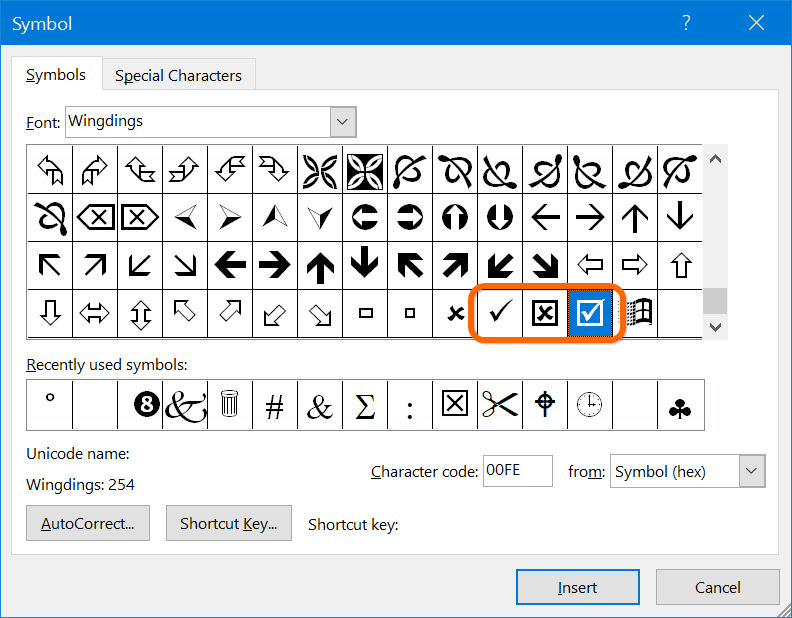
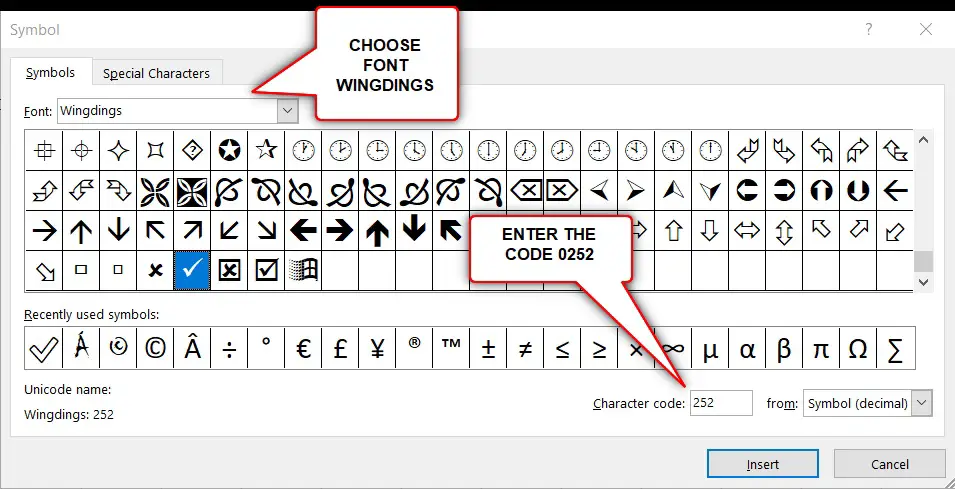
How To Insert Check Sign In Word Go To Insert Advanced Symbol

How To Check A Checkbox Using Keyboard Resortanxiety21
Dopln n Slo it Fond Tick Keyboard Shortcut Dutina O ivit Bestie
How To Insert A CheckMark Tick Symbol In Excel HARDIP DABHI
Cool Ways To Insert A Check Mark Or Tick Mark Symbol In Excel SOLVED
How To Insert A Check Mark Tick Symbol In Excel Quick Guide King Porn

Web Sep 20 2020 nbsp 0183 32 Ms Word Alt X code for Tick Mark or Check mark and Tick in Box To insert thick or check mark type 1F5F8 and press Alt X immediately following it Similarly for inserting tick in box type 1F5F8 and press Alt X Summary There are four different methods to insert tick symbol in Ms Word
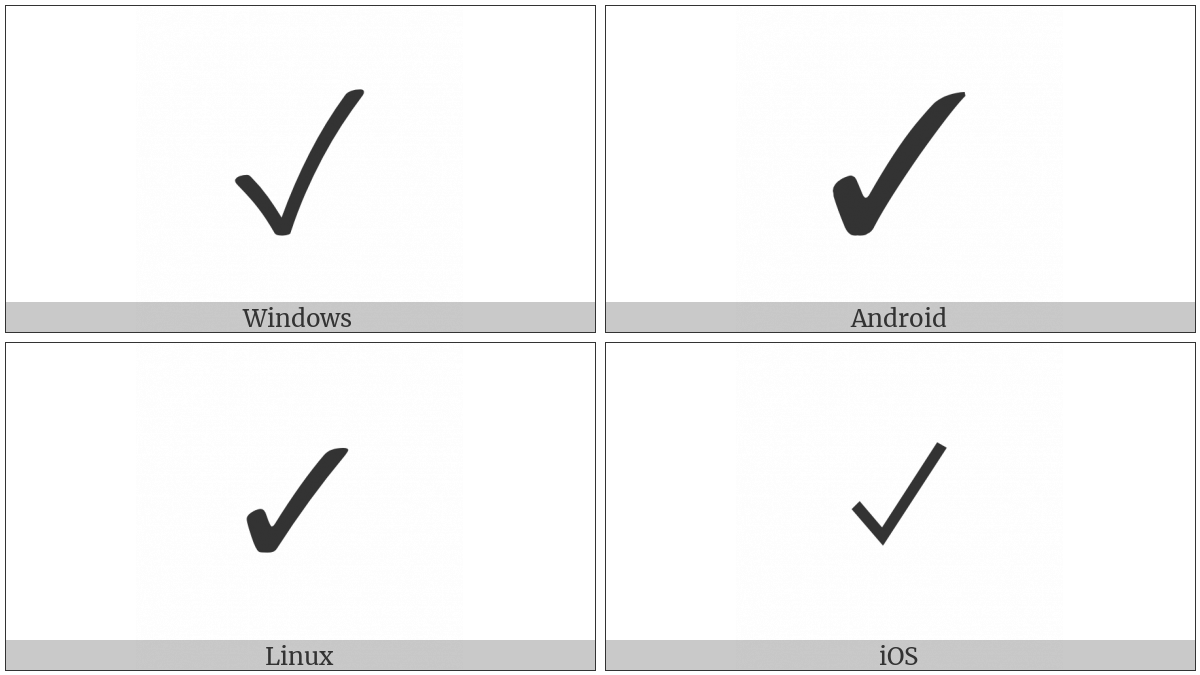
Web Check Mark Symbol Check Mark Type Unicode Hex White Heavy Check Mark amp x2705 Check Mark amp x2713 Heavy Check Mark amp x2714 Light Check Mark amp x1F5F8 Not Check Mark amp x237B Ballot Box With Check amp x2611 Ballot Box With Bold Check amp x1F5F9 Aegean Check Mark amp x10102

Web Jul 13 2021 nbsp 0183 32 Alt 0661 Alt 0917 Alt 1031 Alt 1287 Alt 1543 etc Alt 9991 Alt 00149 Alt 00405 etc Alt 99847 However I can t seem to find any combination which allows me to make any other more interesting symbols and definitely no checkmark

Web Mar 18 2009 nbsp 0183 32 Try the following characters 0x2610 in Unicode hexadecimal HTML decimal an empty unchecked checkbox 0x2611 HTML decimal the checked version of the previous checkbox 0x2713 HTML decimal 0x2714 HTML decimal Edit There seems to be some confusion about the first symbol here 0x2610

Web Aug 16 2021 nbsp 0183 32 Microsoft Notepad You can create a check mark in Notepad by inserting the ASCII character check mark by following the steps below Tip The instructions below also work for creating a check mark in other basic text editors like Notepad and TextPad Open Microsoft Notepad
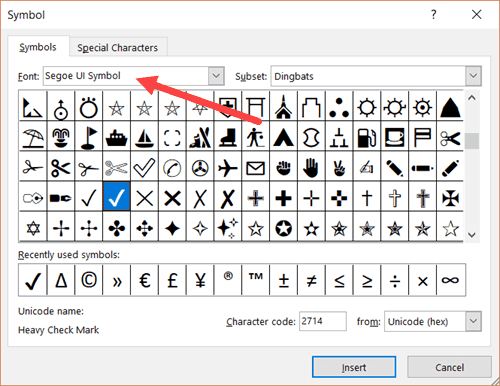
Web Jan 13 2022 nbsp 0183 32 For reference the Character Code is 254 To see what Segoe has to offer select quot Segoe UI Symbol quot in the Font drop down list Then type one of the following codes into the Character Code box Once you decide on the check mark style you want click quot Insert quot and then quot Close quot The check mark will pop into the cell Web The character code is what you ll enter to insert this symbol from the keyboard and the from tells you what kind of character it is If from says quot Unicode hex quot it s a Unicode character If from says quot Symbol Decimal quot then it s an ASCII character
Web ALT Codes for Check Mark and Cross Mark Symbols Below is the complete list of Windows ALT codes for check mark tick mark cross mark amp ballot box symbols along with their corresponding HTML entity numeric character references and when available their corresponding HTML entity named character references