Change Root Password Mysql Windows Simplest Way To Reset MySQL Root Password Change Mysql Root Password YouTube MySQL Change Root Password Taek s Blog How To Reset MySQL Password Or Change MySQL phpMyAdmin Password How To Change Mysql Root Password In Whm Easy Guide Red Server Host How do I reset the MySQL password under Windows Ask Question Asked 12 years 2 months ago Modified 12 years 2 months ago Viewed 13k times 2 When trying to restart my MySQL password I get the following output in the console this is also the input that caused the output C C MySQL bin mysqld console init file C mysql init txt
Changing the Root User s Password on Linux Log on to your system as the Unix user that the MySQL server runs as for example mysql These will work on most Linux distributions ubuntu Debian Fedora etc Step 1 Log on to your target system with SSH or other remote shell Step 2 Stop the MySQL server if it is running To change the password for a root account with a different host name part modify the instructions to use that host name Log on to your system as Administrator Stop the MySQL server if it is running
How To Change Mysql Root Password In Whm Easy Guide Red Server Host How To Change Root Password Of MySQL Or MariaDB In Linux MySQL Change Root Password NixCraft How To Reset Change MySQL Root Password Cloudbooklet How To Reset MySQL Root Password YouTube Reset MySql root User Password Forgot MySQL Root Password How To MySQL Root Password Different Types Of MySQL Root Password How To Change Mysql Root Password On Linux Linux Tutorials Learn Linux How To Change MySQL Root Password
Change Root Password Mysql Windows
 Change Root Password Mysql Windows
https://proprogramming.org/wp-content/uploads/2017/05/reset-mysql-root-password.jpg
ALTER USER Overview For each affected account ALTER USER modifies the corresponding row in the mysql user system table to reflect the properties specified in the statement Unspecified properties retain their current values Each account name uses the format described in Section 6 2 4 Specifying Account Names
Templates are pre-designed files or files that can be used for different purposes. They can save effort and time by offering a ready-made format and layout for producing different sort of material. Templates can be used for individual or professional projects, such as resumes, invites, leaflets, newsletters, reports, presentations, and more.
Change Root Password Mysql Windows

How To Reset Root Password In MySQL In Windows YouTube

How To Change Root Password Of MySQL Or MariaDB In Linux

MySQL Change Root Password NixCraft

How To Reset Change MySQL Root Password Cloudbooklet
Reset MySql root User Password Forgot MySQL Root Password How To
MySQL Root Password Different Types Of MySQL Root Password

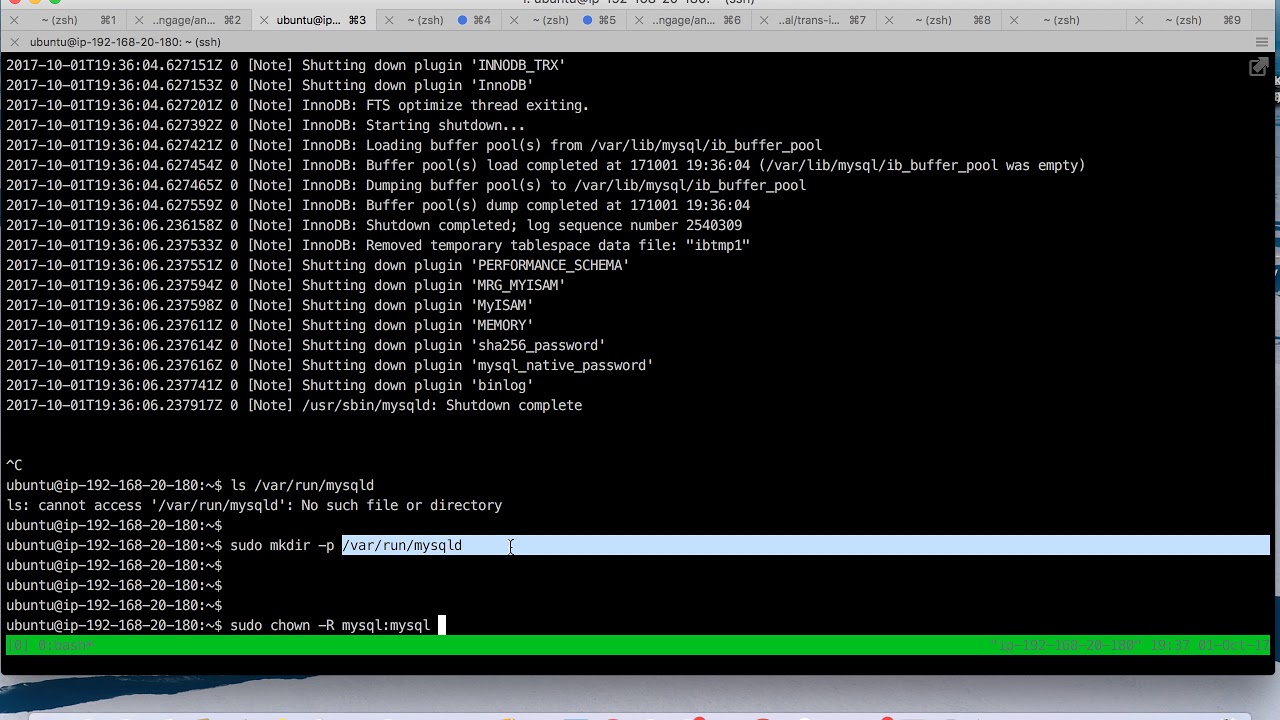
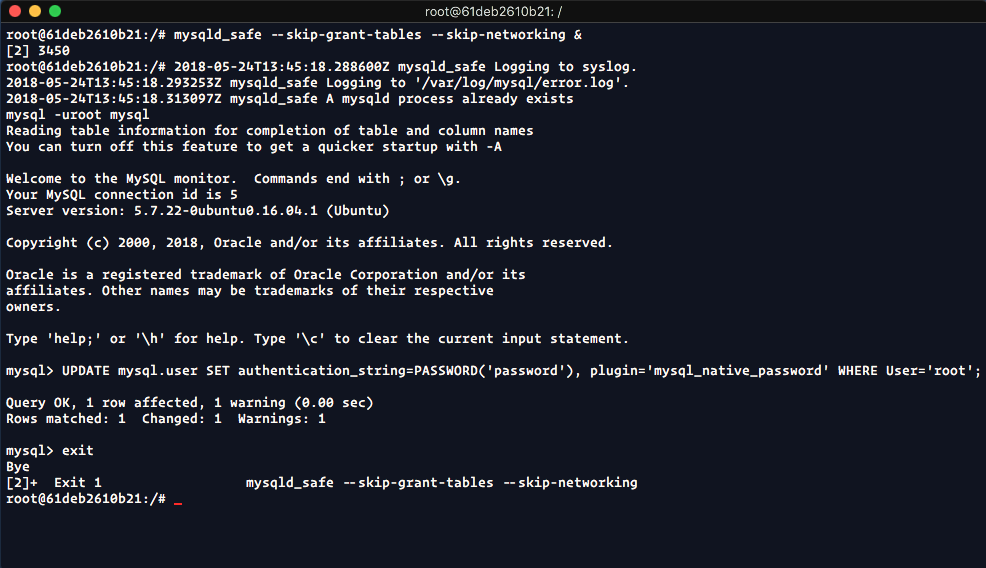
I follow these steps Step 1 Stop the MySQL server process Step 2 Start the MySQL mysqld server daemon process with the skip grant tables option so that it will not prompt for a password Step 3 Connect to the MySQL server as the root user

To change the password for a root account with a different host name part modify the instructions to use that host name Log on to your system as Administrator Stop the MySQL server if it is running
Step 1 Stop the MySQL server Begin by checking if you re logged in as an administrator Press Win R hold the Windows Super key and press r Once the Run box appears type services msc Click OK Scroll down the list of services to find the MySQL service Right click that entry then left clicks Stop Step 2 Launch a Text Editor

Introduction MySQL is a popular database management system for web application software Like many web services MySQL has an administrator level or root password The root password allows a user to perform all top level functions in the database If you ve never set a root password on your MySQL database you should be able to connect to it

To do that open up a terminal window and issue the following command mysqladmin u root password NEWPASSWORD Where NEWPASSWORD is the password to be used Now when you log into MySQL
For MySQL 5 7 5 and older as well as MariaDB 10 1 20 and older use SET PASSWORD FOR root localhost PASSWORD new password Make sure to replace new password with your new password of choice Note If the ALTER USER command doesn t work it s usually indicative of a bigger problem Change directory again into the bin directory cd bin Run the script in the text file that you created in step 3 mysqld init file C mysql init txt All the above steps are shown in the following screenshot This should restart MySQL with your new password If it works correctly you can then open MySQL Workbench and log in to localhost on
How can I reset a root MySQL password on Windows Ask Question Asked 7 years ago Modified 3 years ago Viewed 4k times 0 I m trying to backup an old MySQL database hosted on a Windows server but need to reset the root password as no one at the company remembers it I ve tried following these instructions but have had no luck so far