Change Root Access Aws Root Access By Aswin Behera AWS Migration Strategies Cheat Sheet Plm client dashboard PROLIM How To Change Root Password In Ubuntu Linux LinuxStoney Root And Rise Web To transfer your AWS account root access and change the account and billing information on that account to another individual do the following 1 Sign in to the AWS Management Console as the root user 2 On the navigation bar choose your account name and then choose Account 3 Choose Edit next to Account Settings 4
Web Enable a hardware TOTP token for the Amazon Web Services account root user console Enable a FIDO security key for the Amazon Web Services account root user console Change the password for the Amazon Web Services account root user Resetting a lost or forgotten root user password Creating access keys for the root user Web Jan 31 2017 nbsp 0183 32 To begin this process you must access the IAM Console You may see a sign in page for your account when you aren t already signed into AWS Provide your credentials as needed After you sign in to your account the page shown ihere appears Use the IAM Console to perform security related tasks Now that you have access to the IAM
Root And Rise Root UI Kit 50 OFF By Bunin Dmitriy On Dribbble Ph Level Of Taro Root Archives HEALabel A New Path To SAP Modernization Root Cause Failure Analysis How To Create A Root Cause Failure Help Root Access Get A CNC Machine The Benefits Of Full Root Access Eukhost Dutch IT Channel AWS Opent AWS Center For Quantum Computing GitHub KDVB BlueStacks ADB root access
Change Root Access Aws
 Change Root Access Aws
https://img.itch.zone/aW1nLzExMjY1NDc1LnBuZw==/original/8sNSoG.png
Web You can also choose Forgot password on the AWS sign in page to reset your password To change the root user s password you must sign in as the AWS account root user and not as an IAM user To learn how to reset a forgotten root user password see Resetting a lost or forgotten root user password
Pre-crafted templates provide a time-saving option for developing a varied series of files and files. These pre-designed formats and designs can be made use of for various personal and expert tasks, consisting of resumes, invites, flyers, newsletters, reports, discussions, and more, improving the material production procedure.
Change Root Access Aws
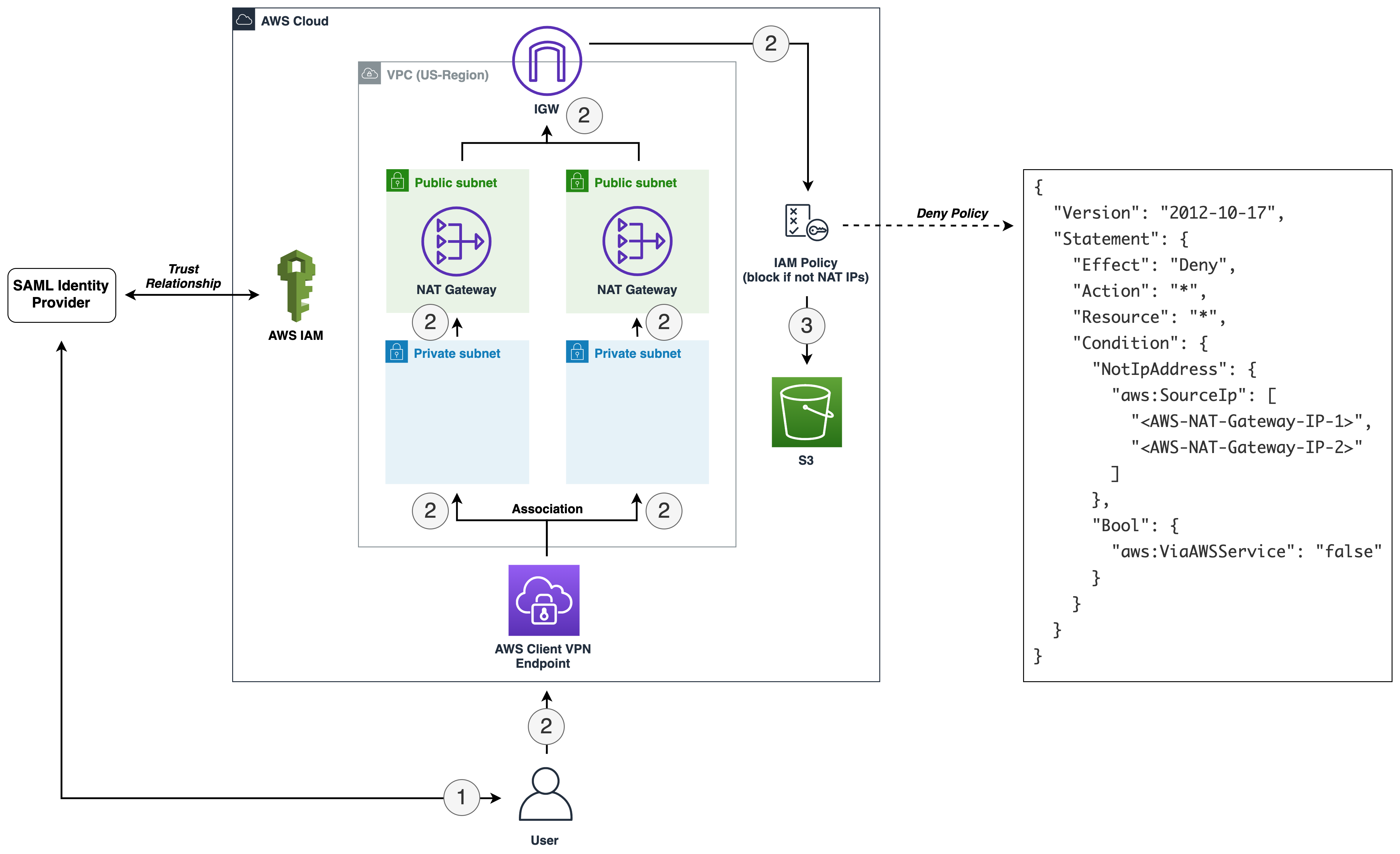
How To Restrict IAM Roles To Access AWS Resources From Specific
Root UI Kit 50 OFF By Bunin Dmitriy On Dribbble

Ph Level Of Taro Root Archives HEALabel

A New Path To SAP Modernization

Help Root Access Get A CNC Machine

The Benefits Of Full Root Access Eukhost
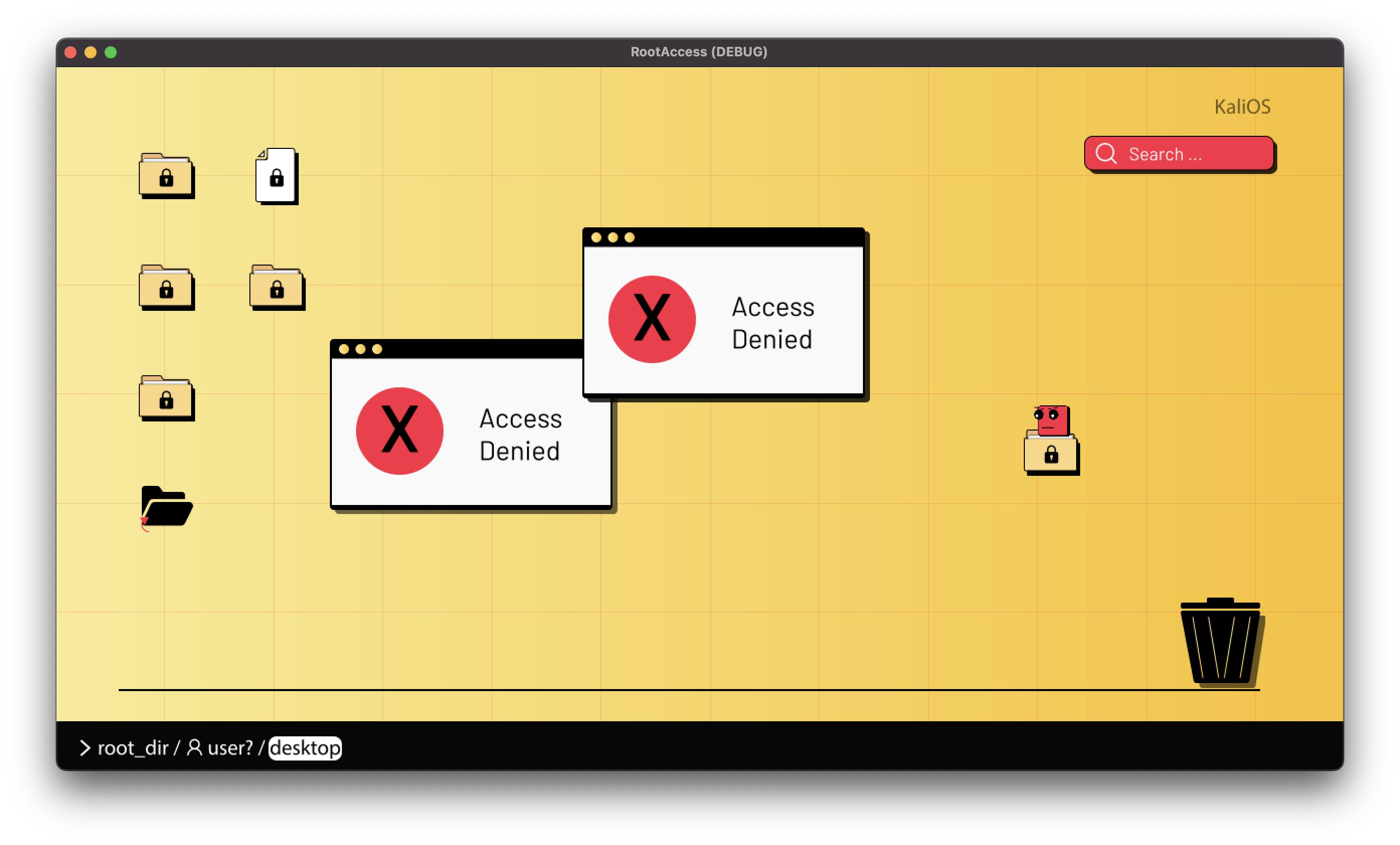
Web Update the AWS account name email address or password for the root user To edit your AWS account s name or to change the root user s password or email address perform the steps in the following procedure This email address and password are the credentials you use to sign in as the AWS account root user
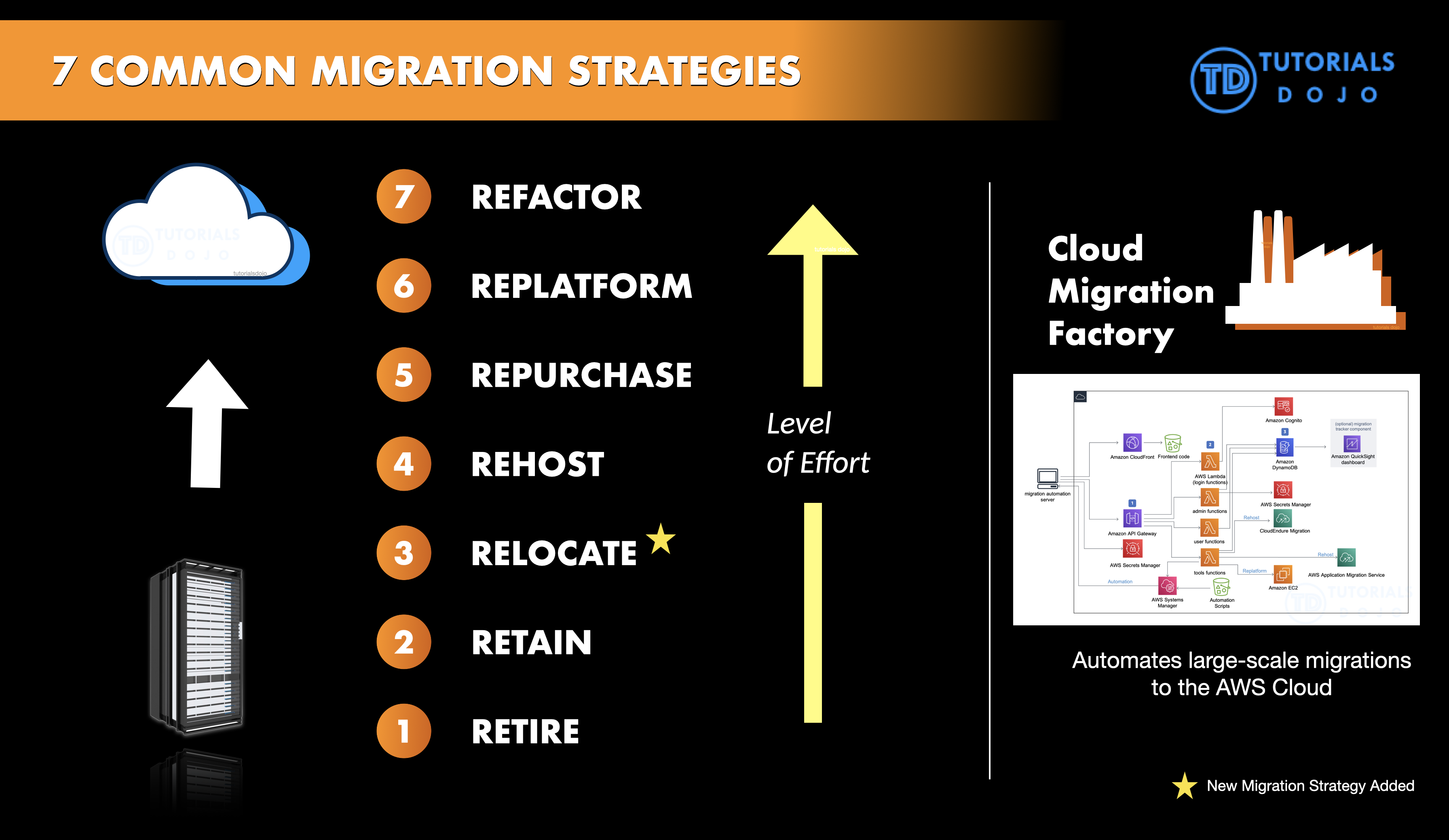
Web You can change or reset the root user password and create or delete access keys access key IDs and secret access keys for your root user For help signing in using your root user see Sign in to the AWS Management Console as

Web Set root password via putty sudo passwd root Log in to putty as root ubuntu aws1 su Password Edit your etc ssh sshd config file and comment out the the last HostKey statement or the one similar to the last one in the example below

Web The AWS account root user is no longer the account administrator and they aren t reachable I m unable to reset the password due to an invalid email address Resolution To access an account as a root user you must have the email address and password associated with the account

Web Jul 14 2017 nbsp 0183 32 In this post I walk through a solution that monitors and notifies on root API activity for an AWS account Solution The diagram below describes the solution at a high level An Amazon CloudWatch Events rule detects any AWS account root user API events It triggers an AWS Lambda function The Lambda function then processes the root API
Web Nov 28 2020 nbsp 0183 32 Best practice 1 Remove access keys Best practice 2 Enable multi factor authentication MFA Best practice 3 Stop using the root user Best practice 4 Centralize identity management Best practice 5 Configure AWS account alternate contacts Best practice 6 Get notified when root user is used I ve written this post to share the Web Sep 21 2017 nbsp 0183 32 If you have MFA enabled on your root account and you lose or misplace your root MFA device you can now reset it by using the AWS Management Console Now your root user can use the AWS sign in page to verify
Web How do I reset it Resolution To reset your MFA device you must have access to the AWS root user account email address and phone number associated with the account Note If you are an AWS Identity and Access Management IAM user you can t reset MFA by yourself You must contact your administrator to deactivate the device