Change Proxy Settings Windows 10 Registry How To Prevent Users From Changing Proxy Settings In Windows 11 Or 10 Prevent Users From Changing Proxy Settings In Windows 11 How To Prevent Users From Changing Proxy Settings In Windows 11 Or 10 How To Change System Proxy Settings In Windows 7 Very Easy YouTube Cannot Change The Manual Proxy Setting In Windows 10 Microsoft Community Web Feb 27 2023 nbsp 0183 32 You can prevent changing proxy settings using the GPO option discussed above or through the registry You can make changes to the registry via Group Policy Preferences User Configuration gt Preferences gt Windows Settings gt Registry Create a new registry value under the specified GPO with the following settings Hive
Web Mar 28 2016 nbsp 0183 32 The solution is to click on Start Control Panel Network and Internet Internet options Connection Local network setting and switch off proxy checkbox there This procedure is annoying I would like to have some bat script that turns it off Could you help me windows 7 proxy Share Improve this question Follow edited Mar 28 2016 at 12 44 Web May 29 2019 nbsp 0183 32 I have solved this by Pressing Win R key to open Run window Type quot regedit quot and hit Enter to open the Registry Editor In the Registry Editor navigate to the following registry path HKEY LOCAL MACHINE Software Policies Microsoft Windows CurrentVersion Internet
Cannot Change The Manual Proxy Setting In Windows 10 Microsoft Community How To Manage Proxy Settings In Windows 10 How To Change Proxy Setting In Google Chrome And Chromium Settings Vrogue Fix Windows Could Not Automatically Detect Network s Proxy Settings and IT Works Windows 10 Proxy Server Settings Configure Proxy Settings In Windows 10 YouTube Proxy Settings In Windows 10 Tutorial TeachUcomp Inc and IT Works Windows 10 Proxy Server Settings How To Disable Proxy Settings In Windows 11 10 Permanently
Change Proxy Settings Windows 10 Registry
 Change Proxy Settings Windows 10 Registry
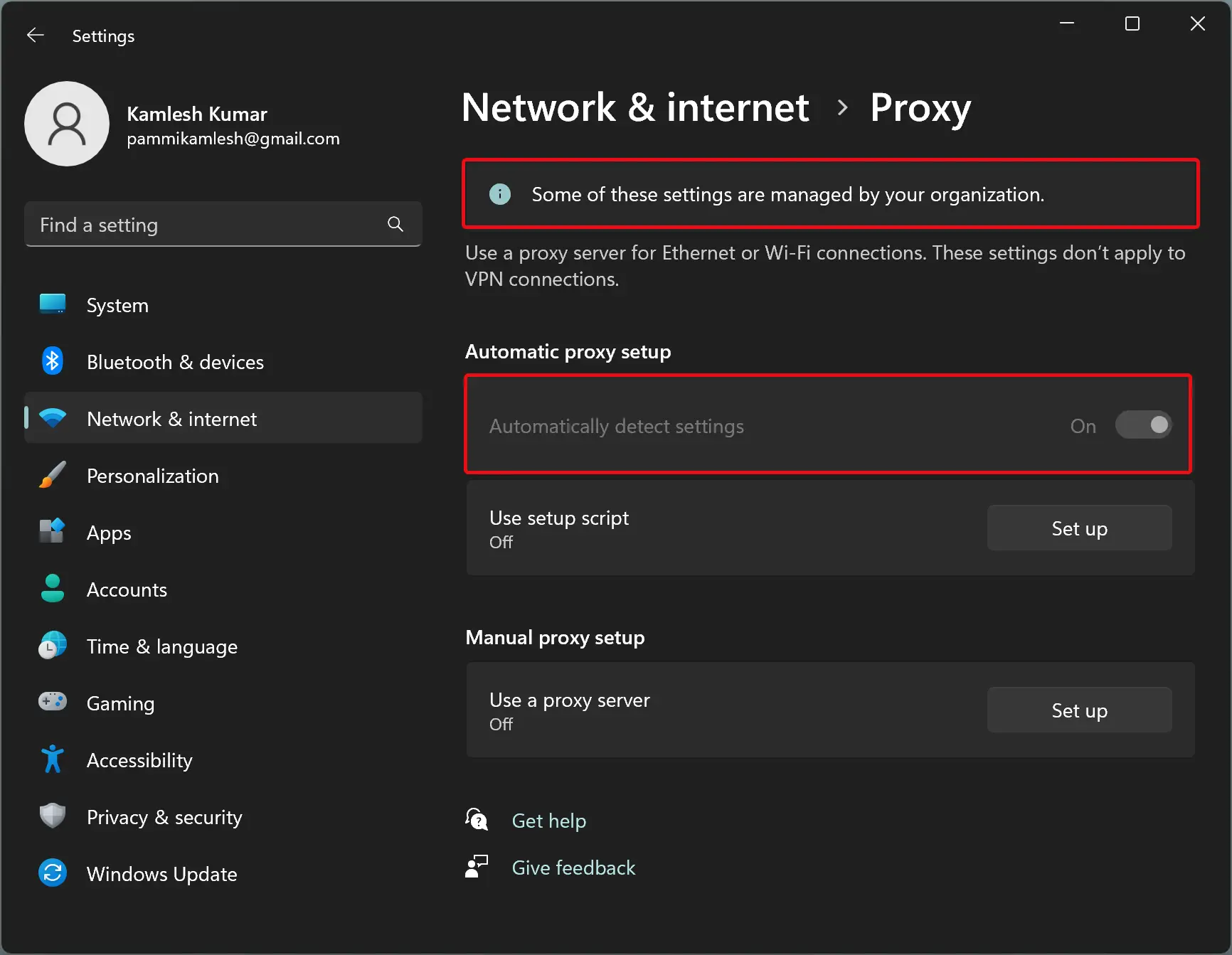
https://gearupwindows.com/wp-content/uploads/2022/06/Settings-Automatic-proxy-setup.png
Web Aug 31 2022 nbsp 0183 32 If you want to re enable proxy settings simply return to the same location and click on the same sliders you had disabled earlier Disable system wide network proxy using Registry Editor The Registry Editor is a great utility to make system wide changes including disabling proxy settings
Templates are pre-designed files or files that can be utilized for numerous functions. They can conserve time and effort by providing a ready-made format and design for creating various type of material. Templates can be used for individual or professional tasks, such as resumes, invites, flyers, newsletters, reports, discussions, and more.
Change Proxy Settings Windows 10 Registry

How To Change Proxy Settings On Window 7 10 YouTube
How To Manage Proxy Settings In Windows 10
How To Change Proxy Setting In Google Chrome And Chromium Settings Vrogue
Fix Windows Could Not Automatically Detect Network s Proxy Settings

Configure Proxy Settings In Windows 10 YouTube
Proxy Settings In Windows 10 Tutorial TeachUcomp Inc

Web Jul 2 2009 nbsp 0183 32 It is actually the value in Software Microsoft Windows CurrentVersion Internet Settings Connections DefaultConnectionSettings that is used Since that is not easily modified you can modify the proxy settings for a user export the registry key modify the path in the exported file to HKEY USERS S 1 5 18 and reimport it

Web Jun 21 2018 nbsp 0183 32 In a batch script I am updating a registry value with the REG command to disable the manual proxy REG ADD quot HKCU Software Microsoft Windows CurrentVersion Internet Settings quot v ProxyEnable t REG DWORD d 0 f However this does not take effect until I open the proxy settings

Web Dec 13 2019 nbsp 0183 32 Method 1 Using Registry directly Method 2 Using command prompt Method 3 Import proxy settings by using Registry file Method 4 Using cmd bat file Note 1 With following methods the proxy settings is not applied immediately only after a reboot then the settings will be applied or we can open the Windows 10 Win7 Proxy

Web May 17 2022 nbsp 0183 32 In this guide we ll show you the steps to disable and enable the ability for users to change the proxy settings on Windows 10 using the Local Group Policy Editor or Registry

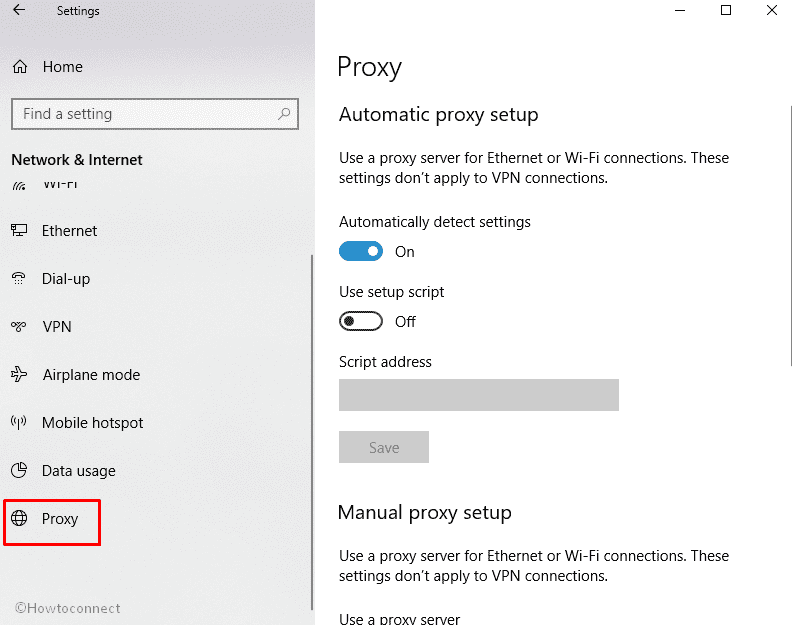
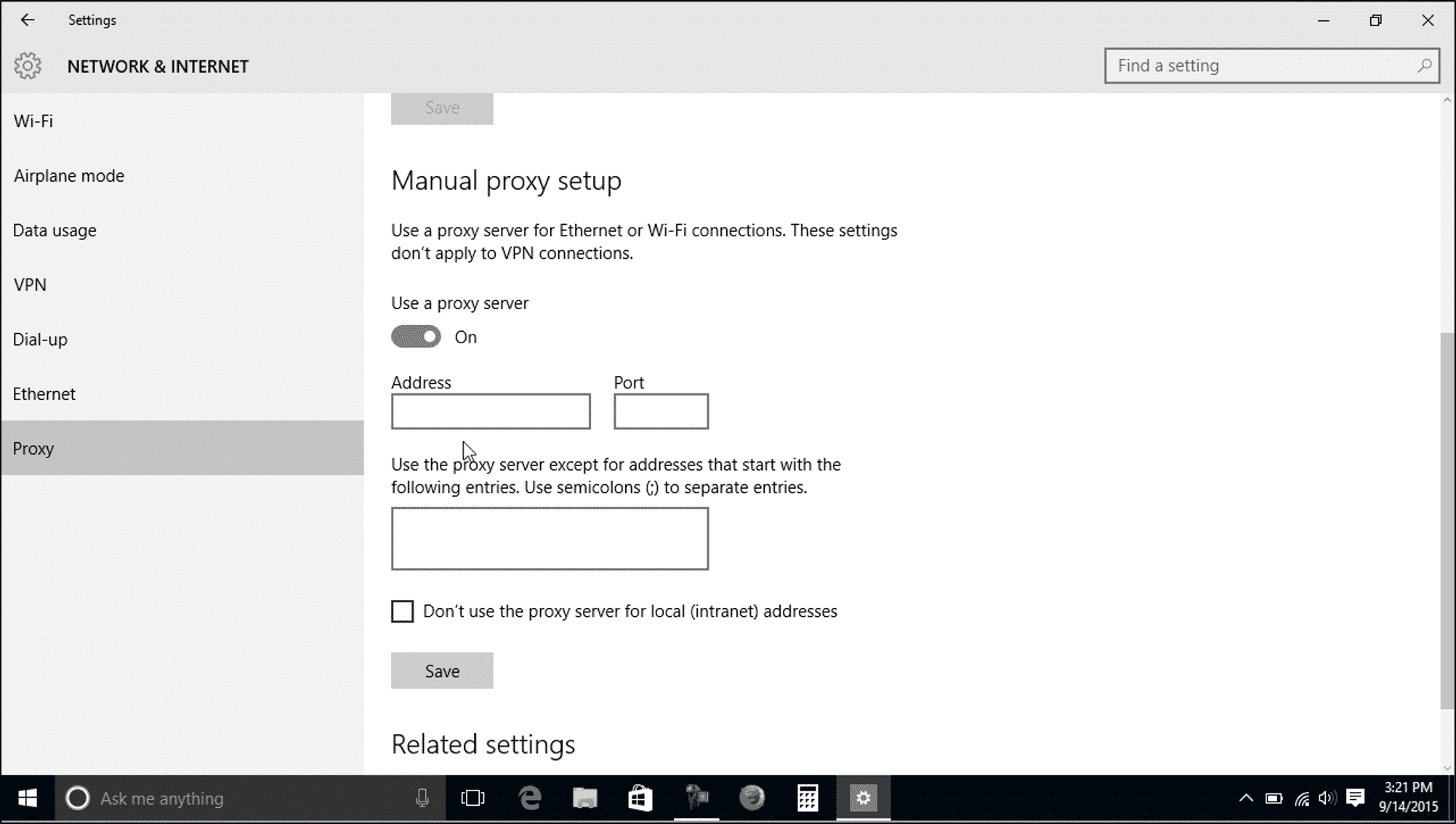
Web Apr 27 2021 nbsp 0183 32 Network amp Internet in Windows 10 s Settings Here you find several subsections with settings The last one should be named Proxy To change the proxy settings in Windows 10 click or tap on it Two separate sections can be configured on the right Automatic proxy setup and Manual proxy setup
Web Manually You ll need to know the proxy server name or IP address and port optional If you don t have this information you might need to contact your IT department Note If you re using a VPN connection and it uses a proxy server you ll need to set it up separately for that VPN connection Web Visit Website Understanding Proxy Servers Proxy acts as a middleman of two or more parties preventing unauthorized parties from accessing your information and preserving anonymity Setting up proxy servers helps safeguard your data and control resource or location access
Web Nov 27 2018 nbsp 0183 32 3 Answers Sorted by 2 What the GPO does is setting the value ProxySettingsPerUser of the registry key HKLM Software Policies Microsoft Windows CurrentVersion Internet Settings Enabled is 0 disabled is 1 Reference Make proxy settings per machine rather than per user