Change Pdf Security How To Change PDF Security How To Change PDF Security Settings After Sending YouTube How To Change PDF Security Foxit Reader Update Settings Horaholic How To Change PDF Security Settings X Ways How To Add Security Web Oct 30 2023 nbsp 0183 32 Documents can be secured in several ways To view the security settings of a document press Ctrl D Windows or Cmd D macOS in Acrobat or Acrobat
Web Encrypt your PDF with a password to keep sensitive data confidential Select PDF file or drop PDF here Encrypt and protect PDF with a password to safeguard sensitive information Secure your PDF files Web Free online tool to password protect PDF files and to set PDF security settings No quality loss Without installation Without registration PDF24 Tools All tools PDF24 Creator Besides the password I can also set
How To Change PDF Security Settings X Ways How To Add Security How To Change PDF Security Settings Easily How To Change PDF Security Settings Easily How To Change PDF Security Settings Easily Protect PDF Protect Your PDF Documents Online Password Protect PDF How To Change PDF Security Settings After Sending Locklizard How To Change PDF Security Settings Easily How To Change PDF Security Settings After Sending Locklizard How To Change PDF Security Settings Easily
Change Pdf Security
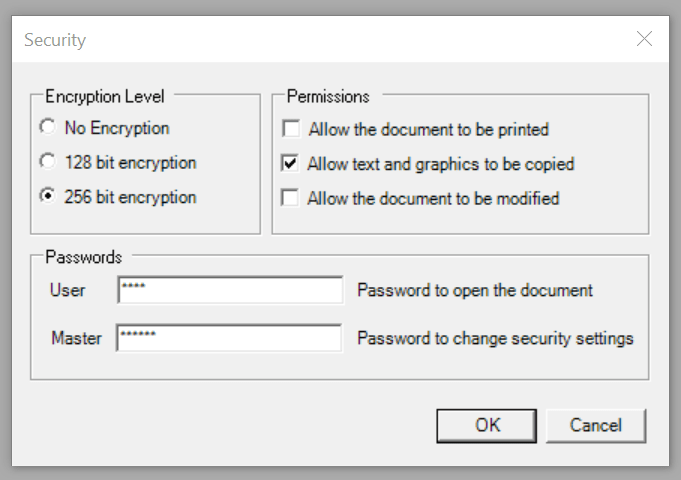 Change Pdf Security
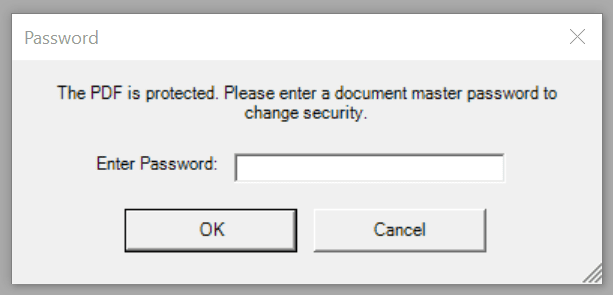
https://www.win2pdf.com/doc/images/win2pdf-desktop-pdf-security-settings.png
Web Choose File or drop PDF here Try our easy to use online tool to remove passwords from PDFs Unlocking a PDF with Smallpdf is fast secure and free No sign up needed
Templates are pre-designed files or files that can be utilized for various purposes. They can conserve time and effort by supplying a ready-made format and design for creating various sort of content. Templates can be utilized for personal or expert tasks, such as resumes, invitations, leaflets, newsletters, reports, presentations, and more.
Change Pdf Security

S H r ndrar Du Integritetsinst llningarna F r En PDF fil
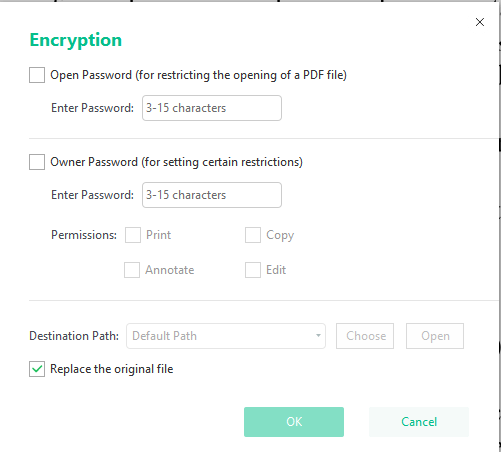
How To Change PDF Security Settings Easily

How To Change PDF Security Settings Easily
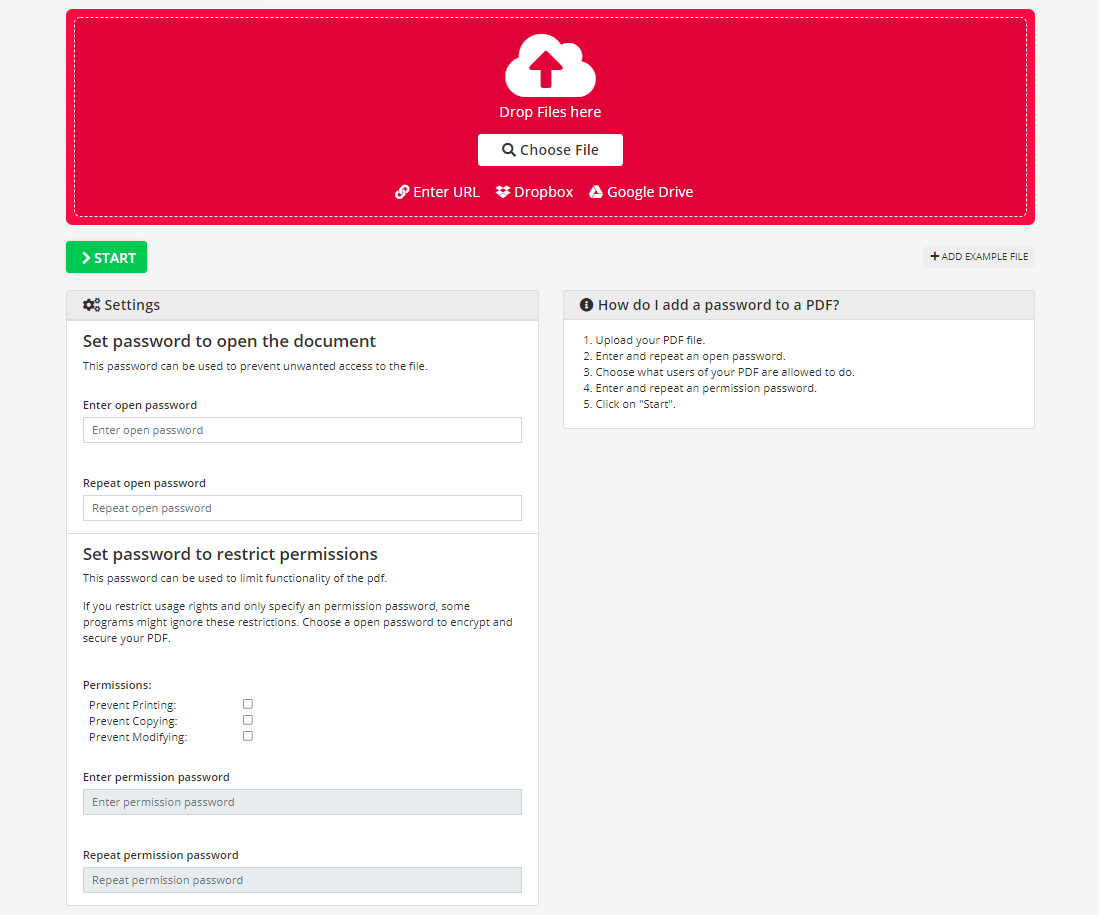
How To Change PDF Security Settings Easily

How To Change PDF Security Settings After Sending Locklizard
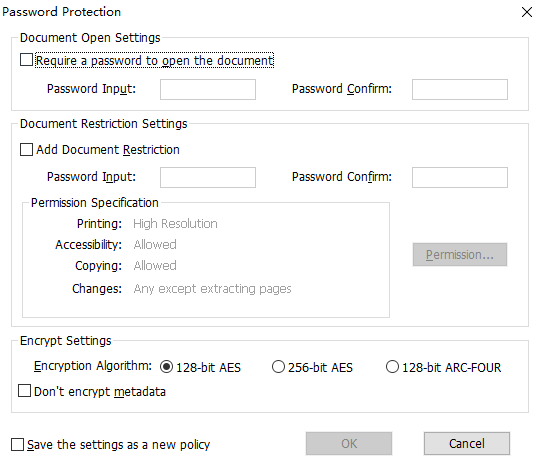
How To Change PDF Security Settings Easily
Web May 23 2023 nbsp 0183 32 You can remove security from a PDF if you have the document password If the PDF is secured with a server based security policy only the policy author or a

Web Oct 30 2023 nbsp 0183 32 Introduction to Acrobat Workspace Creating PDFs Editing PDFs Scan and OCR Forms Combining files Sharing reviews and commenting Saving and exporting
Web Open a file in Acrobat and choose Tools gt Protect Select whether you want to restrict editing with a password or encrypt the file with a certificate or password Set
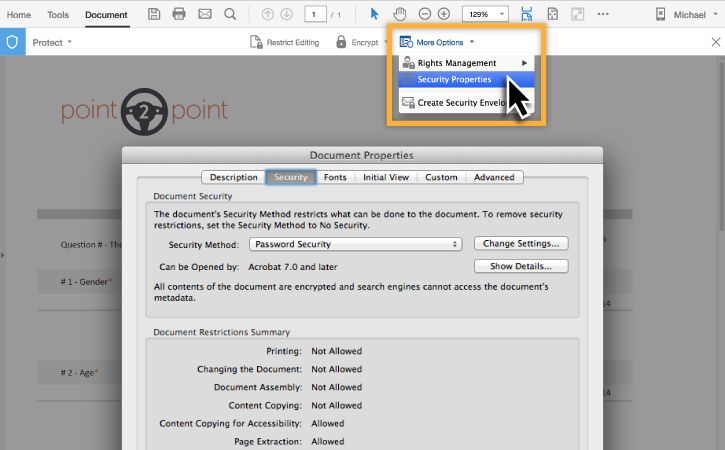
Web May 23 2023 nbsp 0183 32 For a PDF Portfolio open the PDF Portfolio and choose View gt Portfolio gt Cover Sheet If you are using a server policy choose Tools gt Protect gt More Options gt

Web May 23 2023 nbsp 0183 32 Here are some examples You want only certain people to view your PDF The easiest solution is to add a password to the PDF and send it to your intended
Web Lock your PDF to secure it and prevent unwanted editing no sign up or installation needed Just drag and drop your file and protect it with a password in seconds TLS Web Oct 16 2023 nbsp 0183 32 There are three major methods to change security settings in a PDF Here we ll explore two effective approaches to update PDF security settings Method 1 Using
Web Unlock PDF Remove PDF password security giving you the freedom to use your PDFs as you want Select PDF files or drop PDFs here Remove PDF password online Remove