Change Password Mysql Root Mac Change Root Password For Mysql Mac Sacegetiodicon s Diary Nick Frostbutter Change MySQL Root Password From The Command Line How To Reset MySQL Or MariaDB Root Password In Linux How To Change The MySQL Root Password Oudel Inc How To Change Root Password Of MySQL Or MariaDB In Linux Try 1 Enter all the possible passwords MySQL u root h localhost p Enter password I ve tried almost 10 possible passwords I got ERROR 1045 28000 Access denied for user root localhost using password NO Try 2 Enter possible passwords MySQL u root h localhost I got
How to Reset MySQL root password on your Mac Here s a quick how to reset mysql root password on your mac tech tutorial 1 Stop the mysqld server Typically this can be done by from System Prefrences MySQL Stop MySQL Server 2 Start the server in safe mode with privilege bypass From a terminal Reset MySQL Root Password on MAC Step1 Stop MySQL Server Make sure the status of MySQL Server located in macOS System Preferences Panel is in red means stopped If it is in green means running you must top it by clicking the Stop MySQL Server button Step2
How To Change Root Password Of MySQL Or MariaDB In Linux How To Change MySQL Root Password In Linux Or Windows Mysql Client On Windows 64 Bit MySQL Change Root Password NixCraft How To Change Root Password Of MySQL Or MariaDB In Linux How To Reset MySQL MariaDB Database Root Password How To Change MySQL Root Password In WHM YouTube MySQL Change Root Password KeyCDN Support How To Reset Change The MySQL Root Password On Ubuntu 20 04 22 04
Change Password Mysql Root Mac
 Change Password Mysql Root Mac
https://gblobscdn.gitbook.com/assets/user-guides/-LrikiEWllOypD1OZ51U/-Lril4ueFpBk8F_8aQRw/1.png?alt=media
22 Answers Sorted by 572 If this is NOT your first time setting up the password try this method mysql UPDATE mysql user SET Password PASSWORD your new password WHERE User root And if you get the following error there is a high chance that you have never set your password before
Templates are pre-designed files or files that can be utilized for numerous purposes. They can save effort and time by providing a ready-made format and layout for producing various sort of content. Templates can be utilized for individual or expert jobs, such as resumes, invitations, leaflets, newsletters, reports, discussions, and more.
Change Password Mysql Root Mac

How To Change MySQL Root Password Easily In 2020
How To Change MySQL Root Password In Linux Or Windows

Mysql Client On Windows 64 Bit

MySQL Change Root Password NixCraft

How To Reset MySQL MariaDB Database Root Password

How To Change MySQL Root Password In WHM YouTube

To set up a root password for the first time there are two ways to go about it Use the mysql secure installation command This command will ask for both the old and new MySQL root password and will also conduct some other security settings including disabling the test database Here is how
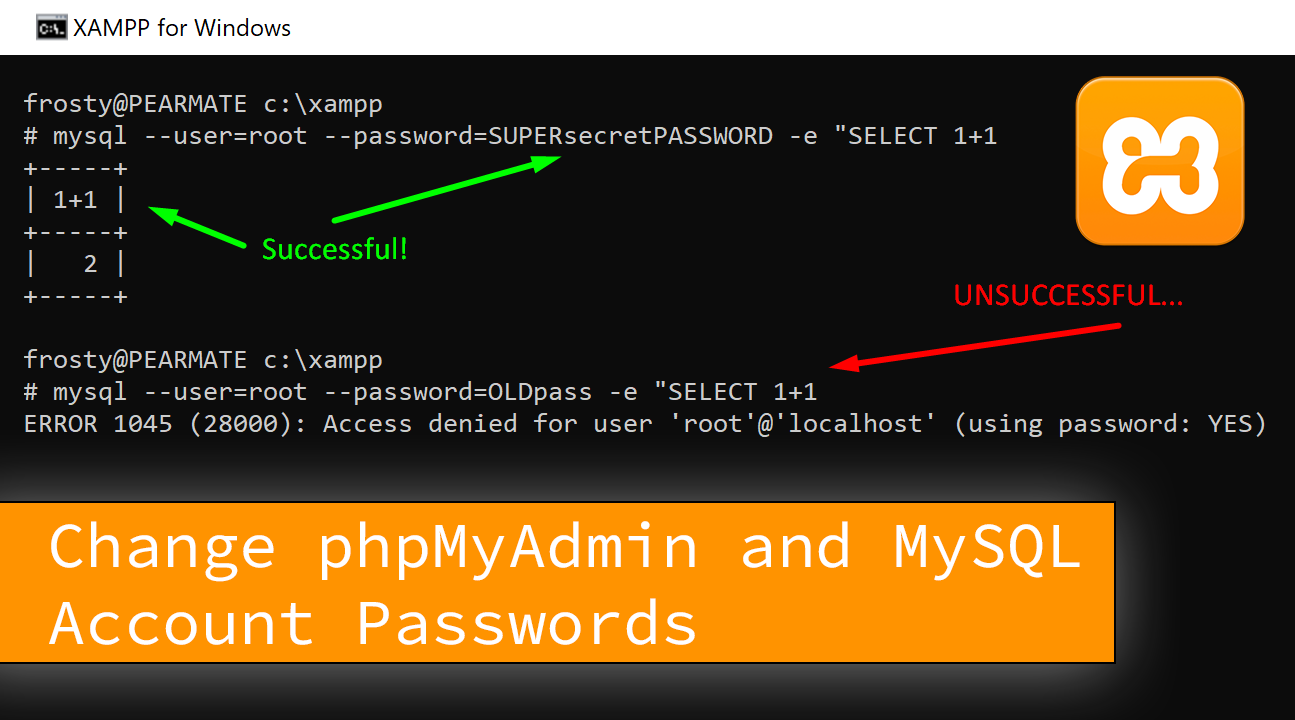
2 Answers Sorted by 3 Depending on what you re using to run MySQL you could take a look at the official instructions If you re using MAMP or something similar you need to find where mysqladmin is located Applications MAMP Library bin mysqladmin u root p password somepassword
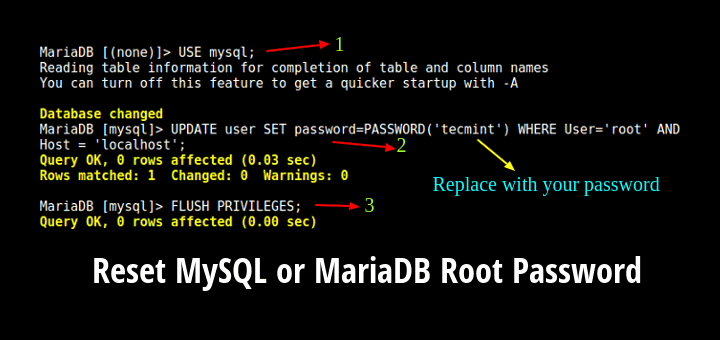
Replace the password with the password that you want to use ALTER USER root localhost IDENTIFIED BY MyNewPass Save the file This example assumes that you name the file C mysql init txt Open a console window to get to the command prompt From the Start menu select Run then enter cmd as the command to be run
Setting the MySQL Root User Password on Mac OS Server by DIY Chris in MySQL Reference Regardless of how you found your way to this post your end goal must be to set or reset the root user password for your MySQL installation on Mac OS
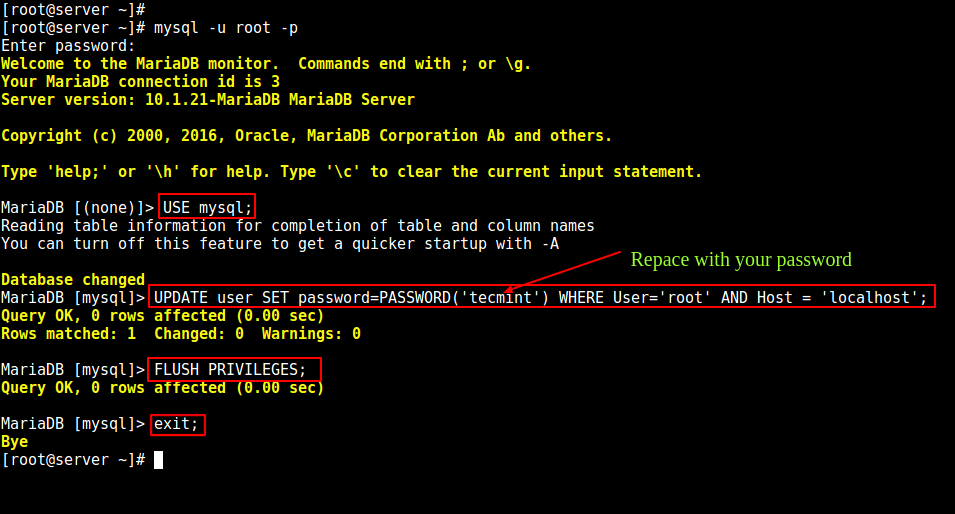
Change MySQL Root Password on Mac Habdul Hazeez Jun 06 2022 MySQL MySQL Root Install XAMPP for OSX Confirm the root User Has No Password Change the root User Password Using an SQL ALTER Statement Log in With Your New root User Password This article teaches you how to change the MySQL root user password on OSX
For MySQL 5 7 5 and older as well as MariaDB 10 1 20 and older use SET PASSWORD FOR root localhost PASSWORD new password Make sure to replace new password with your new password of choice Note If the ALTER USER command doesn t work it s usually indicative of a bigger problem How do I change the password of the MySQL root user Open the macOS Terminal Application located in your Applications Utilities directory Enter the following command line Applications MAMP Library bin mysqladmin u root p password NewPassword Replace NewPassword with your new password
188 I have been trying to reset my MySQL root password I have run mysqld safe skip grant tables updated the root password and checked the user table to make sure it is there Once restarting the MySQL daemon I tried logging in with the new root password that I just set and still get Access denied for user root errors