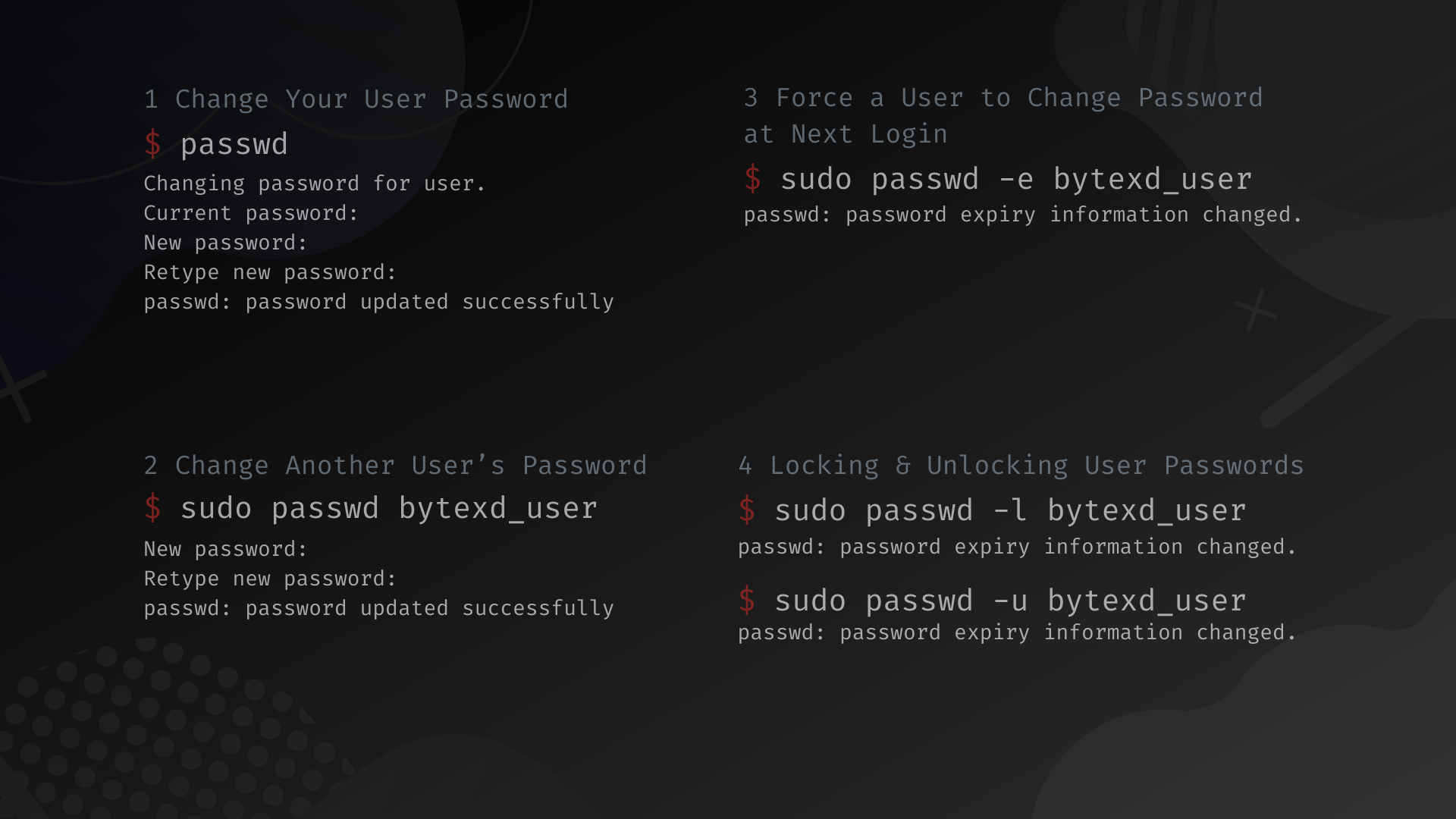
Change Password For Different User Linux How To Change User Password In Linux ByteXD Secure Your Accounts With Passphrases Bay Area IT Services Support Cybersecurity Xantrion I9 Mini Wireless Keyboard With Touchpad And Multimedia Keys For Android TV Box Smart TV HTPC PS3 Tips To Protect Yourself From Identity Theft And Internet Scams How To Set Or Change User Password In Linux NixCraft Web sudo passwd User2 Adding the username after the passwd command tells the command that you are changing a different user s password and not your own The following prompts display Enter new UNIX password Retype new UNIX password passwd password updated successfully
Web Sep 21 2006 nbsp 0183 32 The procedure is as follows Open the Linux terminal application Type following passwd command command to change your own password passwd Sample Outputs Changing password for vivek current UNIX password Enter new UNIX password Retype new UNIX password passwd password updated successfully Web Jan 1 2021 nbsp 0183 32 The passwd command changes passwords for user accounts A normal user may only change the password for their own account while the superuser may change the password for any account passwd also changes the account or associated password validity period This task is achieved through calls to the Linux PAM and libuser API
How To Set Or Change User Password In Linux NixCraft Solved Run Part Of A Bash Script As A Different User 9to5Answer How To Implement 2022 NIST Password Updates Into Your Policy Updated For 2023 NIST Password Guidelines The New Requirements You Need To Know AuditBoard The Evolution Of The NIST Password Complexity Rules Solved Run Mysqld Under A Different User linux 9to5Answer Why You Don t Need 27 Different Passwords Malwarebytes Labs PassCode Het Root Wachtwoord Wijzigen In Linux met Afbeeldingen Wiki How To Nederlands
Change Password For Different User Linux
 Change Password For Different User Linux
https://bytexd.com/wp-content/uploads/2021/12/How-to-Change-User-Passwords-in-Linux.png
Web Jan 21 2019 nbsp 0183 32 To change the password of another user account run the passwd command followed by the username For example to change the password of a user named sansa run the following command sudo passwd sansa You will be prompted to enter and confirm the new password Enter new UNIX password Retype new UNIX
Pre-crafted templates use a time-saving solution for creating a varied range of documents and files. These pre-designed formats and layouts can be made use of for different personal and expert tasks, consisting of resumes, invites, flyers, newsletters, reports, discussions, and more, improving the content development procedure.
Change Password For Different User Linux
How To Change User In Linux Command Line

Solved Run Part Of A Bash Script As A Different User 9to5Answer

How To Implement 2022 NIST Password Updates Into Your Policy Updated For 2023

NIST Password Guidelines The New Requirements You Need To Know AuditBoard

Solved Run Mysqld Under A Different User linux 9to5Answer

Why You Don t Need 27 Different Passwords Malwarebytes Labs
Web Jul 25 2023 nbsp 0183 32 How to Change Passwords for Other Users in Linux The bash passwd command can also change the password of another user account in the system To do so follow the steps above Log in as the root user and use the passwd command followed by the user s name passwd username
Web Mar 28 2017 nbsp 0183 32 2 Answers Yes it is possible provided that the user changing the other users password has the appropriate privileges normally granted by being root or sudo A regular user can t simply change another users password without elevated privileges or access to their existing account of course

Web Nov 15 2019 nbsp 0183 32 The chage Command Changing an Account Password in GNOME Stay Safe Stay Secure Passwords have been a keystone of account security for 60 years predating Unix by nearly a decade Learn how to use either the command line or the GNOME desktop environment to manage your passwords in Linux How to Choose a

Web Feb 13 2022 nbsp 0183 32 How to Change your Password in Linux 1 Open a terminal 2 Type in the passwd command to start the password change process Passwd may look like a spelling mistake but it is 3 Type in your current password and press Enter 4 Type in your new password press Enter Then type it in again to

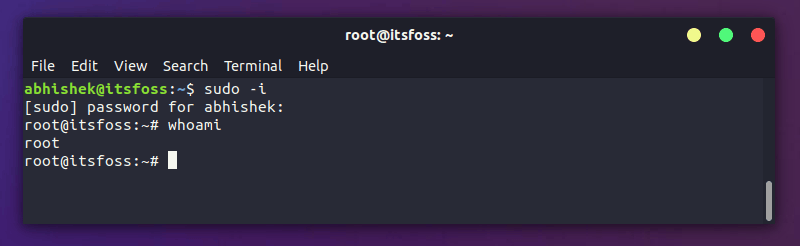
Web May 5 2012 nbsp 0183 32 The passwd command also changes the account or associated password validity period First login as the root user Use sudo s or su command to login as root To change password of specific user account use
Web Jul 24 2023 nbsp 0183 32 Changing a User Password in Linux Changing a user password is not that hard just use the passwd command to change the password of your own account it could be a root user or regular user Now you need to enter your old password as this is to prevent others from changing your password Web Dec 12 2022 nbsp 0183 32 To change the password for the currently logged in user you can use the passwd command Open a terminal window Type passwd and press Enter This will allow you to change the password for the specified user Note that you will need to have administrative privileges to do this When prompted enter the new password for the user
Web Jan 19 2018 nbsp 0183 32 passwd is a basic Unix command that changes user s password and lets you manage other aspects of password and account lock account delete password and report password status Change your own user password with passwd If you just type passwd the command will assume that you want to change your own password