Change Password Command Macos Change Macos Password Bdadisney Macos Windowserver Imafer How Do Web Apps Work On MacOS Sonoma Explanation Breaking Latest News MAMP PRO macOS Documentation FAQ MySQL How Can I Change The How To Change Mac Login Password In MacOS Ventura Appsntips Official Help Center where you can find tips and tutorials on using and other answers to frequently asked questions
Change settings quickly on your Android phone Find amp delete files on Android Add apps shortcuts amp widgets to your Home screens Get to know your Android phone Learn how to use your Google is stuck as my homepage Google won t change your homepage settings without your permission Reset your homepage Choose a browser above then follow the steps to replace
How To Change Mac Login Password In MacOS Ventura Appsntips How To Change My Password In The JivoChat App How To Reset Or Change A Password On Your IPhone How To Change Your Password Blobbackup How Can I Update My Login Details PayHero Support Centre Server Start Command Code Snippet YouTuber Si Postavil Unik tn Po ta Do Kapsy B Na N m MacOS Big Chrome 86 To Feature Improved Password Reset Capabilities GHacks Tech How To Change Password In Windows RDP Session RemotDesktop
Change Password Command Macos
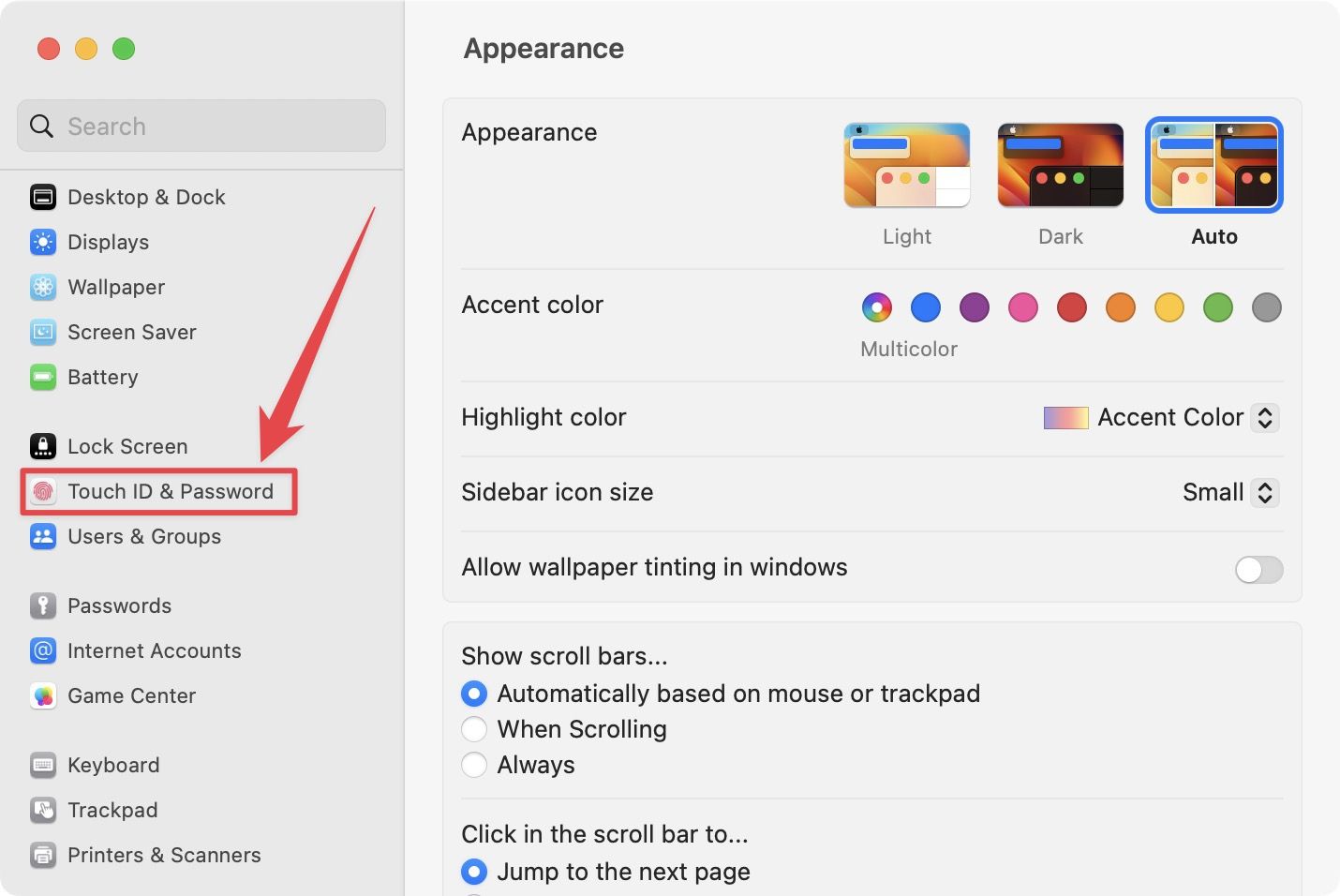 Change Password Command Macos
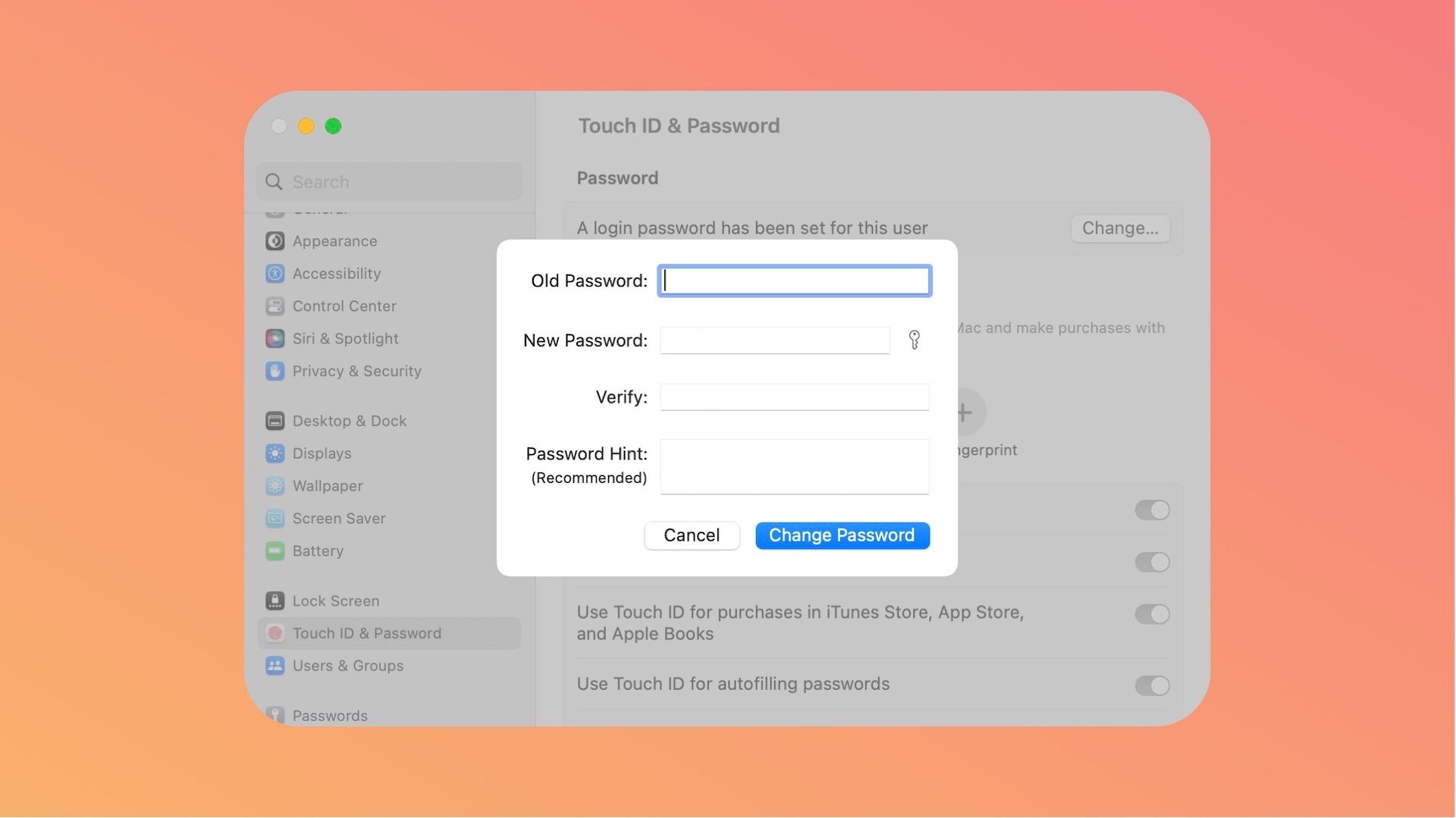
https://www.appsntips.com/content/images/2022/09/Change-Mac-login-password-in-macOS-Ventura-2.jpg
Official Google Chrome Help Center where you can find tips and tutorials on using Google Chrome and other answers to frequently asked questions
Templates are pre-designed files or files that can be utilized for various functions. They can conserve effort and time by offering a ready-made format and layout for developing different kinds of content. Templates can be utilized for individual or professional projects, such as resumes, invitations, leaflets, newsletters, reports, presentations, and more.
Change Password Command Macos

How To Change Account Password Using Command Prompt On Windows 10
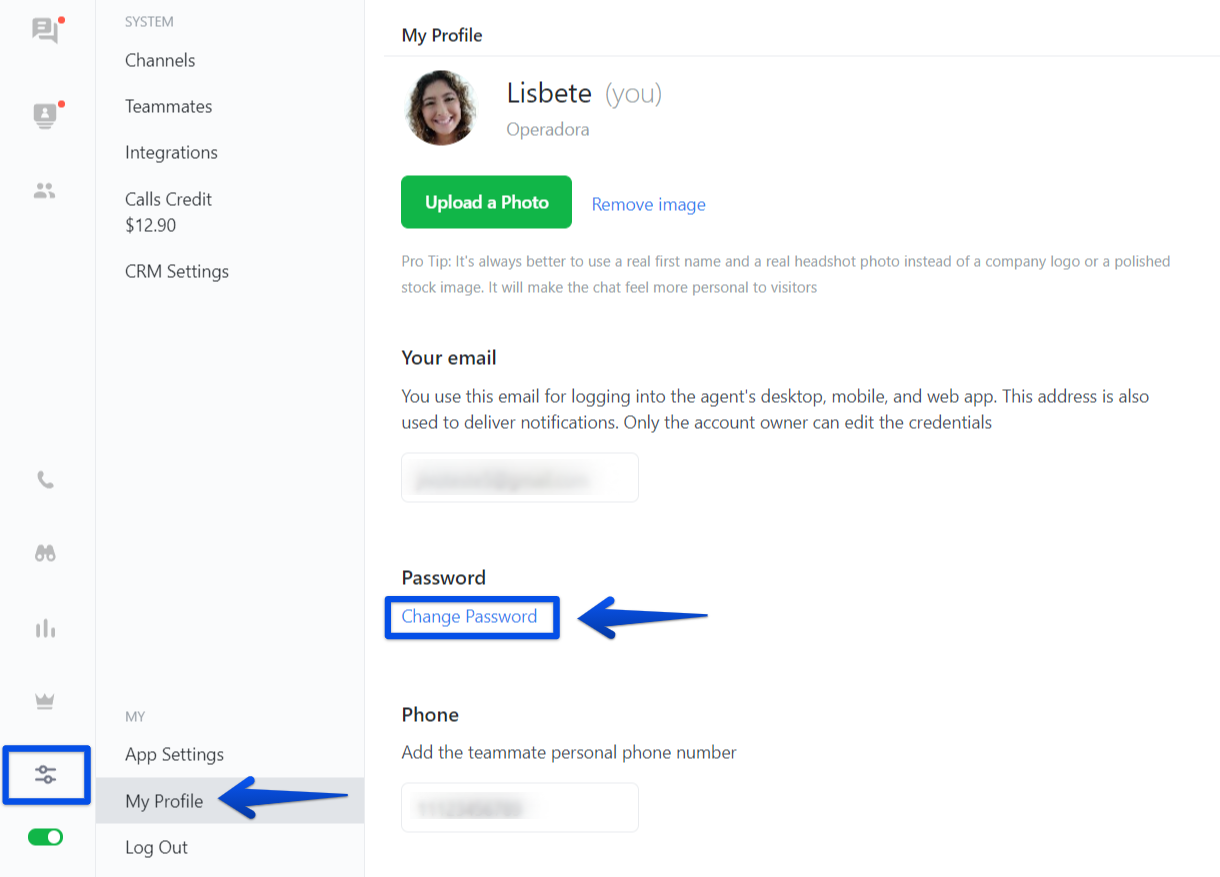
How To Change My Password In The JivoChat App
How To Reset Or Change A Password On Your IPhone
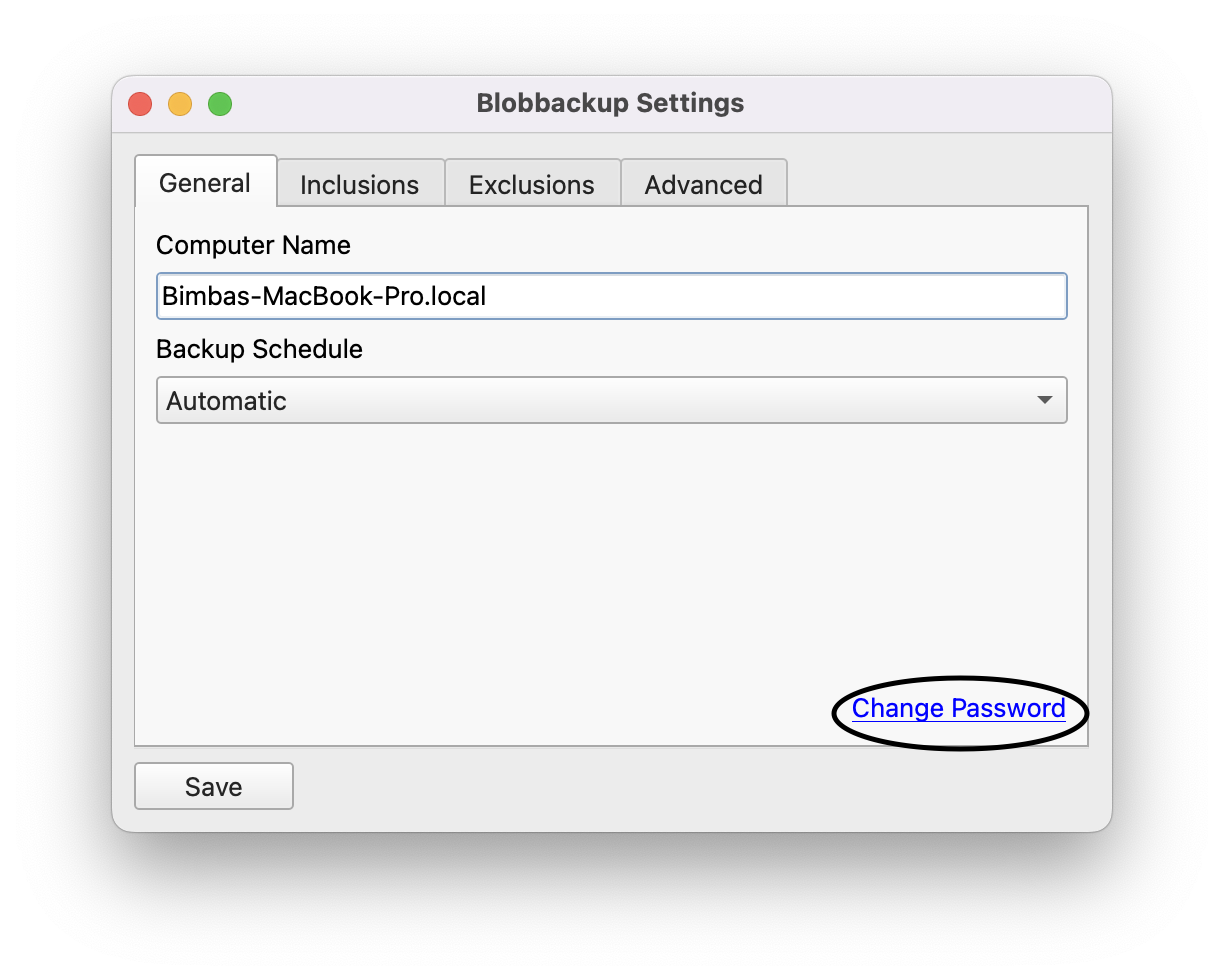
How To Change Your Password Blobbackup

Server Start Command Code Snippet

YouTuber Si Postavil Unik tn Po ta Do Kapsy B Na N m MacOS Big
On your computer go to Gmail In the top right click Settings See all settings At the top choose a settings page such as General Labels or Inbox Make your changes After you re done with
To make sure the change applied to the correct file types review the list below the quot Set default quot button To easily open Chrome later add a shortcut to your taskbar

change of change in quot Change of quot quot change in quot

Enter your new password then select Change Password Change password Reset your password Follow the steps to recover your account You ll be asked some questions to confirm it s your
You can change delete and add a backup payment method to make sure your membership stays active Make sure you use an accepted payment method
[desc-11] [desc-12]
[desc-13]