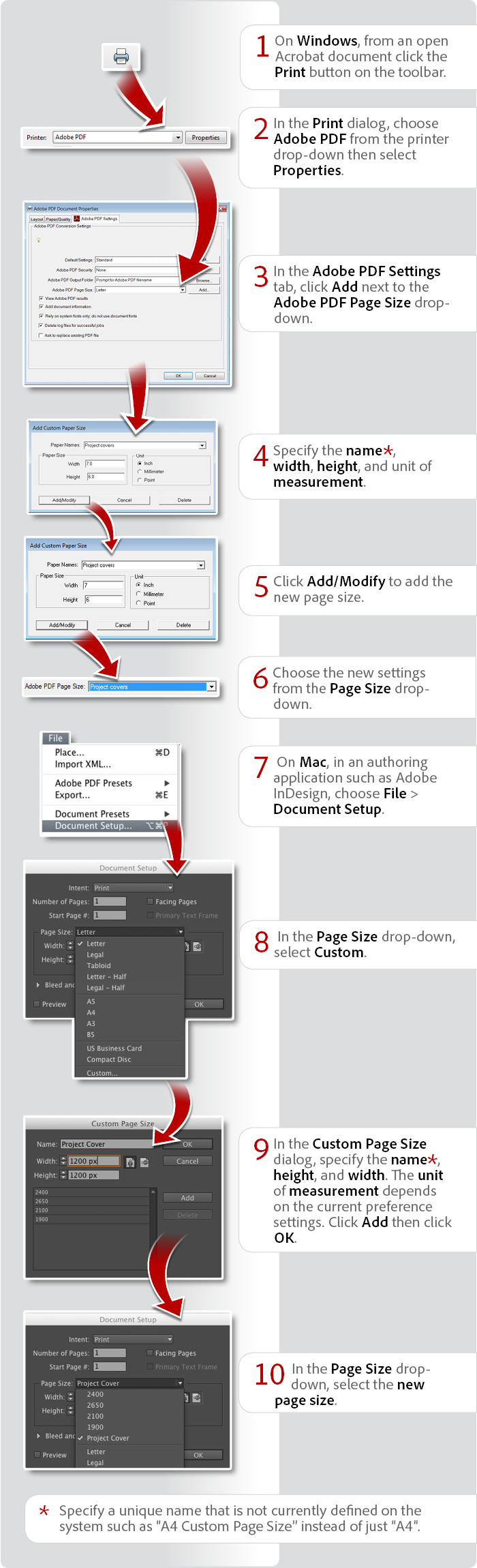
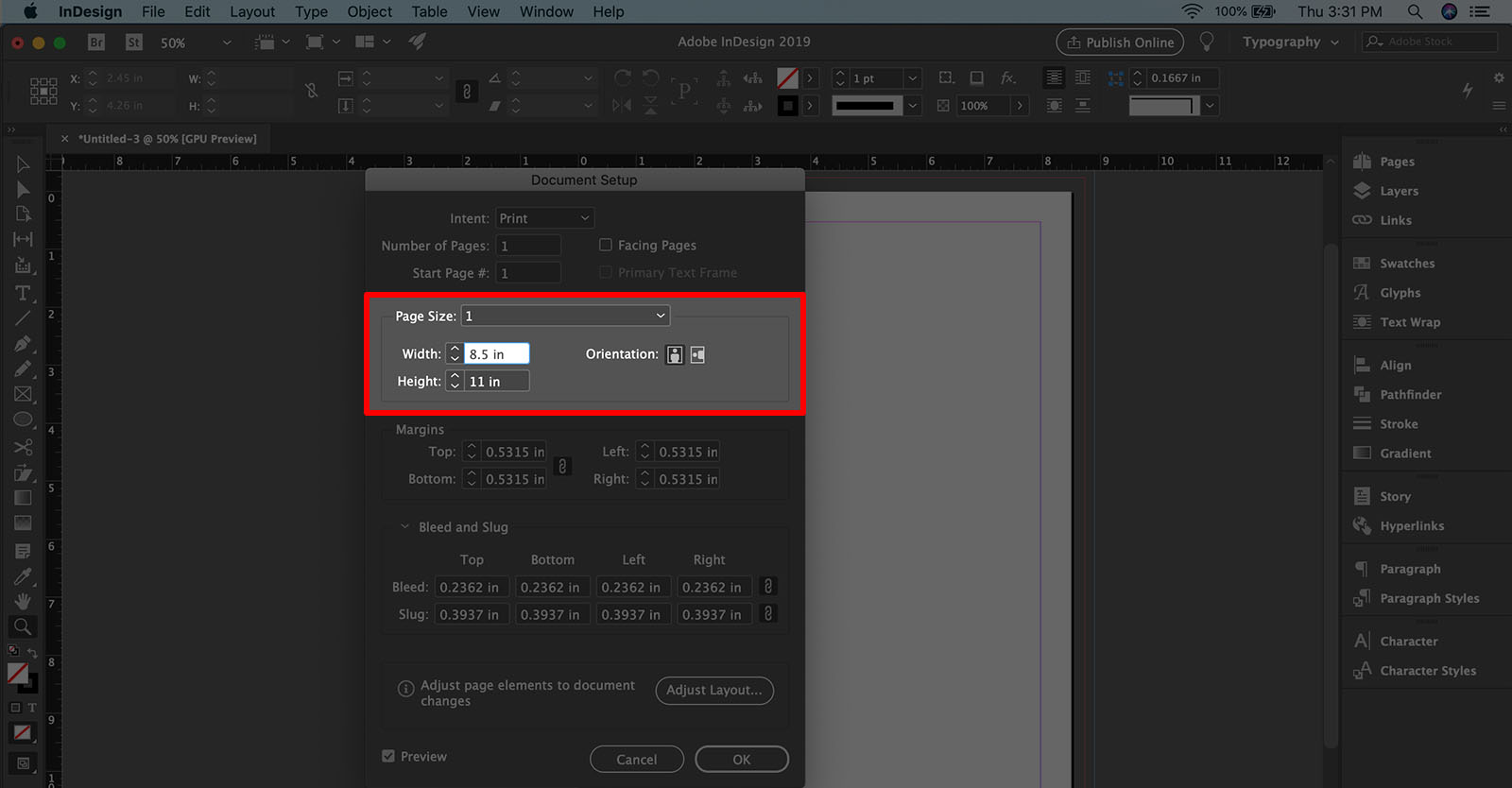
Change Page Size Adobe Reader How To Reduce Size Of Pdf Using Acrobat Reader 2017 Likosmarine Methods To Change PDF Page Size In Adobe Acrobat How To Change Page Size In Adobe InDesign Tutorial YouTube How To Change Page Size In Adobe InDesign Imagy Adobe Acrobat Dc Change Page Size Telecomyellow How to change the size of a PDF page Open the PDF file with Acrobat on Mac Go to Tools Print Production Select Preflight from the right pane In the Preflight dialog box click Select single fixups Now expand the heading that says Pages
Open the document with pages you want to resize by cropping and click the Page Thumbnails tab Resize the panel s width and thumbnail size as needed To check a page s size click the thumbnail to display the page Move your mouse to the bottom left of the document window to see dimensions in a tooltip or on the status bar Select View Zoom Pan zoom Perform any of the following actions Drag the handles of the box in the Pan Zoom window to change the document s magnification Drag the center of the box to pan across the desired area of the document Click the navigation buttons to move to a different page
Adobe Acrobat Dc Change Page Size Telecomyellow How To Add And Format Text In PDFs With Adobe Acrobat Digital Adobe Reader Download How To Reduce PDF File Size Adobe Reader YouTube Rutgers Camden Admissions Office Hours Printable Robot Themed Paper Crowns Artsy Craftsy Mom Create Your Own Easter Themed Paper Headband Print Cut Glue How To Reduce Page Size Pdf Adobe Reader 9 Stashokstand Printable Robot Themed Paper Crowns Artsy Craftsy Mom
Change Page Size Adobe Reader
 Change Page Size Adobe Reader
https://acrobatusers.com/assets/uploads/tutorials/2090/custompage_2.jpg
1 Correct answer try67 Community Expert Oct 02 2020 Go to File Properties Initial View and change the Magnification level Also you can check application preference as well goto Edit Menu Preference Page Display And try Zoom Upvote Translate Jump to answer 1 Reply Jump to latest reply Correct answer by try67 Community Expert
Templates are pre-designed files or files that can be used for various purposes. They can save time and effort by providing a ready-made format and design for producing various type of content. Templates can be used for individual or expert tasks, such as resumes, invitations, leaflets, newsletters, reports, presentations, and more.
Change Page Size Adobe Reader
Change Font Size In Fillable Pdf Form Foxit Printable Forms Free Online

How To Add And Format Text In PDFs With Adobe Acrobat
Digital Adobe Reader Download
How To Reduce PDF File Size Adobe Reader YouTube

Printable Robot Themed Paper Crowns Artsy Craftsy Mom

Create Your Own Easter Themed Paper Headband Print Cut Glue
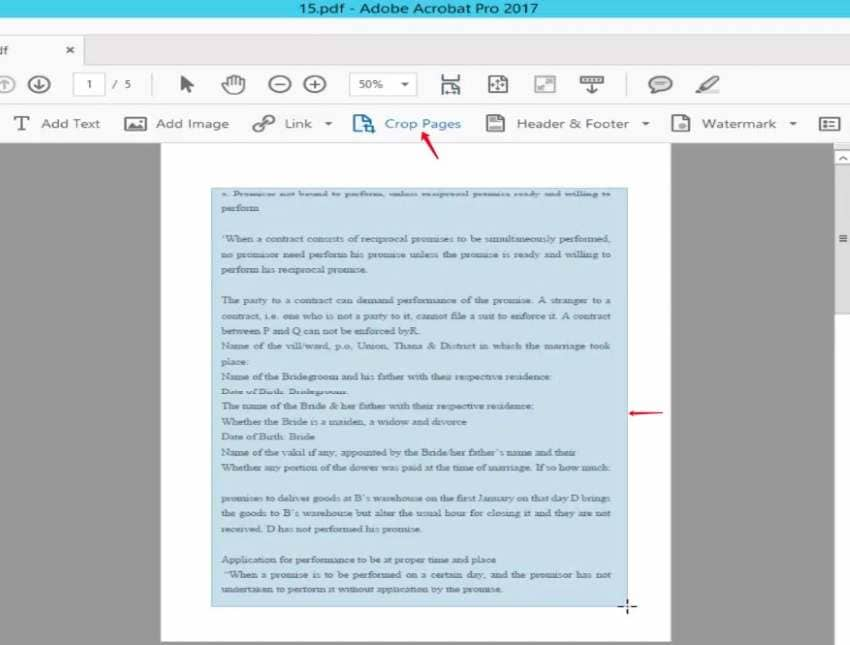
3 Correct answers damond57764072 New Here Dec 09 2016 Under edit PDF find the crop tool Draw a box around your page doesn t matter what size and hit enter In the dialog box that opens on the bottom left is Change Page Size Select custom and change the page to the size you desire 5 Upvotes Translate Jump to answer
Step 1 Click the Tools option on the Adobe Acrobat DC or the Acrobat Reader DC menu bar Follow by clicking Preferences to bring up the application s Preferences panel Step 2 Switch to the
To open Read mode choose View Read Mode or click the Read Mode button in the floating toolbar To restore the work area to its previous view choose View Read Mode again You can also click the collapse button in the floating toolbar Read mode with floating toolbar View PDFs in Full Screen mode
How to change page format in Adobe Acrobat Reader If you want to change the page format size in Acrobat Reader for different reasons follow these steps Go to Tools Organize Pages Right click the first page Select Crop Pages In the Change Page Size section insert your preferable page sizes

Correct answer by try67
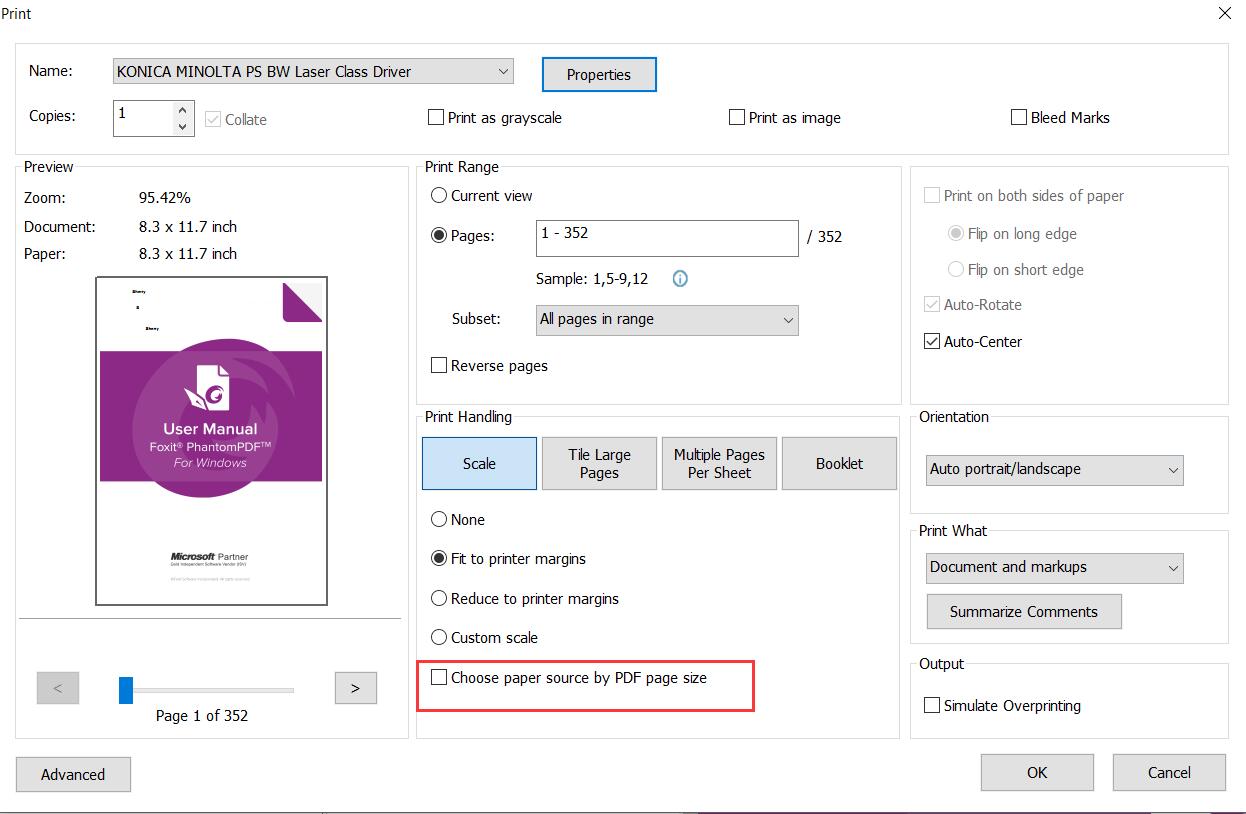
Choose the hamburger Menu Windows or the File menu macOS Print Select Poster Mac OS Choose File Print Reader X Acrobat X Click the Printer button at the bottom of the Print dialog box and then click Yes when prompted Make sure that the Print dialog box is in the expanded mode by clicking Show Details in the Print pop up menu From the Layout menu choose Paper Handling
I therefore have to go to Print Page Setup and change the paper size from Letter to A4 every single time I have to print something As you can imagine this is very annoying and time consuming Question Is there any way to change the defaults of this dialog