Change Multiple Column Names In Excel How To Name Columns In Excel For Office 365 Masteryourtech How To Read An Excel With Dynamic Column Names In Pentaho Stack Overflow Solved How Do You Change Multiple Column Names In A 9to5Answer R Generate Multiple Column Names For Multiple Models Using stargazer Renaming Column Names For Multiple Columns Together Web May 13 2019 nbsp 0183 32 This wikiHow teaches you how to name columns in Microsoft Excel You can name columns by clicking on them and typing in your label You can also change the column headings from letters to numbers under settings but
Web Nov 14 2023 nbsp 0183 32 1 Using Advanced Option to Rename Column in Excel In this method we will hide the default column and row names and set our dataset heading as the column name In the process we will use the Advanced option in Excel Steps Firstly go to the File tab From there select Options Consequently the Excel Options window will pop up Web Split data into multiple columns Sometimes data is consolidated into one column such as first name and last name But you might want separate columns for each So you can split the Sales Rep first name and last name into two columns Select the quot Sales Rep quot column and then select Home gt Transform gt Split Column Select Choose the By
Renaming Column Names For Multiple Columns Together How To Change Column Names In An Excel Sheet HerZindagi Rename Column Names In A Dynamic Way With Excel PowerQuery LaptrinhX How To Change Excel Column Name YouTube Python Extracting Values From Dataframe With Multiple Column Names How To Print The Gridlines And Row And Column Headings In Excel Riset Solved Table Column Names In Excel Online business Caus Power R Generate Multiple Column Names For Multiple Models Using stargazer How To Find Your Name On Multiple Sheets In Excel YouTube
Change Multiple Column Names In Excel
 Change Multiple Column Names In Excel
https://i0.wp.com/masteryourtech.com/wp-content/uploads/2021/09/how-to-name-columns-in-excel-2.jpg?fit=615%2C606&ssl=1
Web Jul 11 2019 nbsp 0183 32 Excel table is a series of rows and columns with related data that is managed independently Excel tables known as lists in Excel 2003 is a very powerful and super cool feature that you must learn if your work involves handling tables of data The most important thing after you create a table Give it a meaningful name Change table
Templates are pre-designed files or files that can be used for numerous purposes. They can save effort and time by supplying a ready-made format and layout for developing different kinds of material. Templates can be used for personal or expert projects, such as resumes, invitations, leaflets, newsletters, reports, presentations, and more.
Change Multiple Column Names In Excel

Dynamically Change Column Names In Excel Template Free Support Forum

How To Change Column Names In An Excel Sheet HerZindagi
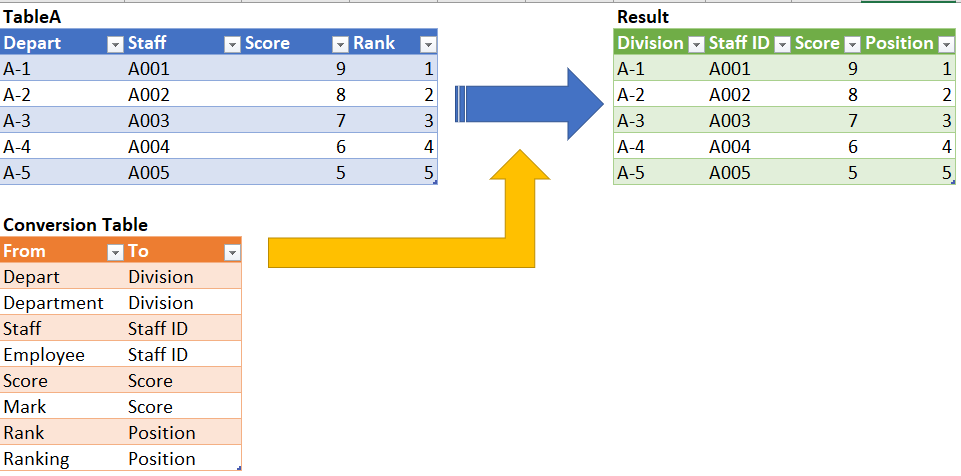
Rename Column Names In A Dynamic Way With Excel PowerQuery LaptrinhX
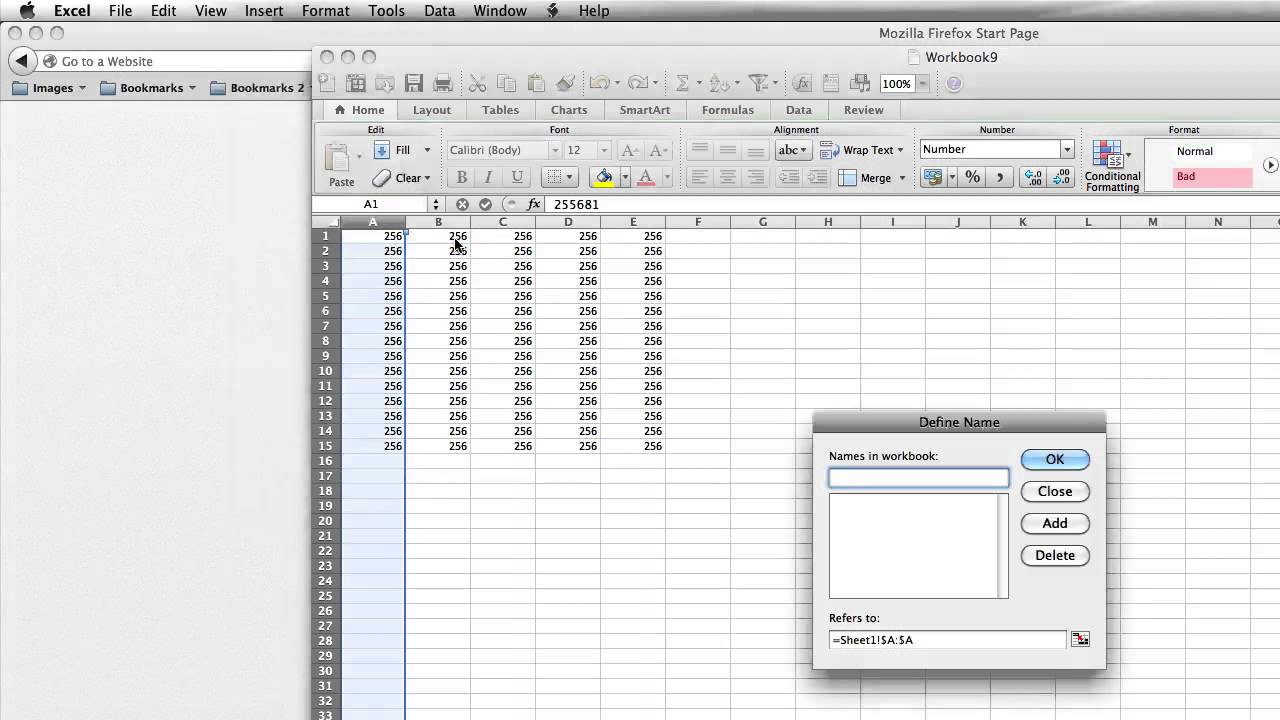
How To Change Excel Column Name YouTube
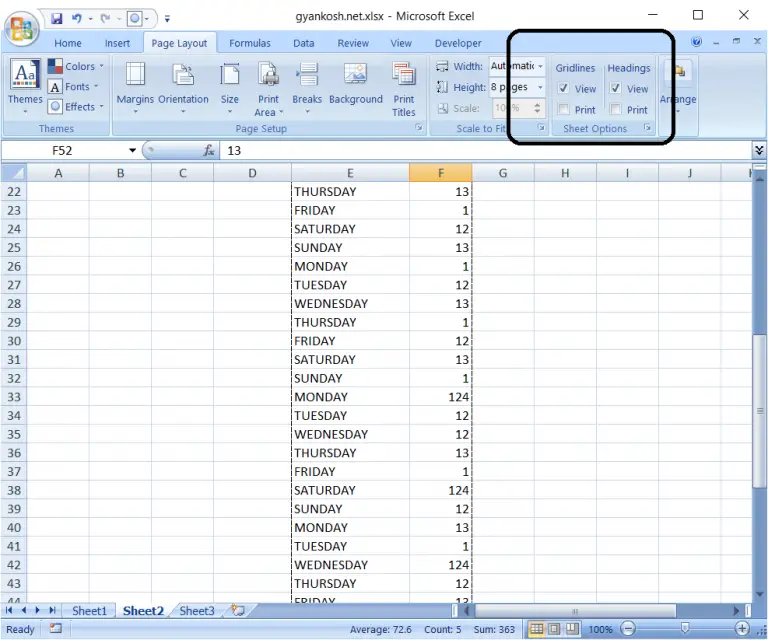
How To Print The Gridlines And Row And Column Headings In Excel Riset

Solved Table Column Names In Excel Online business Caus Power

Web Jul 9 2018 nbsp 0183 32 If you know How to use Excel Macro Sub RangeRename Dim N As Name For Each N In ActiveWorkbook Names N Name WorksheetFunction Substitute N Name quot comp quot quot cons quot Next N End Sub If not Hit Alt F11 Paste the code from above Hit F5 gt Run

Web Aug 23 2017 nbsp 0183 32 1 Press Alt F11 keys to enable the Microsoft Visual Basic for Applications window and click Insert gt Module See screenshot 2 Paste below code to the Module script and press F5 to run the code VBA Rename range names Sub RenameCells Dim n As Name For Each n In ThisWorkbook Names n Name quot KUTOOLS quot amp n Name Next n

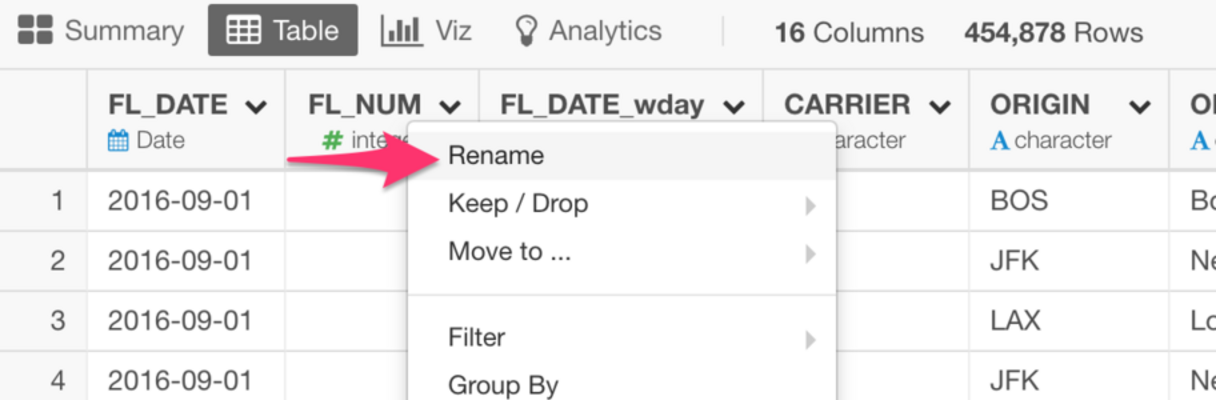
Web A Open the Excel spreadsheet Begin by opening the Excel spreadsheet that contains the column headers you want to change B Select the column header Click on the column header of the column whose name you wish to change The entire column heading should now be highlighted C Right click and choose quot Rename quot

Web May 20 2023 nbsp 0183 32 Yes you can rename multiple columns at once To do so select all the columns you want to rename right click on one of the selected columns and choose Rename When you type in the new name and hit Enter all the selected columns will be renamed with the same name
Web Nov 14 2017 nbsp 0183 32 Set Multiple Named Ranges at the Same Time The simple solution to this is to use a built in feature by Excel called Create from Selection under the Formulas tab within the Named Ranges group Simply select the data that has the names along with the values you want to apply those names to then click on the Formulas tab then Create
Web Jun 30 2023 nbsp 0183 32 Select the cell containing the column header you want to rename Right click on the selected cell and choose Insert from the context menu This will insert a new column and move the existing column to the right Type the desired name for the column in the newly inserted cell Web Jan 23 2020 nbsp 0183 32 From Excel s quot Data quot tab click the quot Text to Columns quot button found in the quot Data Tools quot section This will bring up the quot Convert Text to Columns Wizard quot window and allows you to begin separating your data From the options select the quot Delimited quot radio button and click quot Next quot to continue By default Excel will choose to try and separate your
Web Select the rows and columns containing the range you wish to name On the Formulas tab in the Defined Names group click the Create from Selection command In the Create Names from Selection dialog box check the desired boxes and click OK