Change Last Commit To New Branch Git Show Unpushed Commits My Take On Mindset Tax In Coaching LaptrinhX News Git Create Branch In Local Jawerdu Renaming A Git Branch How To Rename The Current Branch In Git Commit Changes To A Git Branch Delft Stack Web Nov 16 2021 nbsp 0183 32 This command copies commits from one branch to another and is a nice way of picking out commits and moving them to new branches in a clean manner Run git log to find the ID of the commit you want to revert git log Then checkout the feature branch assuming your changes have been committed and run cherry pick git switch
Web Jul 28 2022 nbsp 0183 32 First we move the new commits to a new branch using git branch lt new branch gt This command will create a new branch from the current branch So our new branch will contain everything from the develop branch git branch feature D As a result you will get a new feature branch with the commits you want Web Below we will demonstrate how to move commits in such cases Switching to the existing branch Check out the existing branch with the git checkout command
Commit Changes To A Git Branch Delft Stack How To Write Good Commit Messages Make A Git Commit In Visual Studio Microsoft Learn Does Amending A Commit Change Its Hash Good Commit Vs Your Commit How To Write A Perfect Git Commit How To Change A Git Commit Message LaptrinhX How To Undo Pushed Commits With Git DEV Community How To Commit Changes To A Git Branch Delft Stack Git Revert Studytonight
Change Last Commit To New Branch
 Change Last Commit To New Branch
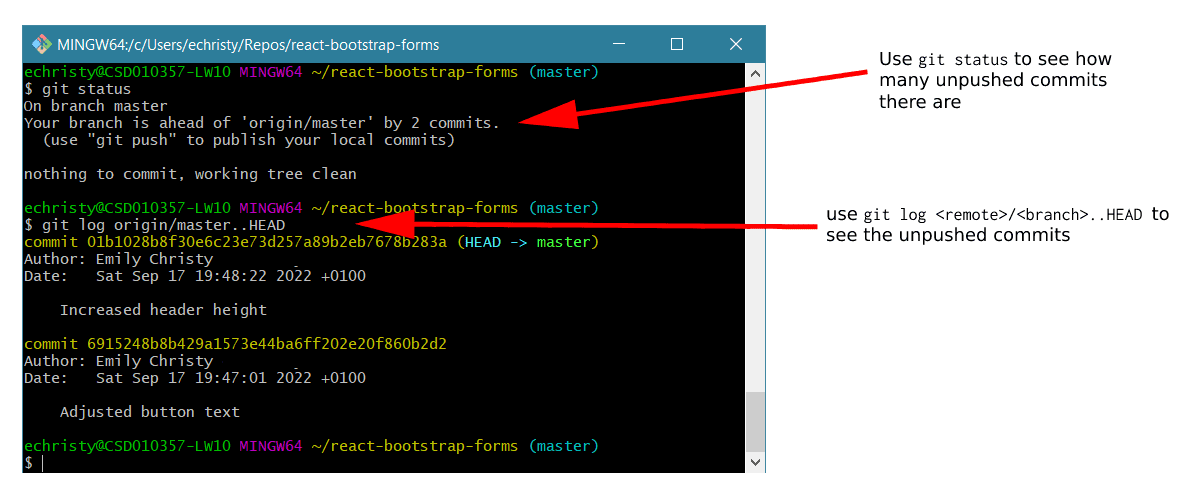
https://www.brainstormcreative.co.uk/wp-content/uploads/git-view-unpushed-commits-1.png
Web Jan 24 2014 nbsp 0183 32 Using the following commands will create a new branch called feature and then hard resets staging and working tree the existing branches HEAD to the previous commit git branch feature git reset hard HEAD 1 or commit SHA1
Templates are pre-designed documents or files that can be utilized for numerous functions. They can conserve effort and time by offering a ready-made format and layout for producing different kinds of material. Templates can be used for personal or expert jobs, such as resumes, invitations, flyers, newsletters, reports, discussions, and more.
Change Last Commit To New Branch

Git Basics Changing Your Last Commit Message
How To Write Good Commit Messages
Make A Git Commit In Visual Studio Microsoft Learn
Does Amending A Commit Change Its Hash
How To Change A Git Commit Message LaptrinhX
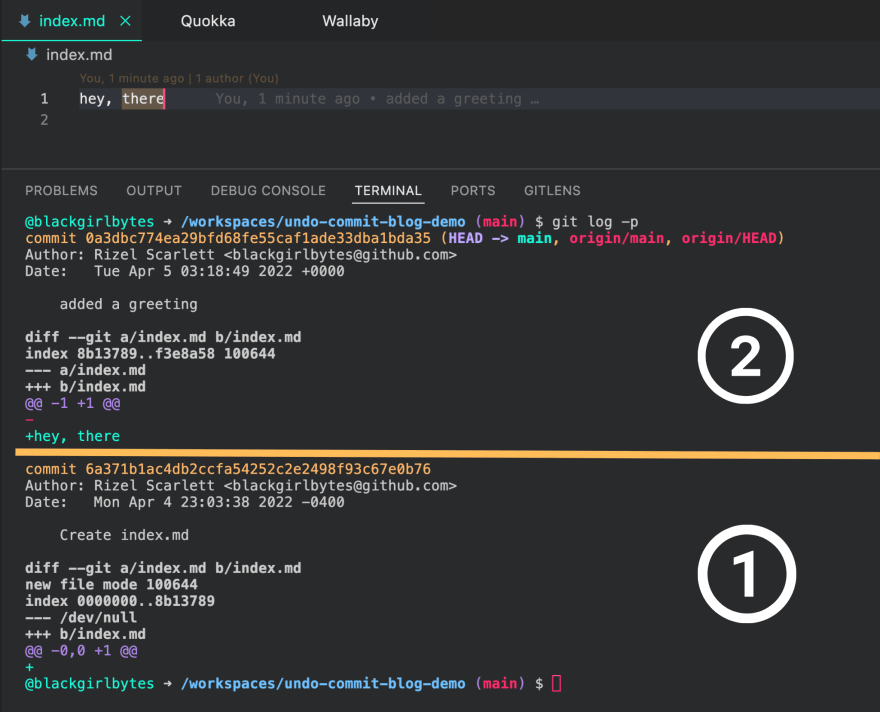
How To Undo Pushed Commits With Git DEV Community

Web The following steps will show you how to move your latest commits to a new branch Create a new branch git branch feature newbranch This will create a new branch including all of the commits of the current branch Move the current branch back two commits git reset keep HEAD 2 Checkout the new branch git checkout

Web Jun 21 2021 nbsp 0183 32 We can do this by git reset hard HEAD and moving the head pointer by one after one commit git reset hard HEAD n will move the master branch n commits before the recent commit and git reset hard lt sha1 commit hash gt will directly move the master branch to the desire commit
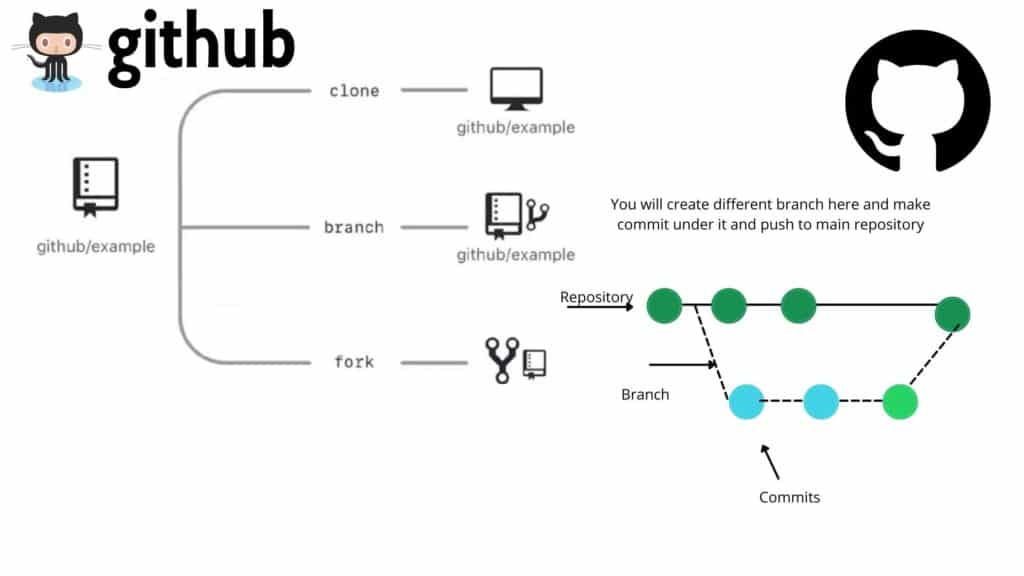
Web May 31 2010 nbsp 0183 32 You can just create a new branch and switch onto it Commit your changes then git branch dirty git checkout dirty And your commit follows Alternatively you can also checkout an existing branch just git checkout lt name gt But only if there are no collisions the base of all edited files is the same as in your current branch

Web Oct 9 2017 nbsp 0183 32 Before Update 2020 Git 2 23 Use the following git checkout b lt new branch gt This will leave your current branch as it is create and checkout a new branch and keep all your changes You can then stage changes in files to commit with git add lt files gt and commit to your new branch with

Web Oct 27 2023 nbsp 0183 32 1 First create a new branch at the current commit using the following command git branch lt new branch name gt For example if you want to create a new branch named feature branch at the current commit you would run git branch feature branch 2 Switch to the new branch using the git checkout command git checkout
Web 1 Answer Sorted by 82 To get from your first diagram master HEAD F to option 1 git branch new Make a new branch pointing at HEAD which is F git reset hard C Move master back to point at C git checkout new Make HEAD follow Web Jul 27 2023 nbsp 0183 32 To commit local changes to a new branch with git we can use the following three steps Create a new branch git switch c new branch This will leave our current branch unedited create a new branch called new branch and we still have our uncommitted changes It s the parameter c that tells git to create a new branch with a
Web Feb 6 2024 nbsp 0183 32 Git Branches 1 Overview Git is a quite popular version control system today In this quick tutorial we ll explore how to move existing but uncommitted changes to a new branch 2 Introduction to the Problem First of all let s think about the typical workflow of adding a new feature to a Git managed project