Change Keyboard Layout Command Linux How To Change The Keyboard Layout In Kali Linux MayADevBe Blog How To Change The Keyboard Layout In Kali Linux MayADevBe Blog Lecht n Tu ka st Kali Linux Change Keyboard Layout Op t Se Archeologick Oblast C mo Cambiar La Distribuci n Del Teclado En Linux How To Change The Keyboard Layout In Kali Linux Systran Box Take a look at this howto forge article titled Changing The Language Keyboard Layout On Various Distributions for the various commands to change your keyboard layout on different distros Most of these commands present as GUIs but if you look most of them can be run from the command line as well
The localectl command can be used to query and change the system locale and keyboard layout settings To show the current settings use the status option localectl status Example 2 1 Displaying the Current Status 1 GNOME To add keyboard layouts in GNOME press the Super key and search for Settings Launch the Settings app and switch to the Keyboard tab from the left sidebar Click the Plus button under Input Sources Click the three dots menu icon and then click Other
How To Change The Keyboard Layout In Kali Linux Systran Box Kali Linux Change Keyboard Layout Command Line PDF Beginningbooks How To Change Your Keyboard Layout In Windows 11 Lecht n Tu ka st Kali Linux Change Keyboard Layout Op t Se Archeologick Oblast Career Change Keyboard Language Solved Show Keyboard Layout Chart From Command Line 9to5Answer How To Change The Keyboard Layout From The Command Line Systran Box Podob Se Chyba Iluze Ubuntu Switch Keyboard Layout tvrt V iva Role Simple Keyboard Commands YouTube
Change Keyboard Layout Command Linux
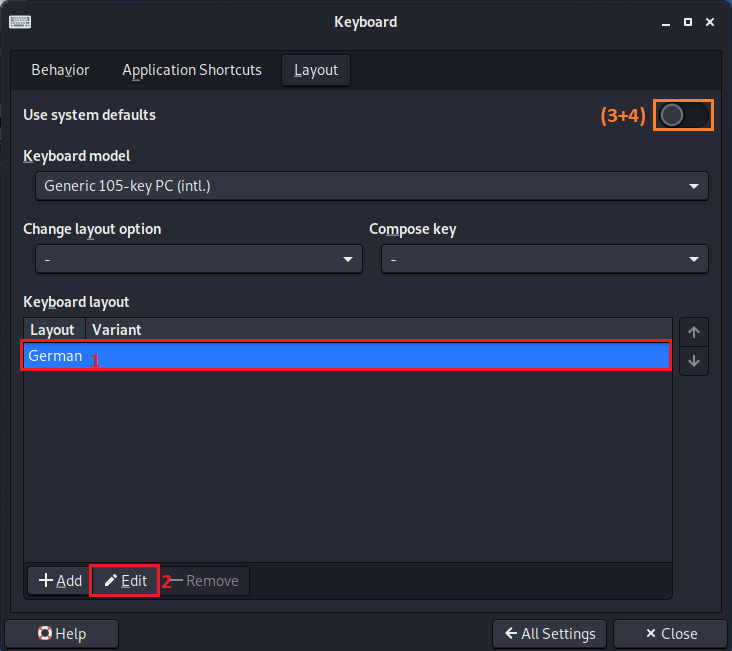 Change Keyboard Layout Command Linux
https://mayadevbe.me/posts/images/kalilinuxsettingskeyboardlayoutlanguage-min.png
Step 1 Open Kali s command line Terminal Press Ctrl Alt T to open the Terminal Interface Add a comment Step 2 Enter the following command Enter the following code sudo dpkg reconfigure keyboard configuration The configuring keyboard configuration selection screen will pop up with different keyboard models
Templates are pre-designed files or files that can be used for numerous functions. They can conserve effort and time by supplying a ready-made format and design for developing various sort of material. Templates can be used for individual or expert projects, such as resumes, invitations, flyers, newsletters, reports, discussions, and more.
Change Keyboard Layout Command Linux

Change Keyboard Layout Windows 10 Thumb800 Learn Solve IT

Kali Linux Change Keyboard Layout Command Line PDF Beginningbooks
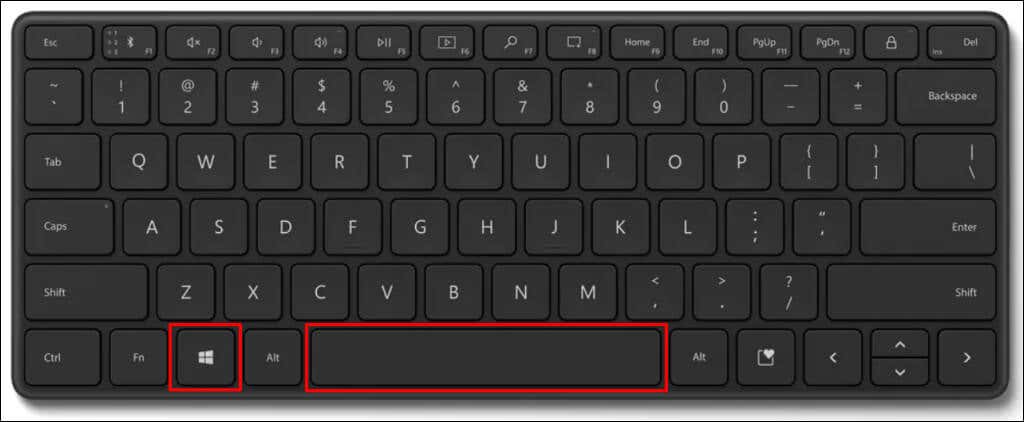
How To Change Your Keyboard Layout In Windows 11

Lecht n Tu ka st Kali Linux Change Keyboard Layout Op t Se Archeologick Oblast

Solved Show Keyboard Layout Chart From Command Line 9to5Answer

How To Change The Keyboard Layout From The Command Line Systran Box
To change your keyboard layout fast just install setxkbmap with sudo apt get install x11 xkb utils After this you can always change the keyboard layout with setxkbmap us To do this automatically every time extend your bashrc with echo setxkbmap us bashrc Now open a new console and the US keyboard layout is activated
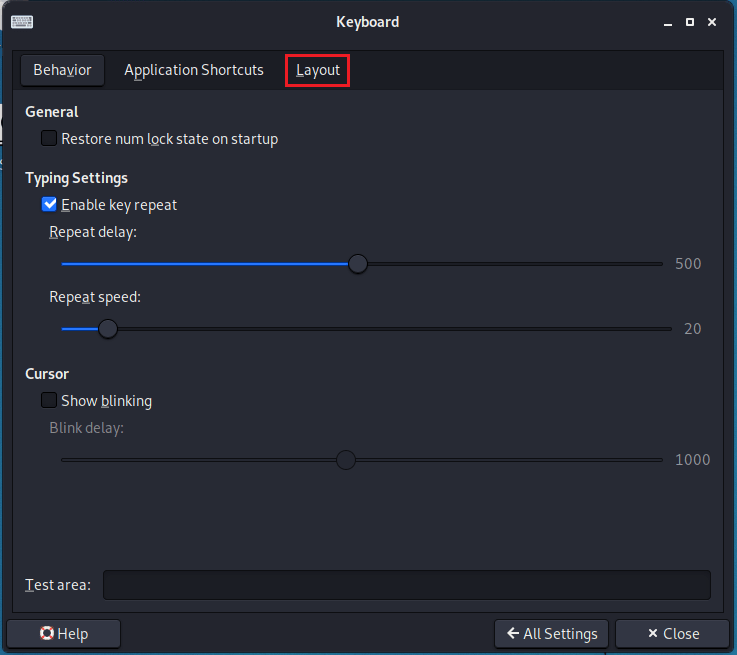
Change Keyboard Layout in the Linux Console Last updated June 25 2023 Written by Abdulhameed Araromi Administration Hardware 1 Overview When we use a keyboard we rely on a keyboard layout to tell us what characters will appear on the screen when we press the keys A keyboard layout maps symbols and characters to the keys on a keyboard

To search for a keymap use the following command replacing search term with the code for your language country or layout localectl list keymaps grep i search term Alternatively using find find usr share kbd keymaps type f name search term Loadkeys It is possible to set a keymap just for the current session

Command line method of changing keyboard layout Step 1 Add new keyboard layout To change the keyboard layout you need to have another keyboard layout enabled on your system first Go to system settings Press the Super key in Ubuntu Windows symboled key and search settings In the system settings look for Keyboard in the left sidebar

To change your keyboard layout go to the Input Method tab The preferences window will display all the keyboard layouts that you have in the machine To add a new one press Add This will in turn bring up a smaller menu with a list of commonly used languages
Sudo apt get install console common That will install the console common package and in the process allow you to chose your console layout If that is already installed use this to bring up the same wizard and set the layout sudo dpkg reconfigure console data Tested on 13 10 and taken from here Share Change Keyboard Language via GUI Step 1 Open Settings from Ubuntu s Activities menu Step 2 Open the the keyboard tab In the Input Sources section click on the icon to add a new keyboard layout Step 3 Click on the three dots at the bottom of the Add an Input Source prompt Step 4
How to add and switch keyboard layout on Ubuntu 22 04 How to install Yum on Linux How to restore hibernation on Fedora Hung Linux System How to Escape to the Command Line and Kali Linux keyboard shortcuts cheat sheet Things to do after installing Ubuntu 22 04 Jammy Jellyfish How to manage EFI boot manager entries on Linux