Change Iphone Keychain Password How To Sync Keychain Password Across Different Apple Devices What Is My Keychain Password How To Find And Change It How To Change Keychain Password 9 9 Free Shipping To The USA In 2020 How To Set Up And Use ICloud Keychain To Securely Store Your IPhone Keychain Access User Guide For Mac Apple Support NZ WEB May 4 2022 nbsp 0183 32 Wesley Hilliard Jun 30 2022 How to use iCloud Keychain E mail Facebook x Reddit Your iPhone iPad and Mac all have a free password manager made by Apple called iCloud
WEB Feb 8 2024 nbsp 0183 32 Tap iCloud Scroll down and tap Keychain Toggle the i Cloud Keychain switch on Enter your Apple ID password if prompted If you ve set up an iCloud Keychain password before you will be asked to enter your existing password after WEB Jun 15 2021 nbsp 0183 32 On your iPhone or iPad head over to Settings then Passwords and AutoFill Passwords Flip the toggle select iCloud Keychain and you ll get an Apple ID prompt
Keychain Access User Guide For Mac Apple Support NZ How To Change Password On Iphone Homecare24 How To Change The Keychain Password On Mac 3 Methods Explained IMedia K r l K zl s Guggol s Restore Keychain Password Mac Felszerel s Er s t C mo Ver Las Claves De Acceso Del Llavero De ICloud En IPhone IPad Y Mac How To Update And Reset ICloud Keychain Password On A Mac Reset Keychain Password On Mac How To Change Your IPhone Passcode to Something Secure How To Stop Would You Like To Save This Password ICloud Keychain
Change Iphone Keychain Password
 Change Iphone Keychain Password
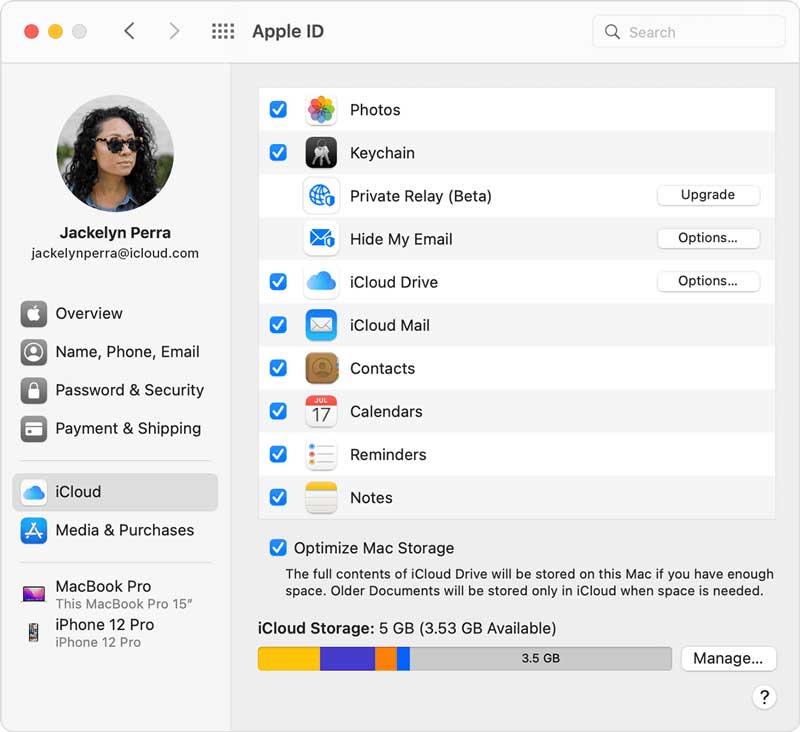
https://www.aiseesoft.com/images/how-to/sync-passwords-across-apple-devices/system-preferences-icloud-keychain.jpg
WEB Aug 10 2019 nbsp 0183 32 Level 1 8 points Adding app password to Keychain Hi how do I go about adding app password to Keychain while knowing only said password Application has only one place write pass in and log it It doesn t want save it even though there should be an option to do so So how do I put it in manually
Templates are pre-designed files or files that can be utilized for various functions. They can save time and effort by providing a ready-made format and layout for developing different kinds of material. Templates can be utilized for personal or expert projects, such as resumes, invitations, leaflets, newsletters, reports, presentations, and more.
Change Iphone Keychain Password
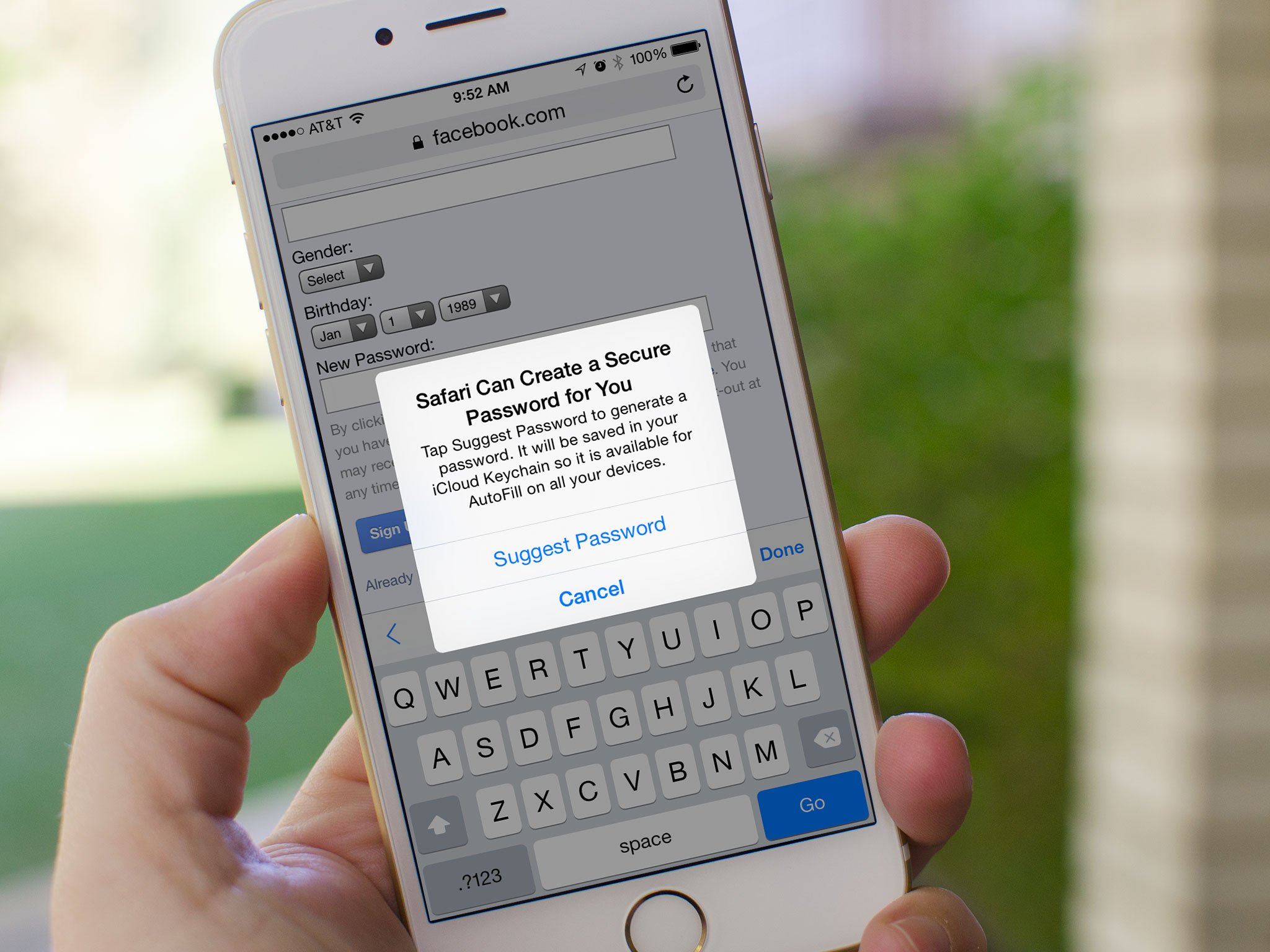
How To Use ICloud Keychain The Ultimate Guide IMore
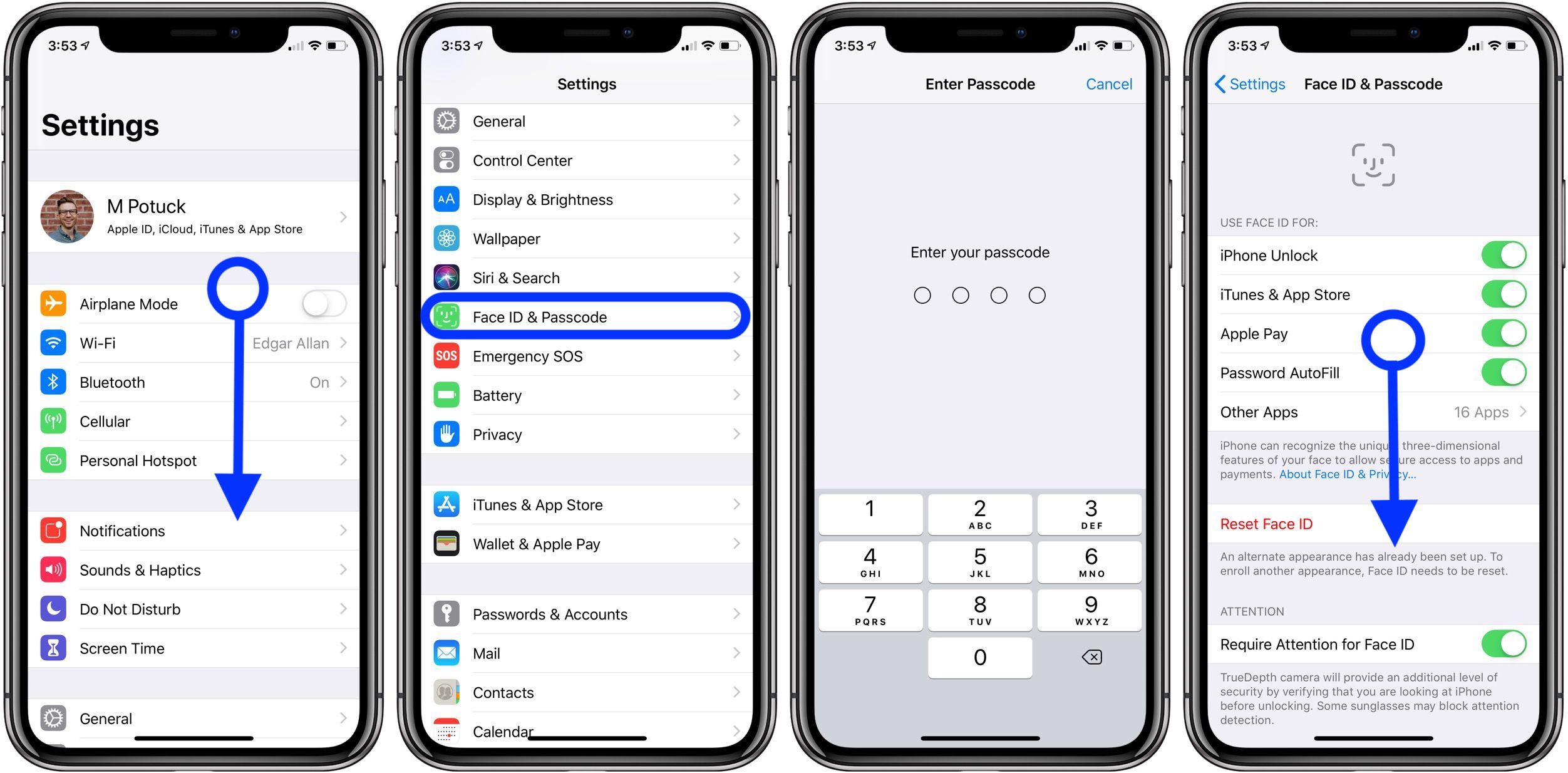
How To Change Password On Iphone Homecare24

How To Change The Keychain Password On Mac 3 Methods Explained IMedia
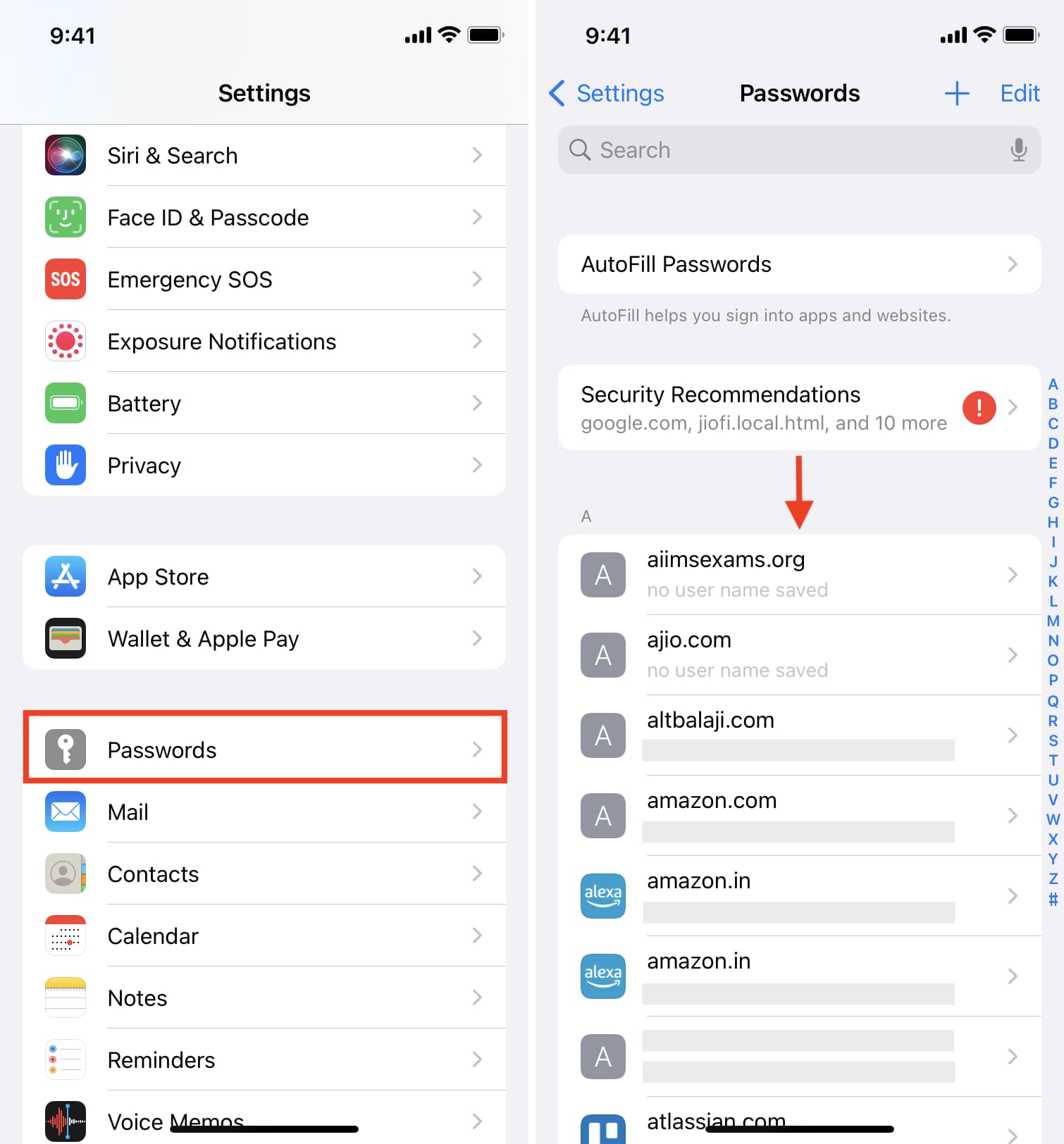
K r l K zl s Guggol s Restore Keychain Password Mac Felszerel s Er s t
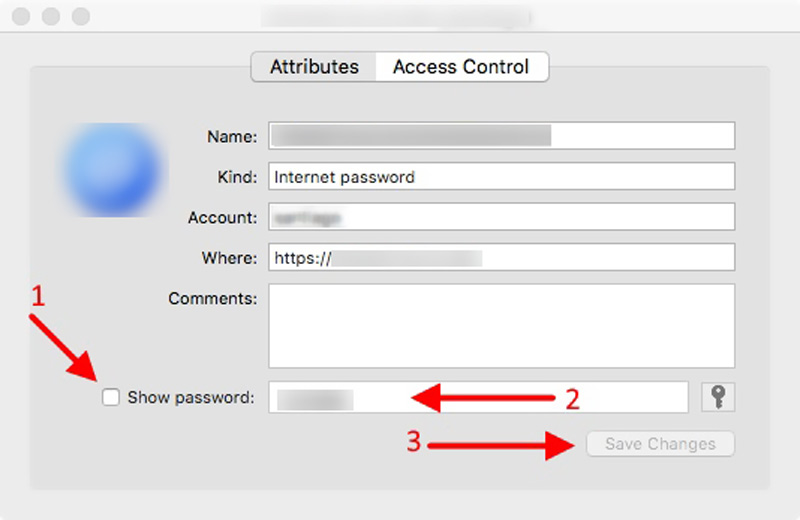
How To Update And Reset ICloud Keychain Password On A Mac
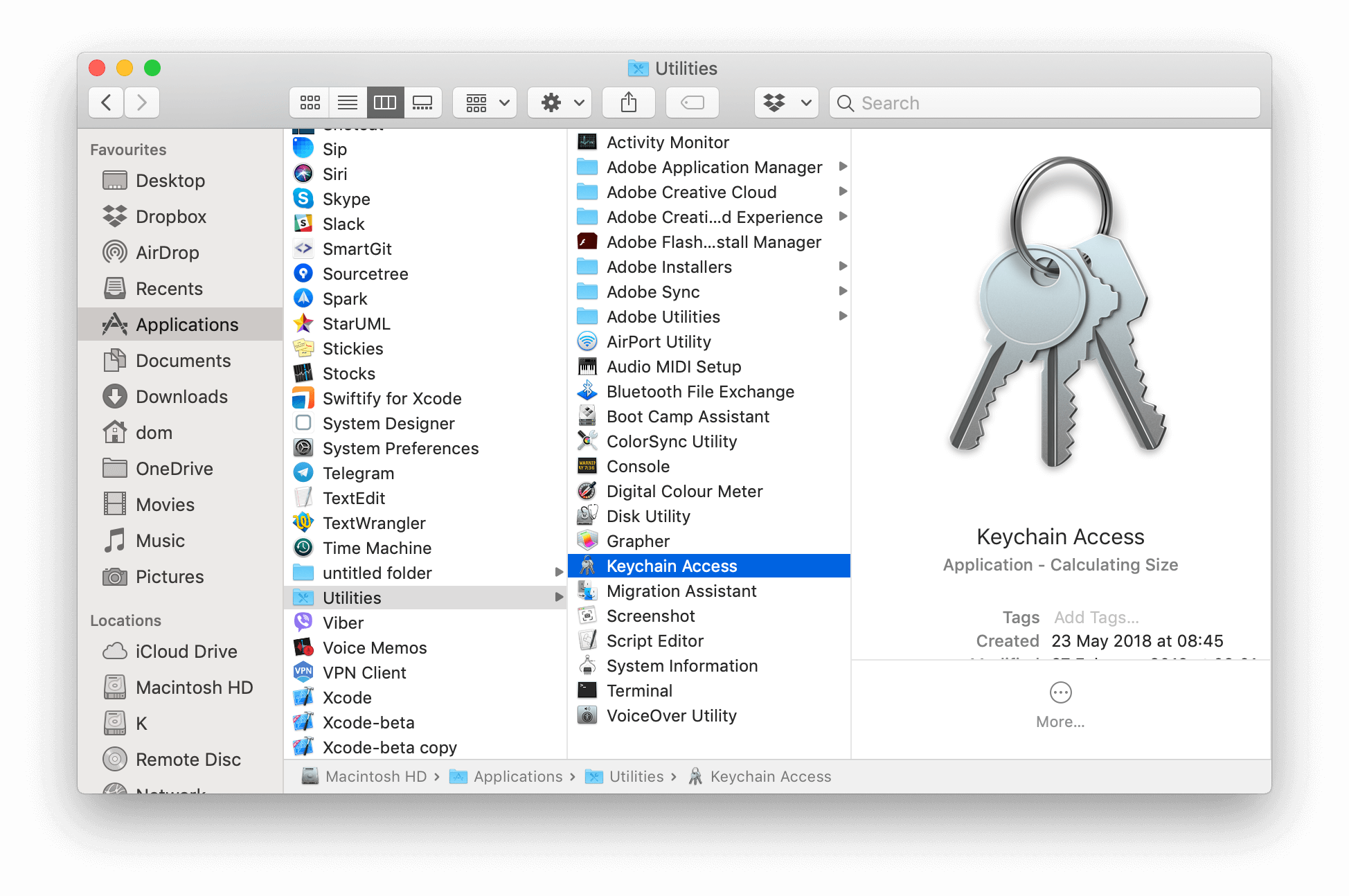
Reset Keychain Password On Mac
WEB Oct 3 2023 nbsp 0183 32 Tap Settings then scroll down and tap Passwords Use Face ID or Touch ID when prompted or enter your passcode To view a password or passkey select a website or app To delete a saved password or passkey tap Delete Password or Delete Passkey To update a password or passkey tap Edit
WEB Tap Settings tap your name then choose iCloud Tap Passwords and Keychain Turn on iCloud Keychain You may be asked for your passcode or Apple ID password Find your saved passwords and passkeys on your iPhone or iPad Turn on iCloud Keychain on your Mac Choose Apple menu gt System Settings or System Preferences

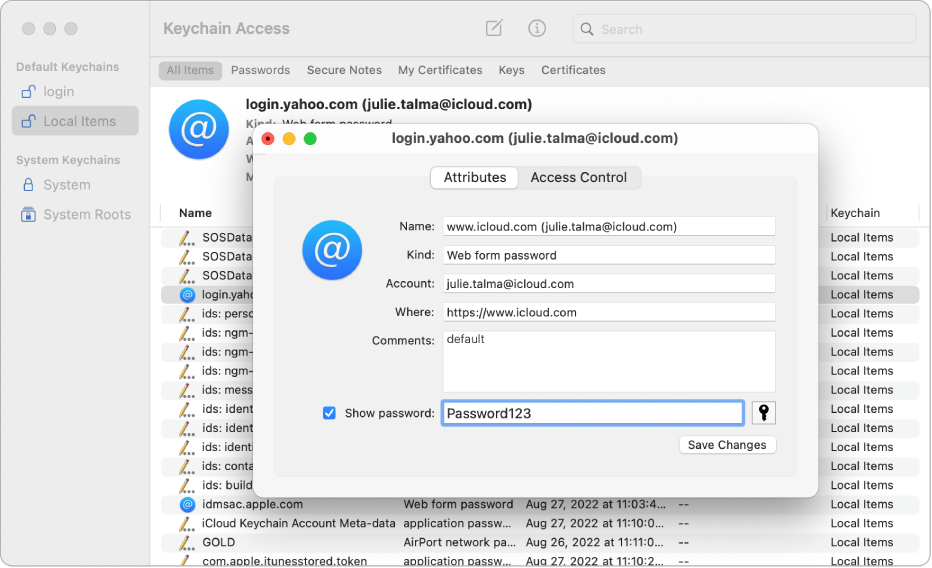
WEB January 5 2023 Make Sure iCloud Keychain is Enabled Change or Edit Saved Password in iCloud Keychain on iPhone Change or Edit Saved Password in iCloud Keychain on macOS iCloud Keychain is the built in password manager in all iOS macOS and iPadOS devices
WEB Jun 21 2020 nbsp 0183 32 Tap Edit at the top right corner of the screen In order to update the password simply tap on the current password to bring up the keyboard and type in your new password Now tap Done to confirm the changes Now you know how to edit saved logins and passwords on your iPhone amp iPad with iCloud Keychain
WEB Jun 16 2021 nbsp 0183 32 First launch the Settings application from the home screen of your iPhone Next tap on your Apple ID card present at the top in the Settings app After that tap on iCloud option from the available list Then tap on the Keychain option present in the iCloud settings
WEB Nov 3 2020 nbsp 0183 32 Best reply TheLittles Level 10 192 491 points Posted on Nov 3 2020 1 48 AM Phase Angle Said quot previous passwords on keychain My wife saved over a keychain password she hit update before the site accepted the new password is it possible to retrieve the old password Yes Through a Recovery Have a backup WEB May 22 2021 nbsp 0183 32 Phone Guides What is iCloud Keychain Apple s password manager for iPhone and Mac explained By Britta O Boyle Updated May 22 2021 Here s everything you need to know about Apple s
WEB Jan 14 2017 nbsp 0183 32 Choose Apple menu gt System Preferences Click iCloud then select Keychain When asked to enter your iCloud Security Code click Forgot Code Click Reset Keychain to replace your iCloud Keychain in the cloud with