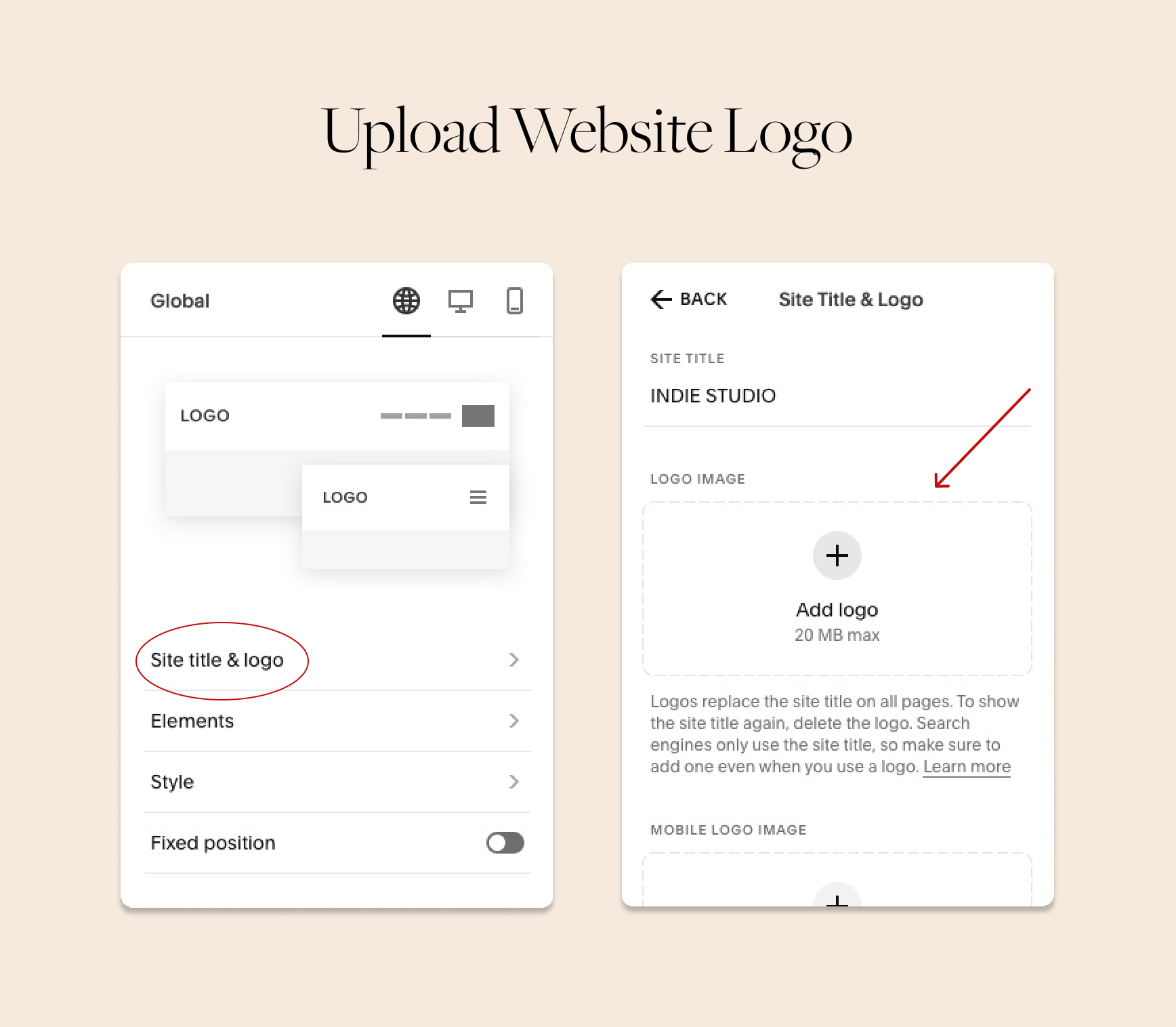
Change Header Logo Size Squarespace How To Add Section To Page Squarespace How To Change Header Logo In WordPress Isotropic Change Header Size In Blogger Smart Blogger Tips Squarespace Banner Size The IDEAL Image Dimensions Adjusting Header Footer Logo Size Unstack Step 1 Log into your Squarespace website Pages Homepage Edit Click EDIT SITE HEADER Step 2 A pop up box will appear Click SITE TITLE LOGO Step 3 To change the logo size for Desktop Laptop Go to the LOGO HEIGHT section Drag the LOGO HEIGHT size slider to the right or left to increase or decrease the logo height
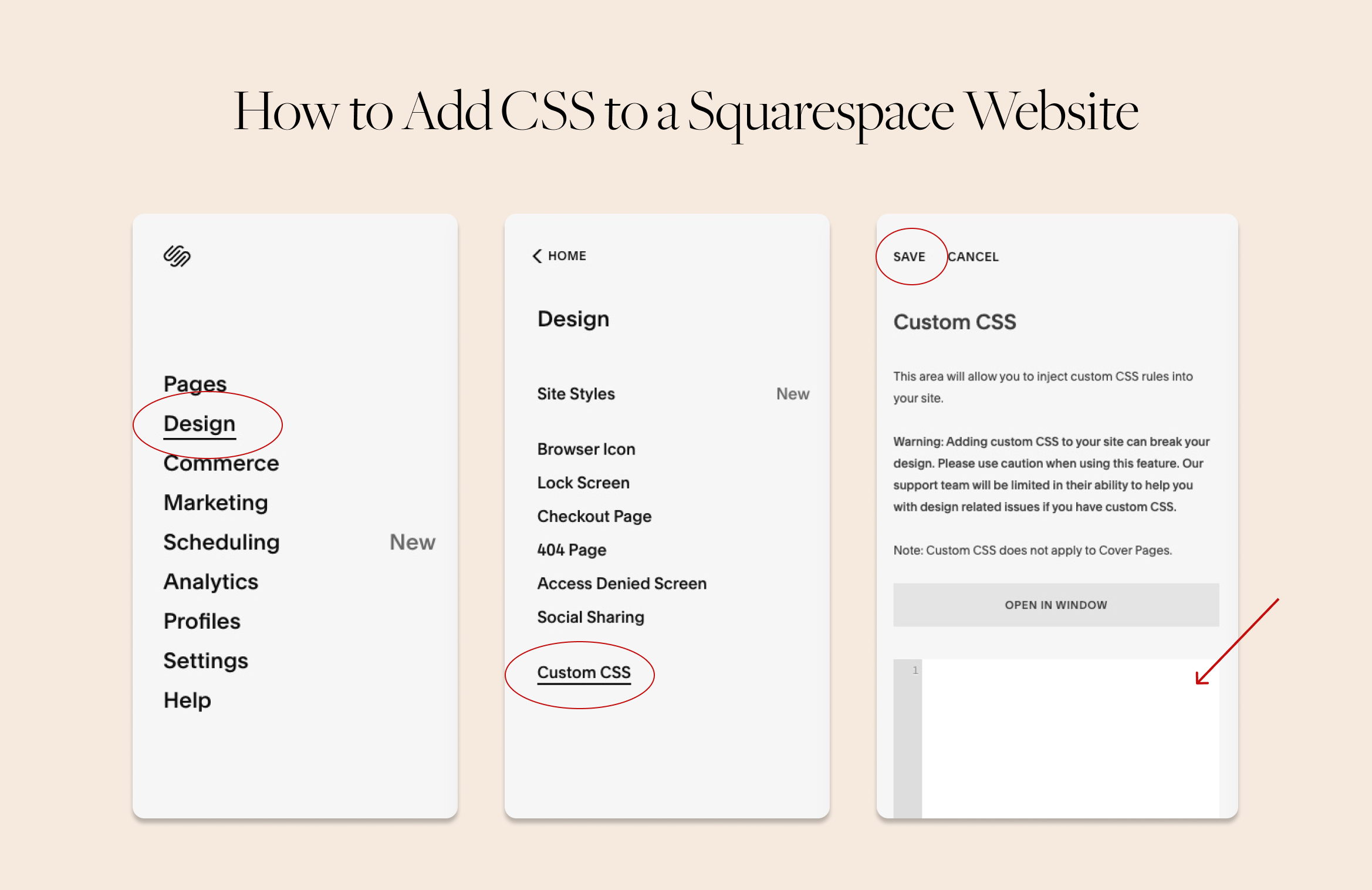
Step 1 Navigate to Design Site Styles In the Site Styles menu you ll scroll down and look for something called HEADER BRANDING Logo Width or NAVIGATION Logo Height or something similar depending on your template Edit Design Customizing the Look You ll notice some changes when you navigate to the menu to edit your site header The new editor allows you to customize your logo navigation button spacing and link spacing individually You can use these options to create a header design that aligns perfectly with your brand
Adjusting Header Footer Logo Size Unstack Image Guide Formatting Your Images For Your Squarespace Website Squarespace Expert And Designer How To Get A Crisp Header Logo In Squarespace 7 1 Applet Studio Squarespace Image Size How To Resize Optimize For SEO Lauren Taylar Squarespace Image Layouts Defined Lauren Taylar How To Change The Height Of A Banner Image Inside A Squarespace Brine Family Template Lauren How To Change Font Size On Mobile On Squarespace Primitus Consultancy Get The Right Squarespace Social Sharing Logo Size For Facebook Big Cat Creative Squarespace Squarespace Banner Size The IDEAL Image Dimensions
Change Header Logo Size Squarespace
 Change Header Logo Size Squarespace
https://support.squarespace.com/hc/article_attachments/360051256191/7.1_full_bleed.jpg
To change the size of your header image follow these steps From any page in your site click Edit Hover over the site header and then click Edit Site Header Use the sliders you ll find under Site Title Logo to resize your header image It s important to note that resizing your header image may affect the quality of the image
Pre-crafted templates provide a time-saving option for creating a diverse range of files and files. These pre-designed formats and layouts can be used for various individual and professional projects, consisting of resumes, invites, flyers, newsletters, reports, discussions, and more, enhancing the material production process.
Change Header Logo Size Squarespace
How To Get A Crisp Header Logo In Squarespace 7 1 Applet Studio
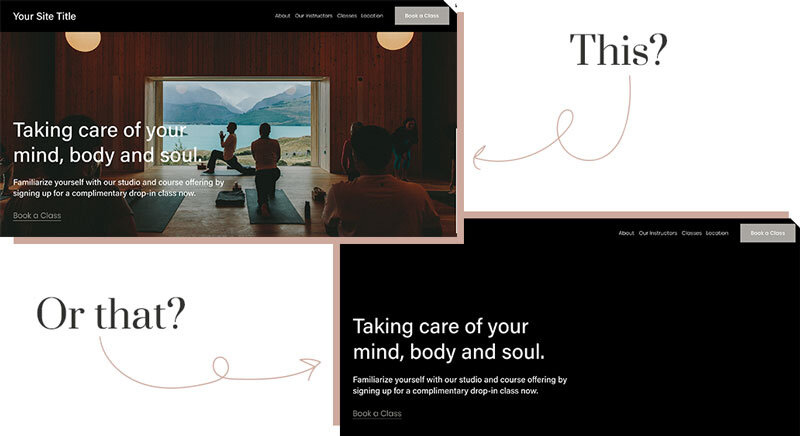
Image Guide Formatting Your Images For Your Squarespace Website Squarespace Expert And Designer
How To Get A Crisp Header Logo In Squarespace 7 1 Applet Studio

Squarespace Image Size How To Resize Optimize For SEO Lauren Taylar

How To Change The Height Of A Banner Image Inside A Squarespace Brine Family Template Lauren

How To Change Font Size On Mobile On Squarespace Primitus Consultancy

I have gone into the header settings and increased the logo size to its maximum but it won t go any bigger The image is 2000px wide so it s nothing to do with the image size I think it must be the padding in the header around the logo If anyone has some CSS code for this I d be grateful

Posted May 7 2022 Hello I m trying to make my site logo bigger or wider more to the point than Squarespace 7 1 allows in the header customisation settings So I have tried using this custom CSS code header title logo img max width 700px

Hi I ve made some progress by adding some css to set a different header logo for certain pages but I don t manage to give it the right size to fit it well I hope there is somebody who can help me to fit the image well I d like to have the second logo a little bit bigger so the letter size is

Squarespace Domains LLC and Squarespace Domains II LLC are committed to providing a safe and trusted service If you have a concern about a domain name registered with Squarespace you can submit a report to let us know Spam encompasses any unsolicited bulk emails sent without the recipient s consent

First upload your logo by going to your site preview clicking EDIT and EDIT SITE HEADER Then choose SITE TITLE LOGO and select to upload When your logo is uploaded you can change the logo height on desktop by adjusting the LOGO HEIGHT bar or on mobile by adjusting the MOBILE LOGO MAX HEIGHT bar
First replace your header logo image with a transparent PNG file of the right size you want the header image to be Next create your SVG logo Here s a guide on how to do it Once you have your SVG you need to upload it On any page of your site highlight some text and click the link icon How to change logo size in Squarespace 7 1 From any page in your site click edit Hover over the site header and then click edit site header Use the sliders you ll find under site title logo to resize your logo Squarespace Favicon size tips
I am looking to change this dynamic header so when scrolled down it still makes the gold background colour but I also need it to make the logo smaller and move its position to the top left Add this code on Custom CSS section