Change Encoding In Excel Excel Encoding Settings Csv How To Open A Text File With Excel In UTF 8 Encoding Stack How To Change Encoding In Excel Fadrx Palla Ragazzo D Da Parte Encoding Excel File Tacco Rotante Piano Inferiore How To Change Encoding In Excel 3 Suitable Methods Apr 6 2011 nbsp 0183 32 2 change 3 modify 4 transform
Enter your new password then select Change Password Change password Reset your password Follow the steps to recover your account You ll be asked some questions to confirm it s your How to change your name For example if you get married you could change from quot Lisa Brown quot at sportsfan gmail to quot Lisa Jones quot at sportsfan gmail Important You can t change
How To Change Encoding In Excel 3 Suitable Methods Excel Encoding Settings Technical Tips How To Change Character Encoding In Excel 2013 How To Change Encoding In Excel 3 Suitable Methods Changing File Encoding To UTF 8 In Excel How To Change Encoding In Excel 3 Suitable Methods How Do You Change The Encoding For Certain File Types English Ask Changing File Encoding To UTF 8 In Excel As In Excel To Change The Encoding Three Ways
Change Encoding In Excel
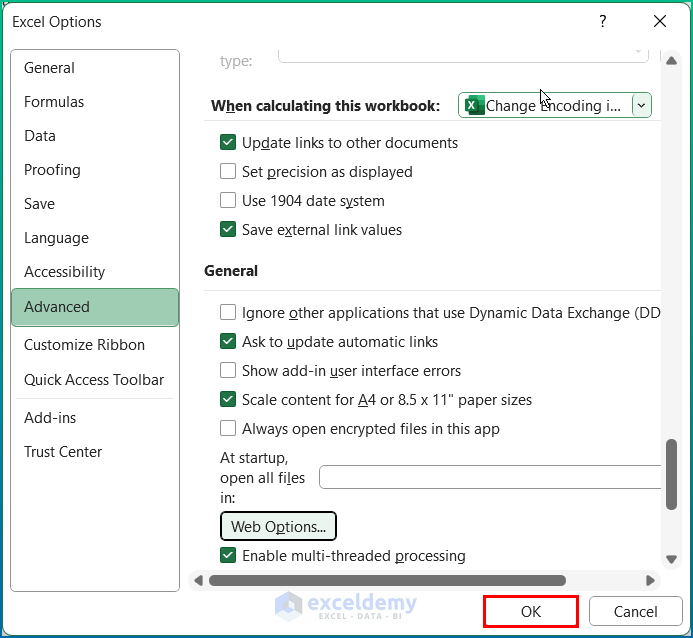 Change Encoding In Excel
https://www.exceldemy.com/wp-content/uploads/2022/11/How-to-Change-Encoding-in-Excel-7.png
Change volume sound amp vibrate settings Y ou can make your phone s volume louder or quieter You can also change your ringtone sound and vibration
Templates are pre-designed files or files that can be used for different purposes. They can save effort and time by supplying a ready-made format and design for creating various sort of material. Templates can be used for personal or expert tasks, such as resumes, invitations, flyers, newsletters, reports, discussions, and more.
Change Encoding In Excel
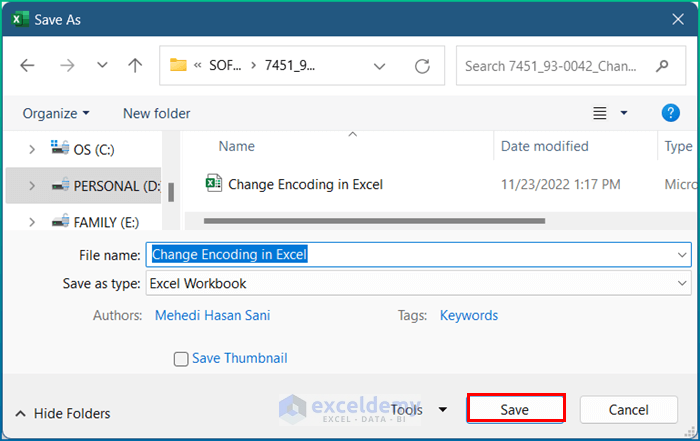
How To Change Encoding In Excel 3 Suitable Methods

Excel Encoding Settings

Technical Tips How To Change Character Encoding In Excel 2013

How To Change Encoding In Excel 3 Suitable Methods
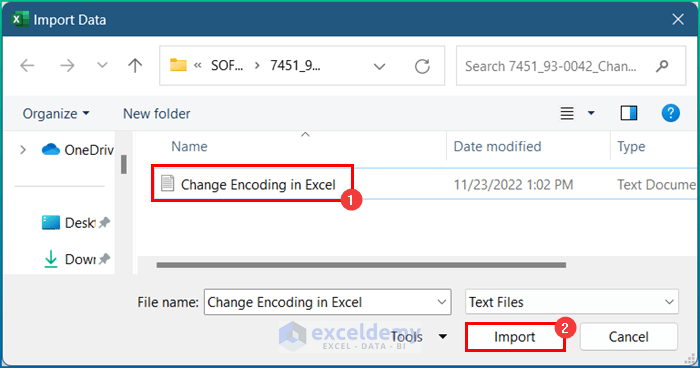
How To Change Encoding In Excel 3 Suitable Methods
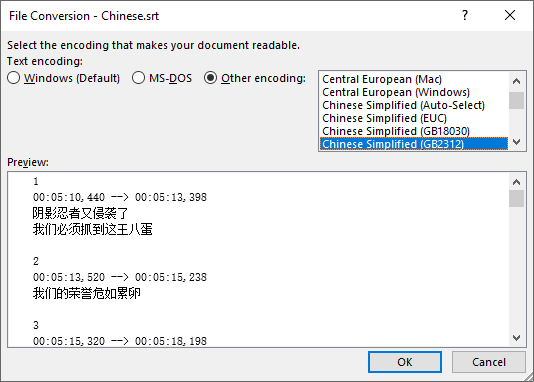
How Do You Change The Encoding For Certain File Types English Ask

change of change in quot Change of quot quot change in quot

Change or add a recovery address The recovery address allows you to receive an e mail to reset your password if you need it Your recovery address should be an email address that you use

On your computer go to Gmail In the top right click Settings See all settings At the top choose a settings page such as General Labels or Inbox Make your changes After you re done with

Google is stuck as my homepage Google won t change your homepage settings without your permission Reset your homepage Choose a browser above then follow the steps to replace

To make sure the change applied to the correct file types review the list below the quot Set default quot button To easily open Chrome later add a shortcut to your taskbar
[desc-11] [desc-12]
[desc-13]