Change Dns Settings How To Change Dns Server In Windows 11 Tutorial Youtube Vrogue Mediacom Dns Server Addresses Nailcartoonarttutorial Windows Change Dns Hot Sex Picture Hesitate Stride Cubic How To Set Dns Server Windows 10 Politics Angle Prominent Changing Your Router s DNS Settings To Increase Speed And Security Left click on the Network icon the icon that shows your Wi Fi bars or Ethernet icon and select Network and Internet Settings The screen will look slightly different on Windows 11 than Windows
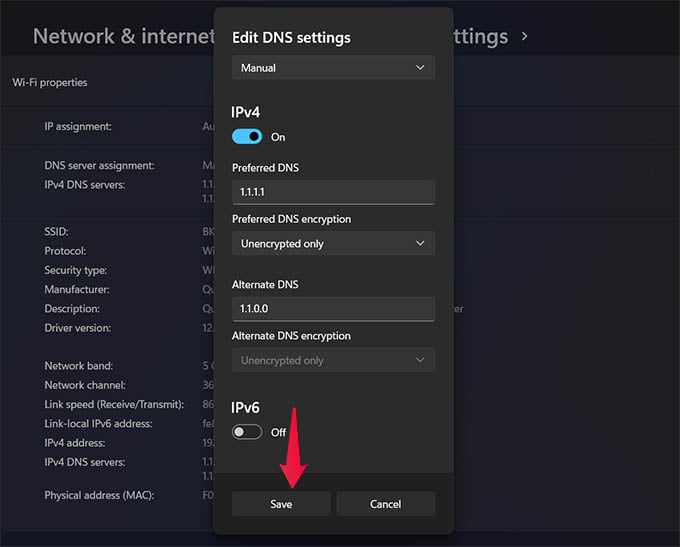
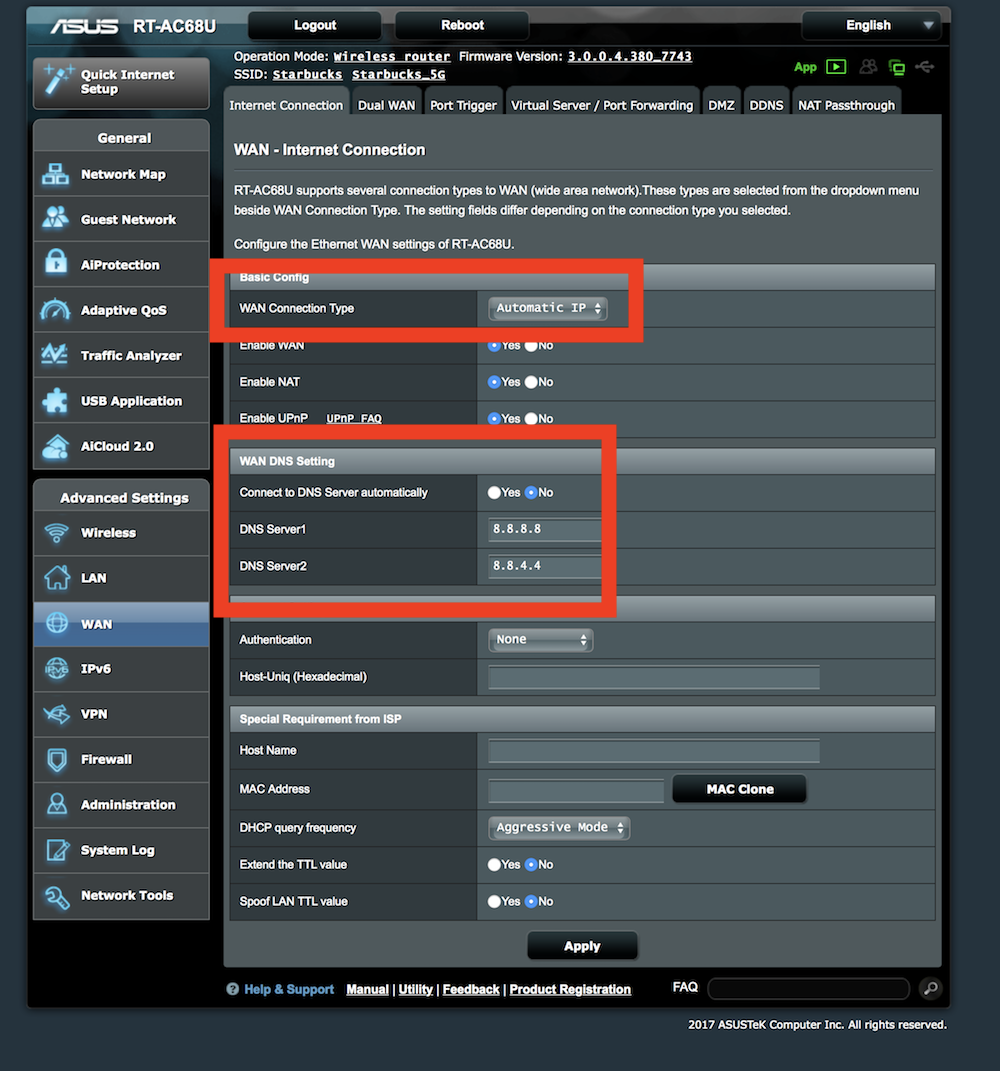
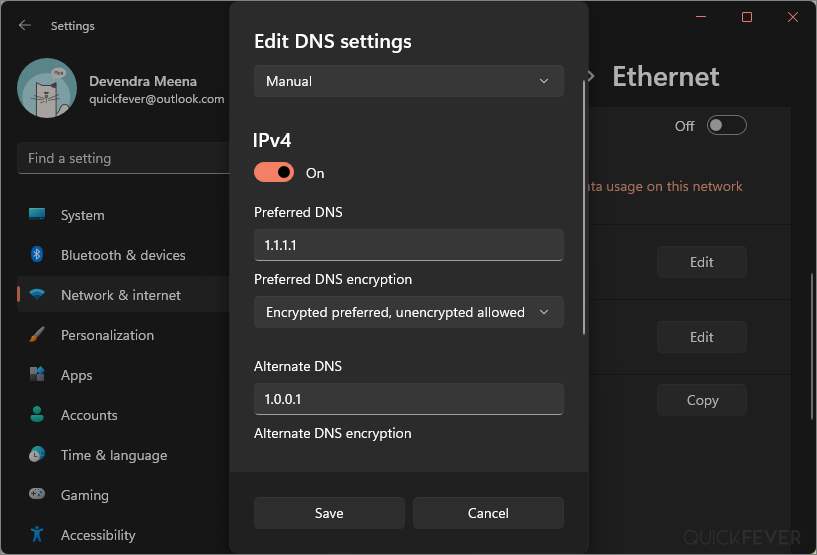
In Network Internet settings locate the name of the internet connection you want to change the DNS servers for in the list such as Wi Fi or Ethernet and click it On the properties page for that network connection choose Hardware Properties Next find DNS Server Assignment and click the Edit button beside it Updated on July 7 2022 What to Know To change the DNS servers on a router look for text fields labeled as DNS usually in a DNS Address section Every router is different so consult your router s documentation for specific steps to change DNS server settings
Changing Your Router s DNS Settings To Increase Speed And Security How To Change Dns Settings On Windows 11 Pc Mashtips Www vrogue co Login With The Default Credentials How To Change Dns In Windows 10 Benisnous Hot Sex Picture How To Change Dns Settings On Windows 10 Groovypost How To Change Dns Server In Windows 11 Tutorial Youtube Vrogue How To Change DNS Settings On Windows 10 Change The DNS Server YouTube Why And How To Change DNS Settings On IPhone IPad Mac What Is DNS And Why Does It Matter
Change Dns Settings
 Change Dns Settings
https://dongknows.com/wp-content/uploads/2021/02/Change-DNS-Windows.jpg
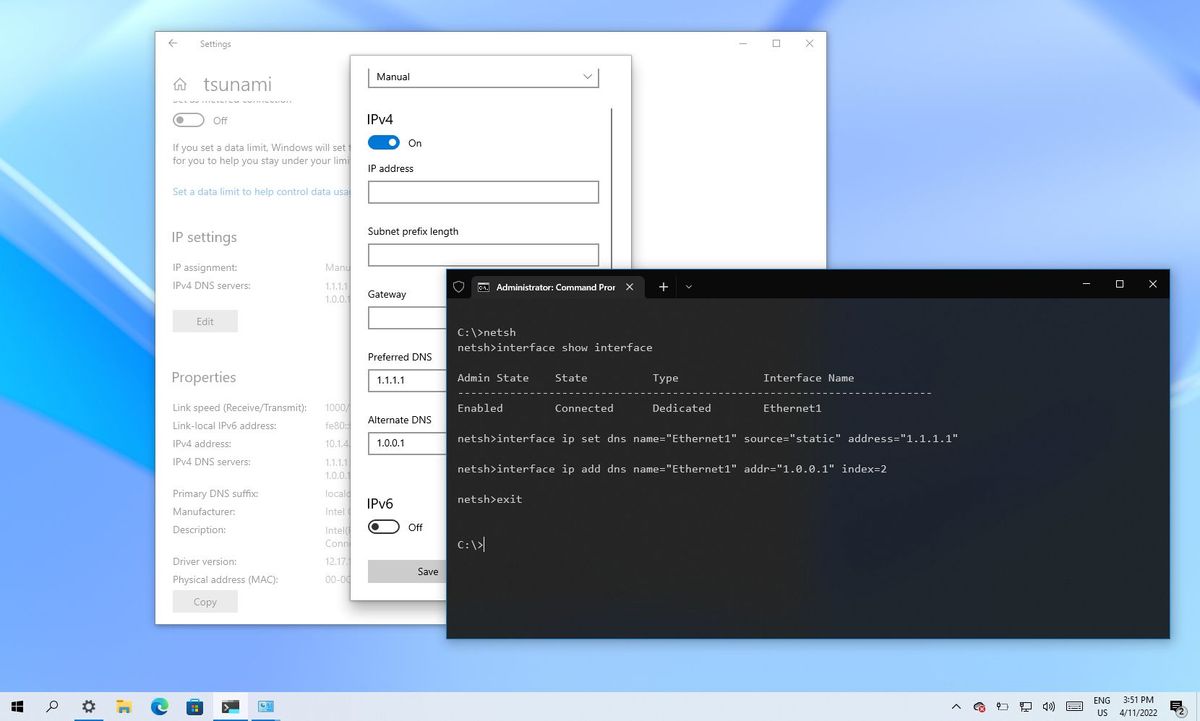
Here s how it gets done step by step for Windows 10 Go to the Windows 10 Start Menu in the lower left hand corner by default Look for the gear shaped icon located one up from the power icon
Pre-crafted templates provide a time-saving service for producing a varied series of files and files. These pre-designed formats and layouts can be made use of for different personal and professional jobs, including resumes, invitations, flyers, newsletters, reports, discussions, and more, simplifying the material creation procedure.
Change Dns Settings
Can t Get Past Character Select Technical Support Last Epoch Forums
How To Change Dns Settings On Windows 11 Pc Mashtips Www vrogue co
Login With The Default Credentials

How To Change Dns In Windows 10 Benisnous Hot Sex Picture
How To Change Dns Server In Windows 11 Tutorial Youtube Vrogue
How To Change DNS Settings On Windows 10 Change The DNS Server YouTube
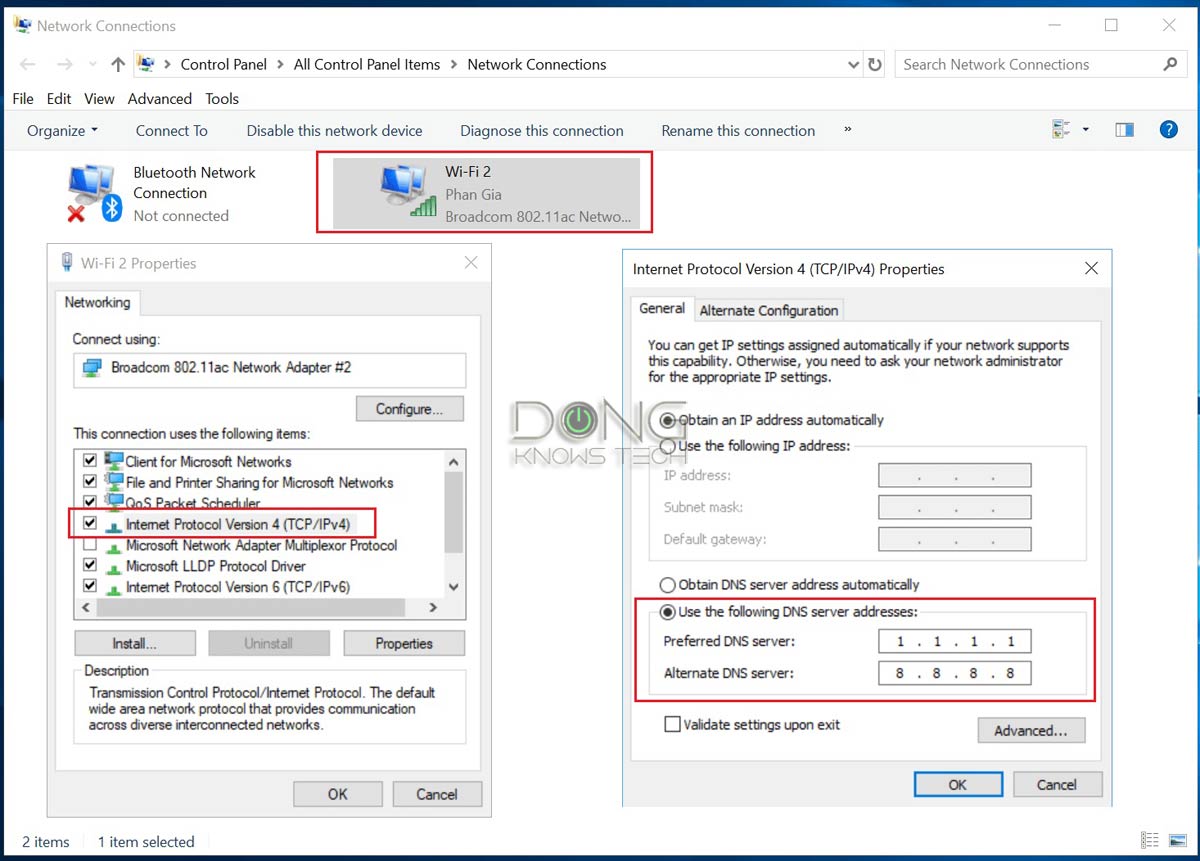
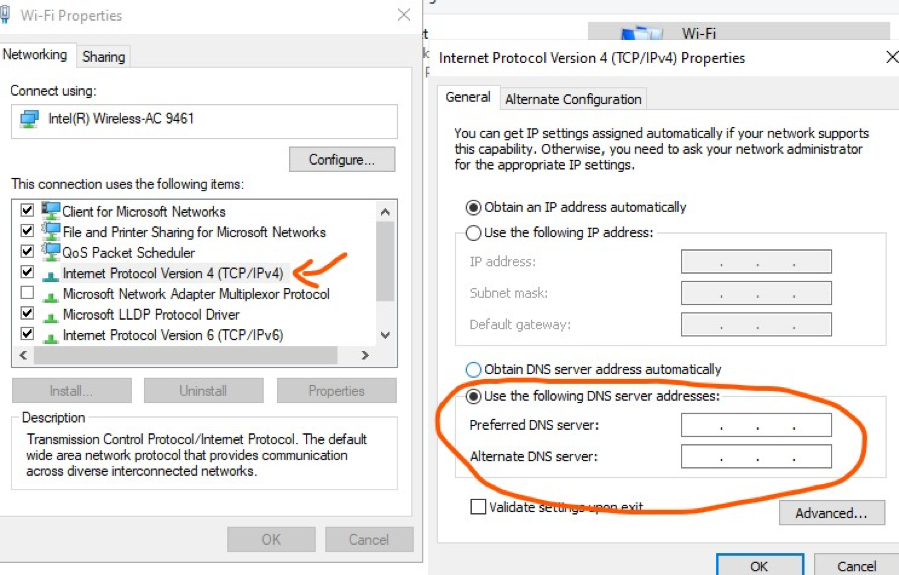
To change the DNS settings with Control Panel use these steps Open Control Panel Click on Network and Internet Click on Network and Sharing Center Click the Change adapter settings option in the left pane

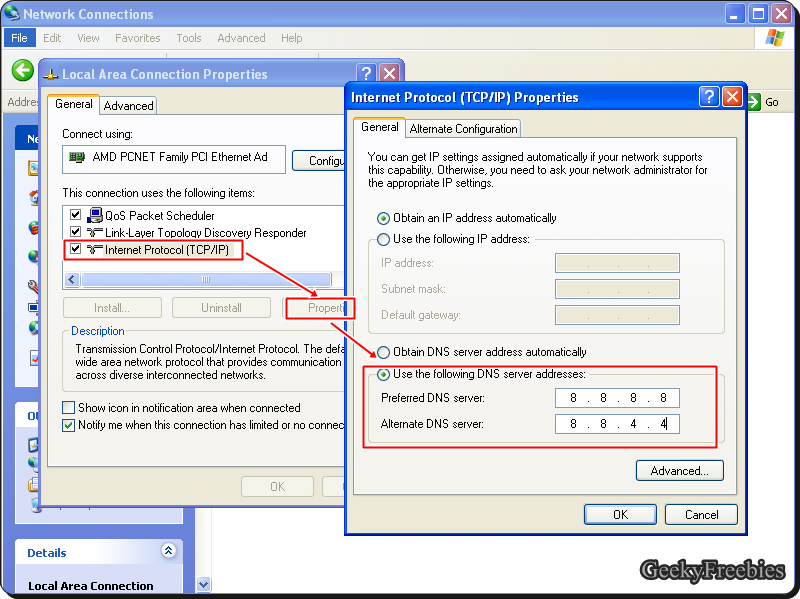
The easiest way to change your DNS server is in the Network Connections window To open Network Connections click Start and type network connections into the search bar then click Open or hit Enter Alternatively you
ChromeOS Configure your network settings to use Google Public DNS When you use Google Public DNS you are changing your DNS switchboard operator from your ISP to Google Public
To change the DNS server on your Mac head to System Preferences Network Select the network adapter you want to change the DNS server like Wi Fi on the left and then click the Advanced button Click over to the DNS tab and use the DNS Servers box to configure your desired DNS servers

How to Change Windows DNS Servers Open Control Panel Select Network and Internet In the Network and Internet window select Network and Sharing Center to open that applet In the Network and Sharing Center window select Change adapter settings The Network Connections window lists connections
[desc-11] [desc-12]
[desc-13]