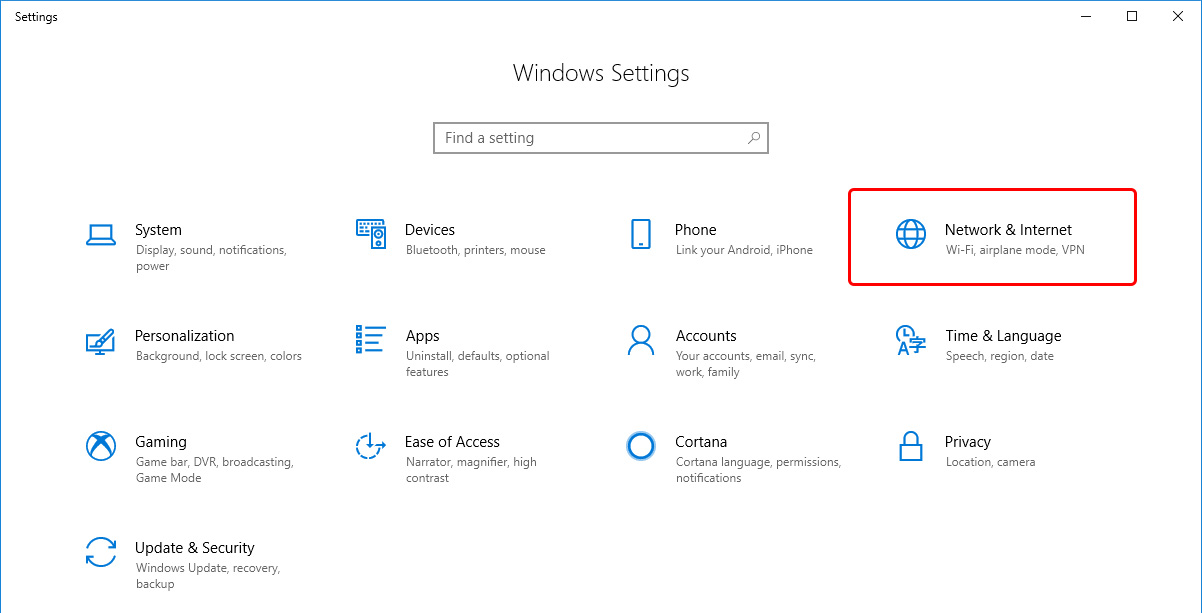
Change Dns Settings Windows 10 How To Change Dns Server In Windows 11 Tutorial Youtube Vrogue Hesitate Stride Cubic How To Set Dns Server Windows 10 Politics Angle How To Check DNS Settings On Windows 11 I Am Digital Nikhil Changing Your DNS Settings On Windows 10 Hesitate Stride Cubic How To Set Dns Server Windows 10 Politics Angle Get in Touch This Itechguide teaches you how to change DNS on Windows 10 The guide covers steps for 3 methods to change DNS on Windows 10 from adapter settings CMD or PowerShell Option 1 Change DNS from Adapter Settings Right click the Windows 10 Start menu and click Settings On the Windows Settings screen
Published January 6 2021 Comments 0 You can change the DNS server for your internet connection on all modern PC and smartphone operating systems including Windows macOS Linux Android and iOS Today we will learn how you can change DNS settings in Windows 10 in a few simple steps 1 How to change DNS in Windows 11 from the Settings app 2 How to change DNS in Windows 10 from the Settings app 3 Change the DNS servers from the Network Connections in Control Panel 4 How to change the DNS servers using commands Did you change your DNS servers
Hesitate Stride Cubic How To Set Dns Server Windows 10 Politics Angle Changing Your DNS Settings On Windows 10 How To Change DNS In Windows 10 Tutorial YouTube Windows 10 Configuration OpenDNS 3 Ways To Change The DNS Settings In Windows 10 How To Change DNS Settings On Windows 10 Change The DNS Server YouTube How To Change Your DNS Server On Windows 10 And Mac HelloTech How How To Change DNS Server On Windows 7 8 Windows 10 And MacOS NDTV Use Google DNS In Windows 10 How To Change Windows 10 DNS Servers
Change Dns Settings Windows 10
 Change Dns Settings Windows 10
https://dongknows.com/wp-content/uploads/2021/02/Change-DNS-Windows.jpg
1 Left click on the Network icon the icon that shows your Wi Fi bars or Ethernet icon and select Network and Internet Settings The screen will look slightly different on Windows 11
Templates are pre-designed documents or files that can be used for various functions. They can save effort and time by providing a ready-made format and design for developing different kinds of material. Templates can be utilized for personal or expert tasks, such as resumes, invites, flyers, newsletters, reports, presentations, and more.
Change Dns Settings Windows 10

What Is DNS And Why Does It Matter
Changing Your DNS Settings On Windows 10

How To Change DNS In Windows 10 Tutorial YouTube
Windows 10 Configuration OpenDNS
How To Change DNS Settings On Windows 10 Change The DNS Server YouTube
How To Change Your DNS Server On Windows 10 And Mac HelloTech How
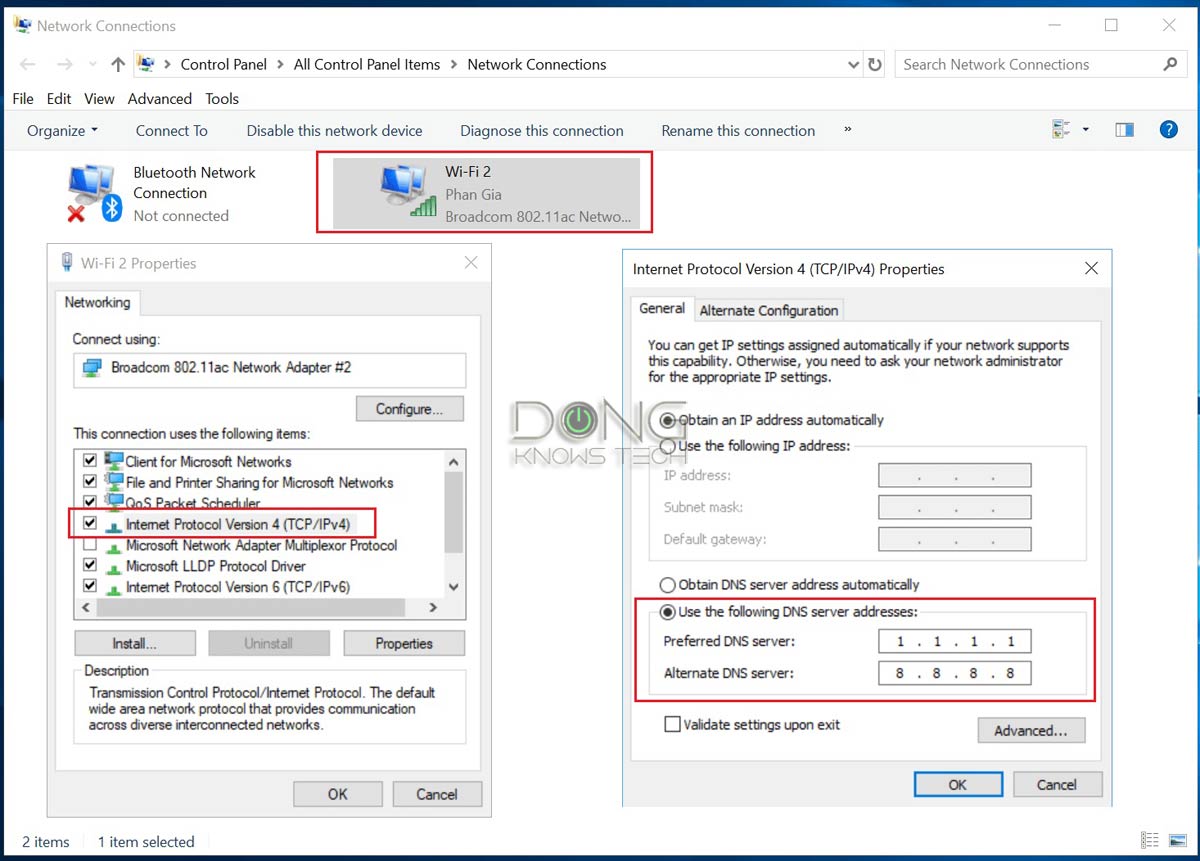
How to Change Your DNS Server on Windows 10 By Nick Lewis Published Mar 14 2022 Switching your DNS server might improve your browsing speeds and can offer you additional features Windows 10 uses your ISP s DNS server by default but it is possible to change it
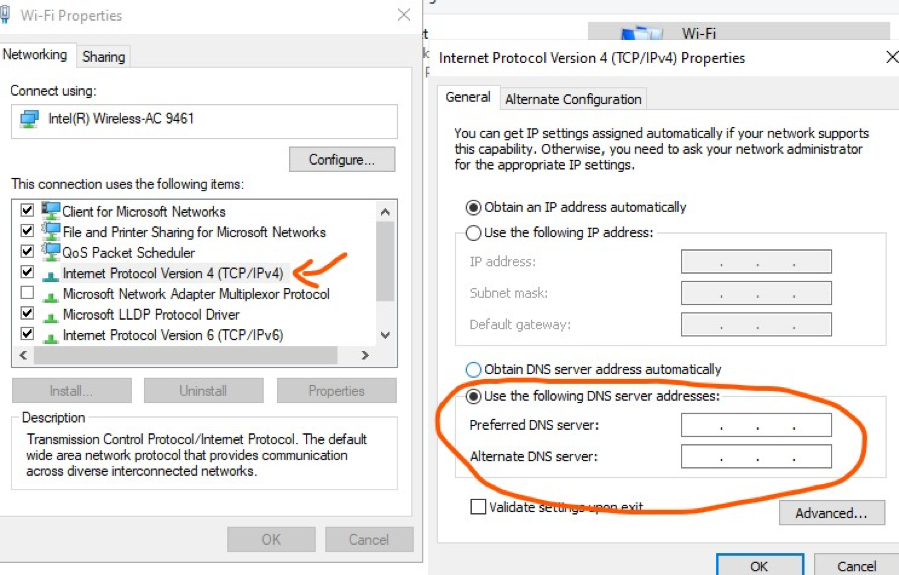
To change the Windows 10 DNS address with Settings use these steps Open Settings Click on Network Internet Click on Status Under the Network status section click the Properties button for the network you want to modify Under the IP settings section click the Edit button Use the drop down menu and select

Ever wondered how you can change your DNS Not even sure what DNS is or what it is used for In today s guide we ll start with some basics on improving your DNS Server settings on your PC

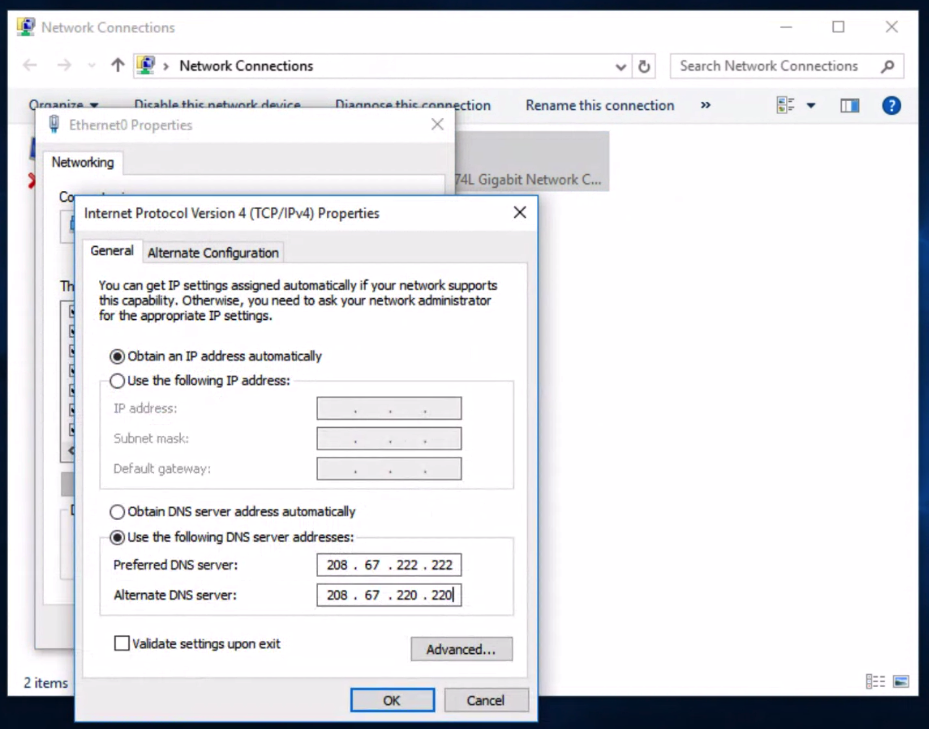
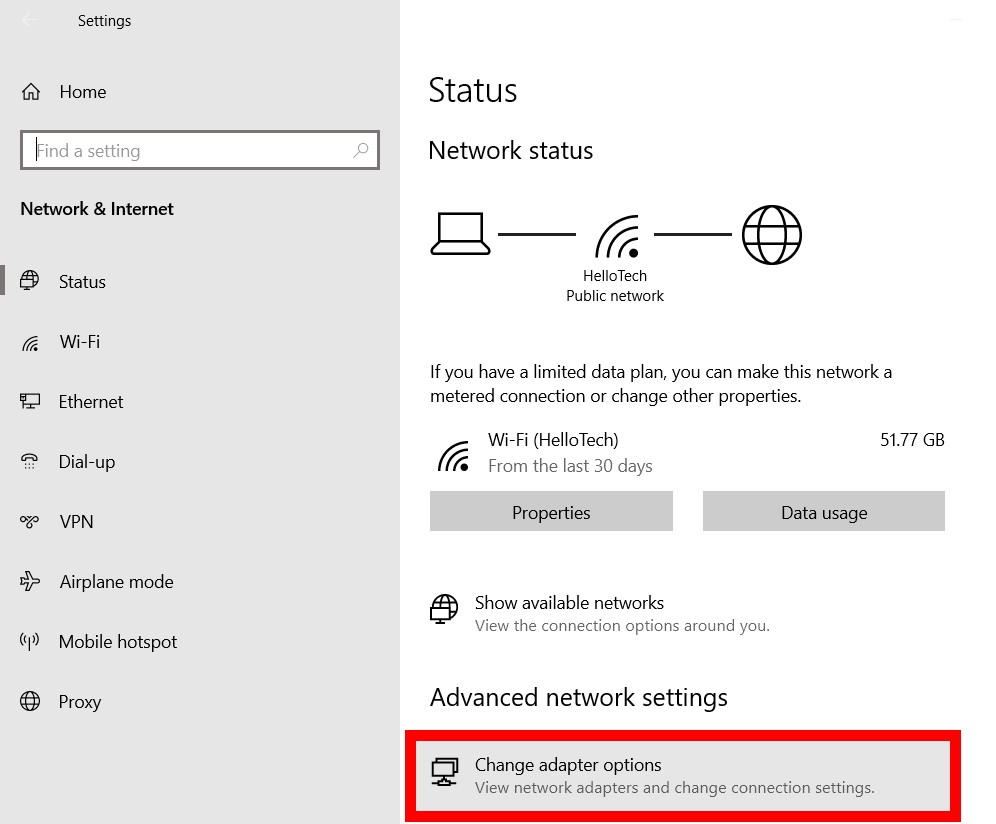
To change your DNS server on a Windows 10 computer go to Settings Network Internet Change Adapter Settings Then right click a connection and select Properties IPv4 Properties Finally select Use the following DNS server address Open the Windows Start Menu
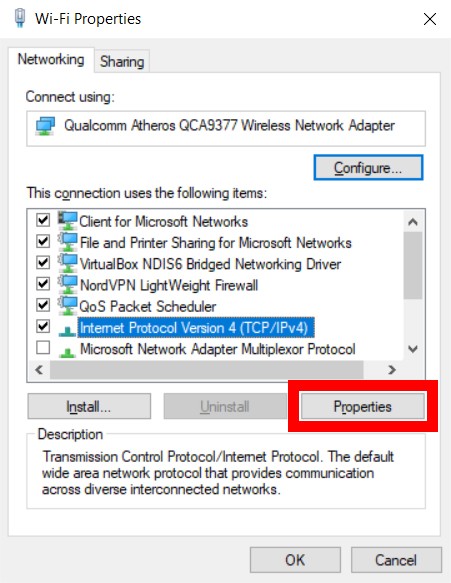
Open the network connection you want to change the DNS servers for by double clicking or double tapping on its icon In the Status window select Properties In some versions of Windows provide the administrator password if you re not logged in to an admin account
[desc-11] [desc-12]
[desc-13]