Change Default Program For Opening Files Windows 10 Change Default Program For File Type Android Okmokasin How To Change The Default Program For Opening File How To Change The Default Program For Opening Files In Windows What Is Mark Down Change Default Program For File Type apk Android Solarbinger Mac Change Default Program For Fiel Web Apr 25 2021 nbsp 0183 32 Press the Start button then click the settings cog above the power button Alternatively press Windows I Click Apps Change your default programs Click Default apps in the
Web Feb 11 2016 nbsp 0183 32 1 To change the default programs for files and protocols you ll need to open the Settings menu and go to System gt Default apps Sarah Jacobsson Purewal CNET 2 Here you can Web Jul 22 2015 nbsp 0183 32 Related Beginner Geek 7 Ways You Can Change Default Applications and File Associations in Windows If you want to make things easy all you ll need to do is click quot Set this program as default quot after which Windows will automatically set that program as the go to for any protocols links or files it s designed to open on its own
Mac Change Default Program For Fiel Change Default Program For File Type Windows 10 Tidetr Change Default Program For File Type apk Android Garryana How To Change Default Program For A Short Cut Detectivepassl How To Change Default Program For Opening Files In Mac Os X Jzamedia How To Change Which Programs Windows 10 Uses By Default Microsoft Word Is Not Opening Files Gagasworth Equipmenttama blogg se Double Click Not Opening Files Windows 10 How To Change Which Programs Windows 10 Uses By Default
Change Default Program For Opening Files Windows 10
 Change Default Program For Opening Files Windows 10
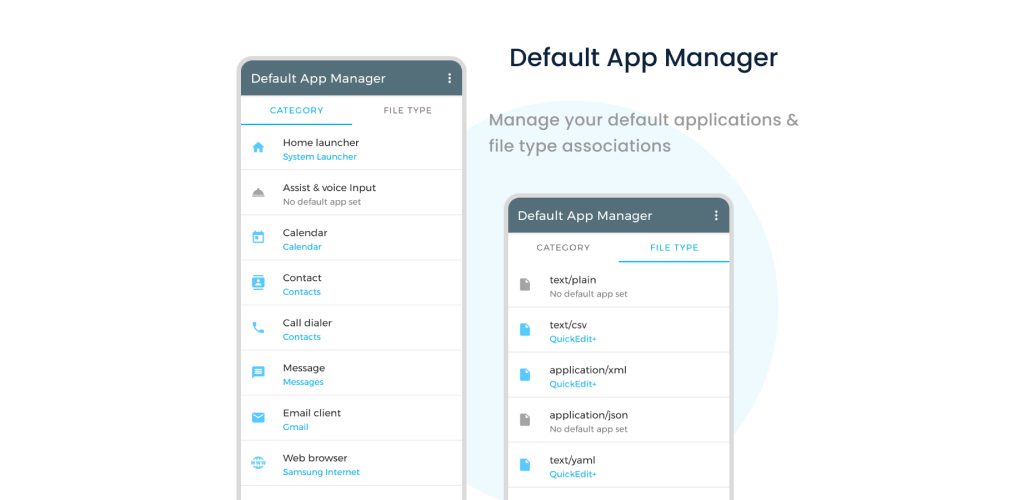
https://apkses.com/wp-content/uploads/default-app-manager-cover.png
Web Oct 14 2021 nbsp 0183 32 To change the default program for files open Settings from the Start menu or by hitting Windows Key I on your keyboard Then click Apps from the home screen of the Settings app Then click on
Pre-crafted templates provide a time-saving service for developing a diverse range of files and files. These pre-designed formats and layouts can be utilized for various individual and expert jobs, including resumes, invitations, leaflets, newsletters, reports, discussions, and more, streamlining the content creation process.
Change Default Program For Opening Files Windows 10

How To Change Default Program For File Type Stashokbin

Change Default Program For File Type Windows 10 Tidetr
Change Default Program For File Type apk Android Garryana
How To Change Default Program For A Short Cut Detectivepassl

How To Change Which Programs Windows 10 Uses By Default

Microsoft Word Is Not Opening Files Gagasworth

Web Jun 16 2020 nbsp 0183 32 In the Settings menu click Apps gt Default apps This will display a list of some of the more common programs you might use such as your web browser or email client To change any of these click on one of the options and select a replacement

Web Feb 27 2023 nbsp 0183 32 Accessing Default Apps from Control Panel Press Win E keys to open File Explore r Paste this path on the address bar Control Panel Programs Default Programs and hit enter key You will see the Default Programs settings open from Control Panel like below Click on one of the following links

Web Apr 26 2022 nbsp 0183 32 Follow TheWindowsClub Learn how to change default programs for opening certain file types in Windows 11 10 You can set default programs as per your choice

Web Feb 24 2022 nbsp 0183 32 Right click the Start button or use the WIN X hotkey and choose Settings Select Apps from the list Choose Default apps on the left Scroll down a little and select Choose default apps by file type Locate the file extension for which you want to change the default program

Web Nov 21 2018 nbsp 0183 32 In Windows 10 setting your default choice for opening files easy enough to do here s how How to change default apps in Windows 10 How to reset all default apps in Windows 10
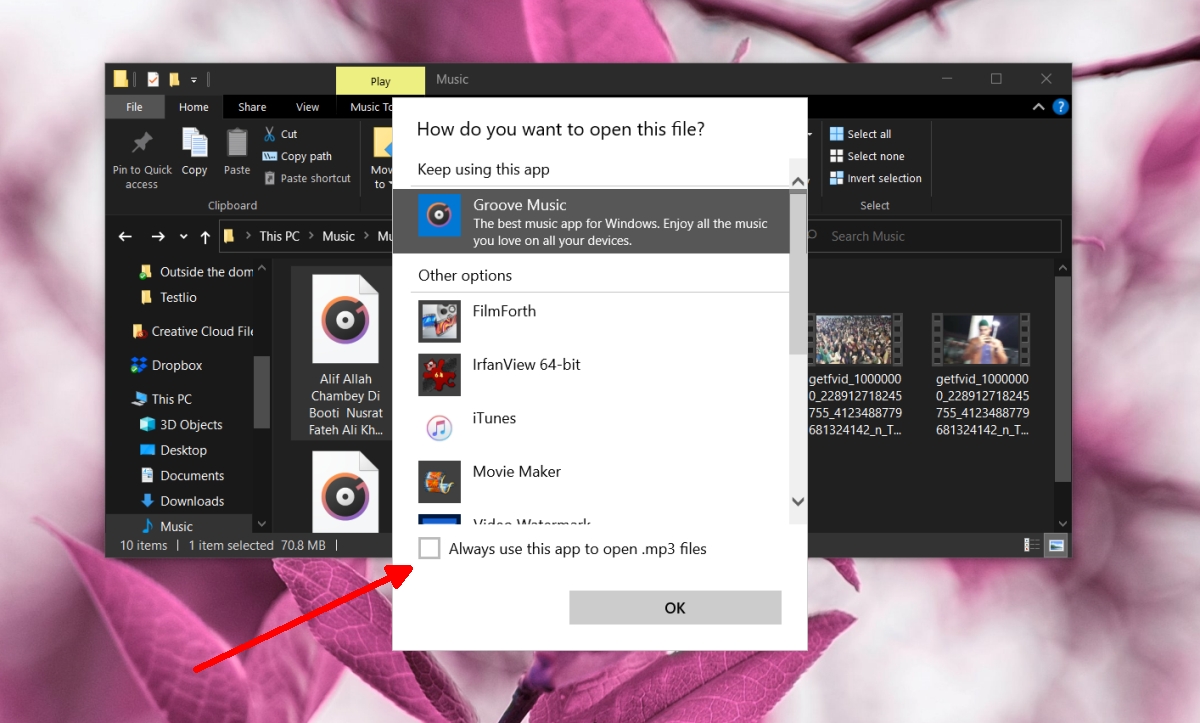
Web Double click the Default value Change to the HKEY CLASSES ROOT used to open e g NOTEPAD for the notepad exe application NOTEPAD Click OK If you now double click on a file with no extension it will open with the application selected Web Sep 5 2023 nbsp 0183 32 Change the Default by Using Open With in File Explorer Open File Explorer and navigate to a folder containing your PDF file Right click on a file and choose Open with gt Choose another app A pop up will appear that will let you choose a program for just one time Or you can also select the Always use this app link to make it
Web Mar 15 2016 nbsp 0183 32 Assign a default program to open the file type from Settings page by following the steps below Press Windows logo key on the keyboard type Default programs and select the top most search result Scroll the page down and click on Choose default apps by file type from the window Locate the file