Change Column Order In Pivot Table Change Order Of Column Labels In Pivot Table Brokeasshome How To Use Columns In Pivot Table Printable Forms Free Online Feat Support Multiple Time Columns With Time Grain In Pivot Table V2 How To Use Columns In Pivot Table Printable Forms Free Online Download Sort Pivot Table Column Gantt Chart Excel Template Web Excel Help amp Training PivotTables Use the Field List to arrange fields in a PivotTable Next Use the Field List to arrange fields in a PivotTable After you create a PivotTable you ll see the Field List You can change the design of the
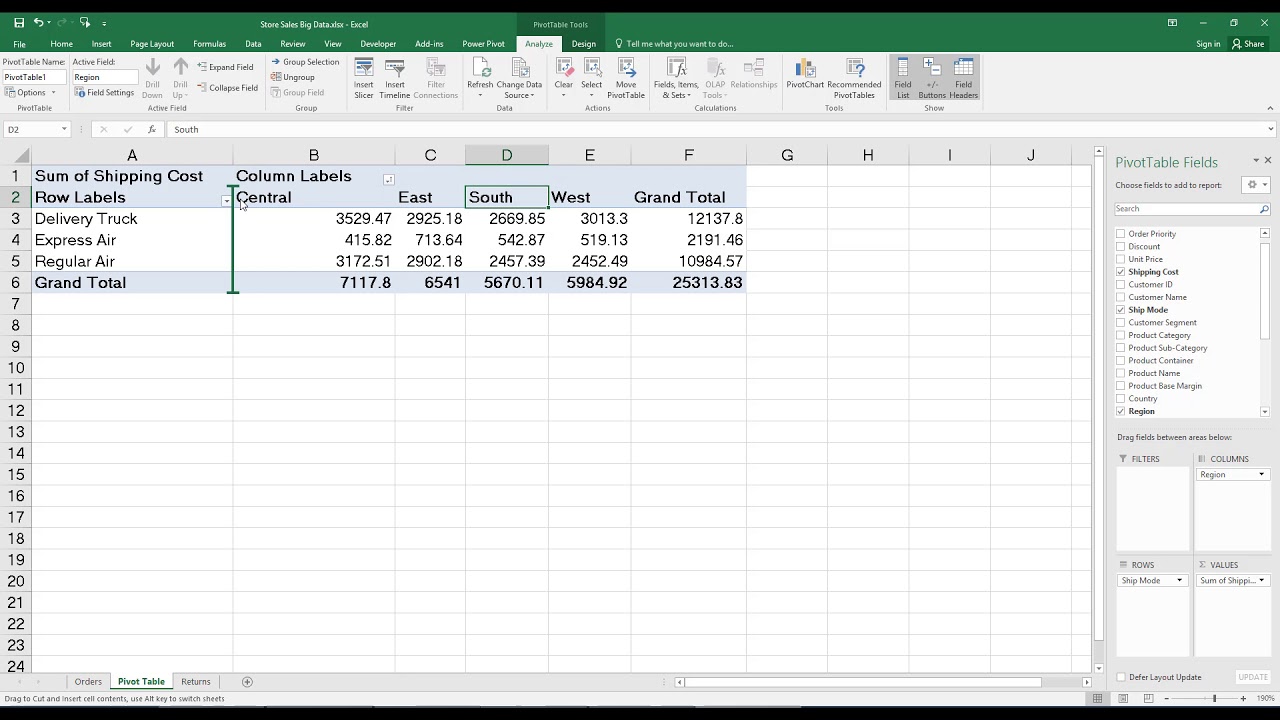
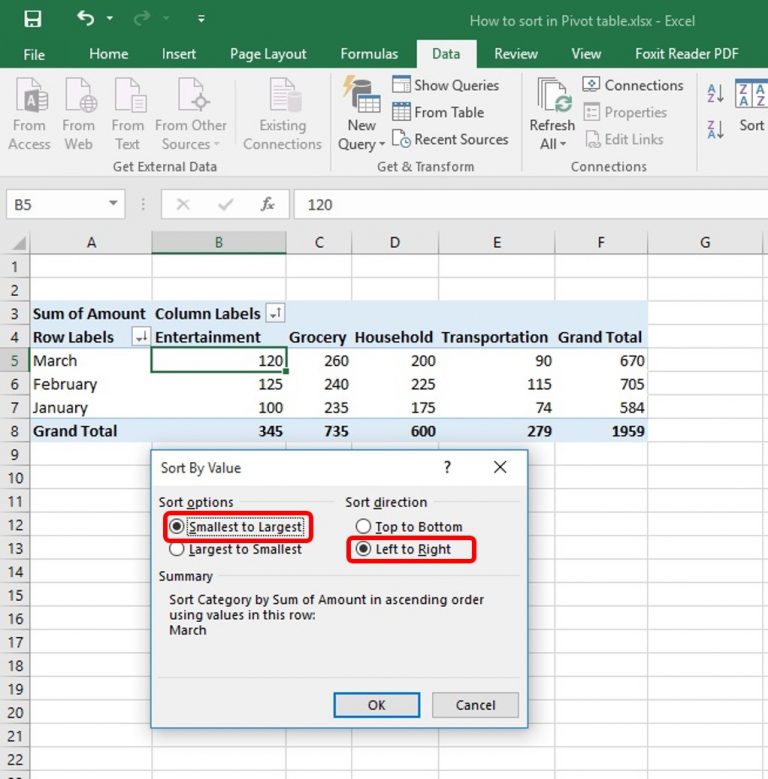
Web This video will show you how to change order of columns in a Pivot Table in Excel After a pivot table has been created and the fields that you want to analy Web Sep 13 2021 nbsp 0183 32 With the selected data select the Insert tab and then press Pivot Tables Then select From Table Range This will create the pivot table from the existing table you highlighted Having created the PivotTable the first step in sorting column data We click the field with the data or items that need Sort The option is at the Pivot table
Download Sort Pivot Table Column Gantt Chart Excel Template Excel Non nested Data Column In Pivot Tables Boot Panic How To Remove Empty Rows From Pivot Table Brokeasshome A Step by Step Guide To Pandas Pivot Tables Pivot Table Step Guide Automatic Row And Column Pivot Table Labels Apply Conditional Formatting To Excel Pivot Table Excel Unlocked Change Row column Order In Pivot Table PAIR Portal The Hong Kong How To Change Column Order On Mobile For Kadence Row Layout XENRION How To Format And Add Or Insert New Rows And Columns In Pivot Table
Change Column Order In Pivot Table
 Change Column Order In Pivot Table
https://i.ytimg.com/vi/5iWhP0D8LoI/maxresdefault.jpg
Web Jun 5 2018 nbsp 0183 32 Manually Sorting Pivot Table Columns I have a simple pivot table it looks great amp is a great help I have only one field in Columns called quot Type quot and there are six different types therefore six columns I want to sort those different types in a specific non alphabetical order
Templates are pre-designed files or files that can be utilized for various functions. They can save time and effort by providing a ready-made format and layout for creating various kinds of material. Templates can be utilized for individual or professional tasks, such as resumes, invitations, leaflets, newsletters, reports, presentations, and more.
Change Column Order In Pivot Table
How To Sort Pivot Table Custom Sort Pivot Table A Z Z A Order

Excel Non nested Data Column In Pivot Tables Boot Panic
How To Remove Empty Rows From Pivot Table Brokeasshome

A Step by Step Guide To Pandas Pivot Tables Pivot Table Step Guide
Apply Conditional Formatting To Excel Pivot Table Excel Unlocked

Change Row column Order In Pivot Table PAIR Portal The Hong Kong
Web Steps to Change Order of Columns A Open the pivot table in the spreadsheet program To begin changing the order of columns in a pivot table open the B Click on the column header to be moved Identify the column header that you want to change the position of Click on C Drag the column

Web Apr 12 2023 nbsp 0183 32 In a Pivot Table in Microsoft Excel rearranging columns refers to the act of changing the order in which the columns are displayed in the table It is widely used in Changing the order of columns to better analyze data and improve readability etc Step 1 Click Anywhere on the Pivot Table Click anywhere on the pivot table

Web To sort specific items manually or change the sort order you can set your own sort options Click a field in the row or column you want to sort Click the arrow on Row Labels or Column Labels and then click More Sort Options

Web Here s a step by step guide on how to change the order in a pivot table Sorting data in rows and columns Click on the drop down arrow next to the field you want to sort Select quot Sort A to Z quot or quot Sort Z to A quot to arrange the data in ascending or descending order Reordering fields within the pivot table Drag the field from one area of the

Web Change the order of row or column items Do any of the following In the PivotTable right click the row or column label or the item in a label point to Move and then use one of the commands on the Move menu to move the item to another location
Web Questions Tips Comments Like me Subscribe Web Jan 26 2011 nbsp 0183 32 2 Answers Sorted by 7 Assign serial numbers to the data in another hidden column and use that to sort the pivot table data If needed the serial numbers can be included in the pivot table and then hidden Serial numbers can be inserted either using a formula that adds one to the cell above or by typing 1 in the first cell and 2 below it and
Web Take the cursor over the heading until the cursor becomes a four headed black arrow Now simply drag the column where you want Hope this helps