Change Camera Resolution On Iphone 5 Change IPhone Resolution On IOS11 Without Glitches 3uTools How To Adjust Photo Size On Iphone PhotoVideoTalk No Way To Change Camera Resolution Settings In S21 Phone Reduce Size Of Pictures In Samsung Settings On Your Samsung Galaxy S23 That Are Ruining Your Experience How To Change IPhone Camera Resolution On 12 Pro Max 11Pro XR XS To change your photo resolution to the highest quality available follow the steps below 1 Open Settings on your iPhone 2 Click on Camera 3 Select Formats 4 Select Most Compatible This results in higher quality photos by saving images in JPEG format To change your video resolution to the highest quality available follow the steps below
Next time you shoot video using the Video mode found in the menu strip below the viewfinder notice the video resolution and frame rate separated by a dot in the top corner of the screen If video Unlike a compact camera or a DSLR your iPhone doesnu2019t let you adjust most of your image settings That said several tools within the Camera app and other third party programs can aid you
How To Change IPhone Camera Resolution On 12 Pro Max 11Pro XR XS How To Change IPhone Camera Resolution HowTech Top 3 Ways To Change The Resolution Of Photos On IPhone Top 3 Ways To Change The Resolution Of Photos On IPhone How To Improve Photo Resolution On IPhone Or IPad 8 Steps IOS 16 How To Change IPhone Camera Resolution In 2023 Samsung Galaxy S23 Ultra Features A Lower resolution Selfie Camera Android How To Change Camera RESOLUTION And Frame Rate On An IPhone YouTube How To Increase Photos Resolution On IPhone All IOS Enhance HD Photos YouTube
Change Camera Resolution On Iphone 5
 Change Camera Resolution On Iphone 5
https://www.3u.com/upload/20180403/1522735214871008981.jpg
One of the easiest ways to change the video resolution on your iPhone is through the camera settings By adjusting the resolution before you start recording you can ensure that your video will be captured in the desired quality To change the video resolution follow these steps Open the Camera app on your iPhone
Pre-crafted templates provide a time-saving option for producing a diverse variety of files and files. These pre-designed formats and layouts can be used for numerous individual and professional projects, including resumes, invitations, flyers, newsletters, reports, presentations, and more, enhancing the content production procedure.
Change Camera Resolution On Iphone 5

Download Google Camera 8 6 263 For Android 11 Android 12 And Android 13
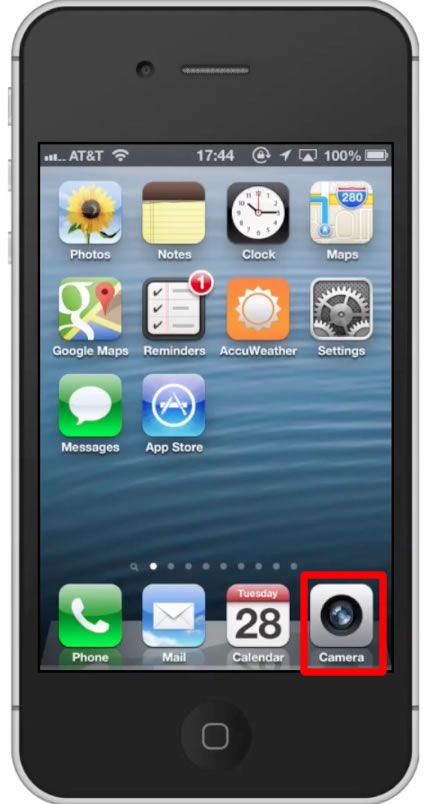
How To Change IPhone Camera Resolution HowTech
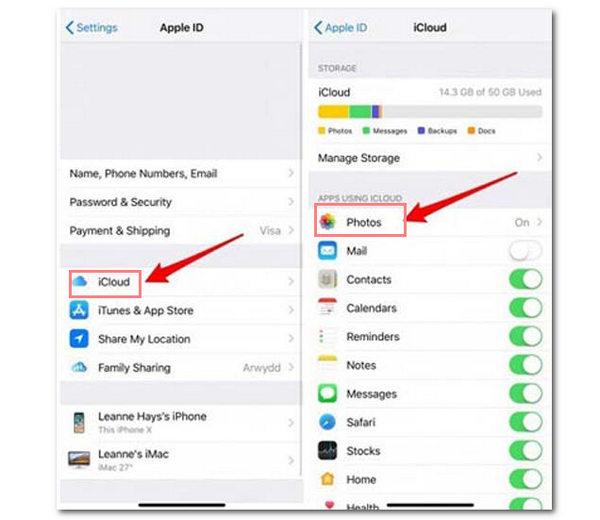
Top 3 Ways To Change The Resolution Of Photos On IPhone
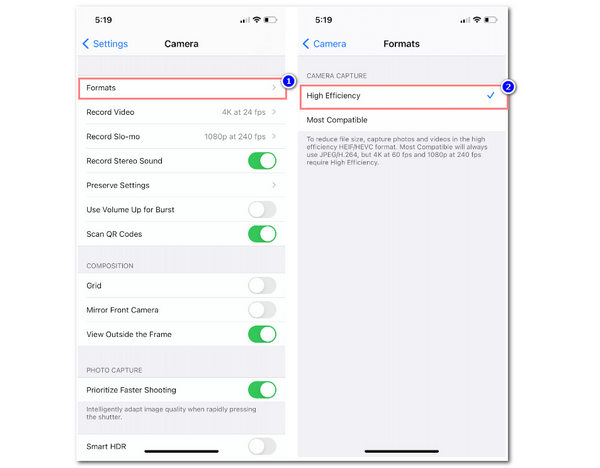
Top 3 Ways To Change The Resolution Of Photos On IPhone

IOS 16 How To Change IPhone Camera Resolution In 2023
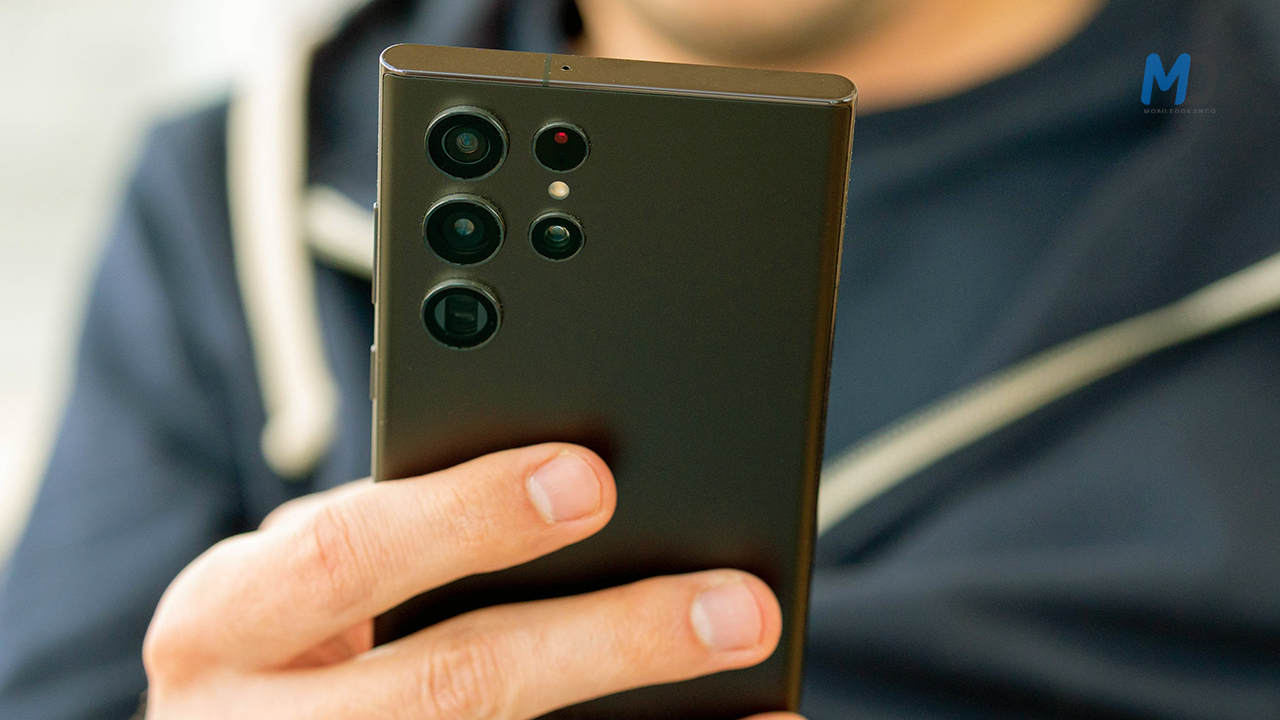
Samsung Galaxy S23 Ultra Features A Lower resolution Selfie Camera Android

To change your phone s video settings open Settings Camera and choose Record Video or Record Slo mo to change the default video resolution settings Set video to record 720p at 30fps

11 Go to Settings Camera You can select resolution and FPS for video slo mo However you cannot change the photo resolution

Step 1 Go to the Settings app on your iPhone As for iPhone with iOS 10 3 or higher choose your name go to iCloud and then tap the Photos option If your iPhone is still using iOS 10 2 or lower tap on the iCloud and select the Photos option Step 2 Turn on the iCloud Photo Library option and choose the Download and Keep Originals option
1 Open your iPhone s Settings You ll usually find this app on the home screen You can also check out our general guide on taking a good picture with your phone s camera This method will help you change the file format in which your videos and photos are saved 2 Scroll down and tap Camera 3 Tap Formats It s at the top of the Camera options

To change your phone s video settings open Settings Camera and choose Record Video or Record Slo mo to change the default video resolution settings Set video to record 720p at 30fps
Go to Settings Camera Record Video then depending on your model do one of the following Tap Auto FPS then apply Auto FPS to only 30 fps video or to both 30 and 60 fps video Turn on Auto Low Light FPS Turn stereo recording on and off iPhone uses multiple microphones to achieve stereo sound Maybe you want to make a video with your iPhone camera but you don t need it to be high resolution After all high quality videos look gorgeous but they also take up a lot of storage space If you have the iPhone 6s or 6s Plus or later 4K video in particular takes up large chunks of storage Whether you want to save storage or ensure you re recording the highest quality video possible
Find out more about iPhone Photo Academy https secure iphonephotographyschool iphone photo academy utm campaign YoutubeOrganic utm content RAZtIIe XHs