Centos Remove All Php Packages How To Use Yum To Install Update And Remove Packages In RHEL CentOS And How To Install PHP On CentOS Linux Stans CentOS Remove Vulnerable Packages YouTube CentOS 5 9 Has Been Officially Released How To Install Updates On CentOS 7 Linuxize Web Aug 16 2016 nbsp 0183 32 sudo yum autoremove okular It only removes four dependent packages And if I remove it with the command sudo yum remove okular It removes only one package which is okular x86 64 Now my question is that is there a way to remove all 37 installed packages with a command or do I have to remove all of them one by one centos
Web Jul 23rd 2012 at 10 59 AM If you installed by package manager you can uninstall it Otherwise try to find uninstaller or remove parent directory of PHP find location of php execute type php and then remove it flag Report Web Jan 15 2017 nbsp 0183 32 When I wanted to remove it I found that even if I deleted all the PHP7 files I install it using a tar Stack Exchange Network Stack Exchange network consists of 183 Q amp A communities including Stack Overflow the largest most trusted online community for developers to learn share their knowledge and build their careers
How To Install Updates On CentOS 7 Linuxize Centos Eliminar Mysql Linuxteaching Solved Unable To Remove PHP Packages From CentOS But 9to5Answer CentOS And Nano Editor Jacks Tech Corner Uninstall Or Remove A Package Using The Terminal On CentOS How To Remove A Package In Centos 7 Safely How To Download CentOS 6 Iso YouTube Migrate To Rocky Linux 8 From CentOS 8 Linux OSTechNix CentOS7 Installation Anleitung IT WhatsThat
Centos Remove All Php Packages
 Centos Remove All Php Packages
https://syscdn.systranbox.com/1661360447714.png
Web 1 I recently installed php and apache from source distribution on my ubuntu amazon ec2 instance Now I want to remove them But didn t get a way to do that Can anyone please help me show should be uninstall them Or If I need to delete files directories manually is there any way to find which were installed for a package Thanks in advance
Pre-crafted templates offer a time-saving service for developing a diverse series of files and files. These pre-designed formats and layouts can be utilized for different personal and expert projects, consisting of resumes, invitations, leaflets, newsletters, reports, presentations, and more, streamlining the content production procedure.
Centos Remove All Php Packages
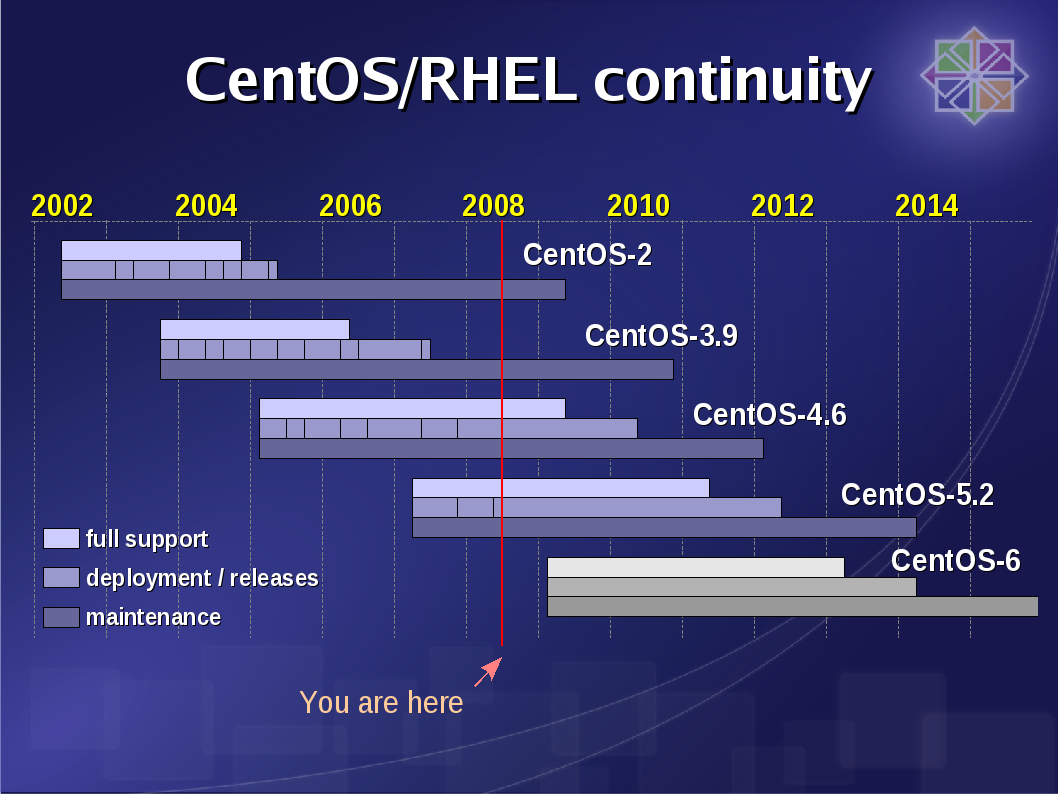
Available Now CentOS 4 7 Server CD

Centos Eliminar Mysql Linuxteaching

Solved Unable To Remove PHP Packages From CentOS But 9to5Answer

CentOS And Nano Editor Jacks Tech Corner

How To Remove A Package In Centos 7 Safely
How To Download CentOS 6 Iso YouTube

Web Jul 26 2017 nbsp 0183 32 How to uninstall an older PHP version from centOS7 My project is on Laravel 5 2 and as per guide it required php gt 5 5 6 but there was php 5 4 intalled and I had to upgrade php version through YUM But now it is giving error quot PDO driver not found quot and I tried YUM install php pdo but it s giving error that quot there is conflict between php56w

Web In any event the command syntax for package removal is yum remove package1 package2 package3 As noted above it removes package1 and all packages in the dependency tree that depend on package1 possibly irreversibly as far as configuration data is concerned As a quick way you can try yum remove package yum install package
Web Jan 30 2019 nbsp 0183 32 1 Answer Sorted by 1 You could also add this option to etc yum conf clean requirements on remove 1 Once this is done you can remove the PHP packages normally and afterward run yum autoremove yum autoremove will remove any un needed dependencies so it may also remove other dependencies not related to PHP but only if

Web Oct 4 2019 nbsp 0183 32 To remove a package and erase all the unneeded dependencies use the following command yum autoremove package name Note When a user installs a package YUM downloads and stores it in var cache yum However packages remain in cache even after they ve been installed and removed
Web Mar 6 2012 nbsp 0183 32 The easiest method to update PHP from older version 5 1 x to 5 3 x amp the method is called quot NASHOT s Method Go to GUI mode X Windows preferably Gnome desktop amp then quot Add Remove Software section Package Manager Click on Search TAB amp enter the search string as php amp set the radio button to quot Installed Packages quot amp Hit the
Web If you want to see what packages are on the system but don t seem to be depended on for anything you could run package cleanup quiet leaves from yum utils or package cleanup quiet leaves exclude bin to exclude binaries To remove all oprhaned packages automatically try package cleanup quiet leaves exclude bin xargs yum Web Mar 15 2022 nbsp 0183 32 How to remove all packages without affecting composer lock file Is there any single composer command to do that I tried composer remove but I got UnexpectedValueException quot LICENSE quot is not a valid alias I tried composer remove But then I get bunch of print like bin console is not required in your composer json and
Web This Tutorial helps to How to Completely Remove PHP from CentOS Tutorial 1 Find PHP Package rpm qa grep php2 Uninstall PHP Package rpm e PackageNam