Centos Certificate Location How To Install Ca Certificate In Linux Centos Systran Box How To Install SSL Certificate On Apache For CentOS 7 Tutorial Learning CentOs Linux Certificate A Hist ria Do CentOS SempreUpdate Centos Curl Error 77 Problem With The SSL CA Cert path Access Step 1 Ensure that mod ssl is installed on your system You can check this via the following command rpm qa grep mod ssl If it s not install it with dnf install mod ssl Step 2 Create the chain of your SSL certificate It must include the private key as well as the root intermediate and server certificates
Step 1 Installing mod ssl In order to set up the self signed certificate you first have to be sure that mod ssl an Apache module that provides support for SSL encryption is installed on the server You can install mod ssl with the yum command sudo yum install mod ssl Introduction Let s Encrypt is a Certificate Authority CA that provides free certificates for Transport Layer Security TLS encryption thereby enabling encrypted HTTPS on web servers It simplifies the process of creation validation signing installation and renewal of certificates by providing a software client that automates most of the steps Certbot
Centos Curl Error 77 Problem With The SSL CA Cert path Access Solusi Ketika Yum Update Error Pada Centos 7 CentOS 8 DNF L Tr nh Qu n L G i M c nh Thay Cho YUM Trong CentOS Centos 7 Install Mysql Default Password Lasopasix Free Let s Encrypt SSL Certificates On Centos 6 Set Up An SSL Certificate For Hostname On CentOS Web Panel PlotHost CentOS React Mysetting How To Centos 8 Laravel Permission Denied With Examples Buy PTE Certificates Without Exam Buy Genuine PTE Certificate Buy
Centos Certificate Location
 Centos Certificate Location
https://syscdn.systranbox.com/1661334098542.png
A Red Hat training course is available for Red Hat Enterprise Linux 28 2 Managing Certificates and Certificate Authorities Almost every IdM topology will include an integrated Dogtag Certificate System to manage certificates for servers replicas hosts users and services within the IdM domain
Templates are pre-designed documents or files that can be utilized for different purposes. They can save time and effort by offering a ready-made format and design for producing different kinds of material. Templates can be utilized for personal or professional projects, such as resumes, invites, leaflets, newsletters, reports, discussions, and more.
Centos Certificate Location

30027C Certificate
Solusi Ketika Yum Update Error Pada Centos 7
CentOS 8 DNF L Tr nh Qu n L G i M c nh Thay Cho YUM Trong CentOS

Centos 7 Install Mysql Default Password Lasopasix
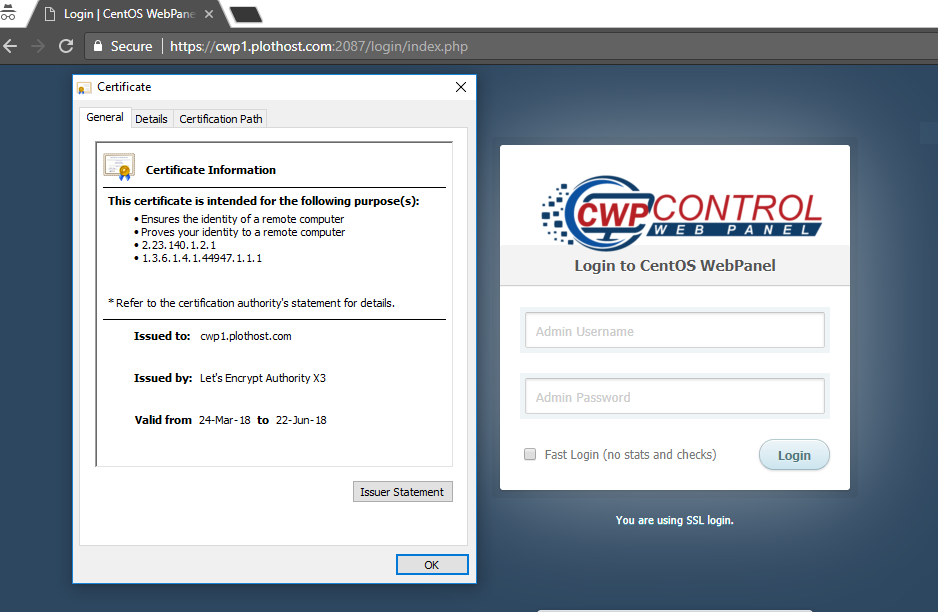
Set Up An SSL Certificate For Hostname On CentOS Web Panel PlotHost

CentOS React Mysetting

How to add Certificate Authority file in CentOS 7 Ask Question Asked 7 years 9 months ago Modified 3 years 6 months ago Viewed 350k times 95 I am trying to add certificate Authority CA file name ca crt to etc ssl certs for that I followed this article I copied my ca crt file to etc pki ca trust source anchors and run the command below
Modified 2 years 1 month ago Viewed 2k times 0 I have a need to add system trust for a local CA certificate This is prompted by a couple of applications but notably curl which warns about untrusted certs when connecting to our CA signed HTTPS endpoints

Step 1 Installing Easy RSA The first task in this tutorial is to install the easy rsa set of scripts on your CA Server easy rsa is a Certificate Authority management tool that you will use to generate a private key and public root certificate which you will then use to sign requests from clients and servers that will rely on your CA

1 Use the command terminal to install the EPEL repository and yum utils sudo yum y install epel release yum utils 2 Next install a module that supports SSL for Apache sudo yum y install mod ssl In this example the latest version of the module is already available

This command only makes the certificate available for the single user and would have to be repeated for each user on the system To make the certificate available to all users on a system the output of the hammer command even suggests using ca certificates Updating ca certificates to validate sites with an internal CA certificate
As the certificate is self signed browsers will generally ask you whether you want to accept the certificate 3 Setting up the virtual hosts Just as you set VirtualHosts for http on port 80 so you do for https on port 443 A typical VirtualHost for a site on port 80 looks like this 4 Configuring the firewall 4 048 4 36 55 Add a comment 8 Answers Sorted by 156 It s not SSL keys you want it s certificate authorities and more precisely their certificates You could try awk v cmd openssl x509 noout subject BEGIN close cmd print cmd etc ssl certs ca certificates crt
Red Hat Enterprise Linux uses the ca certificates package which includes the Mozilla Foundation s set of CA certificates for use with the internet public key infrastructure PKI At the time I m writing this the ca certificates package has around 140 CAs in it This bundle of certificates is essentially the default people to trust list The RHEL documentation covers handling shared system